
1. Introduzione
This manual provides instructions for the Jebao Doser 5.6 Bluetooth 6-Channel Auto Dosing Pump. This device is designed to automate the precise addition of liquid supplements to saltwater reef aquariums, such as calcium (CA), magnesium (MG), alkalinity (KH), or other liquid solutions. It features both manual and Bluetooth APP control for convenient operation and monitoring.

Image 1.1: The Jebao Doser 5.6 Bluetooth 6-Channel Auto Dosing Pump.
2. Informazioni sulla sicurezza
AVVERTIMENTO:
- Do not allow the power cord or plug to contact moisture or water.
- Do not use this product with corrosive, flammable, or toxic liquids.
- Always place the unit on a stable and level surface.
- Garantire l'alimentazione voltage corrisponde ai requisiti dell'unità.
- Non smontare o modificare il prodotto.
- Do not operate the unit if it appears damaged.
- Consult a qualified professional for installation or repair if you are unsure.

Image 2.1: The Doser 5.6 unit, power adapter, and included user manual, which contains safety warnings.
3. Contenuto della confezione
Verificare che tutti i componenti siano presenti nella confezione:
- Jebao Doser 5.6 unit
- Adattatore di alimentazione CA.
- Dosing Tubes (pre-attached or included separately)

Image 3.1: The Jebao Doser 5.6 unit and its retail box, illustrating typical package contents.
4. Caratteristiche del prodotto
The Jebao Doser 5.6 offers the following key features:
- Connessione Bluetooth: Enables convenient wireless operation and monitoring via a dedicated mobile application.
- Doppio sistema di controllo: Supports both manual control via the unit's buttons and APP control, featuring a visual LCD display for easy operation.
- Versatile Liquid Dosing: Suitable for precise dosing of various liquid supplements, including CA, MG, AB, KH water, and other solutions essential for aquarium maintenance.
- Dosaggio a 6 canali: Provides six independent dosing channels, allowing for the automated addition of multiple supplements simultaneously.
- Smart Automation Features: A simple and effective method to automate the addition of liquid supplements, trace elements, and two-part solutions to your aquarium.
- Configurazione intuitiva: Intuitive and robust configuration options are available through the Jebao App for easy customization of dosing schedules.

Image 4.1: The Doser 5.6 demonstrating its capability to dose various aquarium supplements.
5. Impostazione
- Disimballare l'unità: Carefully remove the Doser 5.6 unit and all accessories from its packaging.
- Posizionamento: Position the unit on a stable, level surface near your aquarium. Ensure it is in a dry area, away from direct splashes.
- Collegamento elettrico: Connect the AC adapter to the dosing pump's power input, then plug the adapter into a suitable power outlet.
- Collegamento tubo: Connect the dosing tubes to the pump heads (C1-C6). Route the inlet ends of the tubes into your respective supplement containers and the outlet ends into your aquarium or sump. Ensure tubes are securely fastened and free from kinks or obstructions.
- Controllo iniziale: Verify all connections are secure and the unit powers on.

Immagine 5.1: posteriore view of the Doser 5.6, showing mounting points and connection ports for tubes and power.
6. Istruzioni per l'uso
6.1. APP Control (Bluetooth)
- Scarica l'app: Download the official Jebao App from your mobile device's app store (iOS or Android).
- Abilita Bluetooth: Assicurati che il Bluetooth sia abilitato sul tuo dispositivo mobile.
- Connect to Doser: Open the Jebao App and follow the on-screen instructions to search for and connect to your Doser 5.6 unit.
- Configure Dosing: Use the app's intuitive interface to set up dosing schedules, volumes, and frequencies for each of the six channels. You can customize daily intervals and specific dosing times.
- Monitorare: The app provides a visual interface for monitoring the current status and programmed settings of your dosing pump.
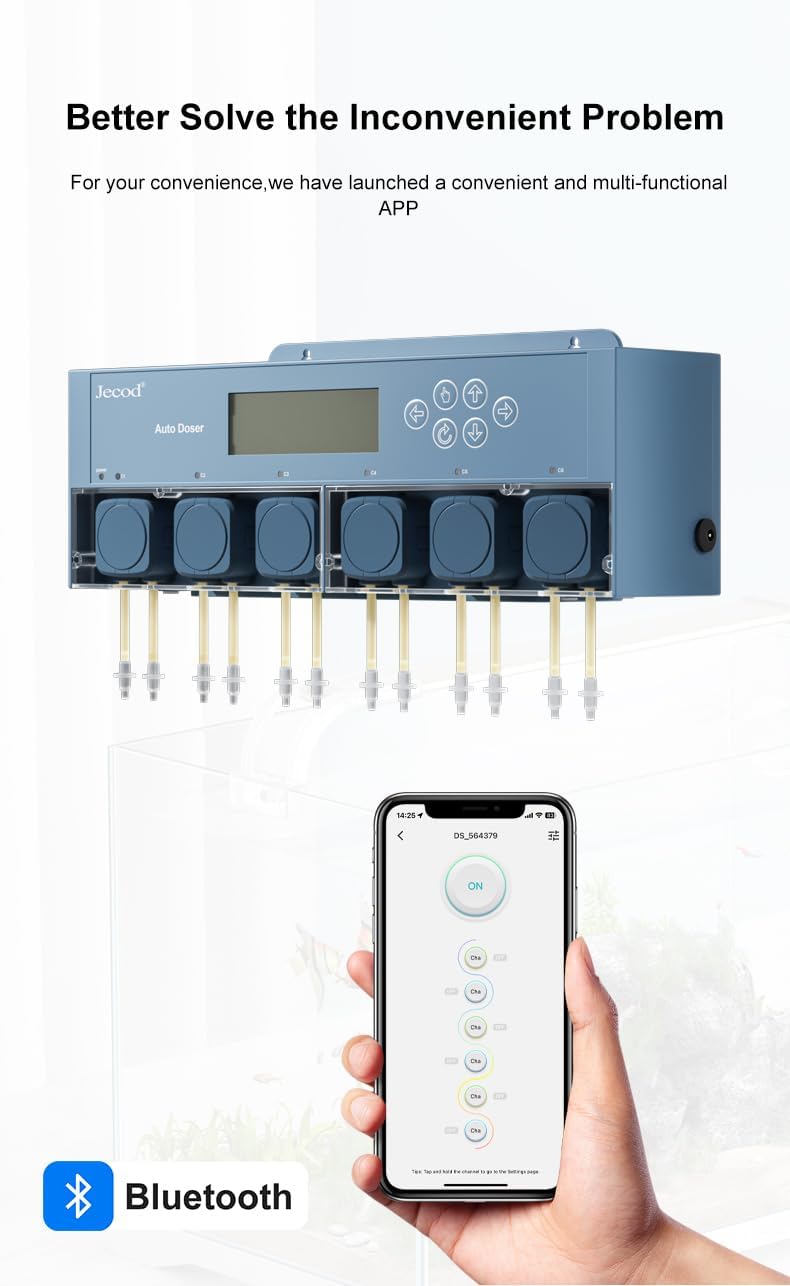
Image 6.1: The Doser 5.6 being controlled wirelessly via the Jebao smartphone application.

Immagine 6.2: Dettagliata views of the Jebao app interface for setting day intervals, channel schedules, and dosing volumes.
6.2. Controllo manuale
The Doser 5.6 also features a visual LCD display and control buttons for direct manual operation:
- Use the navigation buttons (up, down, left, right, enter) located on the unit's front panel to access menus and adjust settings.
- Follow the on-screen prompts on the LCD display to configure dosing parameters such as start time, stop time, and volume for each channel.
- The LCD display provides real-time information on the pump's status and current settings.

Immagine 6.3: anteriore view of the Doser 5.6, highlighting the LCD display and manual control buttons.
7. Manutenzione
- Ispezione dei tubi: Regularly inspect all dosing tubes for blockages, kinks, or signs of wear. Replace any damaged tubes promptly to ensure accurate dosing.
- Pulizia: Periodically clean the pump heads and the exterior of the unit to prevent salt creep or residue buildup, which can affect performance. Use a damp panno; evitare prodotti chimici aggressivi.
- Supplement Containers: Ensure supplement containers are clean and free from contaminants. Refill them before they run completely dry to prevent air from entering the dosing lines.
- Adattatore di alimentazione: Check the power adapter and cable for any signs of damage or fraying. Replace if necessary.
8. Risoluzione Dei Problemi
| Problema | Possibile causa | Soluzione |
|---|---|---|
| La pompa non si accende | Nessuna alimentazione, adattatore difettoso | Check power connection and AC adapter. Ensure the power outlet is functional. |
| Problemi di connessione Bluetooth | Bluetooth disabled, out of range, app error | Ensure Bluetooth is enabled on your device and the pump is within range. Restart the app and the dosing pump if necessary. |
| Volume di dosaggio impreciso | Air bubbles, blocked tubes, incorrect calibration, low supplement levels | Calibrate the pump heads according to the app or manual instructions. Check for air bubbles or blockages in the dosing lines. Ensure supplement levels in containers are sufficient. |
| Pump head stuck or not dosing | Debris, wear, or damage to pump head | Inspect the pump head for debris or damage. Clean or replace the pump head if necessary. |
| Programming lost | Power interruption, internal error | Re-enter settings via the app or manual controls. Ensure a stable power supply. |
9. Specifiche
- Modello: Doser 5.6
- Canali: 6
- Potenza in ingresso: CC 12V 12W
- Portata massima: 50 litri al minuto
- Altezza massima di sollevamento: 1.5 metri (4.9 piedi)
- Dimensioni del prodotto (L x P x A): 11.8 x 3.9 x 3.1 pollici
- Peso dell'articolo: 2 libbre
- Materiale: Acciaio inossidabile (componenti interni), plastica (alloggiamento)
- Colore: Blu
10. Garanzia e supporto
For specific warranty information, terms, and conditions, please refer to the documentation included with your product or visit the official Jebao websito. Conservare la ricevuta d'acquisto come prova d'acquisto per eventuali reclami in garanzia.
For technical support, troubleshooting assistance beyond this manual, or inquiries about replacement parts, please contact Jebao customer service through their official channels. Contact information can typically be found on the manufacturer's websito o nella confezione del prodotto.