
1. Introduzione
The TECTINTER N64 to HDMI Converter allows you to connect your classic Nintendo 64, SNES, SFC, NGC, or Gamecube console to modern televisions, monitors, or projectors via an HDMI input. This adapter converts analog signals to digital HDMI, providing a clearer 720P or 1080P resolution output with minimal latency, enhancing your retro gaming experience.
2. Prodotto finitoview
2.1 Contenuto della confezione
- TECTINTER N64 to HDMI Converter (x1)
- Cavo di alimentazione USB (x1)
- Manuale utente (x1)

Image: The package includes the N64 to HDMI converter, a USB power cable, and a user manual.
2.2 Caratteristiche principali
- Compatibilità universale: Supports Nintendo 64, SNES, SFC, NGC, and Gamecube consoles.
- Uscita ad alta definizione: Converts analog signals to 720P/1080P HDMI resolution.
- Collega e usa: Non sono richiesti driver per l'installazione.
- Zero ritardo: Designed for low latency gaming.
- Riduzione del rumore: Built-in signal stabilization to minimize static and flickering.
- Design durevole: Features a reinforced braided cable and gold-plated connectors.

Image: The converter is compatible with Nintendo 64, SNES, SFC, and Gamecube consoles, connecting them to an HDTV via an HDMI cable.

Image: This 4-in-1 HD converter supports N64, SNES, SFC, and Gamecube consoles.

Image: The N64 to HDTV converter unit and its USB power cable.
3. Istruzioni per l'installazione
- Connect the Converter to your Console: Plug the N64 AV multi-out connector from the converter into the corresponding port on your Nintendo 64, SNES, SFC, NGC, or Gamecube console.
- Connetti al display: Connect one end of an HDMI cable (not included) to the 'OUTPUT' port on the converter and the other end to an available HDMI input on your television, monitor, or projector.
- Alimenta il convertitore: Connect the provided USB power cable to the 'Power' port on the converter and plug the other end into a USB power source (e.g., a USB wall adapter, TV USB port, or console USB port).
- Accensione: Turn on your console and your display device. Select the correct HDMI input on your display.

Image: An N64 console is connected to the converter, which outputs to a television.
4. Istruzioni per l'uso
Once connected and powered, the converter will automatically detect the video signal from your console. The converter features a switch to select between 720P and 1080P output resolutions. Adjust this switch to your preferred setting based on your display's capabilities and visual preference.
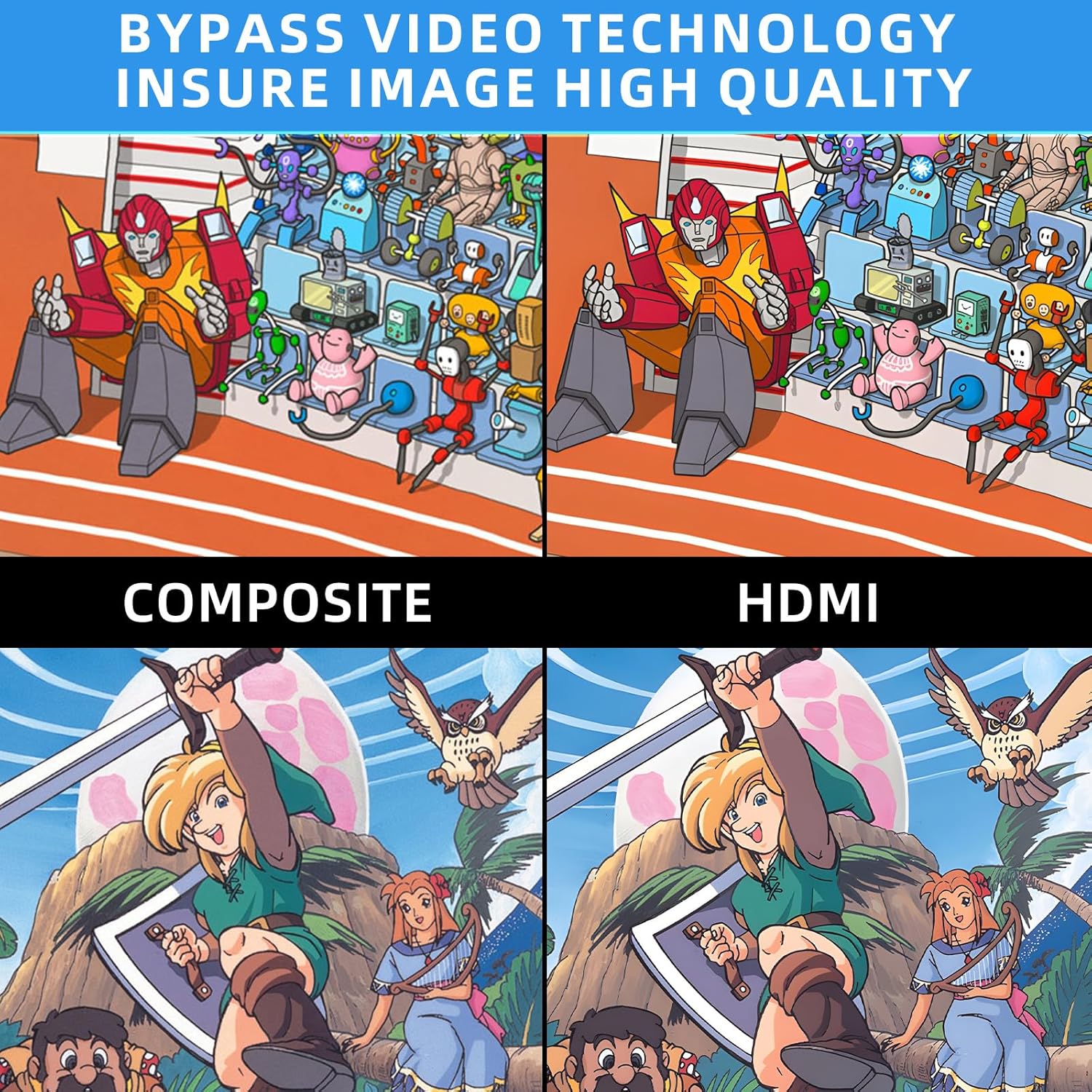
Image: Comparison of Composite video output versus HDMI output, highlighting improved image quality with the converter.
5. Risoluzione Dei Problemi

Image: Troubleshooting guide for common issues like 'No Signal'.
- Blue Screen / No Signal: If your screen displays a blue screen or 'No Signal', it indicates no video input. Please check all connections to ensure they are secure and correctly plugged in. Verify that your display is set to the correct HDMI input.
- Nessun suono: If there is no sound, please reconnect all cables. Ensure your display's audio settings are correctly configured for the HDMI input.
- N64/SNES/GC to HDMI, does not support HDMI to AV: This converter is designed for one-way conversion from analog AV (N64/SNES/GC) to digital HDMI. It does not support conversion from HDMI to AV.
- Requisiti di potenza: The converter requires external power via the included USB cable. Ensure it is connected to a stable USB power source.
If the above steps do not resolve the issue, please contact TECTINTER customer service for further assistance.
6. Specifiche
| Caratteristica | Specificazione |
|---|---|
| Dimensioni del prodotto (L x P x A) | 1 x 0.5 x 0.5 pollici |
| Peso dell'articolo | 7 once (0.2 chilogrammi) |
| Numero modello articolo | N64 HDMI |
| Dispositivi compatibili | Monitor, Television |
| Tipo di connettore | Cavo HDMI |
| Produttore | TETTOINTER |
7. Manutenzione
To ensure the longevity and optimal performance of your TECTINTER N64 to HDMI Converter, follow these maintenance guidelines:
- Conservare il dispositivo in un ambiente asciutto, lontano da umidità e temperature estreme.
- Evitare di far cadere o di sottoporre il convertitore a forti urti.
- Pulire il dispositivo con un panno morbido e asciutto. Non utilizzare detergenti liquidi o spray.
- Disconnect the power cable when the converter is not in use for extended periods.
8. Garanzia e supporto
This product comes with a standard manufacturer's warranty. For detailed information regarding warranty coverage, returns, or technical support, please refer to the contact information provided with your purchase or visit the official TECTINTER websito. Conservare la prova d'acquisto per eventuali reclami in garanzia.