
Introduzione
The ZTE U50 Pro is a high-performance 5G portable WiFi router designed for reliable and fast internet access on the go. Featuring a powerful Qualcomm Snapdragon X62 processor, it supports dual-mode 5G and global roaming, ensuring connectivity in over 100 countries and regions. This device incorporates 5G NR carrier aggregation and low-frequency ENDC technologies for enhanced speeds and network capacity. With Wi-Fi 6 (802.11ax) technology, it delivers a peak rate of 3600 Mbps and can support up to 64 connected devices simultaneously, making it ideal for various personal and professional uses.
This manual provides essential information for setting up, operating, maintaining, and troubleshooting your ZTE U50 Pro router. Please read it thoroughly before use.
Contenuto della confezione
Assicurarsi che tutti gli articoli siano presenti nel pacco:
- ZTE U50 Pro 5G Portable WiFi 6 Router
- Cavo dati USB di tipo C
- Quick Guide (English)
- Batteria agli ioni di litio integrata (10,000 mAh)
Dispositivo suview
Familiarize yourself with the components of your ZTE U50 Pro router.

Immagine: Davanti view of the ZTE U50 Pro 5G Portable WiFi Router, showing its 2.4-inch touch screen interface with network status, data usage, and Wi-Fi indicators.

Immagine: Davanti e dietro view of the ZTE U50 Pro 5G Portable WiFi Router, illustrating its compact design and the ZTE branding on the rear panel.
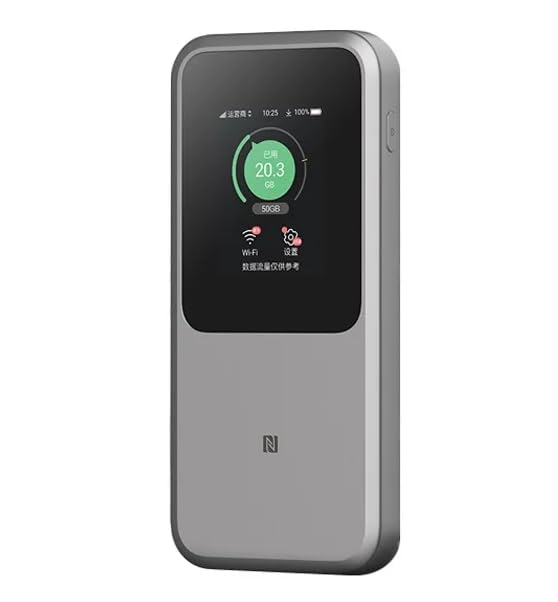
Immagine: The ZTE U50 Pro 5G Portable WiFi Router highlighting its main features: high-performance Snapdragon X62 chip, high-rate Wi-Fi 6 (3600Mbps), 10000mAh ultra-large capacity battery with 27W fast charge, and a 2.4-inch touch screen for easy device management.
Impostare
1. Installazione della scheda SIM
- Individua lo slot della scheda SIM sul dispositivo.
- Aprire con cautela il coperchio dello slot della scheda SIM.
- Inserire una scheda Nano-SIM standard nello slot con i contatti dorati rivolti verso il basso e l'angolo dentellato allineato correttamente.
- Spingere delicatamente la scheda SIM finché non scatta in posizione.
- Chiudere bene il coperchio dello slot della scheda SIM.
- Nota: The device is unlocked and compatible with any standard Nano-SIM card.
2. Accensione/Spegnimento
- Per accendere: Tenere premuto il pulsante di accensione per alcuni secondi finché lo schermo non si illumina.
- Per spegnere: Press and hold the Power button until a power-off option appears on the screen. Select "Power Off" or continue holding the button until the device shuts down.
3. Configurazione iniziale
- Upon first power-on, the device may guide you through an initial setup wizard on its 2.4-inch touch screen.
- Follow the on-screen prompts to set basic preferences such as language, time zone, and initial Wi-Fi settings (SSID and password).
- Alternatively, you can connect to the device's default Wi-Fi network (SSID and password usually found on a sticker inside the SIM card slot or on the device packaging) and access the web management interface via a browser (e.g., 192.168.0.1 or 192.168.1.1).
Istruzioni per l'uso
1. Connessione dei dispositivi tramite Wi-Fi
- Ensure your ZTE U50 Pro is powered on.
- On your device (smartphone, laptop, tablet, etc.), open the Wi-Fi settings.
- Cerca le reti Wi-Fi disponibili.
- Select the network name (SSID) broadcast by your ZTE U50 Pro. The default SSID is usually printed on the device or its packaging.
- Enter the Wi-Fi password (key) when prompted. The default password is also typically printed on the device.
- Once connected, your device will have internet access through the ZTE U50 Pro.
- The router supports up to 64 simultaneous device connections.
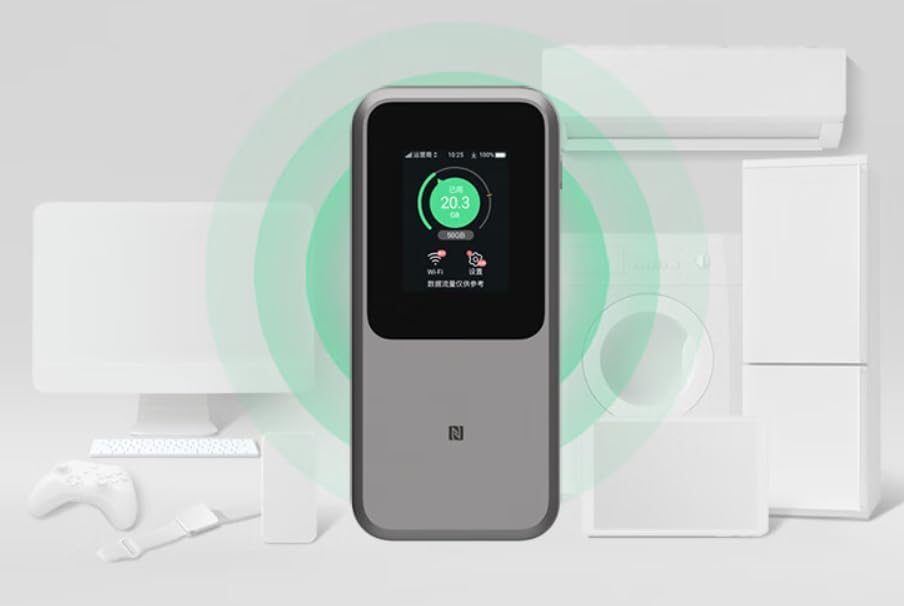
Immagine: The ZTE U50 Pro 5G Portable WiFi Router actively broadcasting a Wi-Fi signal, demonstrating its ability to connect to various devices such as computers, mobile phones, and gaming consoles simultaneously.
2. Gestione delle impostazioni
- Via Touch Screen: Use the 2.4-inch touch screen to view network status, data usage, connected devices, and access quick settings.
- Tramite Web Interfaccia di gestione: For advanced settings, connect a device to the router's Wi-Fi network and open a web browser. Enter the router's IP address (e.g., 192.168.0.1) in the address bar. Log in using the administrator username and password (default credentials are usually on the device or in the quick guide). Here you can configure Wi-Fi names, passwords, security settings, network modes, and more.
3. Carica del dispositivo
- Connect the provided USB Type-C data cable to the charging port on the ZTE U50 Pro.
- Collegare l'altra estremità del cavo a un adattatore di alimentazione USB compatibile (non incluso) o alla porta USB di un computer.
- The device supports 27W fast charging. Use a compatible fast charger for optimal charging speed.
- L'indicatore della batteria sullo schermo mostrerà lo stato di carica.
Manutenzione
- Cura della batteria: To prolong battery life, avoid exposing the device to extreme temperatures. For long-term storage, charge the battery to approximately 50% and store in a cool, dry place.
- Pulizia: Per pulire il dispositivo, utilizzare un panno morbido e asciutto. Non utilizzare detergenti liquidi o spray.
- Aggiornamenti software: Controllare periodicamente la presenza di aggiornamenti del firmware tramite web interfaccia di gestione per garantire prestazioni e sicurezza ottimali.
Risoluzione dei problemi
| Problema | Possibile causa | Soluzione |
|---|---|---|
| Nessuna connessione Internet | SIM card not inserted correctly, no network signal, data plan expired, incorrect APN settings. |
|
| Impossibile connettersi al Wi-Fi | Incorrect Wi-Fi password, Wi-Fi disabled, too many connected devices. |
|
| Velocità Internet lenta | Weak signal, network congestion, distance from router, too many connected devices. |
|
| Il dispositivo non si accende | Low battery, faulty charger/cable. |
|
Ripristino delle impostazioni di fabbrica
If the device experiences persistent issues, a factory reset may resolve them. This will erase all custom settings and restore the device to its original factory defaults. Refer to the Quick Guide or the web management interface for instructions on how to perform a factory reset.
Specifiche
| Marca | ZTE |
| Nome del modello | U50 Professionista |
| Sistema operativo | ZyNOS |
| Tecnologia di connettività | 5G, LTE |
| standard wireless | 802.11ax (Wi-Fi 6) |
| Classe di banda di frequenza | Doppia banda (2.4 GHz e 5 GHz) |
| Max Wi-Fi Rate | 3600 Mbps |
| Numero massimo di dispositivi connessi | 64 |
| Capacità della batteria | 10,000 mAh (ioni di litio) |
| Ricarica | Ricarica rapida da 27 W (USB Type-C) |
| Display | Touchscreen da 2.4 pollici |
| Tipo di antenna | Interno |
| Uso consigliato | Attività all'aperto/Viaggi |
| Componenti inclusi | USB Type-C Data Cable, Quick Guide |
| Paese di origine | Cina |
Informazioni sulla sicurezza
- Non esporre il dispositivo a temperature estreme, alla luce solare diretta o a elevata umidità.
- Evitare di far cadere o di sottoporre il dispositivo a urti violenti.
- Use only approved accessories, such as the provided USB Type-C cable.
- Non tentare di smontare o modificare il dispositivo. Ciò invaliderà la garanzia.
- Tenere il dispositivo lontano dall'acqua e da altri liquidi.
- Smaltire la batteria e il dispositivo secondo le normative locali.
Garanzia e supporto
Information regarding specific warranty terms and conditions for the ZTE U50 Pro is typically provided with the product packaging or can be found on the manufacturer's official website. Please refer to the included Quick Guide for details on how to contact customer support for technical assistance or warranty claims.
For further assistance, please visit the official ZTE support websito o contattare il rivenditore.