
1. Introduzione
This manual provides detailed instructions for the installation, operation, and maintenance of your Eonon UX6K-PRO-MAX Android 13 Car Stereo. Please read this manual thoroughly before using the product to ensure proper functionality and safety. The UX6K-PRO-MAX is a 10.1-inch double DIN car stereo featuring Android 13, 8GB RAM, 128GB ROM, 4G LTE, GPS navigation, wireless CarPlay, Android Auto, screen mirroring, Bluetooth 5.1, and a built-in DSP.

Image 1.1: Eonon UX6K-PRO-MAX Car Stereo with included accessories.
2. Configurazione e installazione
2.1 Contenuto della confezione
Verificare che tutti i componenti siano presenti nella confezione:
- Cavo di alimentazione (x1)
- Antenna GPS (x1)
- Antenna 4G (x1)
- Cavo USB (x1)
- CarPlay USB cable (x1)
- Reversing input cable (x1)
- Audio cable (x1)
- AV conversion cable (x1)
- Spare fuse (x1)
- SIM card holder (x1)
- External microphone (x1)
- Viti (x8)
- Manuale di istruzioni (x1)
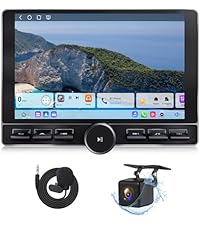
Image 2.1: Contents of the Eonon UX6K-PRO-MAX package.
2.2 Compatibility and Mounting
The UX6K-PRO-MAX is a double DIN car stereo. It is compatible with most dash kits if your original car radio's mounting size is 178x100mm (7.01"x3.94") and it uses an ISO power cord. Direct installation is possible under these conditions.
If your car's dashboard size is not 178x100mm or has an irregular frame, an additional mounting kit (not included) will be required. For vehicles without an ISO power cord, a compatible ISO adapter must be purchased separately.

Image 2.2: Applicable dashboard dimensions for installation.

Image 2.3: Guidance for installation with irregular frames or non-ISO wiring.
2.3 Schema elettrico
Fare riferimento allo schema seguente per il corretto cablaggio. Assicurarsi che tutti i collegamenti siano ben saldi prima di accendere l'unità.

Image 2.4: Wiring diagram for the UX6K-PRO-MAX.
- GPS
- Antenna 4G
- Porta USB
- Porta USB
- Porta USB per CarPlay
- Ingresso telecamera di backup
- Controllo del cambio freno
- Ingresso RX/TX
- Uscita audio RL
- Uscita audio RR
- AMP
- Slot per scheda SIM
- Microfono esterno
- Uscita audio FL
- Uscita audio FR
- Ingresso audio L
- Ingresso audio R
- Ingresso video
- Ingresso fotocamera frontale
- Uscita subwoofer
- Porta ISO
- Filo di illuminazione
- Cavo SWC 2
- Filo di innesco inverso
- Cavo SWC 1
- Antenna Bluetooth
- Antenna WiFi
- Coassiale
- Ottico
3. Istruzioni per l'uso
3.1 CarPlay & Android Auto & Screen Mirroring
- CarPlay senza fili: Connect your iPhone via Bluetooth for a seamless in-vehicle experience.
- Android Auto: Access the full-featured Android Auto system via both Bluetooth and USB connections.
- Clonazione schermo: Project content from your mobile phone onto the large screen for enhanced viewing.
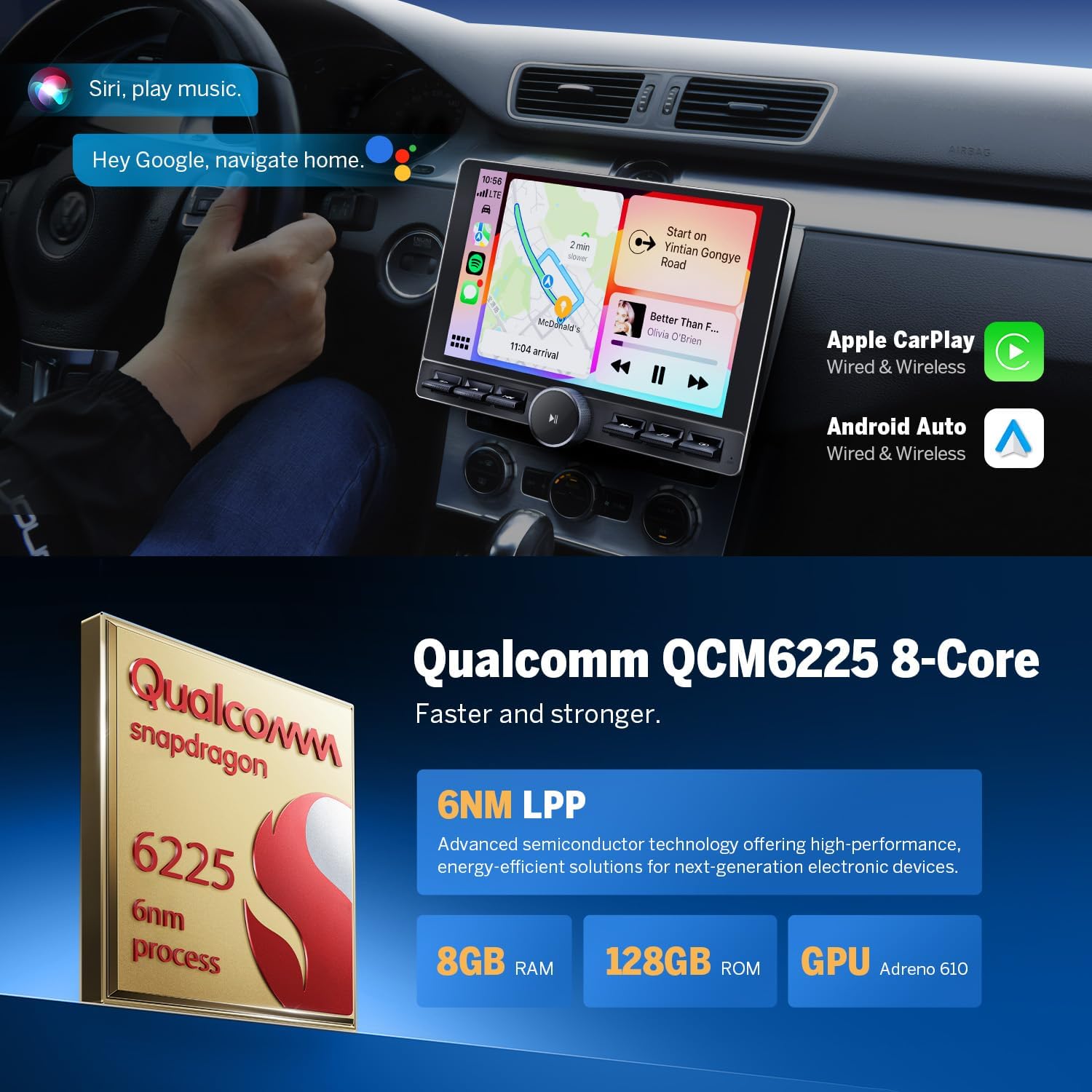
Immagine 3.1: Funzionalità CarPlay e Android Auto.
3.2Bluetooth 5.1
The built-in Bluetooth 5.1 system supports hands-free calls, contact synchronization, and music playback. An external microphone is included for clear call quality, enhancing driving safety.
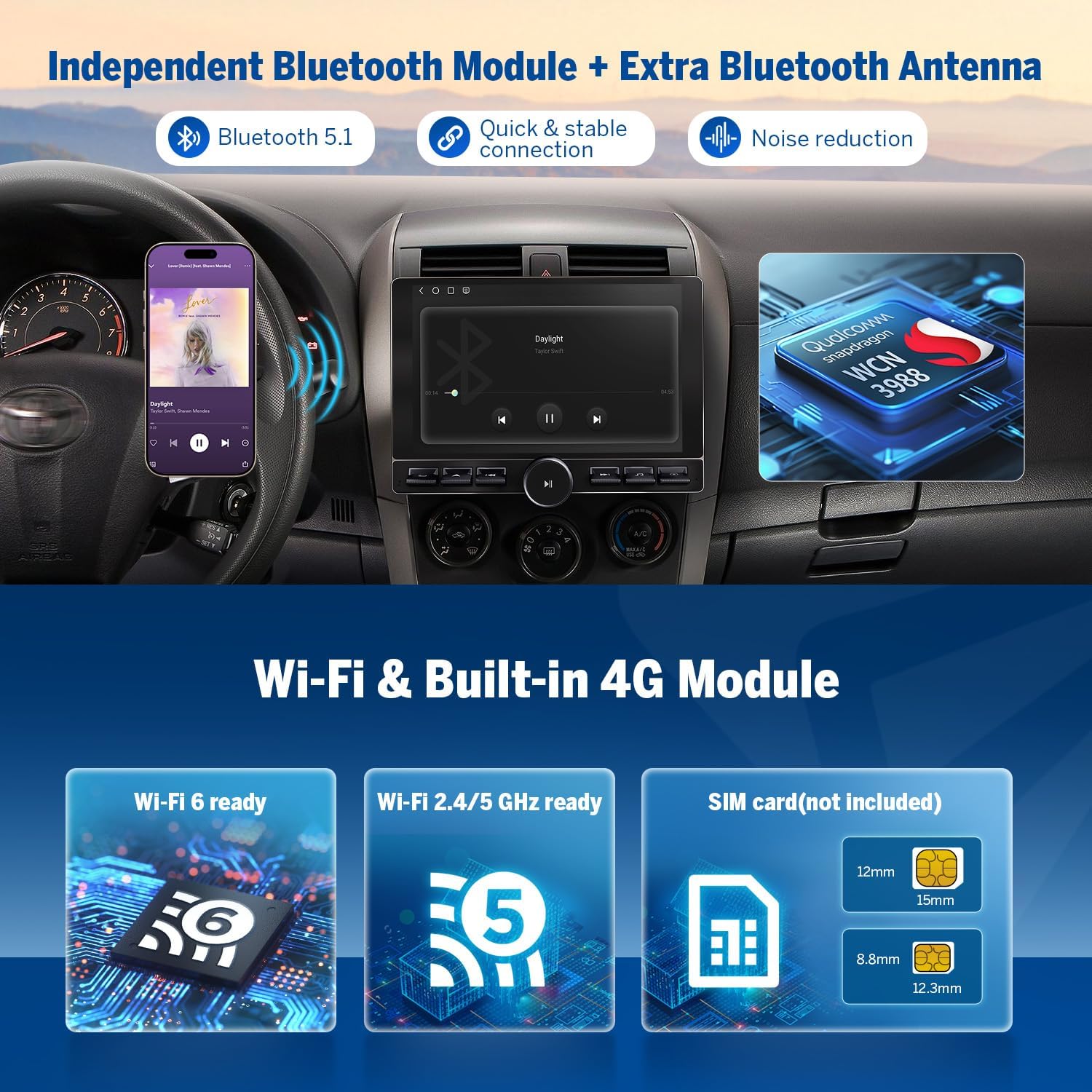
Image 3.2: Bluetooth 5.1 and 4G module features.
3.3 Processore audio digitale (DSP)
The integrated DSP enables time alignment in car audio systems, ensuring sound waves from different speakers reach the listener simultaneously for improved sound quality and precision. It includes a 48-band graphic equalizer and six preset EQ modes for audio customization.

Image 3.3: Built-in DSP interface.
3.4 Multitasking a schermo diviso
La funzione schermo diviso consente di view and use two applications simultaneously on the 10.1-inch display, enhancing multitasking capabilities.

Image 3.4: Split-screen multitasking in action.
3.5 Temi dell'interfaccia utente (UI)
The unit comes with four built-in UI themes that can be selected to personalize the display interface.

Image 3.5: Available UI themes.
4 Caratteristiche
4.1 High Performance Processor
The Eonon UX6K-PRO-MAX is powered by a Qualcomm QCM6225 Quad-core processor with 8GB RAM and 128GB ROM. This configuration, utilizing 6nm Low-Power process technology, ensures responsive performance for daily tasks and high-performance capabilities.

Image 4.1: Qualcomm QCM6225 processor specifications.
4.2 10.1 Inch QLED Display
The unit features a 10.1-inch QLED capacitive touch screen with a 1280x720 HD resolution. This display provides vivid colors, increased brightness, and higher contrast from various viewangoli di inclinazione.

Image 4.2: 10.1-inch QLED display features.
4.3 Connettività
The UX6K-PRO-MAX includes Wi-Fi 6 and Wi-Fi 2.4/5 GHz support, along with a built-in 4G module (SIM card not included) for robust internet connectivity.
4.4 Supporto per telecamera di backup HD
The system supports 1080P HD reversing cameras, providing a safer and more efficient parking experience. The Eonon rearview camera (A0127) is included.
4.5 HDMI HD Video Output
The unit features HDMI HD video output, allowing connection to external displays.
4.6 Physical Buttons and Design
The stereo incorporates physical buttons for ease of use and a seamless bonded panel design for a sleek appearance.

Image 4.3: Physical buttons for intuitive control.

Image 4.4: Seamless bonded panel design.
4.7 regolabile Viewangolo di ing
The display offers an adjustable viewing angle to optimize visibility for the driver.

Immagine 4.5: Regolabile viewangolo di ing.
5. Manutenzione
5.1 Aggiornamenti software (OTA)
The UX6K-PRO-MAX supports Over-the-Air (OTA) firmware updates. These updates address software issues and enhance security, keeping your head unit current. Note that these updates are for firmware and do not upgrade the Android operating system version.

Image 5.1: Over-the-Air Firmware Update information.
5.2 Cura generale
To maintain the longevity and performance of your car stereo, regularly clean the screen with a soft, lint-free cloth. Avoid using harsh chemicals or abrasive materials. Ensure proper ventilation around the unit to prevent overheating.
6. Risoluzione Dei Problemi
If you encounter any issues with your Eonon UX6K-PRO-MAX car stereo, please refer to the following general troubleshooting steps:
- Nessun potere: Controllare tutti i collegamenti elettrici e i fusibili. Assicurarsi che il quadro dell'auto sia acceso.
- Nessun suono: Verify speaker connections, volume settings, and audio source selection. Check DSP settings.
- Touchscreen non reattivo: Restart the unit. If the issue persists, a factory reset may be necessary (consult support).
- Problemi con il segnale GPS: Assicurarsi che l'antenna GPS sia installata correttamente e abbia una visuale libera view del cielo.
- Problemi di connessione Bluetooth: Assicurati che il Bluetooth sia abilitato sia sullo stereo che sul tuo dispositivo. Prova a disaccoppiare e riassociare i dispositivi.
- CarPlay/Android Auto non si connette: Check USB cable connections (if wired). Ensure Bluetooth is enabled (if wireless). Verify your phone's compatibility and software version.
For more specific issues or persistent problems, please contact Eonon customer support.
7. Specifiche
| Caratteristica | Specificazione |
|---|---|
| Nome del modello | UX6K-PRO-MAX |
| Sistema operativo | Androide 13 |
| Processore | Qualcomm QCM6225 Quad-core (6nm LPP) |
| Memoria RAM | 8 GB |
| ROM | 128 GB |
| Dimensioni dello schermo | 10.1 pollici |
| Tipo di visualizzazione | Touchscreen capacitivo QLED |
| Risoluzione | 1280x720 Alta Definizione |
| Versione Bluetooth | 5.1 |
| Standard Wi-Fi | Wi-Fi 6, Wi-Fi 2.4/5 GHz |
| 4G LTE | Built-in Module (SIM card not included) |
| Modalità di uscita audio | Stereo, Optical + Coaxial + RCA |
| Potenza massima in uscita | 4 x 48W |
| Caratteristiche speciali | Android Auto, CarPlay, GPS, Backup Camera Support, Bluetooth, Screen Mirroring, Split Screen, Built-in DSP |
| Dimensioni del prodotto | Dimensioni: 17.8 x 17.8 x 10 cm |
| Peso | 1.2 kg |
8. Garanzia e supporto
The Eonon UX6K-PRO-MAX car stereo is backed by a full 2-YEAR Product Repair warranty. For any questions, technical assistance, or to resolve ongoing issues, please contact Eonon customer support.
You can find additional support resources and contact information on the official Eonon support websito: www.eononsupport.com


