
Guide Sensmart Guide TE 211 Mini
Guide TE211 Mini Thermal Monocular User Manual
Model: TE 211 Mini
1. Finitaview
The Guide TE211 Mini is a portable thermal monocular designed for various applications, including hunting and outdoor observation. It features a 1.43-inch large touch screen, a 256x192 thermal sensor, and is ultra-lightweight and compact for easy portability. This manual provides detailed instructions for its setup, operation, and maintenance.
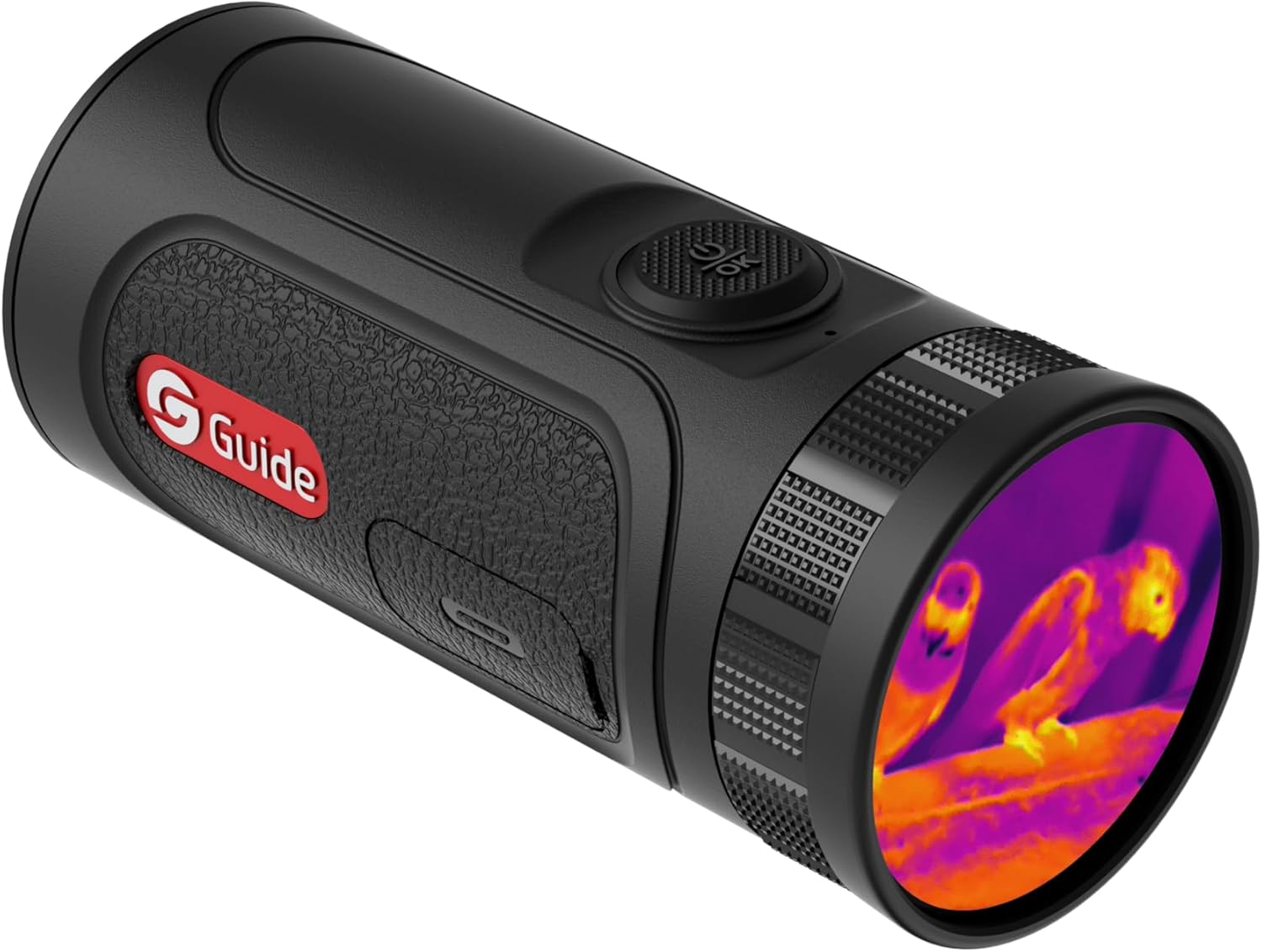
Figura 1: Frontale e laterale view of the Guide TE211 Mini Thermal Monocular, showcasing its compact design and the thermal lens.
2. Cosa c'è nella scatola
- Thermal Monocular (Guide TE211 Mini)
- Caricabatterie
- Manuale dell'utente (questo documento)

Figura 2: In basso view of the monocular, showing the charging port and attachment point for a wrist strap.
3. Caratteristiche del prodotto
3.1. Display touch screen
The TE211 Mini features a large 1.43" full-color AMOLED display, designed for comfortable viewing and reduced eye fatigue. The touchscreen interface simplifies operation, similar to a smartphone or smartwatch, allowing for intuitive navigation and control.

Figure 3: Visual representation of the 1.43" AMOLED round display and touch screen functionality, showing how to swipe and tap for menu navigation.
3.2. Ultra-Lightweight and Compact Design
Weighing only 205 grams and measuring 111mm, the TE Mini is designed for maximum portability. Its compact size allows it to be easily carried in a pocket or around the neck, making it smaller than most smartphones and ideal for extended use without fatigue.

Figure 4: Size comparison of the TE211 Mini with a smartphone, emphasizing its compact and lightweight nature.
3.3. Recording Capabilities
The monocular supports video recording with audio, thanks to its built-in recording microphone, and allows for still image capture. With 16GB of built-in storage, users can easily capture and share their observations. Content can be downloaded to a smartphone via the Target IR App.

Figure 5: Illustration of the monocular's ability to record photos, videos, and audio, with icons representing each function.
3.4. Extended Battery Life & Fast Charging
Enjoy up to 6 hours of continuous use on a single charge. The 20W quick charging feature allows for approximately 1 hour of operating time with just 10 minutes of charging, minimizing downtime.
3.5. Thermal Resolution & Detection Range
Equipped with a 256x192 thermal sensor and 30mK NETD, the monocular provides clear thermal and night vision imaging. It boasts a detection range of up to 550 yards, enabling effective observation over considerable distances.
3.6. Modalità di sospensione intelligente
The device features an intelligent sleep mode that automatically activates when the monocular is tilted beyond a certain angle (e.g., 50 degrees), conserving battery life during periods of inactivity.

Figure 6: Diagram showing how the monocular enters sleep mode automatically when tilted, indicating angles of activation.
4. Impostazione
- Disimballaggio: Carefully remove all components from the packaging. Verify that all items listed in "What's in the Box" are present.
- Ricarica: Before first use, fully charge the monocular using the provided charger. Connect the charger to the device and a power source. The charging indicator will show progress.
- Accensione: Press and hold the power/OK button located on the top of the device for a few seconds until the screen illuminates.
- Configurazione iniziale: Follow any on-screen prompts for initial language selection or basic settings.
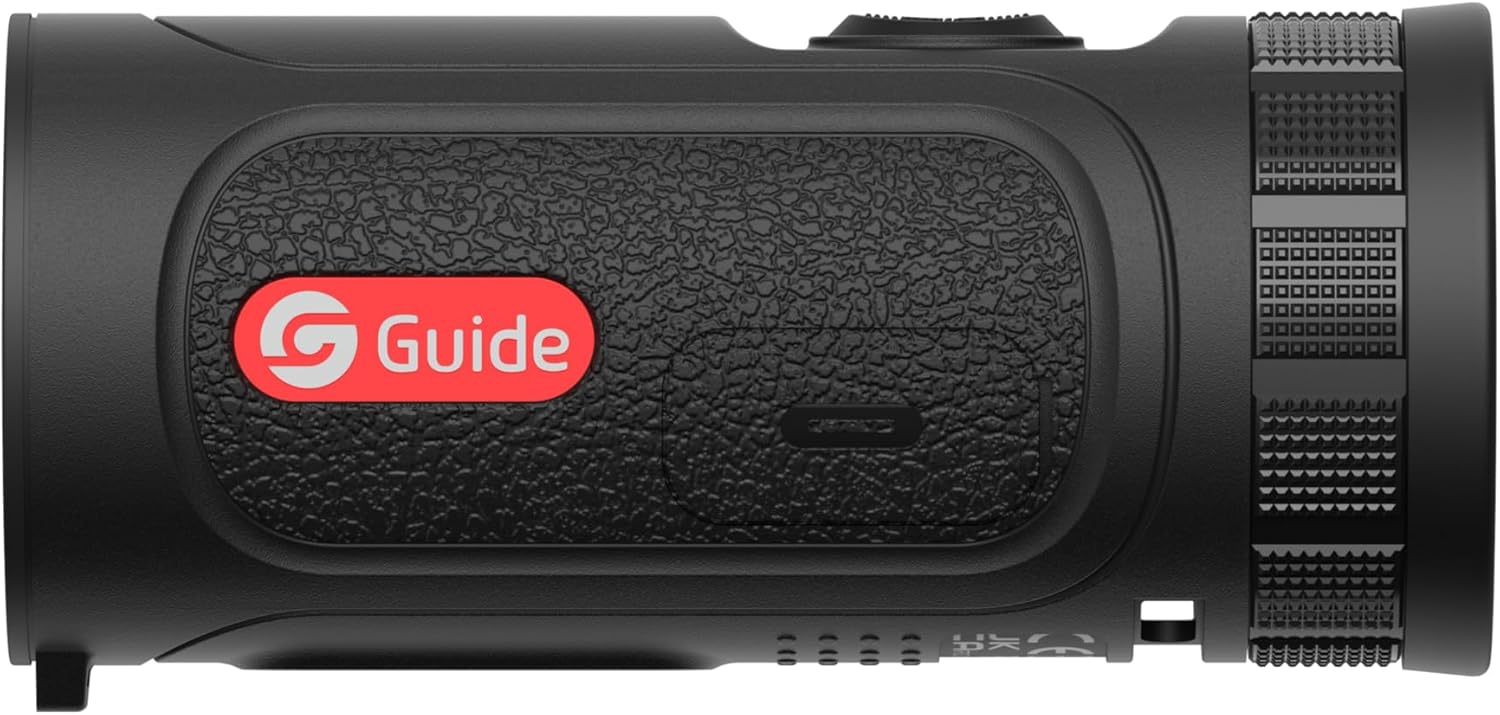
Figura 7: in alto view of the monocular, highlighting the power/OK button for operation.
5. Istruzioni per l'uso
- Accensione/spegnimento: Press and hold the power/OK button to turn the device on or off.
- Navigazione sullo schermo tattile:
- Swipe across the screen to navigate through different menu options or color palettes.
- Tap on an icon or option to select it.
- Press the power/OK button to confirm selections or return to the main viewschermo.
- Modifica delle tavolozze dei colori: Access the color palette settings via the touchscreen menu. Options typically include Blue Hot, Green Hot, Sepia, White Hot, Black Hot, and Red Hot Iron.
- Funzione zoom: The monocular supports digital zoom. Navigate to the zoom setting in the menu or use a designated gesture/button (refer to on-screen prompts) to cycle through zoom levels (e.g., 1x, 2x, 4x).
- Catturare foto/video:
- To take a photo, briefly press the designated capture button (often the power/OK button when in live view).
- To record video, press and hold the capture button, or select the video recording option from the menu. Press again to stop recording.
- Trasferimento dati: Connect the monocular to a computer using the provided USB cable to transfer captured photos and videos. Alternatively, use the Target IR App on your smartphone for wireless transfer (if supported and configured).

Figure 8: The monocular held in a user's hand, illustrating its ergonomic and portable design for ease of use.
6. Manutenzione
- Pulizia della lente: Use a soft, lint-free cloth specifically designed for optical lenses to gently wipe the thermal lens. Avoid abrasive materials or harsh chemicals.
- Pulizia del corpo: Pulisci il corpo del monoculare con un panno morbido eamp stoffa. Non immergere il dispositivo in acqua.
- Magazzinaggio: Store the monocular in a cool, dry place, away from direct sunlight and extreme temperatures. Use the lens cap when not in use to protect the lens.
- Cura della batteria: Per periodi di conservazione prolungati, assicurarsi che la batteria sia parzialmente carica (circa il 50%). Ricaricarla periodicamente se conservata per periodi prolungati per preservarne le condizioni.

Figure 9: The lens cap, an essential accessory for protecting the monocular's thermal lens when not in use.
7. Risoluzione Dei Problemi
| Problema | Possibile causa | Soluzione |
|---|---|---|
| Il dispositivo non si accende. | Batteria scarica o assente. | Carica completamente il dispositivo utilizzando il caricabatterie in dotazione. |
| Lo schermo non risponde. | Problema software o blocco temporaneo. | Eseguire un soft reset tenendo premuto il pulsante di accensione per un periodo prolungato (ad esempio, 10-15 secondi) finché il dispositivo non si riavvia. |
| Qualità dell'immagine scadente. | Lens is dirty or fogged. Incorrect focus. | Clean the lens with a suitable optical cloth. Adjust focus if applicable (TE211 Mini has auto-focus, but ensure no obstructions). |
| Impossibile trasferire files. | Incorrect cable connection or driver issue. | Ensure the USB cable is securely connected. Try a different USB port or computer. Check for necessary drivers if connecting to a PC. Use the Target IR App for wireless transfer. |
8. Specifiche
| Caratteristica | Dettaglio |
|---|---|
| Dimensioni del prodotto | 5.2 x 1.85 x 1.85 pollici (5.2"P x 1.85"L x 1.85"A) |
| Risoluzione termica | 256x192 |
| NETTO | 30 mK |
| Campo di rilevamento | 550 iarde |
| Display | 1.43" Full Color AMOLED Touch Screen |
| Peso | 205 grammi (circa 7.2 once) |
| Diametro della lente dell'obiettivo | 10 millimetri |
| Lunghezza focale | Fixed 10mm, F1.0 Germanium Lens with 4x Digital Zoom |
| Tipo di messa a fuoco | Messa a fuoco automatica |
| Fonte di alimentazione | Battery Powered (up to 6 hours use, 20W quick charging) |
| Dispositivi compatibili | Smartphone (via Target IR App) |
9. Garanzia e supporto
Guide Sensmart offers a comprehensive warranty for the TE211 Mini Thermal Monocular:
- Sensore termico: Garanzia di 10 anno
- Parti del corpo: Garanzia di 5 anno
- Tutti gli accessori: Garanzia di 2 anno
For technical support, service, or warranty claims, please contact Guide Sensmart customer service through their official website or the contact information provided with your product packaging. Please have your model number (TE 211 Mini) and purchase details ready when contacting support.
Ask a question about this manual
Ask about setup, troubleshooting, compatibility, parts, safety, or missing instructions. Manuals+ will review the question and use this page’s manual context to help answer it.