
Introduzione
Thank you for choosing the Mibro Smartwatch Lite 3. This manual provides essential information for setting up, operating, and maintaining your device. Please read it carefully to ensure proper use and to maximize the performance of your smartwatch.
Contenuto della confezione
Assicurarsi che tutti gli articoli siano presenti nel pacco:
- Mibro Smartwatch Lite 3 (with strap)
- Cavo di ricarica magnetico
- Manuale d'uso
Prodotto finitoview
The Mibro Smartwatch Lite 3 features a 1.3-inch AMOLED display, designed for clear visuals and intuitive interaction. It integrates various sensors for health monitoring and supports Bluetooth calling.
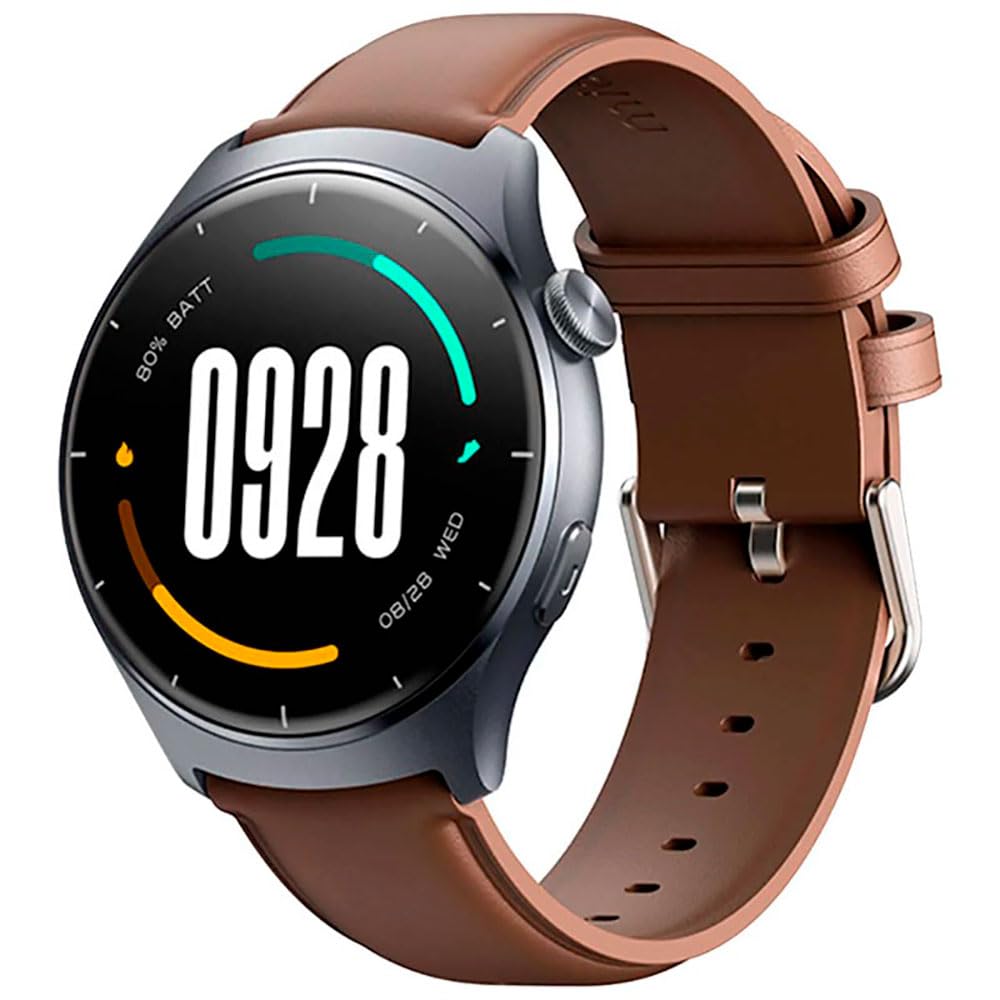
Immagine: Frontale view of the Mibro Smartwatch Lite 3, showcasing its round display and strap.
Impostare
1. Ricarica dello smartwatch
- Collegare il cavo di ricarica magnetico ai contatti di ricarica sul retro dello smartwatch.
- Collegare l'estremità USB del cavo a un adattatore di alimentazione USB standard (consigliato 5 V/1 A) o alla porta USB di un computer.
- The watch display will show a charging indicator. Ensure the watch is fully charged before first use.
2. Installazione e associazione dell'app
- Download the official Mibro Fit application from your smartphone's app store (App Store for iOS, Google Play Store for Android).
- Open the Mibro Fit app and create an account or log in.
- Assicurati che il Bluetooth sia abilitato sul tuo smartphone.
- In the Mibro Fit app, navigate to 'Device' or 'Add Device' and select 'Mibro Lite 3' from the list of available devices.
- Confirm the pairing request on both your smartphone and the smartwatch. A successful connection will be indicated on the watch display.
Operativo
1. Navigazione di base
- Scorri verso il basso: Accedi alle impostazioni rapide (ad esempio luminosità, non disturbare, risparmio batteria).
- Scorrere verso l'alto: View notifiche.
- Scorri verso sinistra/destra: Navigate through widgets (e.g., heart rate, weather, activity data).
- Premere il pulsante laterale: Torna al quadrante dell'orologio o accedi al menu principale.
- Pressione prolungata del pulsante laterale: Accendere/spegnere o riavviare il dispositivo.
2. Modalità sportive
The Mibro Lite 3 supports over 100 sports modes. To start a workout:
- From the main menu, select the 'Workout' or 'Sports' icon.
- Choose your desired activity (e.g., running, cycling, swimming).
- Tap 'Start' to begin tracking. The watch will display real-time data such as duration, heart rate, and calories burned.
- Per mettere in pausa o terminare un allenamento, premi il pulsante laterale o scorri sullo schermo come richiesto.
3. Chiamate Bluetooth
Once paired with your smartphone, the Mibro Lite 3 allows you to make and receive calls directly from your wrist.
- Ricevere chiamate: Quando arriva una chiamata, l'orologio visualizzerà l'ID del chiamante. Tocca l'icona verde per rispondere o l'icona rossa per rifiutare.
- Effettuare le chiamate: Access the 'Phone' or 'Dialer' function on the watch, then select a contact or dial a number.
4. Monitoraggio della salute
- Frequenza cardiaca: L'orologio monitora costantemente la frequenza cardiaca. View real-time data by swiping to the heart rate widget or accessing the 'Heart Rate' app.
- SpO2 (ossigeno nel sangue): Measure your blood oxygen levels through the 'SpO2' app on the watch. Ensure the watch is snug on your wrist for accurate readings.
- Monitoraggio del sonno: Wear the watch to bed for automatic sleep monitoring. Data on sleep stages and duration can be viewed in the Mibro Fit app.
- Stress Monitoring & Breath Training: Utilize these features to manage stress and improve relaxation.
5. Altre caratteristiche
- Controllo della musica: Controlla la riproduzione musicale sul tuo smartphone direttamente dall'orologio.
- App Message Reminders: Receive notifications from various apps on your watch.
- Tempo atmosferico: Ricevi aggiornamenti meteo in tempo reale.
- Sveglia, Timer, Cronometro: Funzioni di utilità standard.
- Trova il tuo telefono: Individua lo smartphone associato attivando un suono di avviso.
- Salute delle donne: Tieni traccia dei cicli mestruali e dei dati correlati.
Manutenzione
1. Pulizia
- Pulire regolarmente il corpo dell'orologio e il cinturino con un panno morbido eamp stoffa.
- Ensure the charging contacts are free from dust and debris to maintain efficient charging.
- Evitare l'uso di prodotti chimici aggressivi o materiali abrasivi per la pulizia.
2. Resistenza all'acqua
The Mibro Lite 3 is 2ATM waterproof, meaning it can withstand splashes, rain, and brief immersion in shallow water. It is suitable for activities like swimming in pools. However, it is not recommended for hot showers, saunas, or diving, as steam and high-pressure water jets may compromise the seal.
Risoluzione dei problemi
- L'orologio non si accende: Assicurati che l'orologio sia completamente carico. Collegalo al caricabatterie per almeno 30 minuti.
- Impossibile associare al telefono:
- Controlla se il Bluetooth è abilitato sul tuo telefono.
- Assicurati che l'orologio si trovi nel raggio di azione del Bluetooth del tuo telefono.
- Riavvia sia l'orologio che il telefono, quindi prova nuovamente ad associarli.
- Assicurati che l'app Mibro Fit sia aggiornata all'ultima versione.
- Dati sanitari inesatti: Ensure the watch is worn snugly on your wrist, about one finger's width from the wrist bone. Avoid excessive movement during measurements.
- Notifiche non ricevute:
- Check notification permissions for the Mibro Fit app in your phone settings.
- Ensure 'Do Not Disturb' mode is not active on either the watch or the phone.
- Verify that the app is running in the background on your phone.
- Breve durata della batteria: Reduce screen brightness, disable continuous heart rate monitoring if not needed, and limit background app refresh.
Specifiche
| Caratteristica | Specificazione |
|---|---|
| Nome del modello | Mibro Watch Lite 3 |
| Dimensioni | φ44.8mm, T=11.2mm (Without HR protrusion) |
| Peso | 53.2g (with leather strap), 56g (with rubber strap) |
| Display | 1.3-inch AMOLED, 360*360 resolution, AOD, PPI 277 |
| Connettività | Versione Bluetooth 5.3 |
| Sensori | PPG Heart Rate/SpO2 Sensor/Accelerometer |
| Grado di impermeabilità | 2 ATM |
| Durata della batteria (modalità giornaliera) | Fino a 12 giorni |
| Durata della batteria (modalità standby) | Fino a 50 giorni |
| Durata della batteria (modalità musica) | Fino a 5 ore |
| Battery Life (BT-Calling Mode) | Fino a 6 ore |
| Temperatura di esercizio | Temperatura ambiente: da 0°C a 45°C |
Garanzia e supporto
The Mibro Smartwatch Lite 3 comes with a 12-month warranty from the date of purchase. This warranty covers manufacturing defects under normal use. It does not cover damage caused by misuse, accidents, unauthorized modifications, or normal wear and tear.
For technical support, warranty claims, or further assistance, please contact Mibro customer service through the official Mibro websito o le informazioni di contatto fornite nella documentazione di acquisto.