
Introduzione
Thank you for choosing the BoxWave SlimKeys Bluetooth Keyboard. This ultra-thin and portable keyboard is designed to enhance your typing experience with your Volla Tablet (12.3 in) and other compatible devices. Featuring a sleek design, comfortable chiclet-style keys, and efficient Bluetooth 3.0 connectivity, it is ideal for productivity on the go. Please read this manual carefully to ensure proper setup and operation.
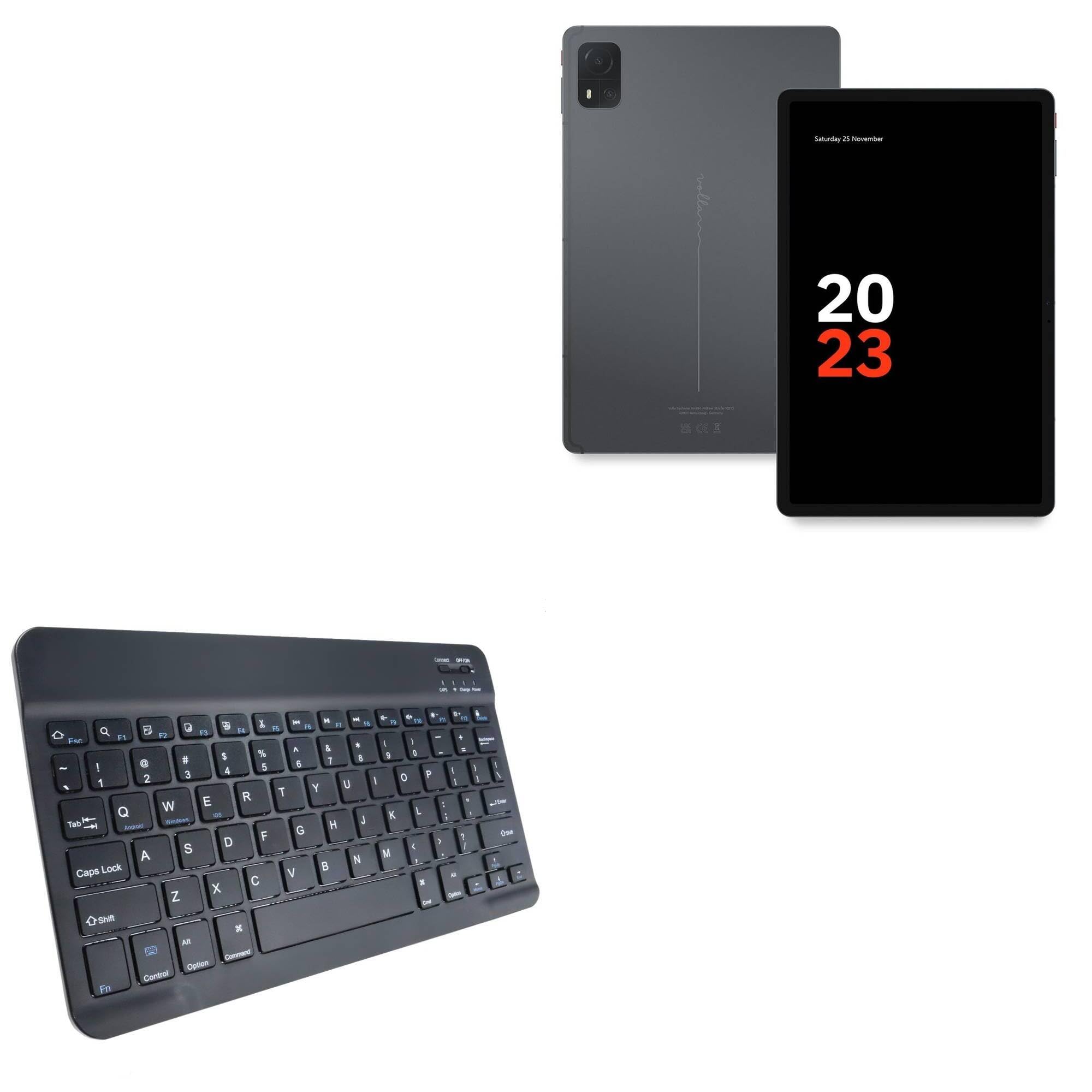
Image: The BoxWave SlimKeys Bluetooth Keyboard in Jet Black, showcasing its full QWERTY layout and compact design.
Contenuto della confezione
- BoxWave SlimKeys Bluetooth Keyboard
- Cavo di ricarica USB
- Manuale di istruzioni
Caratteristiche del prodotto
- Design ultra sottile: Measuring just 3/16 inch thick, the keyboard offers a sleek, compact profile per una facile trasportabilità.
- Leggero e confortevole: Responsive, chiclet-style keys provide a tactile typing experience.
- Power-Efficient Functionality: Built-in on/off switch and Bluetooth 3.0 for reduced power consumption.
- Fast Bluetooth Pairing: Ensures quick and reliable connection without lag.
- Compatibilità multipiattaforma: Funziona perfettamente con dispositivi Android, Windows e iOS.
- Batteria a lunga durata: Up to 30 days of battery life and 6 months on standby.

Image: A visual summary of the keyboard's key features, including Chiclet Keys, Multi-Platform compatibility, Bluetooth 3.0, and its ultra-slim and light design.
Impostare
1. Ricarica della tastiera
- Locate the charging port on the keyboard (usually on the top edge).
- Collegare il cavo di ricarica USB in dotazione alla porta di ricarica della tastiera.
- Collegare l'altra estremità del cavo USB a una fonte di alimentazione USB (ad esempio, computer, adattatore a muro).
- The 'Charge' indicator light will illuminate during charging. It will turn off or change color when fully charged.
A full charge provides up to 30 days of active use or 6 months of standby time.

Image: The SlimKeys Bluetooth Keyboard connected to a charging cable, illustrating its long-lasting battery feature.
2. Associazione con il dispositivo (connessione Bluetooth)
- Ensure the keyboard is charged and the power switch (usually labeled 'ON/OFF') is in the 'ON' position.
- Press the 'Connect' button on the keyboard (often a small button near the power switch or an Fn key combination). The Bluetooth indicator light will start blinking, indicating it's in pairing mode.
- On your Volla Tablet (or other device), go to Impostazioni > Bluetooth e assicurati che il Bluetooth sia abilitato.
- Your device will search for available Bluetooth devices. Select "BoxWave SlimKeys Keyboard" or a similar name from the list.
- If prompted, enter the displayed pairing code on the SlimKeys keyboard and press Entrare.
- Una volta effettuata l'associazione, la spia Bluetooth sulla tastiera smetterà di lampeggiare e rimarrà fissa o si spegnerà, indicando che la connessione è avvenuta correttamente.
Istruzioni per l'uso
1. Accensione/spegnimento
Slide the 'ON/OFF' switch located on the top right of the keyboard to turn it on or off. To conserve battery, turn off the keyboard when not in use.
2. Operating System Selection
The SlimKeys keyboard supports multiple operating systems. To optimize function keys for your device, press the following key combinations:
- Fn+Q: Per dispositivi Android
- Fn+W: Per dispositivi Windows
- Fn + Mi: Per dispositivi iOS
3. Tasti funzione
The keyboard features specialized function keys (F1-F12) that provide quick access to various commands. These keys are typically activated by pressing the Fn tasto contemporaneamente al tasto funzione desiderato.

Immagine: un primo piano view of the specialized function keys on the SlimKeys Bluetooth Keyboard, detailing their icons and corresponding actions.
| Combinazione di tasti | Funzione |
|---|---|
| Fn + Esc | Casa |
| Tasto F1 | Cerca |
| Tasto F2 | Seleziona tutto |
| Tasto F3 | Copia |
| Tasto F4 | Impasto |
| Tasto F5 | Taglio |
| Tasto F6 | Salta indietro |
| Tasto F7 | Riproduci / Pausa |
| Tasto F8 | Salta avanti |
| Tasto F9 | Abbassa il volume |
| Tasto F10 | Alza il volume |
| Tasto F11 | Luminosità ridotta |
| Tasto F12 | Aumento luminosità |
| Fn + Elimina | Serratura |
Manutenzione
- Pulizia: Utilizzare un panno morbido e privo di lanugine leggermente dampened with water or a mild cleaning solution to wipe the keyboard surface. Avoid excessive moisture. Do not spray cleaners directly onto the keyboard.
- Magazzinaggio: Store the keyboard in a cool, dry place away from direct sunlight and extreme temperatures. When traveling, consider placing it in a protective sleeve to prevent scratches.
- Cura della batteria: For optimal battery life, avoid fully discharging the keyboard frequently. Charge it regularly, especially if it will be stored for an extended period.
Risoluzione dei problemi
Tastiera non associata
- Assicurarsi che la tastiera sia carica e accesa.
- Assicurati che il Bluetooth sia abilitato sul tuo dispositivo.
- Premere il pulsante "Connetti" sulla tastiera per accedere alla modalità di associazione.
- If previously paired, try 'forgetting' the keyboard from your device's Bluetooth settings and re-pairing.
- Ensure the keyboard is within the effective Bluetooth range (typically 10 meters or 33 feet).
I tasti non rispondono
- Check if the keyboard is powered on and successfully connected via Bluetooth.
- Ensure the correct operating system mode (Fn+Q/W/E) is selected for your device.
- The battery might be low; try charging the keyboard.
- Riavvia sia la tastiera (spegnimento/accensione) sia il dispositivo.
Ritardo o disconnessioni
- Avvicina la tastiera al dispositivo per ridurre le interferenze.
- Ensure there are no other strong wireless signals or devices causing interference.
- Controllare il livello della batteria della tastiera.
Specifiche
| Caratteristica | Dettaglio |
|---|---|
| Nome del modello | SlimKeys Bluetooth Keyboard |
| Marca | ScatolaWave |
| Connettività | Bluetooth 3.0 |
| Compatibilità | Android, Windows, iOS |
| Dimensioni (circa) | 9.5 in (Width) x 5.75 in (Depth) x 0.2 in (Height) |
| Peso | 8.6 once |
| Tipo di batteria | Prodotto specifico (incluso) |
| Durata della batteria | Up to 30 days (active use), 6 months (standby) |
| Colore | Nero pece |

Image: The SlimKeys Bluetooth Keyboard with its ultra-slim and lightweight dimensions highlighted.
Informazioni sulla sicurezza
- Non esporre la tastiera all'acqua o a umidità eccessiva.
- Evitare di far cadere la tastiera o di sottoporla a forti urti.
- Tenere fuori dalla portata dei bambini.
- Do not attempt to disassemble or repair the keyboard yourself. This may void the warranty and cause damage.
- Utilizzare solo il cavo di ricarica fornito o un equivalente certificato.
Garanzia e supporto
BoxWave products are designed for quality and reliability. For warranty information or technical support, please refer to the BoxWave official weboppure contatta direttamente il servizio clienti. Conserva la ricevuta d'acquisto come prova d'acquisto.