
1. Introduzione
This manual provides comprehensive instructions for the LIGE EF2-I PRO Military Smartwatch. Please read this manual carefully before using the device to ensure proper operation and maintenance. This smartwatch is designed for rugged outdoor use, featuring advanced health monitoring, extensive sport modes, and robust connectivity.
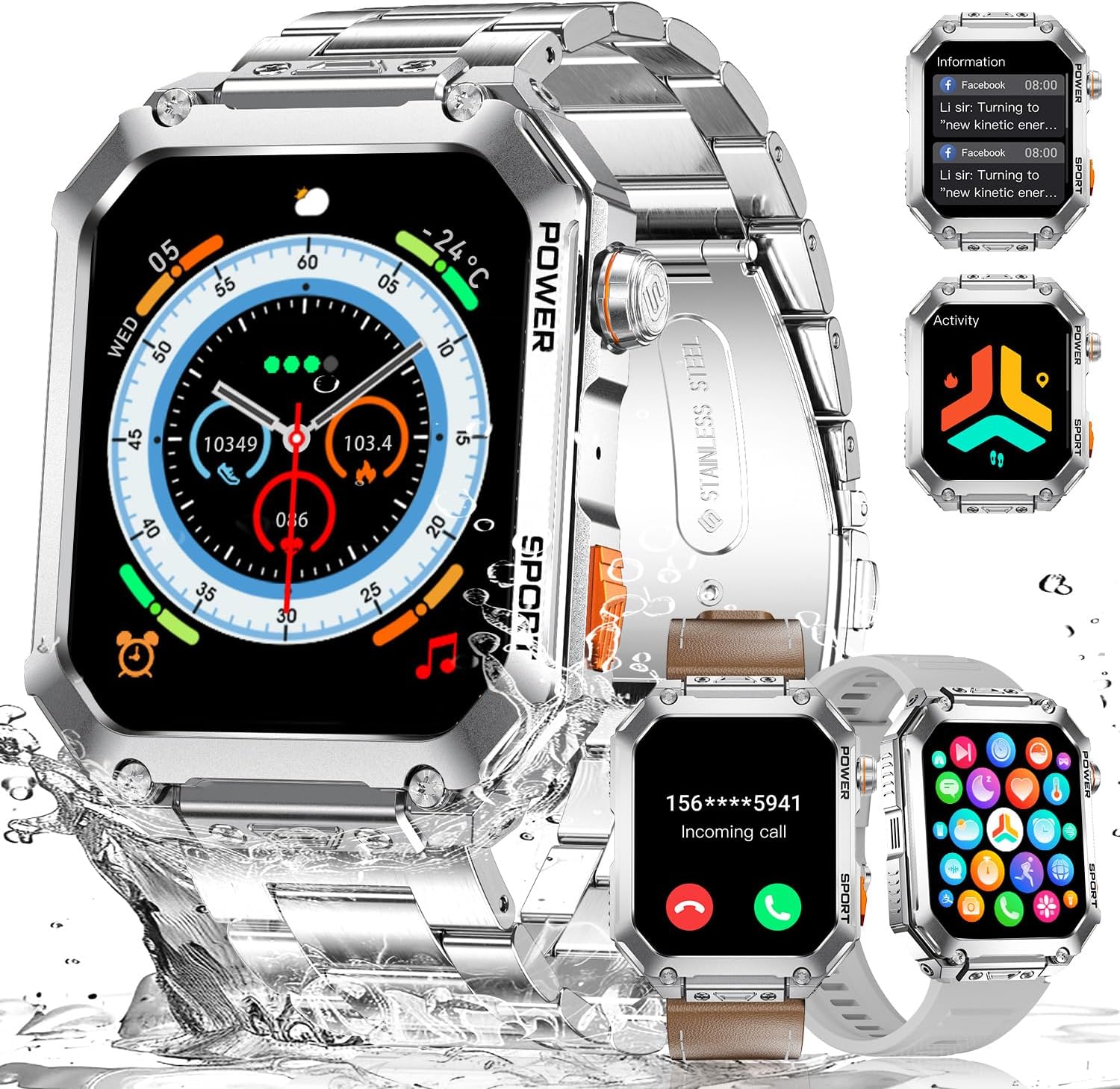
Image: LIGE Military Smartwatch EF2-I PRO, showcasing its versatile design with metal, leather, and silicone bands, and various display functionalities.
Caratteristiche principali:
- 1.96" AMOLED Touch Screen: Large, ultra HD square display for clear visuals and smooth interaction.
- Durabilità di livello militare: Constructed with a unibody stainless steel metal case and 3rd generation 9H Gorilla Glass. Passed 15 military standard tests for temperature, pressure, dust, salt spray, and liquid contamination.
- Resistenza all'acqua 5 ATM: Designed to withstand daily wear and collisions, with static water resistance up to 50 meters.
- Ampie modalità sportive: Supports over 100 workout modes including walking, running, cycling, and basketball.
- Monitoraggio sanitario 24 ore su XNUMX: Tracks heart rate, blood oxygen, blood pressure, respiratory rate, and automatic sleep monitoring. Includes stress detection and hydration reminders.
- Chiamate e notifiche Bluetooth: Equipped with Bluetooth 5.2 chip and Hi-Fi speakers for seamless call management and message notifications from apps like Facebook, WhatsApp, and Twitter.
- Assistente vocale AI: Integrated AI assistant for sending messages, checking weather, and setting reminders.
- Batteria a lunga durata: Powered by a 400 mAh lithium polymer battery.
2. Impostazione
2.1 Ricarica dello smartwatch
Before first use, fully charge the smartwatch. Connect the magnetic charging cable to the charging contacts on the back of the watch and plug the USB end into a standard USB power adapter (5V/1A recommended).
- Una carica completa richiede in genere circa 2 ore.
- L'icona della batteria sullo schermo indicherà lo stato di carica.

Image: The smartwatch displaying a full charge, highlighting its 400mAh battery capacity.
2.2 Installazione e associazione dell'app
The LIGE EF2-I PRO Smartwatch uses the FitCloudPro application for full functionality. Ensure your smartphone meets the compatibility requirements (Android 8.0+ or iOS 12.0+).
- Scarica l'App: Scan the QR code in the watch manual or search for "FitCloudPro" in your smartphone's app store (Google Play Store for Android, Apple App Store for iOS).
- Abilita Bluetooth: Assicurati che il Bluetooth sia abilitato sul tuo smartphone.
- Apri FitCloudPro: Avvia l'app FitCloudPro e segui le istruzioni sullo schermo per creare un account o effettuare l'accesso.
- Aggiungi dispositivo: Nell'app, vai alla sezione "Dispositivo" o "Aggiungi dispositivo". L'app cercherà gli smartwatch nelle vicinanze.
- Seleziona il tuo orologio: Select "EF2-I PRO" or the corresponding device name from the list. Confirm the pairing request on both your phone and the smartwatch.
- Concedi permessi: Allow all necessary permissions requested by the app (e.g., location, notifications, contacts) for full functionality.
Note: Some users have reported confusion regarding the correct app. The product description explicitly states "FitCloudPro". If you encounter issues, ensure you are using this specific app.
3. Utilizzo dello smartwatch
3.1 Navigazione di base
- Schermo tattile: Scorri verso sinistra/destra, su/giù per navigare tra i menu e le funzioni. Tocca per selezionare.
- Pulsanti laterali: The watch features "POWER" and "SPORT" buttons.
- Pulsante di accensione: Short press to wake/sleep screen, long press to power on/off.
- Pulsante SPORT: Short press to quickly access sport modes.
3.2 Personalizzazione dei quadranti dell'orologio
The smartwatch supports over 200 customizable watch faces via the FitCloudPro app. You can also use your own images.
- Apri l'app FitCloudPro sul tuo smartphone.
- Vai alla sezione "Dial Market" o "Watch Face".
- Browse and select a watch face, or choose to customize with your own photo.
- Sincronizza il quadrante selezionato con il tuo smartwatch.

Image: Customization options for watch faces, showing over 200 built-in designs and the ability to use personal images.
3.3 Monitoraggio sanitario
The smartwatch provides continuous health monitoring features. Access these functions from the watch menu or view detailed data in the FitCloudPro app.
- Monitoraggio della frequenza cardiaca: Tiene traccia della frequenza cardiaca durante il giorno.
- Monitoraggio dell'ossigeno nel sangue (SpO2): Misura i livelli di saturazione dell'ossigeno nel sangue.
- Monitoraggio della pressione sanguigna: Fornisce letture stimate della pressione sanguigna.
- Monitoraggio del sonno: Tiene traccia automaticamente dei tuoi ritmi del sonno, inclusi sonno profondo, sonno leggero e orari di veglia.
- Frequenza respiratoria: Monitora la frequenza respiratoria.
- Rilevamento dello stress: Helps monitor stress levels.
- Promemoria per l'idratazione: Imposta promemoria per bere acqua.
- Salute delle donne: Specific tracking features for women's health management.

Image: The smartwatch showing 24-hour health monitoring, including heart rate and advanced sleep tracking.
Disclaimer: The health monitoring features are for reference only and should not be used for medical diagnosis or treatment.
3.4 modalità sportive
The smartwatch supports over 100 sport modes to track your workouts accurately. Select a mode before starting your activity.
- Metriche di monitoraggio: Accurately tracks heart rate, calories burned, distance, and steps for each activity.
- Automatic Exercise Detection: Alcune attività potrebbero essere rilevate automaticamente.

Image: The smartwatch showing sport mode tracking, with icons representing activities like walking, running, cycling, and more.
3.5 Bluetooth Calls & Message Notifications
Rimani connesso con le notifiche di chiamate e messaggi Bluetooth direttamente sul tuo polso.
- Effettuare/ricevere chiamate: Use the built-in microphone and Hi-Fi speakers to answer or reject incoming calls. You can also dial numbers directly from the watch.
- Notifiche dei messaggi: Receive push notifications from various apps such as Facebook, WhatsApp, Twitter, and more.
- Assistente vocale AI: Activate the AI voice assistant to perform tasks like sending messages, checking weather, or setting reminders.

Image: The smartwatch's Bluetooth call functionality, showing an incoming call screen and a dial pad.

Image: The smartwatch receiving message notifications from popular applications.

Image: Additional smartwatch functions including music control, remote camera shutter, and alarm settings.
3.6 Altre funzioni
The smartwatch includes a variety of useful daily functions:
- Sveglia
- Cronometro
- Calcolatrice
- Controllo della musica
- Previsioni del tempo
- Trova Telefono
- Calendario
- Controllo della fotocamera (otturatore remoto)
- Display multilingua
- Multiple Time Zone Settings
4. Manutenzione
4.1 Pulizia e cura
- Regularly clean the watch case and bands with a soft, damp stoffa.
- Prima di procedere alla ricarica, assicurarsi che i contatti di ricarica siano puliti e asciutti per evitare la corrosione.
- Evitare l'uso di prodotti chimici aggressivi o materiali abrasivi per la pulizia.
4.2 Resistenza all'acqua
The LIGE EF2-I PRO Smartwatch is rated 5 ATM water resistant, meaning it can withstand pressures equivalent to a depth of 50 meters. This makes it suitable for:
- Daily use, such as hand washing and rain.
- Showering (cold water recommended, avoid hot water and steam).
- Shallow-water activities like swimming in a pool.
Considerazioni importanti:
- Do NOT press any buttons while the watch is submerged.
- Avoid exposure to hot water, steam, or strong detergents, as these can compromise the water seal.
- The water resistance is for static pressure; sudden changes in water pressure (e.g., diving, high-pressure water jets) may exceed its limits.
- Dopo l'esposizione all'acqua salata, sciacquare l'orologio con acqua dolce e asciugarlo accuratamente.
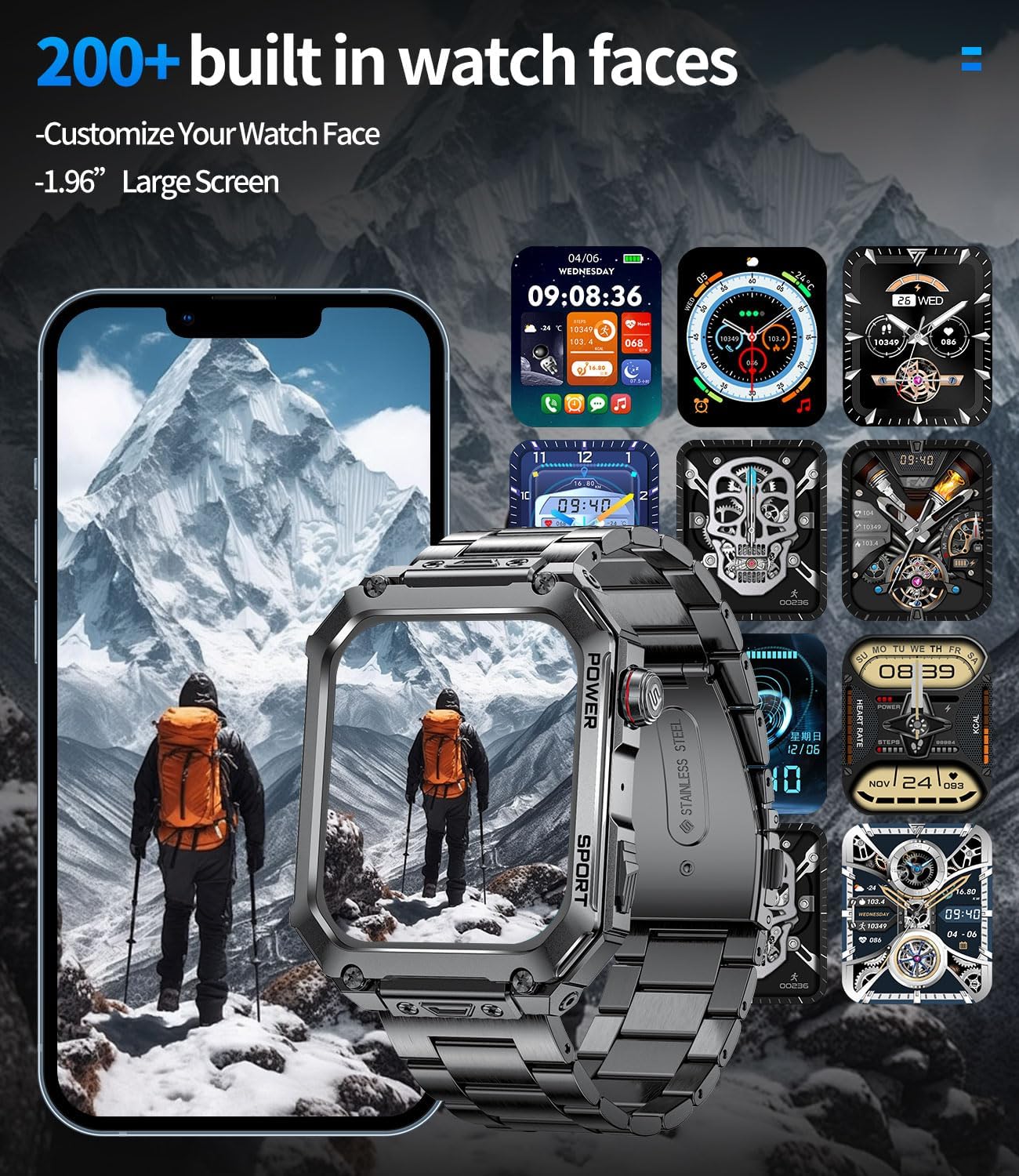
Image: The smartwatch demonstrating its military-grade durability, including 5 ATM water resistance.
5. Risoluzione Dei Problemi
Problemi comuni e soluzioni:
| Problema | Possibile causa/soluzione |
|---|---|
| L'orologio non si accende. | Battery might be depleted. Charge the watch for at least 30 minutes. If still unresponsive, try a different charging cable or adapter. |
| Impossibile effettuare l'associazione con lo smartphone. |
|
| Dati sanitari imprecisi. |
|
| Le notifiche non vengono visualizzate. |
|
| Durata breve della batteria. |
|
6. Specifiche
| Caratteristica | Dettaglio |
|---|---|
| Marca | LIGE |
| Numero di modello | EF2-I PRO |
| Dimensioni dello schermo | 1.96 pollici |
| Tipo di visualizzazione | AMOLED (implied from description) |
| Forma | Rettangolare |
| Tecnologia di connettività | Bluetooth 5.2 |
| Dispositivi compatibili | Smartphone (Android 8.0+, iOS 12.0+) |
| Capacità della batteria | 400 mAh (polimero di litio) |
| Archiviazione della memoria | 128 MB |
| Resistenza all'acqua | 5 ATM (50 meters static) |
| Caratteristiche speciali | Activity Tracker, Heart Rate Monitor, Sleep Monitor, Multi-Sport Tracker, Music Player, Stress Tracking, Bluetooth Calls, Touch Screen, Voice Control, Alarm Clock, Weather Forecast, Find Phone, Camera Control |
| GPS | Nessun GPS |
| Paese di origine | Cina |
| ASIN | B0DX1Q71KT |
7. Garanzia e supporto
LIGE is committed to providing quality products and customer service.
- Servizio online: 24-hour online support is available. Please refer to the FitCloudPro app or LIGE's official websito per i contatti.
- Servizio resi: Enjoy 6 months of returns service from the date of purchase.
- Garanzia del prodotto: Il prodotto è dotato di una garanzia di 2 anni.

Image: LIGE's commitment to customer service, including online support, returns, and guarantee information.
For further assistance, please contact LIGE customer support through the channels provided in the FitCloudPro app or on the official LIGE websito.


