
1. Introduzione
The MCHOSE G75 Pro is a versatile 75% layout wireless mechanical keyboard designed for optimal performance and user experience. It features a gasket-mounted structure with 5 layers of sound and shock-absorbing dampening, vibrant RGB backlighting, and tri-mode connectivity (2.4GHz wireless, Bluetooth, and wired USB-C). The keyboard also supports hot-swappable switches, allowing for easy customization and maintenance.
2. Contenuto della confezione
Si prega di verificare che tutti gli articoli siano presenti nel pacco:
- MCHOSE G75 Pro Wireless Mechanical Keyboard
- Cavo da USB-C a USB-A
- Ricevitore wireless a 2.4 GHz
- Estrattore per tasti
- Manuale dell'utente (questo documento)
3. Prodotto finitoview
The MCHOSE G75 Pro features a compact 75% layout, which includes function keys, arrow keys, and a navigation cluster, while minimizing desk space. Its robust construction incorporates a gasket-mounted design for a flexible and comfortable typing feel.

Image: The MCHOSE G75 Pro keyboard showcasingrazie al suo layout compatto al 75%.
Internally, the keyboard utilizes a 5-layer dampening system, including Poron foam, IXPE foam, and a PET film, to enhance typing acoustics and reduce vibrations, providing a satisfying sound profile.

Image: Diagram illustrating the 5-layer gasket-mounted dampening structure of the keyboard.
The keyboard offers flexible connectivity options through a mode switch located on the side, allowing seamless transitions between wired, 2.4GHz wireless, and Bluetooth modes.
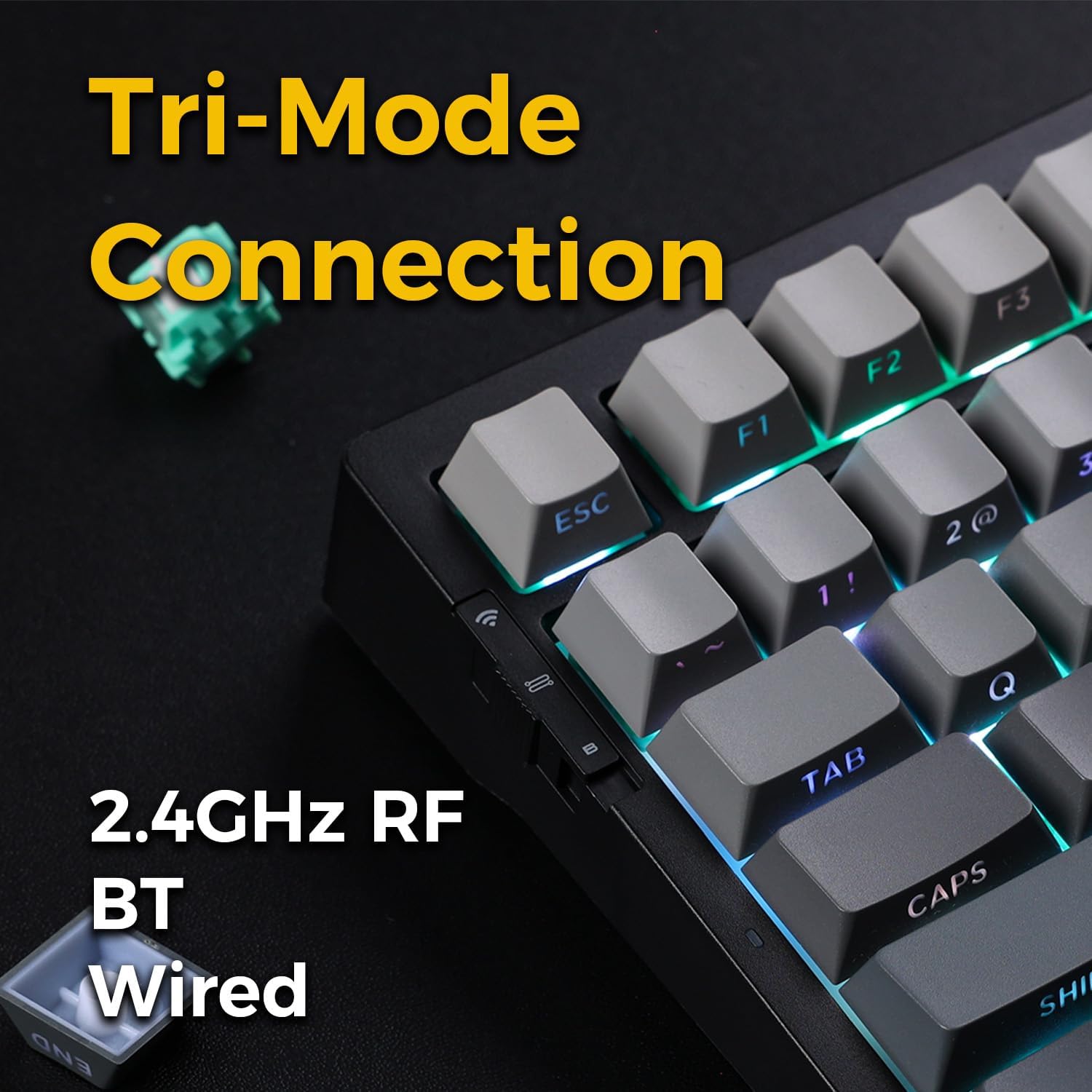
Image: Close-up of the tri-mode connection switch and USB-C port on the keyboard's side.
4. Impostazione
4.1 Carica iniziale
Before first use, connect the keyboard to a USB power source using the provided USB-C cable. The keyboard is equipped with 2 Lithium Polymer batteries. A full charge ensures optimal wireless performance.
4.2 Modalità di connettività
The MCHOSE G75 Pro supports three connection modes: Wired, 2.4GHz Wireless, and Bluetooth. Use the switch on the side of the keyboard to select your desired mode.
4.2.1 Connessione cablata
- Set the mode switch on the keyboard to the 'Wired' position.
- Collega l'estremità USB-C del cavo alla tastiera e l'estremità USB-A al computer.
- La tastiera verrà riconosciuta automaticamente dal sistema operativo.
4.2.2 Connessione wireless a 2.4 GHz
- Impostare l'interruttore della modalità sulla tastiera sulla posizione "2.4G".
- Inserire il ricevitore wireless da 2.4 GHz in una porta USB disponibile sul computer.
- The keyboard should connect automatically. If not, press and hold the Fn key + the 2.4G key (usually indicated by a wireless icon) for 3 seconds to initiate pairing.
4.2.3 Connessione Bluetooth
- Set the mode switch on the keyboard to the 'BT' position.
- Sul tuo computer o dispositivo, attiva il Bluetooth e cerca nuovi dispositivi.
- Sulla tastiera, tieni premuto Fn + 1, Fn + 2, O Fn + 3 for 3 seconds to enter pairing mode for one of the three available Bluetooth channels. The indicator light will flash rapidly.
- Select 'MCHOSE G75 Pro' from the list of available devices on your computer.
- Una volta effettuato l'accoppiamento, la spia luminosa smetterà di lampeggiare. È possibile passare da un dispositivo Bluetooth all'altro premendo Fn + 1, Fn + 2, O Fn + 3 brevemente.
5. Istruzioni per l'uso
5.1 Funzioni chiave
The MCHOSE G75 Pro utilizes an Fn (Function) key for accessing secondary key functions, including multimedia controls, lighting adjustments, and system shortcuts. Refer to the keycap legends for specific Fn combinations.
Combinazioni comuni dei tasti Fn:
- Fn+F1-F12: Access multimedia controls or system functions (e.g., volume, play/pause, brightness).
- Fn + tasti freccia: Adjust RGB lighting effects (e.g., brightness, speed, direction).
- Fn + Backspace: Eliminare.
- Fn + Win: Tasto Blocca/Sblocca Windows.
5.2 Retroilluminazione RGB
The keyboard features customizable RGB backlighting with south-facing LEDs for enhanced visibility and compatibility with various keycap profiles. You can adjust lighting modes, colors, and brightness.
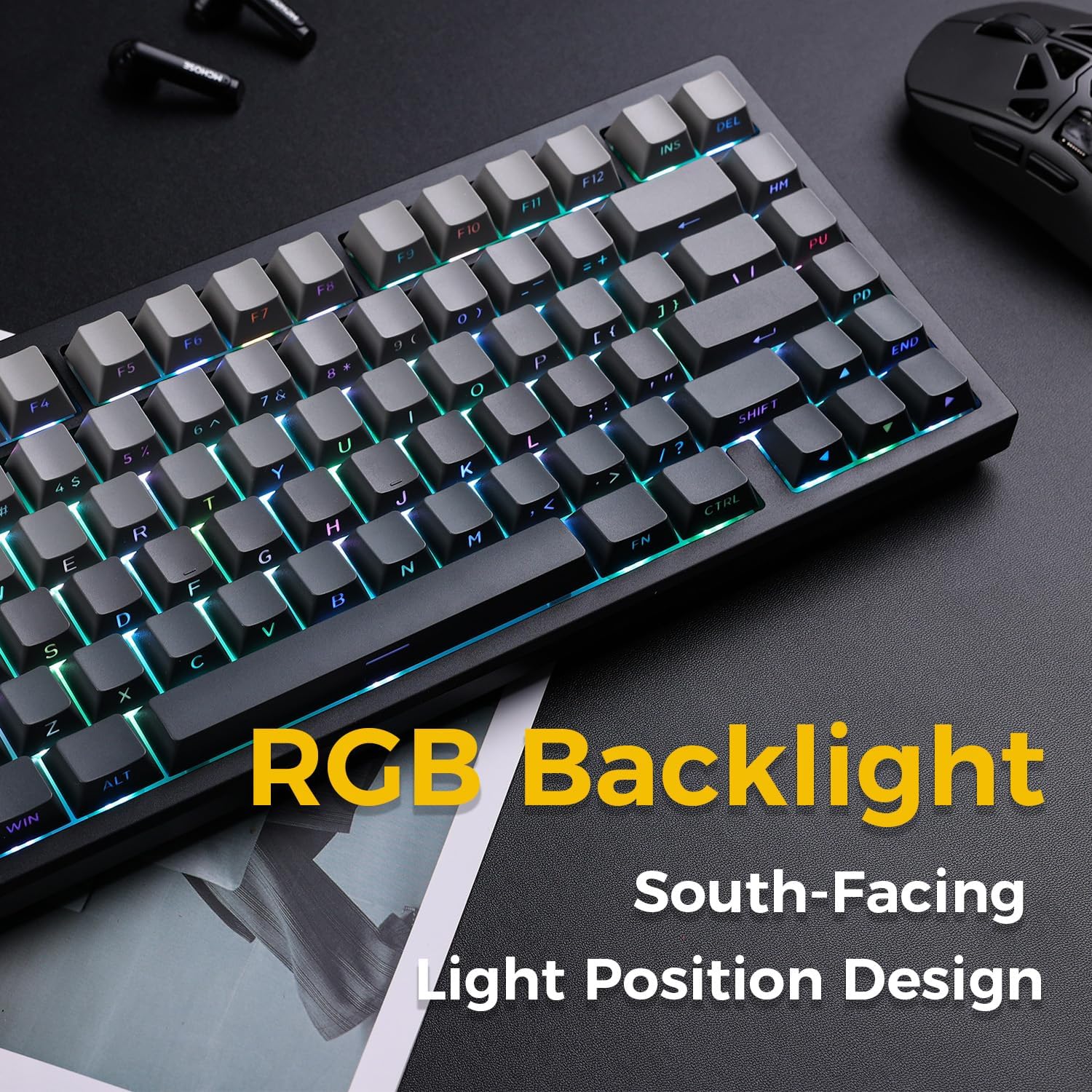
Image: The MCHOSE G75 Pro keyboard displaying its vibrant RGB backlighting.
Adjusting RGB Effects:
- Fn+\|: Scorri tra diversi effetti di luce.
- Fn +: Riduce la velocità di illuminazione.
- Fn + >: Aumenta la velocità di illuminazione.
- Fn + Freccia su: Aumenta la luminosità.
- Fn + Freccia giù: Ridurre la luminosità.
5.3 Switch sostituibili a caldo
The MCHOSE G75 Pro is equipped with hot-swappable sockets, allowing you to easily change mechanical switches without soldering. This feature enables customization of typing feel and sound.
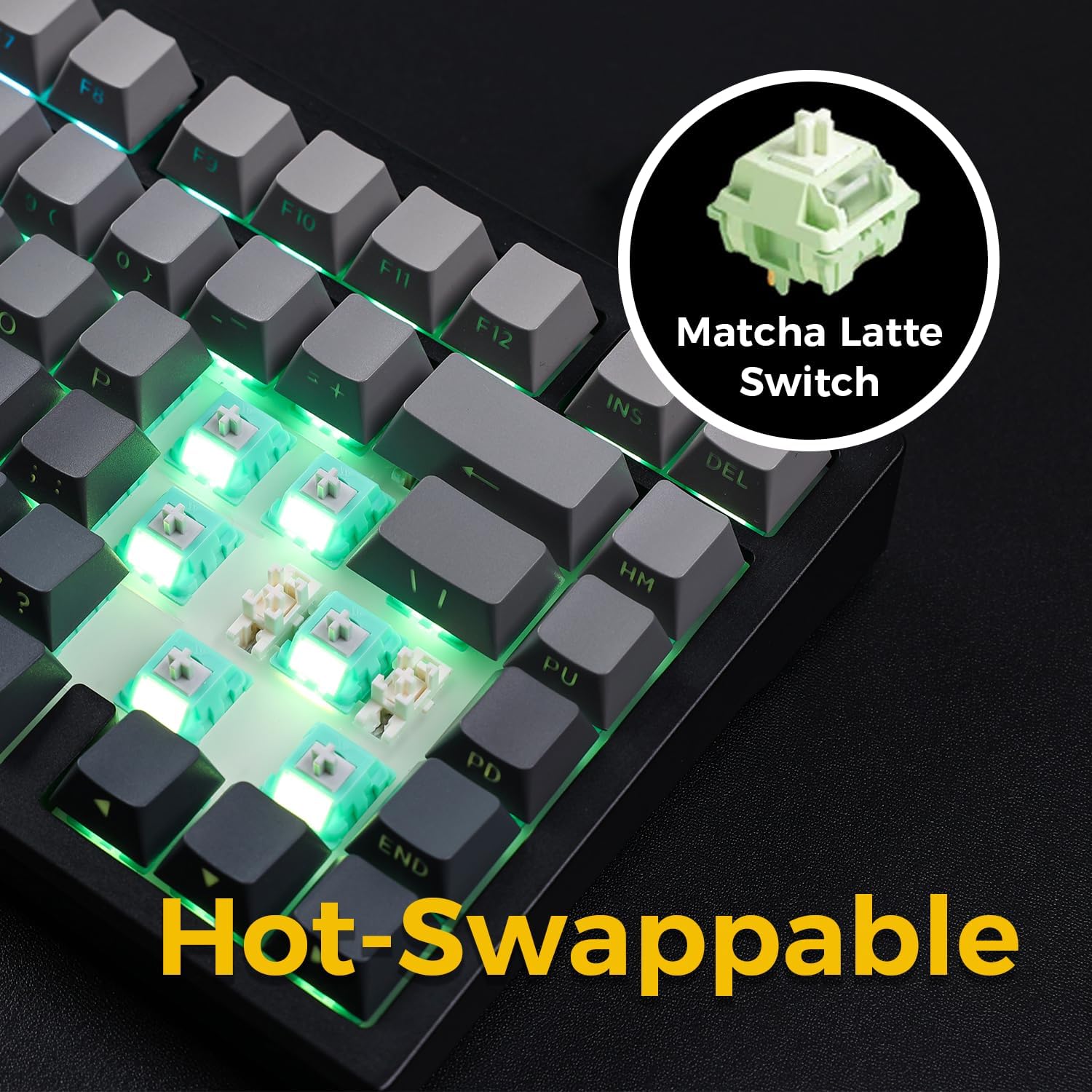
Image: The keyboard with several keycaps and switches removed, demonstrating the hot-swappable feature.
Specifiche dell'interruttore:
The keyboard may come with Matcha Latte Switch V2 or Cabbage Tofu Switch V2, depending on the variant.
- Matcha Latte Switch V2:
Operating Force: 45±8gf
Pre Travel: 2.0±0.4mm
Total Travel: 3.6±0.2mm - Cabbage Tofu Switch V2:
Operating Force: 45±5gf
Pre-corsa: 1.9±0.3 mm
Travel distance: 4.0±0.5mm
6. Manutenzione
6.1 Pulizia
Per mantenere l'aspetto e la funzionalità della tastiera:
- Scollegare la tastiera dal computer prima di pulirla.
- Utilizzare un panno morbido e privo di lanugine leggermente dampcon acqua o una soluzione detergente delicata per pulire i tasti e casing.
- For dust and debris between keycaps, use compressed air or the provided keycap puller to remove keycaps and clean thoroughly.
- Evitare l'uso di prodotti chimici aggressivi o materiali abrasivi.
6.2 Sostituzione dei tasti e degli interruttori
The included keycap puller can be used to carefully remove keycaps. For switch replacement, use a switch puller (not included unless specified) to gently remove the existing switch. Align the new 3-pin or 5-pin mechanical switch with the hot-swap socket and press firmly until it clicks into place. Ensure pins are not bent during installation.
7. Risoluzione Dei Problemi
7.1 La tastiera non risponde
- Assicurarsi che la tastiera sia sufficientemente carica.
- Check the mode switch to confirm it is set to the correct connection type (Wired, 2.4G, or BT).
- Per la connessione cablata, provare una porta USB o un cavo diverso.
- For 2.4GHz wireless, ensure the receiver is securely plugged in and try re-pairing (Fn + 2.4G key).
- For Bluetooth, ensure Bluetooth is enabled on your device and try re-pairing (Fn + 1/2/3).
- Riavvia il computer.
7.2 Retroilluminazione RGB non funzionante/errata
- Assicurati che la tastiera sia accesa.
- Use Fn key combinations (e.g., Fn + Up/Down Arrow) to adjust brightness.
- Cycle through lighting effects using Fn + \|.
- If specific keys are not lighting up, check if the switch is properly seated or if the LED is damaged.
7.3 Software Compatibility (Windows/macOS)
While the keyboard functions plug-and-play, some advanced customization may require dedicated software. Please note that official software might have limited language support or compatibility issues, particularly with macOS. For optimal functionality, ensure you have the latest drivers or software from the MCHOSE official websito se disponibile.
8. Specifiche
| Caratteristica | Dettaglio |
|---|---|
| Numero di modello | MC-G75 |
| Disposizione | 75% |
| Connettività | Wireless a 2.4 GHz, Bluetooth, cablato (USB-C) |
| Tipo di tastiera | Meccanico |
| Stile di montaggio | Guarnizione montata |
| Dampening Layers | 5 Layers (Poron Foam, IXPE Foam, PET Film) |
| Retroilluminazione | RGB, South-Facing LEDs |
| keycaps | PBT a doppio colpo |
| Interruttori | Hot-Swap (compatibile con 3 pin/5 pin) |
| Batteria | 2 batterie ai polimeri di litio (incluse) |
| Dispositivi compatibili | PC |
| Peso dell'articolo | 3.05 libbre (circa 1.38 kg) |
| Dimensioni del pacco | 14.96 x 7.17 x 2.17 pollici (circa 38 x 18.2 x 5.5 cm) |
9. Garanzia e supporto
For warranty information and technical support, please refer to the official MCHOSE websito o contattare il rivenditore. Conservare la ricevuta d'acquisto per eventuali reclami in garanzia.