
1. Introduzione
This manual provides essential instructions for the safe operation, setup, maintenance, and troubleshooting of your ARRIS WPL C24-1 RC Rock Crawler. Please read this manual thoroughly before using the product to ensure proper function and longevity.

Image: The ARRIS WPL C24-1 RC Rock Crawler, showcasing its detailed design and robust tires.
2. Informazioni sulla sicurezza
Always operate the RC vehicle in a safe and responsible manner. Failure to follow these safety guidelines may result in injury or damage to the product or property.
- Tenere mani, capelli e indumenti larghi lontani dalle parti in movimento.
- Non utilizzare in prossimità di persone, animali domestici o ostacoli.
- Avoid operating in wet conditions or near water unless the product is specifically designed for it.
- Assicurarsi che le batterie siano caricate correttamente e maneggiate con cura.
- Per gli utenti di età inferiore ai 15 anni si raccomanda la supervisione di un adulto.
3. Contenuto della confezione
Verifica che tutti gli articoli elencati di seguito siano inclusi nel tuo pacchetto:
- ARRIS WPL C24-1 RC Rock Crawler (1 unit)
- Remote Control Transmitter (1 unit)
- Rechargeable Battery (1 unit, 7.4V 500mAh)
- Cavo di ricarica (1 unità)
- Manuale di istruzioni (questo documento)
4. Guida all'installazione
4.1. Carica della batteria del veicolo
The vehicle battery (7.4V 500mAh) requires charging before first use. A full charge takes approximately 2 hours and provides about 30 minutes of operation.
- Locate the battery compartment on the underside of the RC crawler.
- Connect the rechargeable battery to the provided charging cable.
- Plug the charging cable into a suitable USB power source (e.g., computer USB port, USB wall adapter).
- The indicator light on the charging cable will show the charging status (refer to charger instructions for specific light patterns).
- Once fully charged, disconnect the battery from the charger and install it into the vehicle's battery compartment.
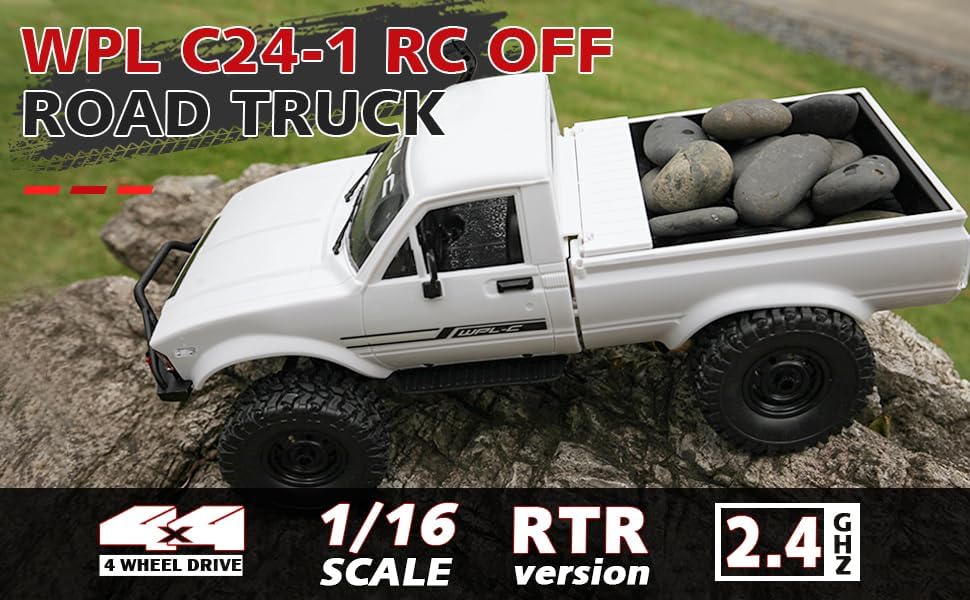
Image: Underside of the RC crawler, highlighting the battery and chassis components.
4.2. Installazione delle batterie del telecomando
The remote control requires 1 C battery (included). Ensure correct polarity when installing.
- Aprire il coperchio della batteria sul retro del telecomando.
- Insert the C battery according to the polarity markings (+/-).
- Chiudere bene il coperchio della batteria.
4.3. Associazione del telecomando
The RC crawler and remote control are typically pre-paired. If re-pairing is necessary:
- Turn on the RC crawler using the switch located on the chassis.
- Accendi il telecomando.
- The indicator light on the remote control should stop flashing and remain solid, indicating a successful connection.
- If the connection fails, turn both devices off and repeat the process.
5. Istruzioni per l'uso
5.1. Controlli di base
- Grilletto dell'acceleratore: Tirare per andare avanti, spingere per frenare/fare retromarcia.
- Volante: Girare a sinistra per sterzare a sinistra, girare a destra per sterzare a destra.
- Regolazioni di assetto: Use the trim dials on the remote to fine-tune steering and throttle if the vehicle pulls to one side or moves without input.
5.2. Consigli di guida
The ARRIS WPL C24-1 is designed for off-road crawling. Its 4WD system and independent suspension allow it to navigate various terrains.
- For optimal crawling, use slow and controlled throttle inputs.
- Experiment with steering angles to overcome obstacles.
- The vehicle features highlight LED lights for improved visibility in low-light conditions.

Image: The RC crawler navigating a challenging rocky path, demonstrating its off-road capabilities.

Image: The RC crawler traversing sandy terrain, showcasing its 4WD design.
6. Manutenzione
6.1. Pulizia
After each use, especially in dusty or dirty conditions:
- Use a soft brush or compressed air to remove dirt and debris from the chassis, wheels, and suspension.
- Pulisci il corpo con l'adamp stoffa. Non utilizzare prodotti chimici aggressivi.
- Ensure no moisture enters electronic components.
6.2. Cura e conservazione della batteria
- Scollegare sempre la batteria dal veicolo quando non è in uso.
- Conservare le batterie in un luogo fresco e asciutto, lontano dalla luce solare diretta e da temperature estreme.
- Non sovraccaricare o scaricare eccessivamente le batterie.
6.3. Ispezione dei componenti
Ispezionare regolarmente i seguenti componenti per verificare che non siano usurati o danneggiati:
- Wheels and tires for damage or excessive wear.
- Suspension components (shocks, springs, linkages).
- Steering mechanism for smooth operation.
- All screws and fasteners for tightness.
7. Risoluzione Dei Problemi
| Problema | Possibile causa | Soluzione |
|---|---|---|
| Il veicolo non risponde. | Low vehicle battery; Low remote control battery; Not paired. | Charge vehicle battery; Replace remote control battery; Re-pair remote control. |
| Il veicolo si muove lentamente o in modo irregolare. | Low vehicle battery; Obstruction in drivetrain; Motor issue. | Charge vehicle battery; Clear obstructions; Contact support if motor issue persists. |
| Lo sterzo è irregolare o non risponde. | Steering trim incorrect; Damaged servo; Obstruction. | Adjust steering trim; Inspect servo for damage; Clear obstructions. |
| Raggio operativo ridotto. | Interference; Low remote control battery. | Move to an area with less interference; Replace remote control battery. |
8. Specifiche del prodotto
| Caratteristica | Dettaglio |
|---|---|
| Numero di modello | WPL C24-1 |
| Marca | ARRIS |
| Scala | 1:16 |
| Dimensioni del prodotto | 12.2 x 5.78 x 4.44 pollici |
| Peso dell'articolo | 2.4 libbre |
| Materiale | ABS + Metallo |
| Motore | 180 Motore spazzolato |
| Batteria (veicolo) | 7.4 V 500 mAh (incluso) |
| Tempo di ricarica | Circa 2 ore |
| Tempo di funzionamento | Circa 30 minuti |
| Frequenza del telecomando | 2.4 GHz |
| Distanza di controllo | Oltre 35 metri |
| Velocità massima | 20 chilometri all'ora |
| Età consigliata | 15 anni e oltre |
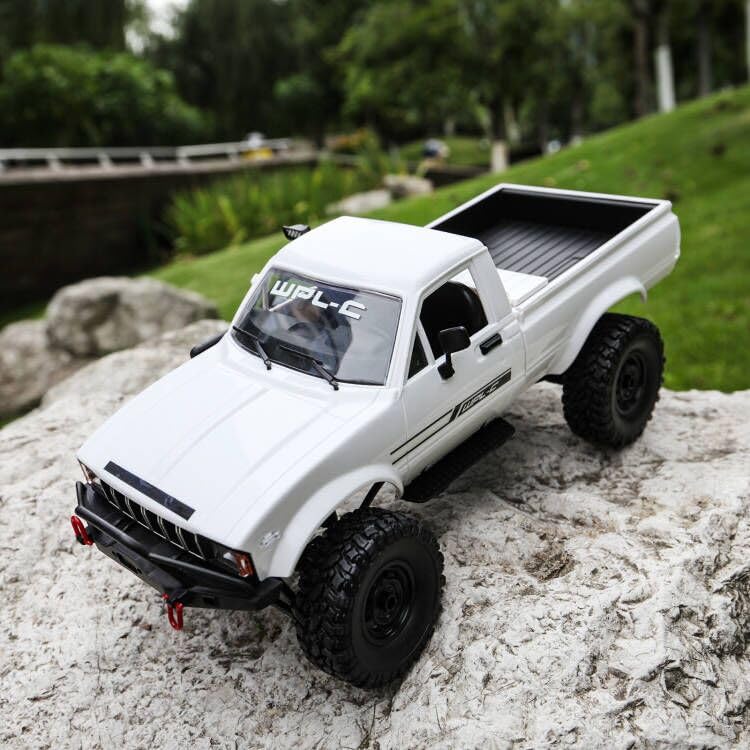
Immagine: Lato view of the RC crawler with key dimensions indicated.

Immagine: dettagliata view of the RC crawler's chassis, showing components like the motor, suspension, and drive shafts.
9. Garanzia e supporto
ARRIS products are manufactured to high-quality standards. For warranty information or technical support, please refer to the official ARRIS websito o contattare il servizio clienti tramite la piattaforma di acquisto.
Conservare la ricevuta d'acquisto come prova d'acquisto per eventuali reclami in garanzia.
Per ulteriore assistenza, visitare il sito Negozio ARRIS su Amazon.