
Introduzione
This manual provides detailed instructions for the safe and efficient operation of your MONODEAL MD-102FM Portable CD Player. Please read this manual thoroughly before using the device and retain it for future reference.
Contenuto della confezione
Verificare che tutti gli articoli siano presenti nel pacco:
- Lettore CDx1
- Cuffie x 1
- Cavo di ricarica USB x 1
- Cavo ausiliario x 1
- Manuale utente x 1
Prodotto finitoview
The MONODEAL MD-102FM is a portable CD player designed for versatile use, featuring a built-in FM transmitter, anti-skip protection, and a rechargeable battery. It supports various CD formats and offers multiple playback modes.

Figura 1: Layout e controlli del dispositivo
- Power ON/OFF Switch/Hold
- DC In 5V (Charging Port)
- Pulsante Modalità
- Resume Button/Rearrange tracks
- FM Setting Button
- Pulsante Avanti / Avanti veloce
- Pulsante di spegnimento
- Pulsante Avanti / Avanti veloce
- Previous/Backward Button
- Manopola del volume
- Open CD (Lid Release)
- Indicatore LED di carica
- Earphone Plug (3.5mm Jack)
This diagram illustrates the various buttons, ports, and features of the portable CD player, including the power switch, charging port, mode button, track controls, volume knob, CD lid release, charging indicator, and earphone jack.
Impostare
1. Carica del dispositivo
The CD player has a built-in 1400mAh rechargeable battery, providing up to 15 hours of playback. Before first use, fully charge the device.
- Connect the provided USB charging cable to the DC In 5V port (2) on the player.
- Connect the other end of the USB cable to a compatible USB power source (e.g., wall charger, power bank, car charger, or computer USB port).
- The Charging LED Indicator (12) will illuminate during charging. Charging typically takes 3-4 hours.
- Once fully charged, the LED indicator may change color or turn off (refer to specific LED behavior in the quick start guide if available).
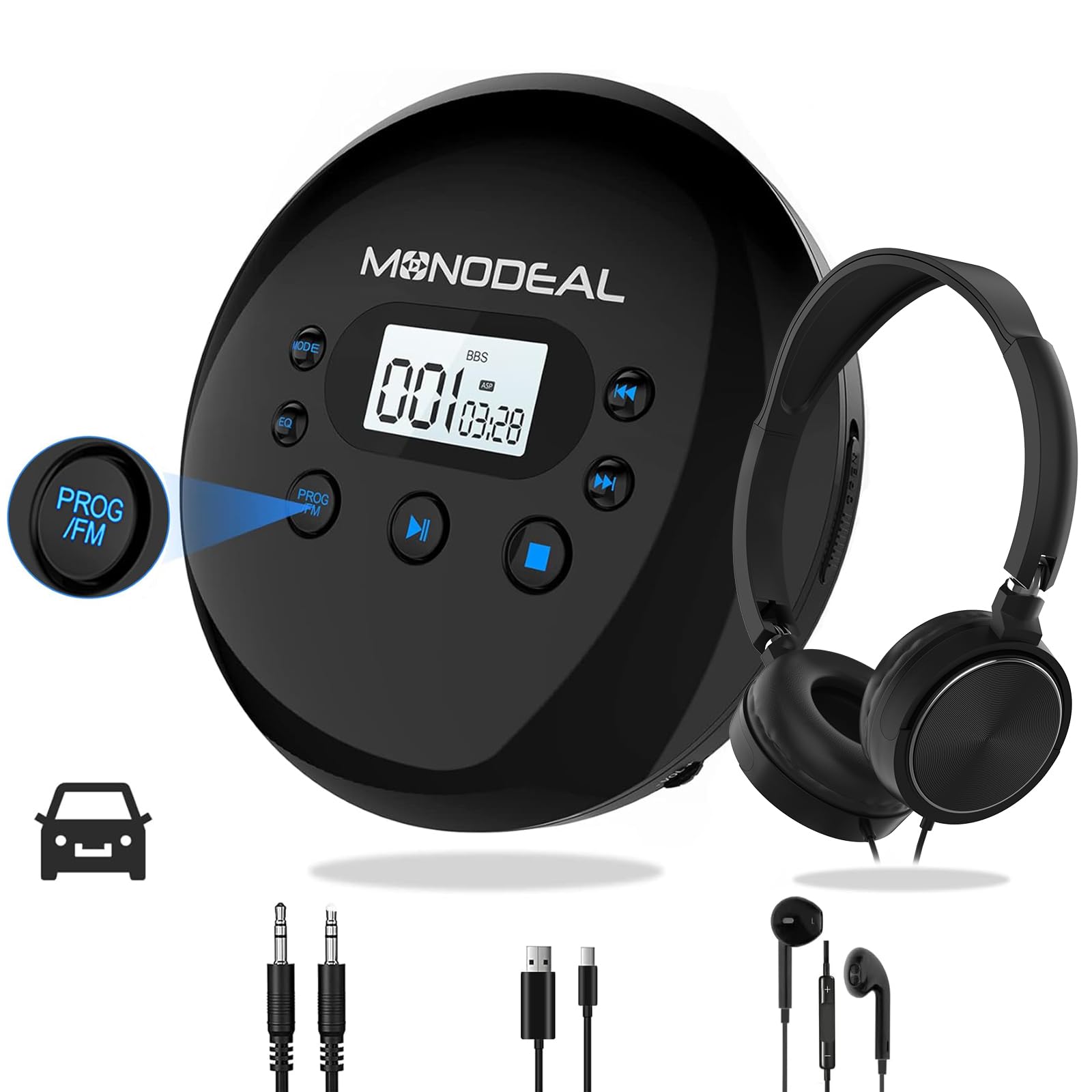
Figura 2: Opzioni di ricarica
The image displays the portable CD player connected to a USB charging cable, with icons illustrating different charging sources: a wall charger, a power bank, a car charger, and a laptop. It also highlights the 15-hour playing time and 3-4 hour charging time.
2. Powering On/Off and Hold Function
- To power on the device, slide the Power ON/OFF Switch (1) to the "ON" position.
- To power off, slide the Power ON/OFF Switch (1) to the "OFF" position or press the Power Off Button (7).
- The "HOLD" function locks all buttons to prevent accidental operation. Ensure the "HOLD" switch is in the "OFF" position before attempting to power on or operate the player. If "HOLD" appears on the screen, check the switch.
Istruzioni per l'uso
1. Inserimento di un CD
- Press the Open CD (11) button to open the CD compartment lid.
- Carefully place a CD (compatible formats: CD, MP3, CD-R, CD-RW, HDCD) onto the spindle with the label side facing up.
- Chiudere saldamente il coperchio del vano CD finché non scatta in posizione.
- If "DISC" appears on the screen, the disc format may be invalid or the disc is not seated correctly. Replace with a supported disc or re-insert.
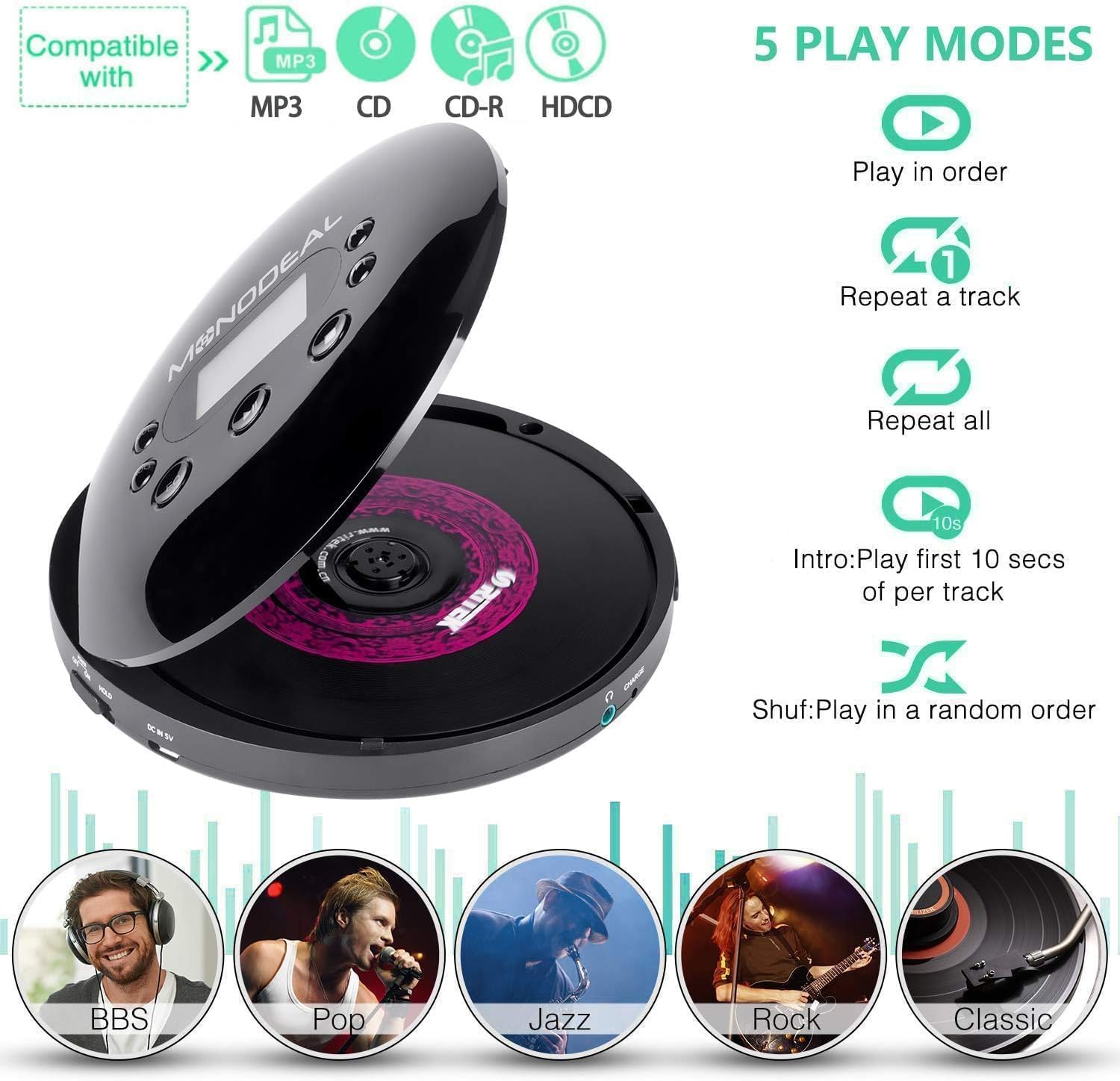
Figure 3: Compatible Disc Types and Play Modes
This image illustrates the types of discs compatible with the player (MP3, CD, CD-R, HDCD) and outlines the five available playback modes: Play in order, Repeat a track, Repeat all, Intro (plays the first 10 seconds of each track), and Shuffle (plays tracks in a random order).
2. Controlli di riproduzione di base
- Riproduci/Pausa: Press the Play/Pause button (typically the central button or combined with a track control) to start or pause playback.
- Traccia successiva: Press the Next/Fast Forward button (6 or 8) to skip to the next track.
- Traccia precedente: Press the Previous/Backward button (9) to go to the beginning of the current track or the previous track.
- Avanti veloce/Riavvolgimento: Press and hold the Next/Fast Forward button (6 or 8) or Previous/Backward button (9) to fast forward or rewind within a track.
- Regolazione del volume: Rotate the Volume Knob (10) to increase or decrease the volume.
3. Modalità di gioco
Press the Mode Button (3) repeatedly to cycle through the available playback modes:
- Gioca in ordine: Riproduce le tracce in sequenza.
- Ripeti una traccia: Ripete la traccia corrente.
- Ripeti tutto: Ripete tutte le tracce del disco.
- Introduzione: Riproduce i primi 10 secondi di ogni traccia.
- Mescolare (Shuf): Riproduce le tracce in ordine casuale.
4. Modalità equalizzatore (EQ)
The player offers various EQ modes to customize your audio experience. While not explicitly shown on the diagram, these are typically accessed via the Mode button or a dedicated EQ button (if present). Available modes include BBS, Pop, Jazz, Rock, and Classic.

Figure 4: Immersive Audio Experience with EQ Modes
This image depicts a user enjoying music with headphones and the MONODEAL CD player, highlighting the availability of five distinct music modes: BBS, Pop, Jazz, Rock, and Classic, for an enhanced listening experience.
5. FM Transmitter Function (For Car Use)
The built-in FM transmitter allows you to play CD audio through your car's FM radio. This feature is useful for cars without an AUX input.
- When a CD is playing, press the FM Setting Button (5). The FM transmitter frequency will appear on the display.
- Press the FM Setting Button (5) again to cycle through available frequencies (e.g., 78.1, 79.3, 87.5, 88.5, 93.6, 103, 107.1 MHz). Select a frequency that is clear and not in use by a local radio station.
- Turn on your car's radio and tune it to the exact same FM frequency selected on the CD player.
- You should now hear the CD audio through your car's speakers.
Nota: Car Bluetooth and USB connections are not supported for audio output from the CD player. For cars with an AUX port, use the included 3.5mm AUX cable for a direct connection.

Figure 5: Car Connectivity Options
This image illustrates two methods for connecting the portable CD player to a car audio system: using the 3.5mm AUX cable for direct connection (A) and using the FM transmission feature (B). Step-by-step instructions for setting the FM frequency on both the CD player and the car radio are provided.
6. Anti-Skip and Resume Functions
- The player features anti-skip and anti-shock protection to ensure uninterrupted music playback, even during movement.
- The resume function allows the player to continue playback from where it was last stopped, even after being powered off.
Manutenzione
1. Pulizia del dispositivo
- Use a soft, dry cloth to clean the exterior of the CD player.
- For the optical lens inside the CD compartment, use a specialized CD lens cleaning kit. Do not touch the lens directly.
- Avoid using abrasive cleaners, solvents, or strong chemicals, as these can damage the surface.
2. Cura della batteria
- Per prolungare la durata della batteria, evitare di scaricarla completamente frequentemente.
- Se si conserva il dispositivo per un periodo prolungato, caricarlo fino a circa il 50% ogni pochi mesi.
- Non esporre il dispositivo a temperature estreme.
Risoluzione dei problemi
| Problema | Possibile causa | Soluzione |
|---|---|---|
| Il dispositivo non si accende. | Battery is depleted; "HOLD" switch is engaged. | Charge the battery; ensure the "HOLD" switch is in the "OFF" position. |
| "DISC" error displayed. | Invalid disc format; disc not inserted correctly; disc is dirty or scratched. | Insert a compatible CD (CD, MP3, CD-R, CD-RW, HDCD); re-insert the disc properly; clean or replace the disc. |
| Nessun suono o scarsa qualità del suono. | Headphones not connected properly; volume too low; faulty headphones/AUX cable; incorrect FM frequency. | Ensure headphones are fully plugged into the 3.5mm jack (13); increase volume; try different headphones/AUX cable; verify FM frequency matches car radio. |
| CD skips frequently. | Disc is dirty or scratched; severe vibration. | Clean or replace the disc; ensure the player is on a stable surface or minimize movement during use. The anti-skip feature helps but extreme conditions can still cause skips. |
| FM transmitter not working with car radio. | FM frequencies do not match; car radio is digital scanning. | Ensure the CD player's FM frequency exactly matches the car radio's frequency. For digital scanning radios, manual tuning might be required if available, or use the AUX cable if your car has an AUX input. |
Specifiche
| Caratteristica | Dettaglio |
|---|---|
| Marca | MONODALTO |
| Numero di modello | MD-102FM |
| Tecnologia di connettività | Wired headphones (via 3.5mm jack) |
| Caratteristiche speciali | Anti-Skip Protection, FM Transmitter, Portable, Rechargeable |
| Formati audio supportati | CD, MP3, CD-R, CD-RW, HDCD |
| Numero di dischi | 1 |
| Tipo di connettore | USB Type-C (for charging), 3.5mm Jack (for audio output) |
| Usi specifici | Car, Home, Portable |
| Batteria | Batteria ricaricabile integrata da 1400 mAh |
| Durata della batteria | Fino a 15 ore di riproduzione |
| Tempo di ricarica | 3-4 ore |
Garanzia e supporto
Informazioni sulla garanzia
The MONODEAL MD-102FM Portable CD Player comes with a Garanzia del produttore di 1 anno. Some users have reported the availability of a lifetime warranty upon product registration within 10 days of purchase. Please refer to the product packaging or the MONODEAL official website for the most current and detailed warranty terms and registration process.
Assistenza clienti
For technical assistance, warranty claims, or any questions regarding your MONODEAL MD-102FM Portable CD Player, please contact MONODEAL customer support. Contact information can typically be found on the product packaging, the official MONODEAL websito o tramite i canali di supporto del tuo rivenditore.