
Guide Sensmart Guide TE 421
Manuale utente del monoculare termico portatile TE421
Istruzioni complete per l'installazione, il funzionamento e la manutenzione.
1. Prodotto finitoview
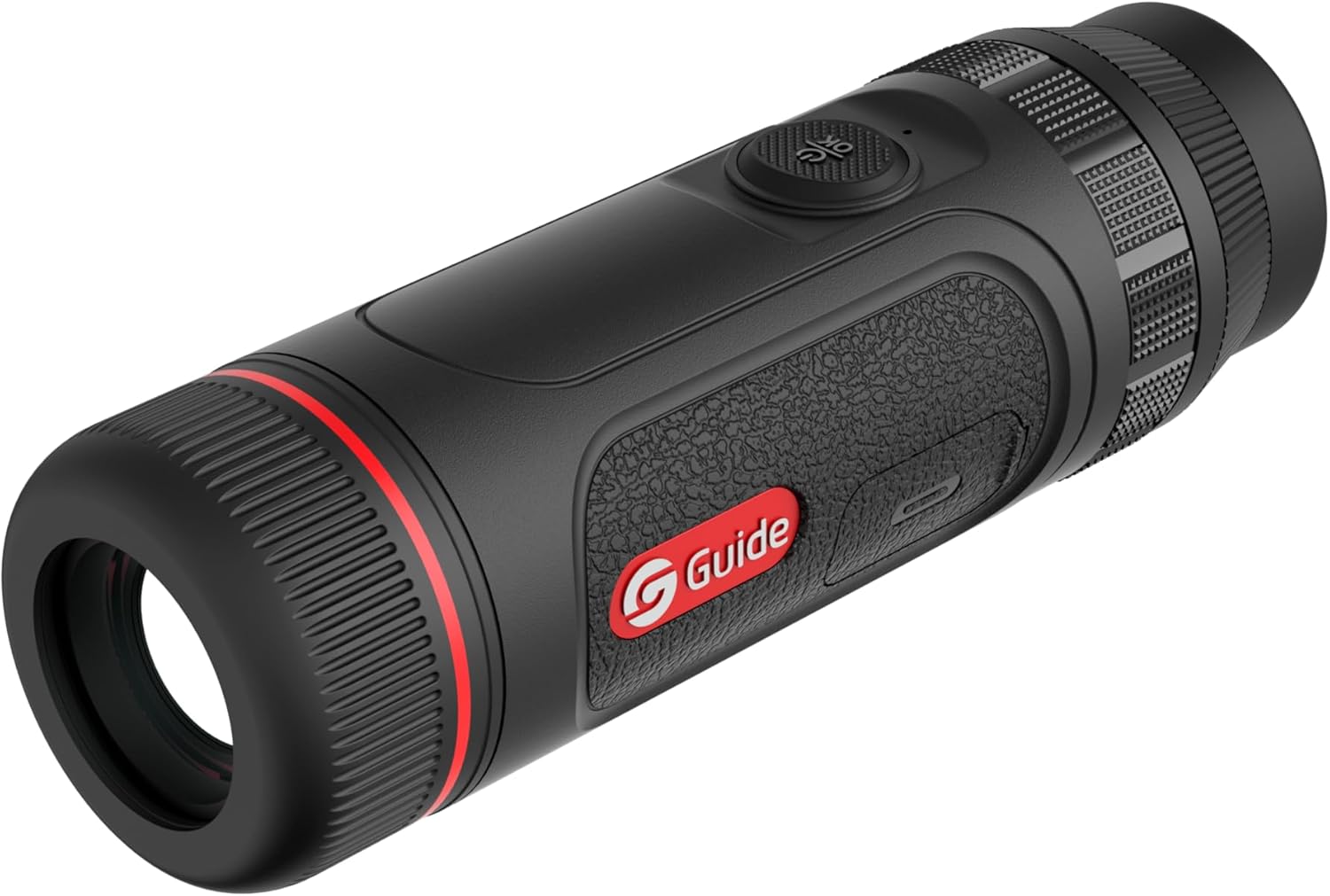
The Guide TE Series Handheld Thermal Imaging Monocular is a compact and reliable device designed for night vision applications, particularly hunting and outdoor observation. It features a high-resolution infrared detector and a powerful lens for extended detection range. Its lightweight and portable design ensures comfortable use and easy transport.
Key features include a 400x300 thermal sensor, 25mK NETD, a 1400-yard detection range, and a large 0.32" AMOLED 800x600 display for clear viewing. The device supports quick charging and offers extended battery life, along with recording capabilities for photos and videos with audio.


2. Cosa c'è nella scatola
All'apertura della confezione, assicurarsi che siano presenti tutti i seguenti elementi:
- Guide TE421 Thermal Monocular
- Cavo di ricarica (USB-C)
- Custodia/custodia protettiva
- Cinturino da polso
- Manuale dell'utente (questo documento)
3. Impostazione
3.1 Ricarica del dispositivo
Before first use, fully charge the monocular. Connect the provided USB-C cable to the charging port on the device and the other end to a compatible USB power adapter (not included). The device supports 20W quick charging, allowing for approximately 1 hour of operating time with only 10 minutes of charging. A full charge provides up to 5 hours of continuous use.
3.2 Accensione/Spegnimento
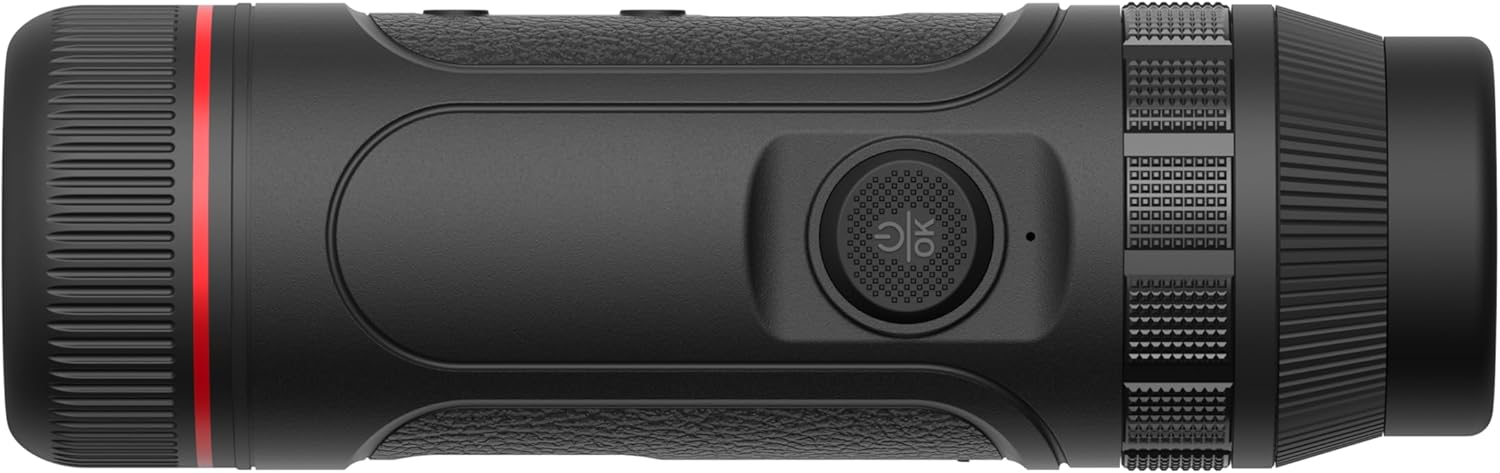
- To power on, press and hold the power button (typically located on the top of the device) for approximately 3 seconds until the display illuminates.
- To power off, press and hold the power button again for approximately 3 seconds until the display shuts down.
3.3 Regolazione diottrica
Adjust the diopter ring located near the eyepiece to achieve a sharp image for your individual eyesight. Rotate the ring until the on-screen display elements appear clear and in focus.
3.4 Connecting to the Target IR App (Wi-Fi)
The Guide TE421 can connect to your smartphone via Wi-Fi using the Target IR App. This allows for remote control, live view, and downloading recorded photos and videos.
- Download the "Target IR" app from your smartphone's app store.
- Turn on the monocular.
- Activate Wi-Fi on the monocular (refer to the device's on-screen menu for Wi-Fi settings).
- On your smartphone, go to Wi-Fi settings and connect to the monocular's Wi-Fi network (the network name will typically start with "Guide" or "TE").
- Open the Target IR App and follow the on-screen instructions to connect to your device.
4. Istruzioni per l'uso
4.1 Funzionamento di base
- Pulsante di accensione: Press and hold to turn on/off. Short press to enter/exit standby mode.
- Pulsante Menu: Short press to access the main menu. Use navigation buttons to select options.
- Pulsante Zoom: Press to cycle through digital zoom levels (e.g., 1x, 2x, 4x).
- Pulsante di cattura: Short press to take a photo. Press and hold to start/stop video recording.
4.2 Regolazione della messa a fuoco
The TE421 features manual focus. Rotate the objective lens ring to bring distant or close objects into sharp thermal focus.
4.3 Registrazione di immagini e video
The monocular has built-in recording capabilities. Photos and videos (with audio) are stored internally and can be downloaded via the Target IR App.
- To take a photo: Short press the Capture button.
- To record video: Press and hold the Capture button to start recording. Press and hold again to stop recording.
4.4 Modalità tavolozza
The TE421 offers various thermal palette modes to suit different viewing preferences and environmental conditions. Common modes include:
- Bianco caldo: Gli oggetti caldi appaiono bianchi.
- Nero caldo: Gli oggetti caldi appaiono neri.
- Rosso caldo: Hot objects appear red/yellow.
- Rosso ferro: A common industrial palette.
- Arcobaleno: Displays a spectrum of colors.
Cycle through palette modes using the designated button or through the device's menu.
5. Manutenzione
5.1 Pulizia del dispositivo
- Lente: Use a soft, lint-free cloth specifically designed for optical lenses. Gently wipe the lens surface. For stubborn smudges, use a small amount of lens cleaning solution applied to the cloth, not directly to the lens.
- Corpo: Pulisci il corpo del monoculare con un panno morbido eamp panno. Non utilizzare detergenti abrasivi, solventi o prodotti chimici aggressivi.
5.2 Conservazione
When not in use, store the monocular in its protective pouch or case in a cool, dry place, away from direct sunlight and extreme temperatures. Ensure the device is powered off before storage.
5.3 Cura della batteria
Per prolungare la durata della batteria, evitare di scaricarla completamente frequentemente. Se si prevede di non utilizzarla per lunghi periodi, caricare la batteria fino a circa il 50% ogni pochi mesi.
6. Risoluzione Dei Problemi
This section addresses common issues you might encounter with your Guide TE421 Thermal Monocular.
| Problema | Possibile causa | Soluzione |
|---|---|---|
| Il dispositivo non si accende. | Batteria scarica; pressione errata del pulsante di accensione. | Caricare completamente il dispositivo. Tenere premuto il pulsante di accensione per 3 secondi. |
| L'immagine è sfocata. | Diopter not adjusted; objective lens out of focus. | Adjust the diopter ring. Rotate the objective lens focus ring. |
| Impossibile connettersi al Wi-Fi/all'app. | Wi-Fi not enabled on device; incorrect network selected; app issue. | Ensure Wi-Fi is enabled on the monocular. Select the correct Wi-Fi network. Restart the app and device. |
| Durata breve della batteria. | Frequent use of power-intensive features; aging battery. | Reduce screen brightness. Ensure full charge before use. Contact support if battery degradation is significant. |
7. Specifiche
| Caratteristica | Dettaglio |
|---|---|
| Nome del modello | Guide TE 421 |
| Risoluzione termica | 400x300 |
| NETTO | 25 mK |
| Diametro della lente dell'obiettivo | 25 millimetri |
| Campo di rilevamento | Fino a 1400 iarde |
| Tipo di visualizzazione | AMOLED da 0.32" |
| Risoluzione dello schermo | 800x600 |
| Dimensioni del prodotto | 5.2"D x 1.85"W x 1.85"H (155mm length) |
| Peso | 315 grammi |
| Durata della batteria | Fino a 5 ore |
| Ricarica | 20W Quick Charging (1h operation from 10min charge) |
| Connettività | Wi-Fi (for Target IR App) |
| Registrazione | Photo and Video with Audio |
| Tipo di messa a fuoco | Messa a fuoco manuale |
| Dispositivi compatibili | Smartphone |
8. Garanzia e supporto
Guide Sensmart stands behind the quality of its products with a comprehensive warranty policy:
- Sensore termico: Garanzia di 10 anno
- Parti del corpo: Garanzia di 5 anno
- Tutti gli accessori: Garanzia di 2 anno
For technical support, warranty claims, or service inquiries, please contact Guide Sensmart customer service. Their repair center is based in Dallas, Texas.
For the most up-to-date contact information, please visit the official Guide Sensmart websito o fare riferimento ai recapiti forniti nella documentazione di acquisto.
Ask a question about this manual
Ask about setup, troubleshooting, compatibility, parts, safety, or missing instructions. Manuals+ will review the question and use this page’s manual context to help answer it.