
NLP200 127780C250059
Manuale utente del telecomando sostitutivo
For Richmat Adjustable Bed Bases
Prodotto finitoview
This manual provides instructions for the replacement remote control designed for specific Richmat adjustable bed bases. This remote is intended to replace a lost or damaged original remote and is not a universal remote. It is crucial to verify compatibility with your existing control box before use.

Immagine: Frontale view of the replacement remote control. This image displays the remote's six buttons: Head Up, Head Down, Foot Up, Foot Down, Memory (M), and Flat.
Compatibilità e note importanti
This replacement remote control is specifically designed to work with certain Richmat control boxes. It is not a universal remote. To ensure proper functionality, your existing control box must be one of the compatible models, such as Richmat NL200U 127780C180169 (Item No.: HJC18) or HJC9. Additionally, your old remote must have an identical button layout to this replacement remote for successful pairing.
Nota: Batteries are not included with this remote. It requires 2 AAA batteries.

Image: This composite image shows the front and back of the remote control, including its battery compartment. It also displays close-up views of Richmat control box labels, highlighting model numbers like JLDP.03 and ML150, which are crucial for compatibility verification.
Istruzioni per la configurazione e l'associazione
Follow these steps carefully to pair your new replacement remote control with your Richmat adjustable bed base control box.
- Preparare la base del letto: Unplug the adjustable bed base from the power outlet. Wait for at least 5 seconds, then plug it back into the outlet.
- Individuare il pulsante di reset della scatola di controllo: Locate the control box under the bed. Double-click the "reset" button on the control box twice. This button may be labeled "Learn" or "Reset Coding". Do not press and hold; simply press and release quickly.
- Avviare l'associazione remota: On the remote control, simultaneously press and hold the "head up" button and the "foot up" button for 10 seconds.
- Abbinamento completo: While still holding the two buttons on the remote, press the "reset" or "Learn" button on the control box once. You should hear beeps, indicating that the remote is successfully synced.
Note importanti sull'abbinamento:
- Pairing must be completed within 15 seconds of initiating the process (after double-clicking the reset button on the control box). If 15 seconds pass, you must unplug the power again and restart from Step 1.
- Ensure the indicator light on the control box is on when attempting to pair, as it will go out if not paired within 15 seconds.
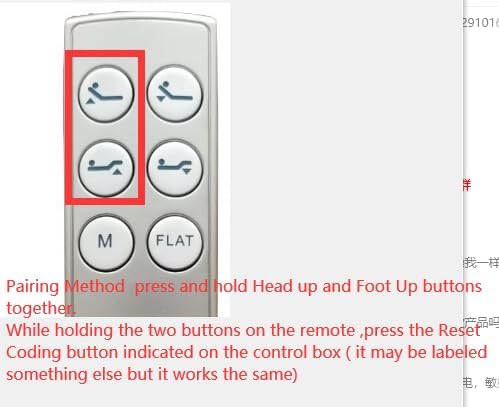
Image: This image highlights the "Head Up" and "Foot Up" buttons on the remote control, indicating which buttons to press simultaneously during the pairing process.
Istruzioni per l'uso
Once paired, the remote control allows you to adjust your Richmat adjustable bed base. The remote features six distinct buttons:
- Head Up: Solleva la testiera del letto.
- Head Down: Abbassa la testiera del letto.
- Foot Up: Solleva la parte inferiore del letto.
- Foot Down: Abbassa la sezione piedi del letto.
- M (Memoria): Activates a pre-set memory position. (Functionality depends on your bed base model).
- PIATTO: Riporta il letto in una posizione completamente piana.
Press and hold the desired button to move the bed section. Release the button when the desired position is reached.
Manutenzione
Sostituzione della batteria
The remote control requires 2 AAA batteries. When the remote's performance degrades or it stops responding, it is likely time to replace the batteries.
- Individuare il coperchio del vano batterie sul retro del telecomando.
- Far scorrere il coperchio per aprirlo.
- Rimuovere le vecchie batterie AAA.
- Inserire due batterie AAA nuove, assicurandosi della corretta polarità (+ e -).
- Riposizionare il coperchio del vano batteria finché non scatta in posizione.
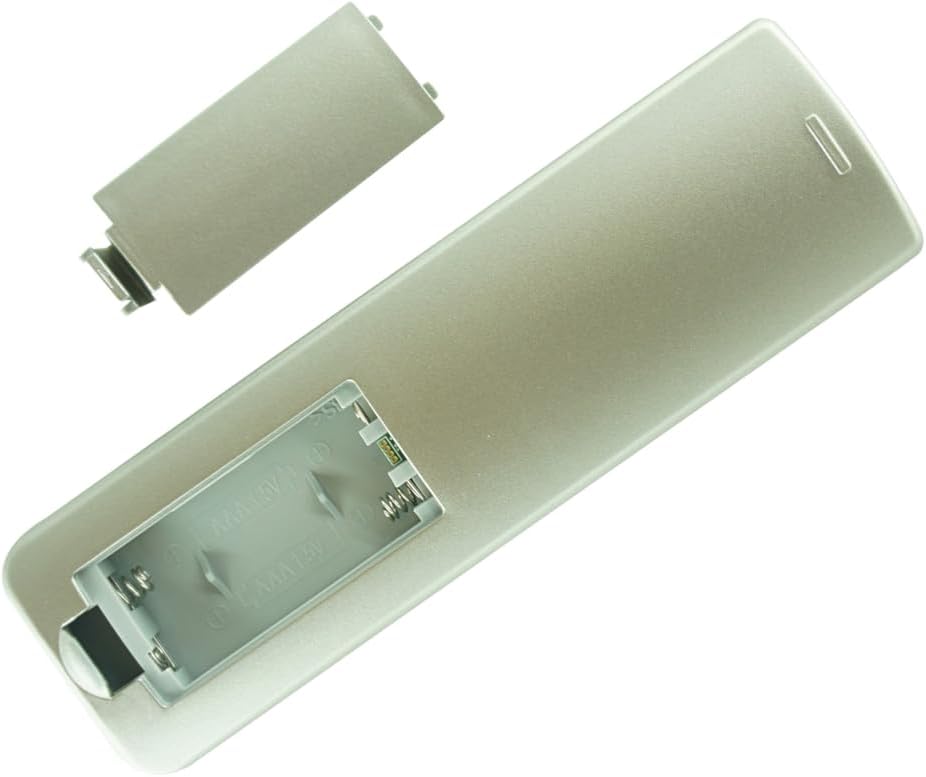
Immagine: Indietro view of the remote control with the battery compartment cover removed, showing the slots for two AAA batteries.
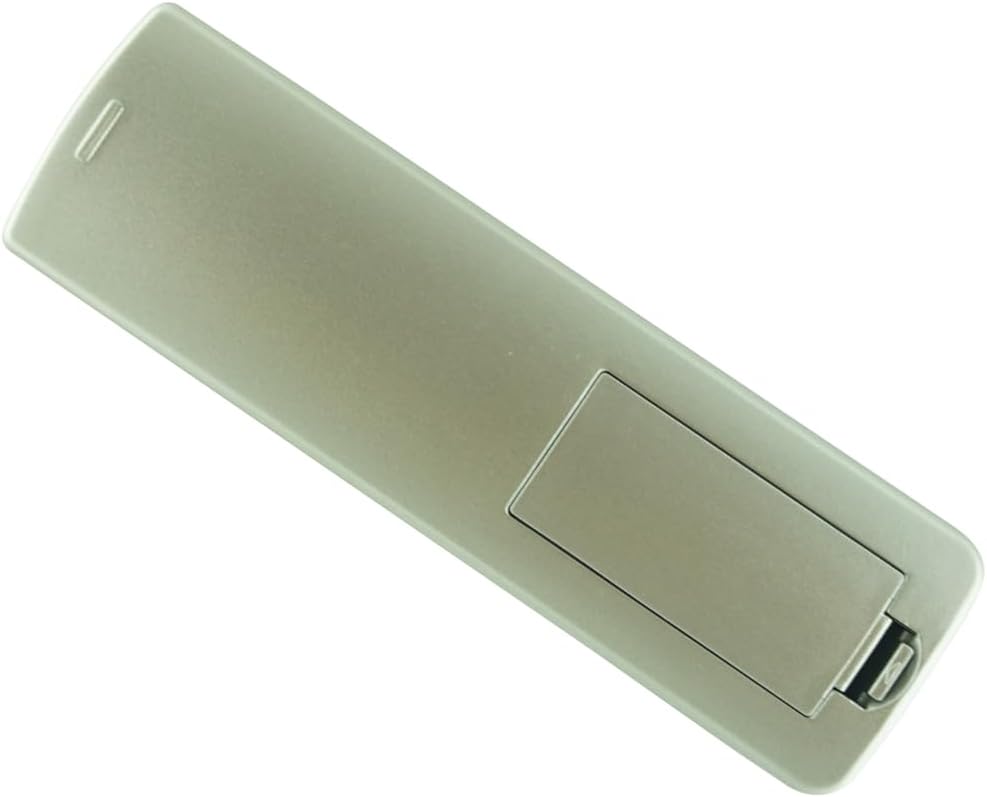
Immagine: Indietro view of the remote control with the battery compartment cover securely closed.
Risoluzione dei problemi
| Problema | Possibile causa | Soluzione |
|---|---|---|
| Il telecomando non risponde. |
|
|
| Bed moves erratically or not as expected. |
|
|
| Pairing fails repeatedly. |
|
|
Specifiche
- Tipo di prodotto: Telecomando sostitutivo
- Dispositivi compatibili: Richmat Adjustable Bed Bases (Specific models: NL200U 127780C180169, Item No.: HJC18, HJC9 control boxes)
- Fonte di energia: 2 x batterie AAA (non incluse)
- Colore: White (as depicted in product images)
- Numero massimo di dispositivi supportati: 1 (per telecomando)
Garanzia e supporto
For warranty information or technical support regarding this replacement remote control, please refer to the seller's policies on the original purchase platform. It is recommended to retain your purchase receipt for any warranty claims.
For issues related to your Richmat adjustable bed base itself, please contact the manufacturer of your bed base directly.
Ask a question about this manual
Ask about setup, troubleshooting, compatibility, parts, safety, or missing instructions. Manuals+ will review the question and use this page’s manual context to help answer it.