
Introduzione
This manual provides instructions for the HOUSBAY Sunrise Alarm Clock with Bluetooth Speaker & Radio, Model TS9RA. Please read this manual thoroughly before using the device to ensure proper operation and to maximize its features.

Image: The HOUSBAY Sunrise Alarm Clock, an all-in-one device combining a sunrise alarm, FM radio, Bluetooth speaker, and night light.
Informazioni sulla sicurezza
- Assicurarsi che il dispositivo sia posizionato su una superficie stabile e piana.
- Non esporre il dispositivo all'acqua o a umidità eccessiva.
- Utilizzare esclusivamente l'adattatore di alimentazione fornito.
- Tenere fuori dalla portata dei bambini.
- Non tentare di smontare o riparare da soli il dispositivo. Contatta l'assistenza clienti per assistenza.
Contenuto della confezione
- HOUSBAY Sunrise Alarm Clock (Model TS9RA)
- Adattatore di alimentazione
- Manuale d'uso
Impostare
1. Collegamento elettrico
- Collegare l'adattatore di alimentazione alla porta di ingresso CC sul retro della sveglia.
- Collega l'alimentatore a una presa elettrica standard.
- Il display si illuminerà, indicando che il dispositivo è acceso.
2. Impostazione iniziale dell'ora
Upon first power-on, the clock may display a default time. Refer to the "Operating Instructions" section for detailed steps on setting the correct time and date.
3. FM Antenna Setup
For optimal FM radio reception, extend the integrated antenna fully. Position the antenna for the best signal quality.
Istruzioni per l'uso
Impostazione di ora e data
- Premere il tasto Ora impostata button (usually indicated by a clock icon).
- Utilizzare il +/- pulsanti per regolare l'ora, quindi premere Ora impostata di nuovo per confermare.
- Ripetere per minuti, anno, mese e giorno.
- Premere Ora impostata un'ultima volta per uscire dalla modalità di impostazione.
Alarm Setting (Sunrise & Sound)
- Premere il tasto Allarme button (bell icon).
- Utilizzare il +/- pulsanti per impostare l'orario desiderato della sveglia. Premere Allarme per confermare.
- Select your preferred wake-up sound (e.g., birdsong, ocean waves, piano, FM radio) using the Suono pulsante.
- Regolare il volume del suono utilizzando il +/- pulsanti.
- Set the sunrise simulation duration (0-60 minutes) before the alarm time. The light will gradually brighten during this period.
- Choose your wake-up mode: Solo suono, Sunrise Only, O Sunrise & Sound.
- Premere Allarme per salvare e attivare l'allarme.
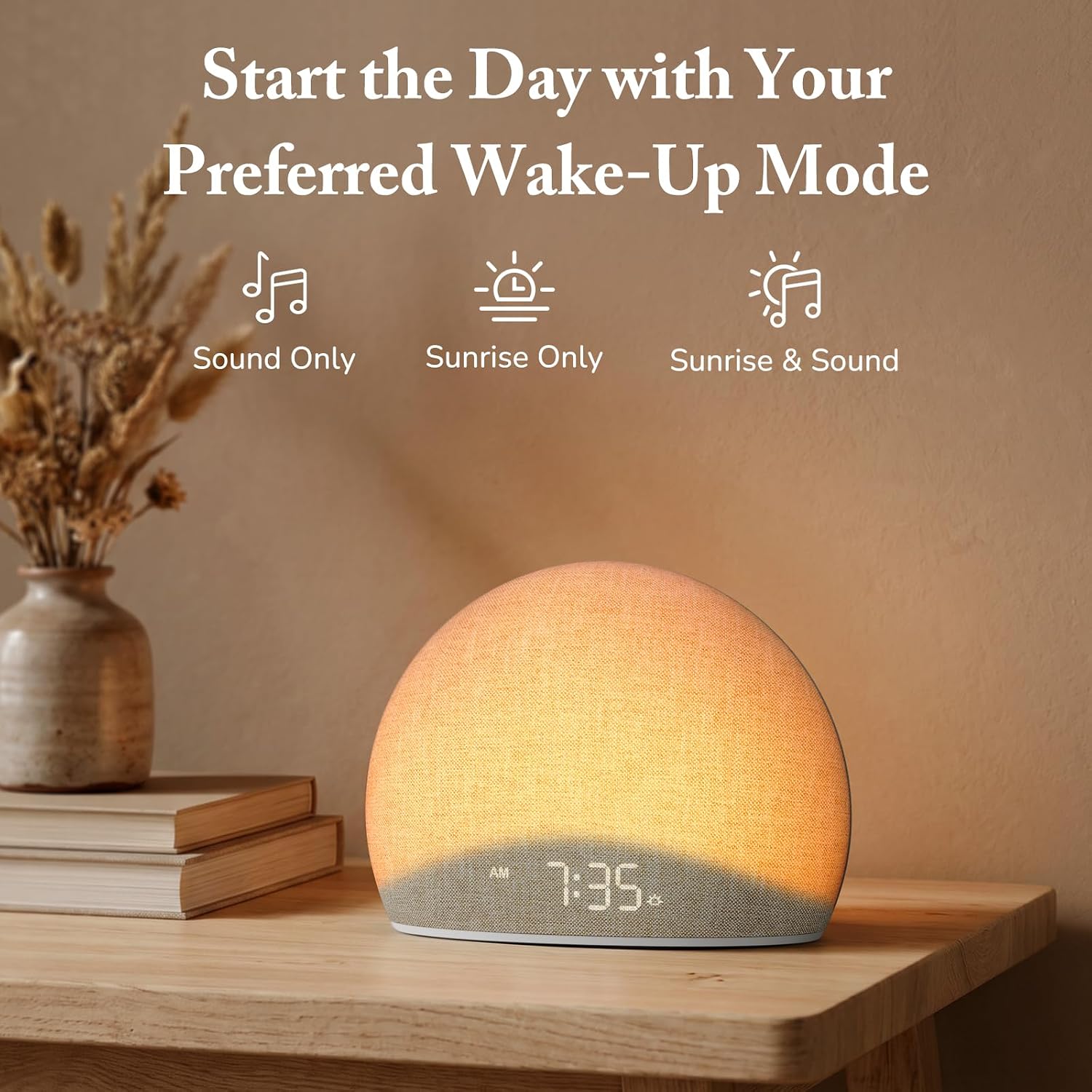
Image: The alarm clock offers three distinct wake-up modes: sound only, sunrise light only, or a combination of both.

Image: A selection of five natural wake-up sounds and FM radio options are available to customize your morning alarm.
Funzione luce notturna
- Premere il tasto Leggero button (sun icon) to turn on the night light.
- Premere il tasto Leggero button repeatedly to cycle through different colors and brightness levels.
- To turn off the night light, press and hold the Leggero button or cycle through all options until it turns off.

Image: The device functioning as a night light, emitting a soft red glow at 10:30 PM.
Modalità altoparlante Bluetooth
- Premere il tasto Bluetooth button (Bluetooth symbol) to enter Bluetooth pairing mode. The display will show "BT" or a flashing Bluetooth icon.
- On your mobile device, enable Bluetooth and search for "HOUSBAY TS9RA" or a similar device name.
- Seleziona il dispositivo da associare. Un suono di conferma indicherà l'avvenuta associazione.
- You can now stream audio from your device to the HOUSBAY alarm clock.
- Per disconnettersi, premere il Bluetooth button again or disconnect from your mobile device.
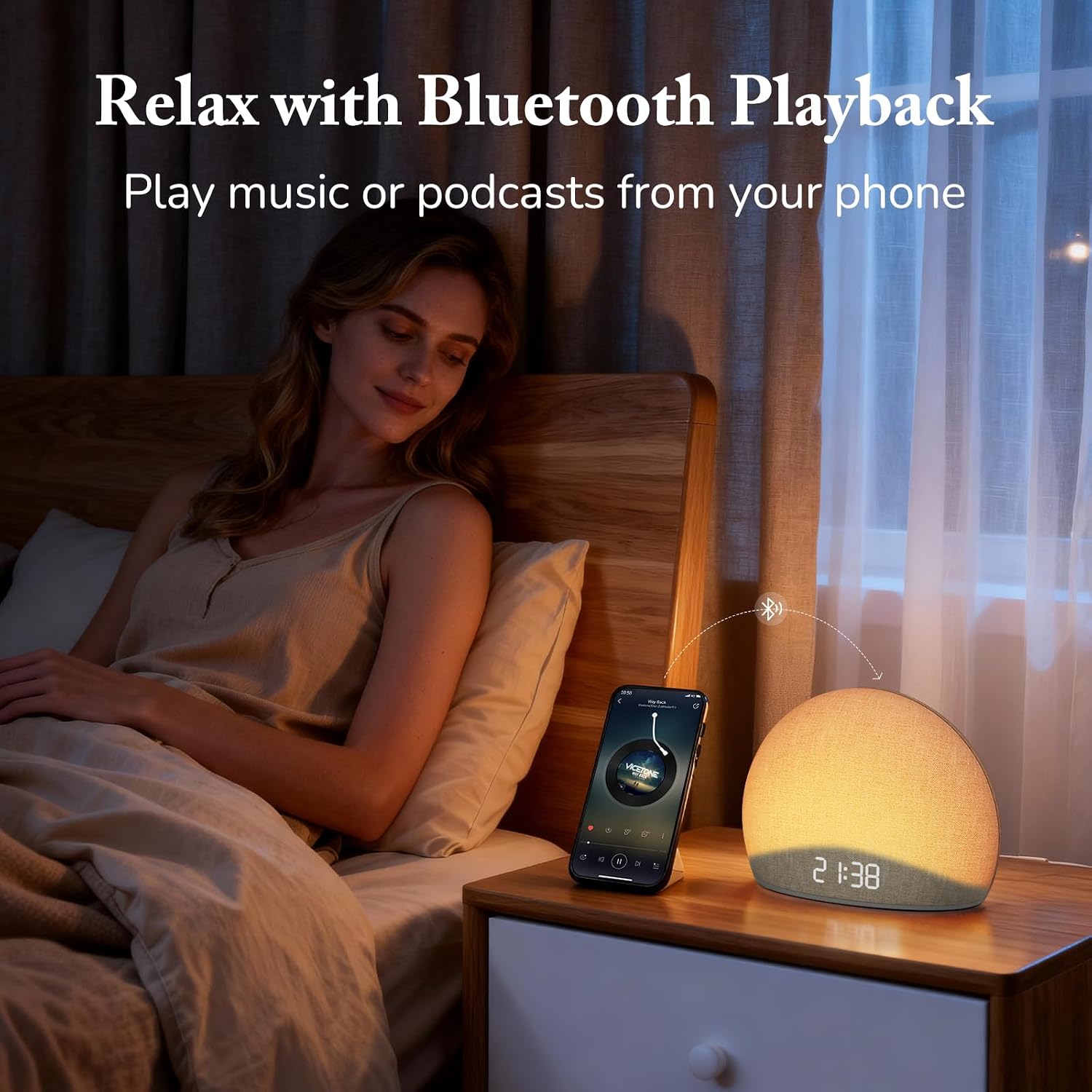
Image: The alarm clock connected via Bluetooth, playing music from a smartphone for relaxation.
Video: Un oltreview of the HOUSBAY Sunrise Alarm Clock Radio for Bedroom, demonstrating its features including Bluetooth connectivity.
Video: Un breve preview demonstrating the Bluetooth connectivity feature of the HOUSBAY Sunrise Alarm Clock.
Modalità radio FM
- Premere il tasto Radio FM button (radio icon) to turn on the FM radio.
- Premere e tenere premuto il tasto Radio FM button to initiate an automatic scan for available stations. The clock will save detected stations.
- Utilizzare il +/- buttons to cycle through saved FM stations.
- Adjust the volume using the dedicated volume controls.
- To turn off the FM radio, press the Radio FM di nuovo il pulsante.

Image: The alarm clock displaying the time 9:00, with visual cues suggesting active FM radio functionality.
Regolazione della luminosità del display
To ensure a sleep-friendly environment, the clock's display brightness can be adjusted or turned off completely.
- Individuare il Luminosità dello schermo button (often a sun or dimmer icon).
- Press the button repeatedly to cycle through various brightness levels, including off.
- Seleziona la luminosità desiderata.

Image: The alarm clock with its display dimmed to a low setting, suitable for a dark bedroom environment.
Manutenzione
- Pulizia: Utilizzare un panno morbido e asciutto per pulire la superficie del dispositivo. Non utilizzare detergenti liquidi o materiali abrasivi.
- Magazzinaggio: Se si conserva il dispositivo per un periodo prolungato, scollegarlo dalla fonte di alimentazione e conservarlo in un luogo fresco e asciutto.
- Cura del tessuto: The fabric finish can be gently wiped with a slightly damp cloth if necessary, then immediately dried.
Risoluzione dei problemi
| Problema | Possibile causa | Soluzione |
|---|---|---|
| Il dispositivo non si accende. | Adattatore di alimentazione non collegato o presa difettosa. | Assicurati che l'adattatore di alimentazione sia collegato saldamente sia al dispositivo sia a una presa elettrica funzionante. Prova una presa diversa. |
| L'associazione Bluetooth non riesce. | Device not in pairing mode; mobile device too far; interference. | Ensure the alarm clock is in Bluetooth pairing mode (flashing BT icon). Move your mobile device closer. Restart both devices and try again. |
| Scarsa ricezione radio FM. | Antenna non estesa o posizionata correttamente; segnale debole. | Fully extend the FM antenna and adjust its position for better signal. Perform an auto-scan for stations again. |
| Alarm does not sound/light. | Alarm not activated; volume too low; incorrect mode selected. | Verify the alarm is set and activated. Check the alarm volume. Ensure the correct wake-up mode (Sound Only, Sunrise Only, or both) is selected. |
| Il display è vuoto o non risponde. | Display brightness set to off; temporary software glitch. | Press the Display Brightness button to cycle through brightness levels. If unresponsive, unplug the device for a few minutes and then plug it back in to reset. |
Specifiche
| Caratteristica | Dettaglio |
|---|---|
| Marca | HOUSBAY |
| Numero di modello | TS9RA |
| Tipo di visualizzazione | Digitale |
| Fonte di alimentazione | Elettrico con cavo |
| Dimensioni del prodotto (L x A) | 6.3"L x 4.72"A |
| Peso dell'articolo | 0.7 kg |
| Caratteristiche speciali | Sunrise Alarm, Bluetooth Speaker, FM Radio, Dimmable Night Light, Adjustable Display |
| Materiale | Wood (Frame), Fabric Finish |
Garanzia
This HOUSBAY product is covered by a manufacturer's warranty. For specific details regarding warranty coverage, duration, and terms, please refer to the warranty card included with your purchase or contact HOUSBAY customer support.
Assistenza clienti
For any questions, technical assistance, or warranty claims, please contact HOUSBAY customer support through their official websito o le informazioni di contatto fornite sulla confezione del prodotto.
Puoi anche visitare il HOUSBAY Store on Amazon per maggiori informazioni sul prodotto e risorse di supporto.

