
Introduzione
This manual provides essential instructions for the safe and efficient use of your ZEBRONICS EnergiTank 10R1 10000 mAh Power Bank. Please read this manual thoroughly before operating the device and retain it for future reference.

Image: ZEBRONICS EnergiTank 10R1 10000 mAh Power Bank in black, held in a hand, showcasingrazie alle sue dimensioni compatte e ai cavi integrati.
Contenuto della confezione
Verificare che tutti gli articoli siano presenti nel pacco:
- ZEBRONICS EnergiTank 10R1 Power Bank - 1 unit
- Charging Cable (for power bank) - 1 unit
- Guida al codice QR - 1 unità

Image: The ZEBRONICS EnergiTank 10R1 power bank with its integrated Type-C and Lightning cables.
Caratteristiche del prodotto
- Capacità 10,000mAh: Provides efficient power for multiple device charges.
- Ricarica rapida da 22.5 W: Supports fast charging for compatible smartphones and tablets.
- Cavi integrati: Includes integrated Type-C and Lightning output cables for convenience.
- Uscite multiple: Features a Type-C port (DC 5V/3A, 9V/2.2A, 10V/2.25A, 12V/1.67A), Type-C cable (DC 5V/3A, 9V/2.2A, 12V/1.67A), and Lightning cable (DC 5V/2A).
- Ingresso di tipo C: Recharges the power bank via a Type-C port (DC 5V/3A, 9V/2A, 12V/1.5A).
- Percentuale LEDtage Indicatore: Displays real-time battery status.
- Design compatto: Features a sleek metallic finish and a convenient carry loop.
- Protezione di sicurezza: Incorporates overcharge, overload, and short-circuit protection.

Image: Highlighting the 10000 mAh capacity and 22.5W fast charging output.

Image: Close-up of the power bank showing the Type-C input and output port.
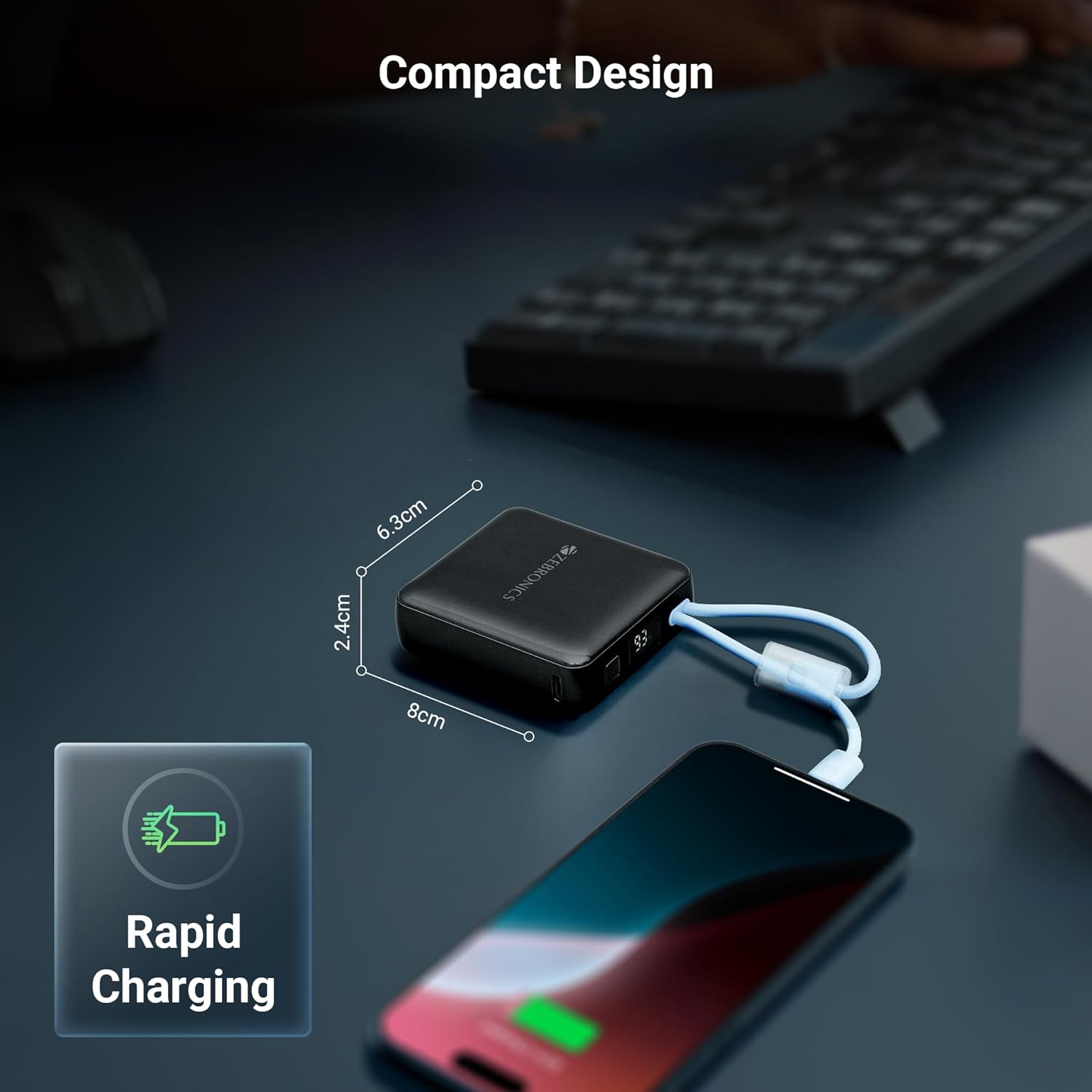
Image: Collage showing attached cables, LED display, and carry loop design.
Configurazione iniziale
- Disimballare: Estrarre con cautela il power bank e tutti gli accessori dalla confezione.
- Primo utilizzo: It is recommended to fully charge the power bank before its first use. Connect the power bank to a suitable USB power adapter (not included) using the provided Type-C charging cable.
- Controlla il livello della batteria: The LED percentage indicator will show the current battery level during charging and discharge.
Istruzioni per l'uso
Caricare i tuoi dispositivi
- Utilizzo di cavi integrati: Select the appropriate built-in cable (Type-C or Lightning) for your device. Connect the cable directly to your smartphone, tablet, or other compatible device.
- Utilizzo della porta Type-C: For devices requiring a separate cable or if the built-in cables are in use, connect your device's charging cable to the Type-C output port on the power bank.
- Avviare la ricarica: Il power bank inizierà automaticamente a caricare il tuo dispositivo. Il display LED mostrerà la percentuale di batteria rimanente.tage.
Ricaricare il Power Bank
- Collegare il cavo di ingresso: Use the provided Type-C charging cable to connect the power bank's Type-C input port to a USB wall adapter or a computer's USB port.
- Ricarica del monitor: The LED display will show the charging progress. When the display shows 100%, the power bank is fully charged.
- Disconnetti: Una volta completamente carico, scollegare il power bank dalla fonte di alimentazione.

Image: The compact design of the power bank charging a smartphone, with dimensions indicated.
Manutenzione
Cura e conservazione
- Keep the power bank away from water, moisture, and liquids.
- Evitare di esporre il dispositivo a temperature estreme (caldo o freddo).
- Non tentare di smontare, riparare o modificare il power bank.
- Pulire il dispositivo con un panno morbido e asciutto. Non utilizzare prodotti chimici aggressivi o materiali abrasivi.
- Conservare il power bank in un luogo fresco e asciutto quando non viene utilizzato.
- Per una salute ottimale della batteria, caricare completamente il power bank almeno una volta ogni tre mesi se non lo si utilizza per lunghi periodi.
Risoluzione dei problemi
Problemi comuni e soluzioni
- Il power bank non carica i dispositivi:
- Ensure the power bank has sufficient charge. Check the LED display.
- Verify that the charging cable (built-in or external) is securely connected to both the power bank and the device.
- Try a different charging cable or port on the power bank. - Il power bank non si ricarica:
- Ensure the Type-C input cable is securely connected to the power bank and the power source.
- Try a different USB wall adapter or power source.
- Check if the charging cable itself is functional. - Ricarica lenta:
- Ensure your device supports fast charging and that the power bank is providing the appropriate output.
- Using a high-quality wall adapter for recharging the power bank can improve its charging speed.
- Environmental factors can affect charging speed.

Image: Illustrative image depicting the short circuit, overcharge, and overload protection features.
Specifiche tecniche
| Numero modello articolo | ZEB-PB 9 |
| Capacità della batteria | 10000 mAh |
| Potenza di uscita | Massimo 22.5W |
| Porta di uscita di tipo C | CC 5 V/3 A, 9 V/2.2 A, 10 V/2.25 A, 12 V/1.67 A |
| Uscita cavo Type-C integrata | CC 5 V/3 A, 9 V/2.2 A, 12 V/1.67 A |
| Uscita cavo Lightning integrata | CC 5V/2A |
| Porta di ingresso di tipo C | CC 5 V/3 A, 9 V/2 A, 12 V/1.5 A |
| Dimensioni (confezione) | Dimensioni: 17.6 x 8.9 x 4.4 cm |
| Peso dell'articolo | 180 grammi |
| Colore | Nero |
| Tipo di connettore | USB tipo C |
| Fonte di alimentazione | Batteria |
Importanti precauzioni di sicurezza
- Non far cadere, forare o smontare il power bank.
- Tenere fuori dalla portata dei bambini.
- Avoid placing the power bank near heat sources, direct sunlight, or in high humidity environments.
- Do not use the power bank if it has been damaged or submerged in water.
- Smaltire il power bank in modo responsabile, nel rispetto delle normative locali.
Garanzia e supporto
Informazioni sulla garanzia
Your ZEBRONICS EnergiTank 10R1 Power Bank comes with a standard manufacturer's warranty. Please refer to the warranty card included in your package or visit the official ZEBRONICS website for detailed warranty terms and conditions. An optional 1-year extended warranty may be available for purchase.
Assistenza clienti
For any product-related queries, technical assistance, or warranty claims, please contact ZEBRONICS customer support. Contact details can typically be found on the official ZEBRONICS websito o nella confezione del prodotto.