
1. Introduzione
Thank you for choosing the ZEBRONICS EnergiPod 10R1 Power Bank. This device is designed to provide portable power for your electronic devices. Please read this manual carefully before use to ensure proper operation and to maximize the lifespan of your power bank.
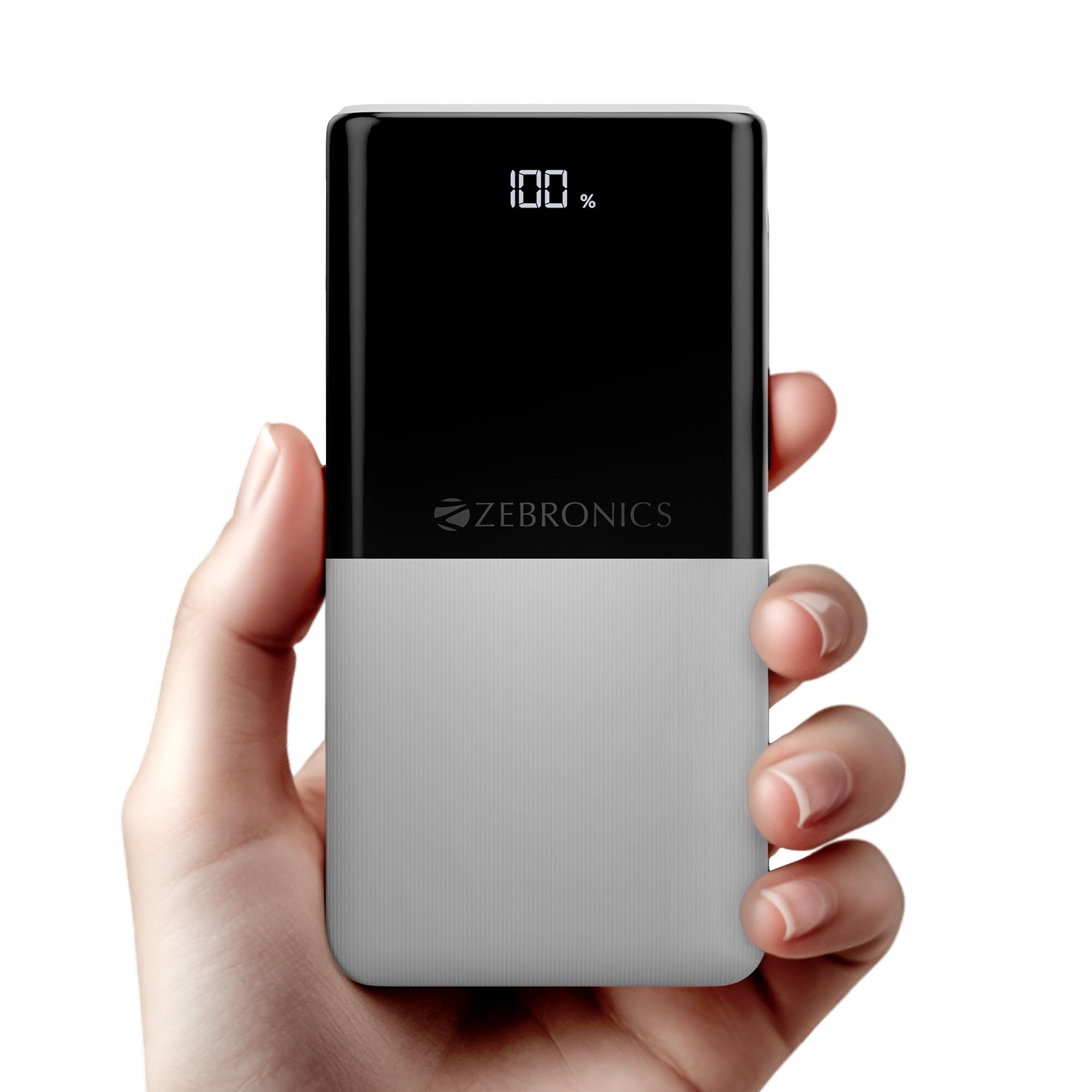
Image: The ZEBRONICS EnergiPod 10R1 Power Bank in white, highlighting its compact and modern design.
Cosa c'è nella scatola:
- EnergiPod 10R1 Power Bank - 1 unit
- Charging Cable - 1 unit
- Guida al codice QR - 1 unità
2. Informazioni sulla sicurezza
Per evitare danni al power bank o lesioni a te stesso e ad altri, osserva le seguenti precauzioni di sicurezza:
- Non esporre il power bank a temperature estreme (superiori a 45°C o inferiori a 0°C).
- Evitare di far cadere, smontare o tentare di riparare autonomamente il dispositivo.
- Tenere il power bank lontano da acqua, umidità e materiali infiammabili.
- Utilizzare solo cavi di ricarica e adattatori certificati.
- Non utilizzare il power bank se è danneggiato o gonfio.
- Tenere fuori dalla portata dei bambini.
3. Caratteristiche del prodotto
-
Capacità 10000mAh: Fornisce ample power for multiple charges of smartphones and other devices.

Image: The power bank showing its 10000mAh capacity and 22.5W fast charging output.
- 22.5W Super Fast Charging (PD 3.0 PPS): Supporta la ricarica rapida per i dispositivi compatibili.
-
Dual Type-C & USB Port: Equipped with multiple output options for versatile charging.

Immagine: dettagliata view of the power bank's ports, including Type-C PD 3.0 (Input/Output), USB Output, and Type-C Input.
-
Percentuale LEDtage Indicatore: Digital display shows the remaining battery percentage e lo stato di carica.

Image: The power bank's LED display showing 100% charge, along with its physical dimensions.
-
Protezione di sicurezza: Built-in safeguards against overcharge, overload, and short-circuit.

Image: The power bank depicted with a protective shield, illustrating its short circuit, overcharge, and overload protection features.
- Metal Outlook: Sleek and compact design with a patterned finish for enhanced grip.
4. Impostazione
Ricarica iniziale del Power Bank:
- Connect the provided USB Type-C charging cable to the Type-C1 input port on the power bank.
- Collegare l'altra estremità del cavo a un adattatore da parete USB compatibile (non incluso) o alla porta USB di un computer.
- Il display LED mostrerà la percentuale di caricatage. Allow the power bank to charge until it reaches 100% for optimal initial use.
Si consiglia di caricare completamente il power bank prima del primo utilizzo.
5. Istruzioni per l'uso
Ricarica dispositivi esterni:
- Connect your device's charging cable to one of the power bank's output ports (Type-C1 or USB-A).
- Collega l'altra estremità del cavo allo smartphone, al tablet o ad un altro dispositivo compatibile.
- Il power bank inizierà automaticamente a caricare il tuo dispositivo. Il display LED mostrerà la carica residua del power bank.
- Scollegare il dispositivo quando è completamente carico o quando si desidera interrompere la ricarica.
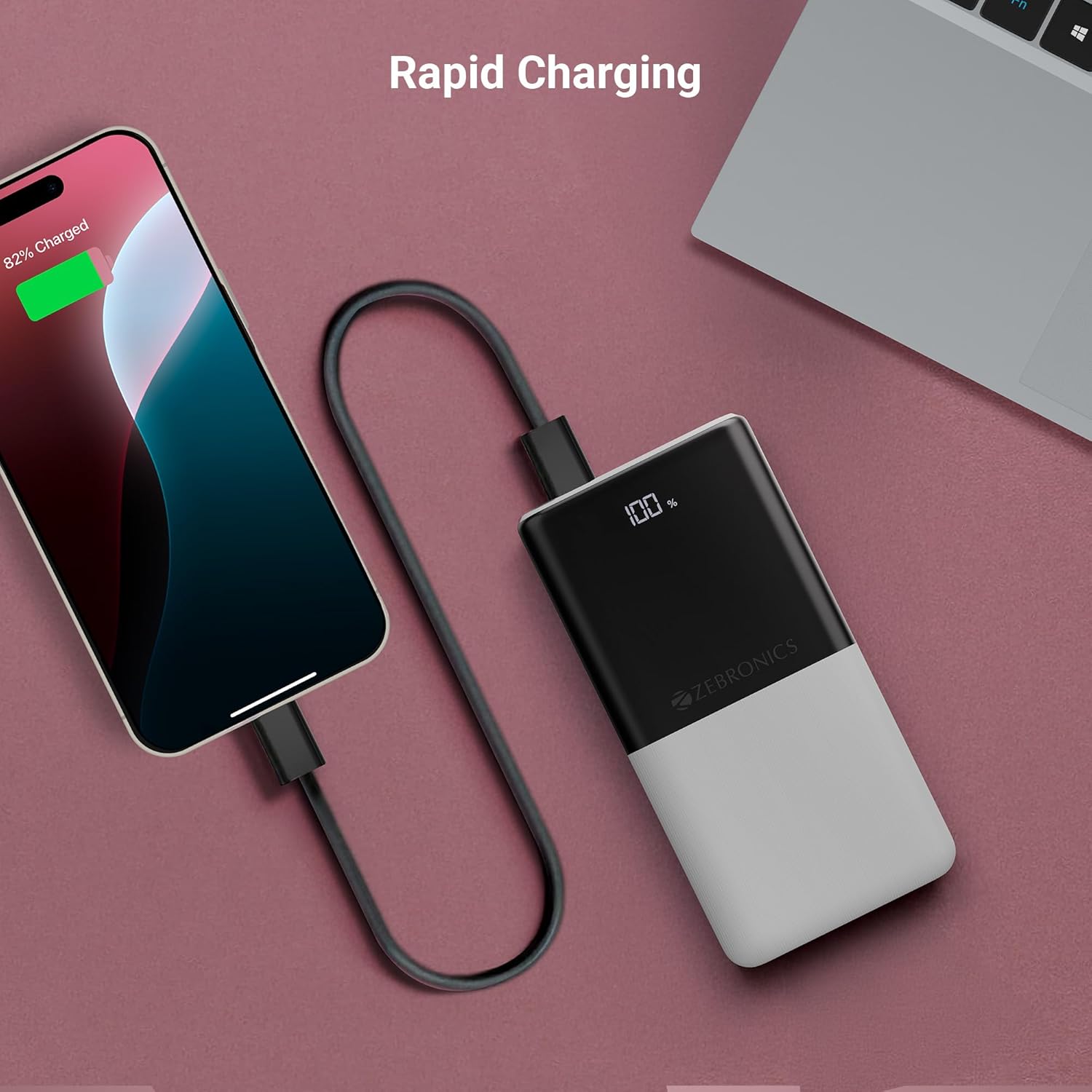
Image: The power bank actively charging a smartphone, demonstrating its rapid charging capability.
Ricaricare il Power Bank:
Refer to the "Initial Charging of the Power Bank" section (Section 4) for instructions on how to recharge your power bank.
6. Manutenzione
- Pulizia: Utilizzare un panno morbido e asciutto per pulire la superficie del power bank. Non utilizzare detergenti liquidi o materiali abrasivi.
- Magazzinaggio: Conservare il power bank in un luogo fresco e asciutto, lontano dalla luce solare diretta e da temperature estreme.
- Cura della batteria: Per una salute ottimale della batteria, caricare e scaricare completamente il power bank almeno una volta ogni tre mesi, se non lo si utilizza regolarmente.
7. Risoluzione Dei Problemi
Problemi comuni e soluzioni:
-
Power Bank non in carica:
- Assicurarsi che il cavo di ricarica sia collegato saldamente sia al power bank sia alla fonte di alimentazione.
- Prova un cavo di ricarica o un adattatore da parete diverso.
- Verificare che la fonte di alimentazione sia attiva.
-
Dispositivo non in carica tramite power bank:
- Verificare che il power bank abbia una carica sufficiente (fare riferimento al display LED).
- Assicurati che il cavo di ricarica del tuo dispositivo sia collegato correttamente sia al power bank sia al dispositivo.
- Prova un cavo di ricarica diverso o una porta di uscita diversa sul power bank.
- Verifica che il tuo dispositivo sia compatibile con le specifiche di uscita del power bank.

Image: The power bank demonstrating its compatibility by charging both a tablet and a smartphone simultaneously.
-
LED Display Not Working or Inconsistent:
- Assicurarsi che il power bank sia sufficientemente carico.
- Se il problema persiste dopo la ricarica, contattare l'assistenza clienti.
8. Specifiche
| Marca | ZEBRONICI |
| Nome del modello | EnergiPod 10R1 |
| Numero modello articolo | ZEB-PB 12 |
| Capacità della batteria | 10000 mAh |
| Potenza di uscita | 22.5 W (massimo) |
| Type-C1 Port Output | CC 5 V/3 A, 9 V/2.22 A, 12 V/1.67 A, 3.3~11 V/2 A (PPS) |
| Uscita USB-A | CC 5 V/3 A, 9 V/2 A, 12 V/1.85 A |
| Type-C1 Input Port | CC 5 V/3 A, 9 V/2 A, 12 V/1.5 A |
| Type-C2 Input Port | CC 5V/2.4A |
| Tipo di connettore | USB tipo C |
| Usi consigliati | Telefono, Tablet |
| Peso dell'articolo | 230 grammi |
| Dimensioni del pacco | Dimensioni: 16.8 x 9.9 x 2.4 cm |
| Paese di origine | India |
9. Garanzia e supporto
Informazioni sulla garanzia:
The ZEBRONICS EnergiPod 10R1 Power Bank comes with a standard manufacturer's warranty. Please refer to the QR Code Guide included in the box or visit the official ZEBRONICS websito per termini e condizioni di garanzia dettagliati.
Assistenza clienti:
If you encounter any issues or have questions regarding your power bank, please contact ZEBRONICS customer support. Contact details can typically be found on the official ZEBRONICS websito o nella confezione del prodotto.
Per il supporto online, puoi visitare il sito ZEBRONICS Store on Amazon.