
Introduzione
Thank you for choosing the Alomejor Wireless Translation Earbuds. These earbuds are designed to provide real-time language translation, enabling seamless communication across different languages. Featuring noise-canceling technology and a comfortable design, they are suitable for various environments, from business meetings to travel. This manual provides essential information for the proper setup, operation, maintenance, and troubleshooting of your device.
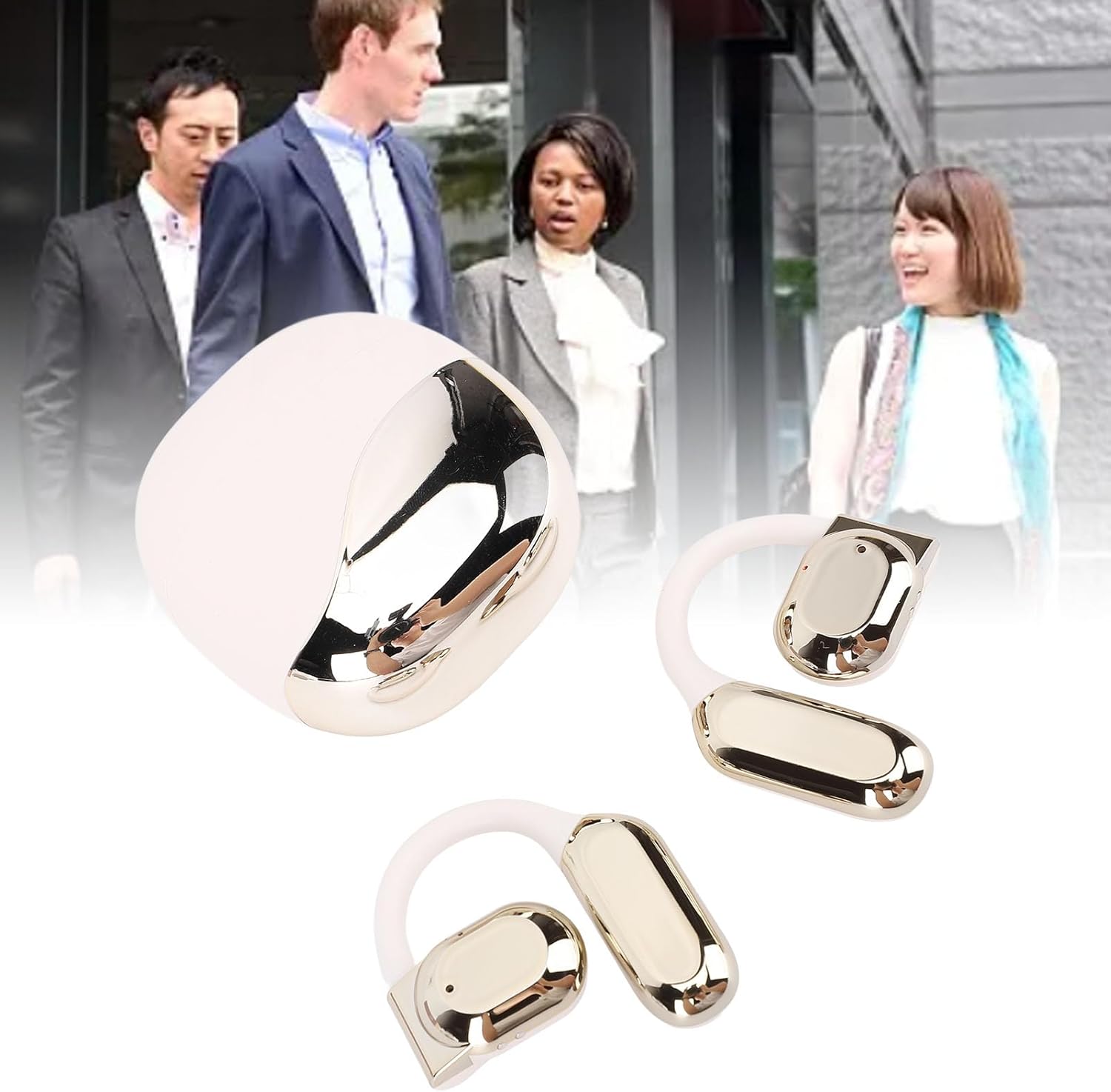
Image: Alomejor Wireless Translation Earbuds and their charging case, shown with individuals engaged in conversation in the background, illustrating their use in communication settings.
Impostare
1. Ricarica degli auricolari e della custodia
Before first use, fully charge the earbuds and the charging case. Place the earbuds into the charging case. Connect the charging case to a power source using the provided USB cable. The indicator lights on the case will show the charging status. A full charge typically takes approximately 1-2 hours.

Image: The Alomejor Wireless Translation Earbuds securely placed within their open charging case, ready for charging or storage.
2. Accoppiamento Bluetooth
- Assicurati che gli auricolari siano carichi e rimossi dalla custodia di ricarica. Entreranno automaticamente in modalità di associazione.
- Sul tuo dispositivo mobile, attiva il Bluetooth e cerca i dispositivi disponibili.
- Select "Alomejor Earbuds" (or similar name) from the list to connect.
- Una volta effettuata la connessione, un messaggio vocale confermerà l'avvenuta associazione.
3. Translation App Installation
For real-time translation functionality, download and install the dedicated translation application on your smartphone. Refer to the separate software manual included in your package for specific app details and setup instructions. Ensure your phone has an active internet connection for optimal translation performance.
Istruzioni per l'uso
1. Accensione/spegnimento
- Accensione: Rimuovi gli auricolari dalla custodia di ricarica. Si accenderanno automaticamente.
- Spegni: Riponi gli auricolari nella custodia di ricarica. Si spegneranno automaticamente e inizieranno a caricarsi.
2. Traduzione in tempo reale
Once paired with your device and the translation app is running:
- Open the translation application on your smartphone.
- Select the desired translation mode (e.g., conversation mode, simultaneous interpretation).
- Speak into the earbud's microphone, and the translated audio will be played through the other earbud or your connected device, depending on the app's settings.
- Ensure clear speech and a stable internet connection for accurate translation.

Immagine: Un dettaglio view of an earbud positioned on an ear, highlighting the directional sound transfer technology designed for clear audio and privacy.
3. Riproduzione audio e chiamate
The earbuds can also be used for standard audio playback and phone calls:
- Riproduci/Pausa: Toccare una volta l'area di controllo touch su uno dei due auricolari.
- Rispondi/Termina chiamata: Durante una chiamata in arrivo, toccare una volta l'area di controllo touch su uno degli auricolari.
- Rifiuta chiamata: Tieni premuta l'area di controllo touch su uno degli auricolari per 2 secondi.
- Cancellazione del rumore: The earbuds feature integrated noise-canceling technology to enhance audio clarity during calls and translation. This feature is typically active by default or managed through the connected app.
Manutenzione
1. Pulizia
- Pulisci delicatamente gli auricolari e la custodia di ricarica con un panno morbido, asciutto e privo di lanugine.
- Non utilizzare detergenti abrasivi, solventi o spray aerosol.
- Evitare che l'umidità penetri nelle aperture.

Image: A detailed close-up of the Alomejor Wireless Translation Earbuds, highlighting their ergonomic design and the various components.
2. Cura della batteria
- Per prolungare la durata della batteria, evitare di scaricare completamente gli auricolari e la custodia di ricarica frequentemente.
- Conservare il dispositivo in un luogo fresco e asciutto quando non viene utilizzato.
- Non esporre a temperature estreme.
3. Conservazione
Always store the earbuds in their charging case to protect them from dust, damage, and to keep them charged.
Risoluzione dei problemi
- Earbuds not turning on/charging: Ensure the charging case is charged. Check that the earbuds are correctly seated in the case. Clean the charging contacts if necessary.
- Problemi di associazione Bluetooth: Make sure Bluetooth is enabled on your device. Turn off and on the earbuds. Forget the device in your phone's Bluetooth settings and try pairing again. Ensure earbuds are not connected to another device.
- No sound/poor sound quality: Check the volume levels on both your device and the earbuds. Ensure the earbuds are properly seated in your ears. If using for translation, verify internet connection and app settings.
- La traduzione non funziona: Confirm the translation app is open and correctly configured. Check your internet connection. Ensure the correct languages are selected in the app. Speak clearly and at a moderate pace.
- Gli auricolari si disconnettono frequentemente: Assicurati che il tuo dispositivo si trovi nel raggio d'azione del Bluetooth (in genere 10 metri/33 piedi) e che non vi siano ostacoli significativi.
Specifiche
| Caratteristica | Specificazione |
|---|---|
| Tipo di articolo | Traduzione auricolari |
| Materiale | Acrilonitrile Butadiene Stirene (ABS) |
| Tipo di batteria con custodia di ricarica | Batteria al litio |
| Capacità della batteria della custodia di ricarica | 300mAh |
| Capacità della batteria di un singolo auricolare | 90mAh |
| Versione Bluetooth | Versione 5.3+EDR |
| Frequenza senza fili | 2.4 GHz |
| Protocolli supportati | HFP, HSP, AVRCP, A2DP, AVTCP |
| Temperatura di lavoro | Temperatura -10-45°C |
| Dimensioni del pacco | 4.72 x 3.94 x 1.57 pollici |
| Peso dell'articolo | 4.1 once |
| Numero di modello | Alomejor613a7dbh4g-12 |
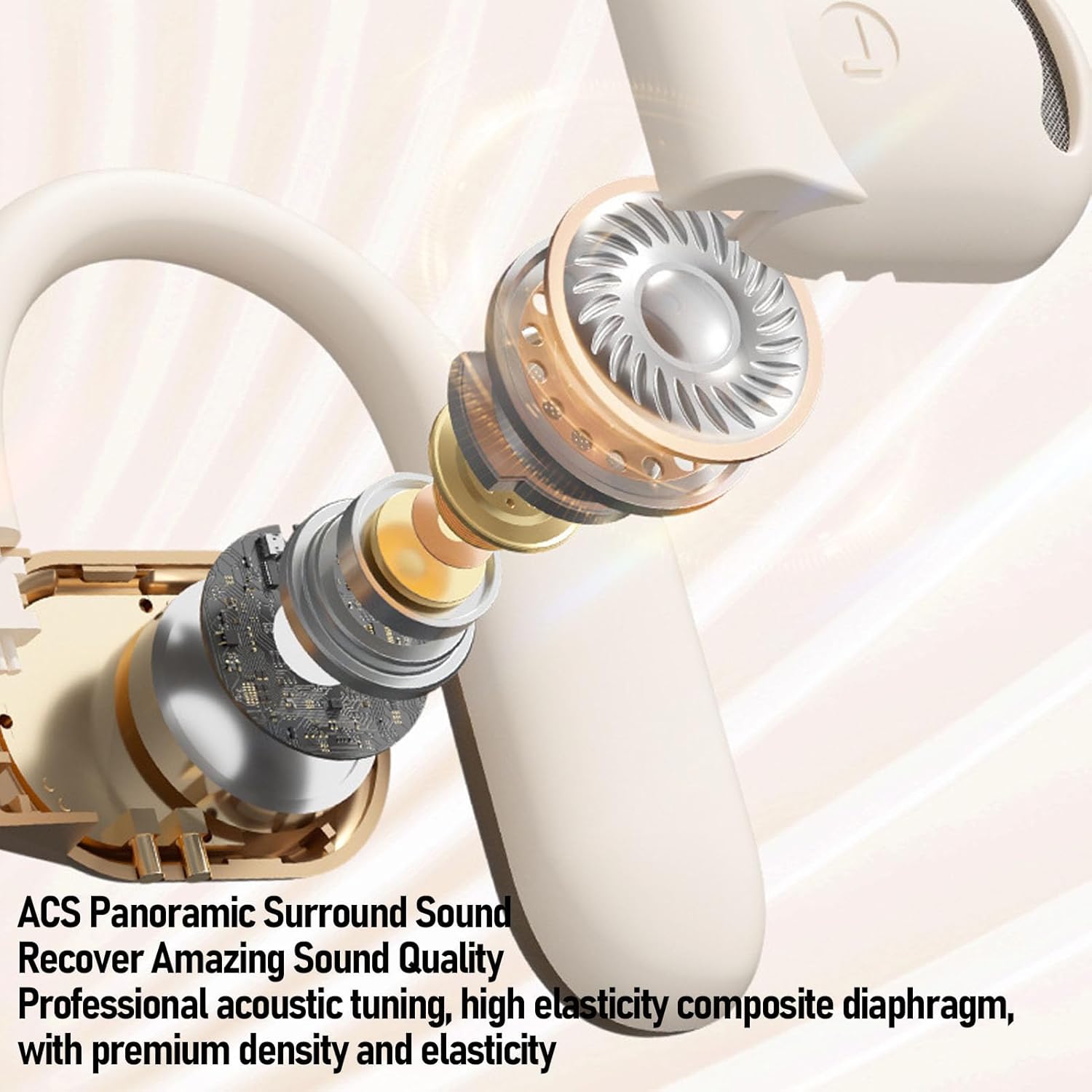
Immagine: Un esploso view of an Alomejor earbud, showcasing its internal acoustic components and the "ACS Panoramic Surround Sound" technology.
Garanzia e supporto
For warranty information, please refer to the documentation provided at the time of purchase or contact your retailer. For technical support or further assistance, please visit the official Alomejor websito o contattare il servizio clienti utilizzando i recapiti forniti sulla confezione del prodotto.