
PGST PG107-4GUS-E
Manuale utente del sistema di allarme di sicurezza domestica PGST
Model: PG107-4GUS-E
1. Introduzione
The PGST Home Security Alarm System is a comprehensive DIY solution designed to provide robust protection for your home. Featuring a 4.3-inch full touchscreen, this system supports both Wi-Fi and GSM dual networks, ensuring continuous security even during internet outages. It includes motion detection, contact sensors, a wireless siren, remotes, and phone app compatibility, offering a versatile and user-friendly security experience with no monthly fees.
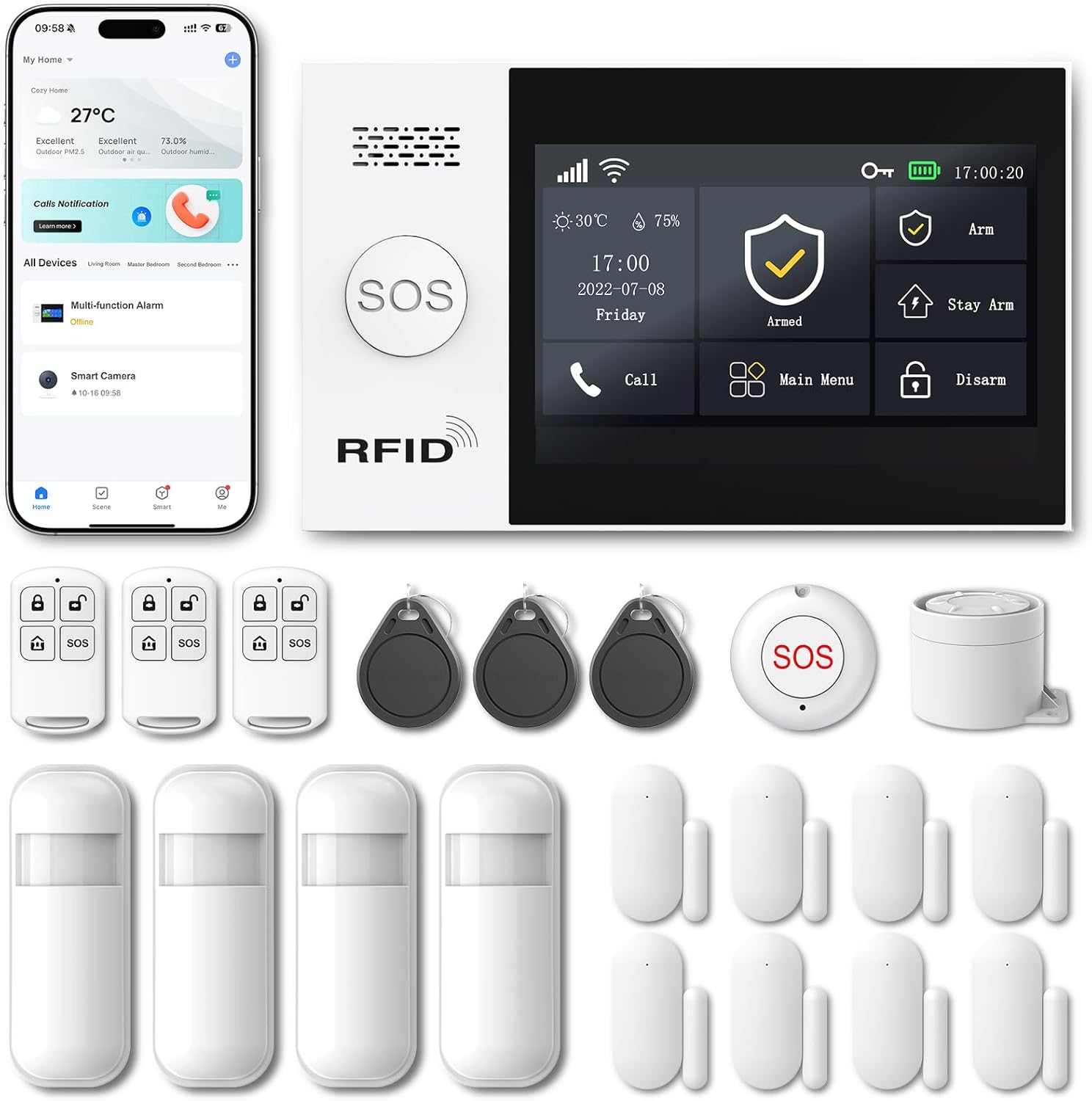
Figura 1: Oltreview dei componenti del sistema di allarme per la sicurezza domestica PGST.
2. Contenuto della confezione
The 21-piece PGST Home Security Alarm System package typically includes the following components:
- 1 x Main Alarm Host (with 4.3-inch touchscreen)
- 4 x rilevatori di movimento wireless
- 8 sensori di contatto wireless per porte/finestre
- 3 x telecomandi
- 1 x sirena senza fili
- 3 RFID Tags
- 1 x adattatore di alimentazione
- Hardware di montaggio (viti, tasselli)
- Manuale dell'utente (questo documento)
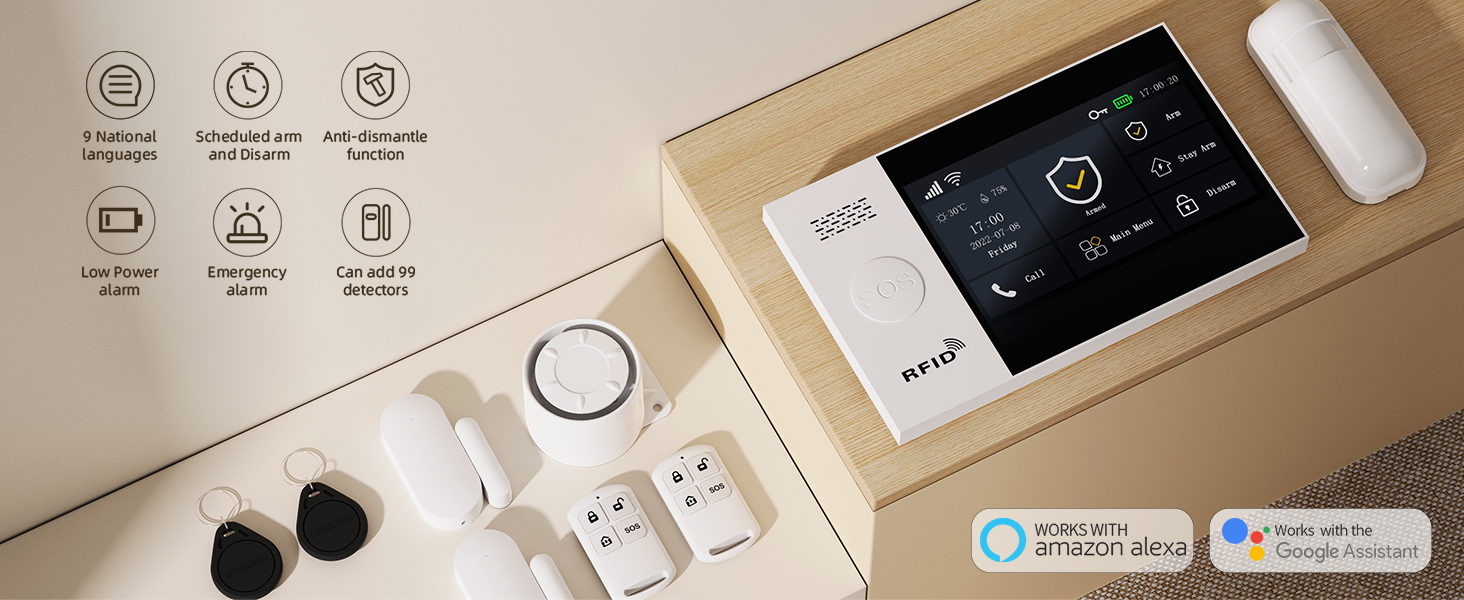
Figure 2: Visual representation of the included security components.
3. Configurazione e installazione
The PGST Home Security Alarm System is designed for easy DIY installation. Follow these steps to set up your main alarm host and sensors.
3.1 Main Alarm Host Installation
For a visual guide on installing the alarm host, please refer to the video below:
Video 1: Installation tutorial for the PGST Alarm Host. This video demonstrates how to mount the main unit to a wall, connect power, and complete the physical setup.
- Prepare the Host: Take down the anti-demolition piece from the back of the alarm host.
- Montare la staffa: Mount the anti-demolition piece on the wall using the provided screws. This piece serves as a mounting bracket.
- Connetti alimentazione: Remove the back cover of the alarm host. Power on the device by connecting the data cable into the card slot and then taking it out.
- Secure the Host: Put the back cover back on. Align the holes on the back of the alarm host with the mounted bracket and install the alarm host to complete the physical installation.
3.2 Installazione del sensore
Install motion detectors and door/window contact sensors in strategic locations to cover entry points and high-traffic areas. All sensors are wireless and typically use self-adhesive backing for easy placement.
- Rilevatori di movimento: Place motion detectors in corners of rooms or hallways to cover a wide area. Optimal installation height is 1.8 to 2.2 meters (approximately 6 to 7.2 feet) for a 32ft (10m) range and 110° field of view.
- Sensori per porte/finestre: Install the two parts of the door/window sensor on the frame and the movable part of the door or window, ensuring they are aligned and close to each other when the door/window is closed.

Figure 3: Motion detector placement and coverage.

Figure 4: Door and window safeguard with contact sensors.
4. Funzionamento del sistema
4.1 Interfaccia touchscreen
The 4.3-inch color IPS display provides a capacitive touchscreen for full operation. The main interface displays real-time status, data, and clock, making the host status clear and intuitive. The system supports multilingual menus and voice operation.
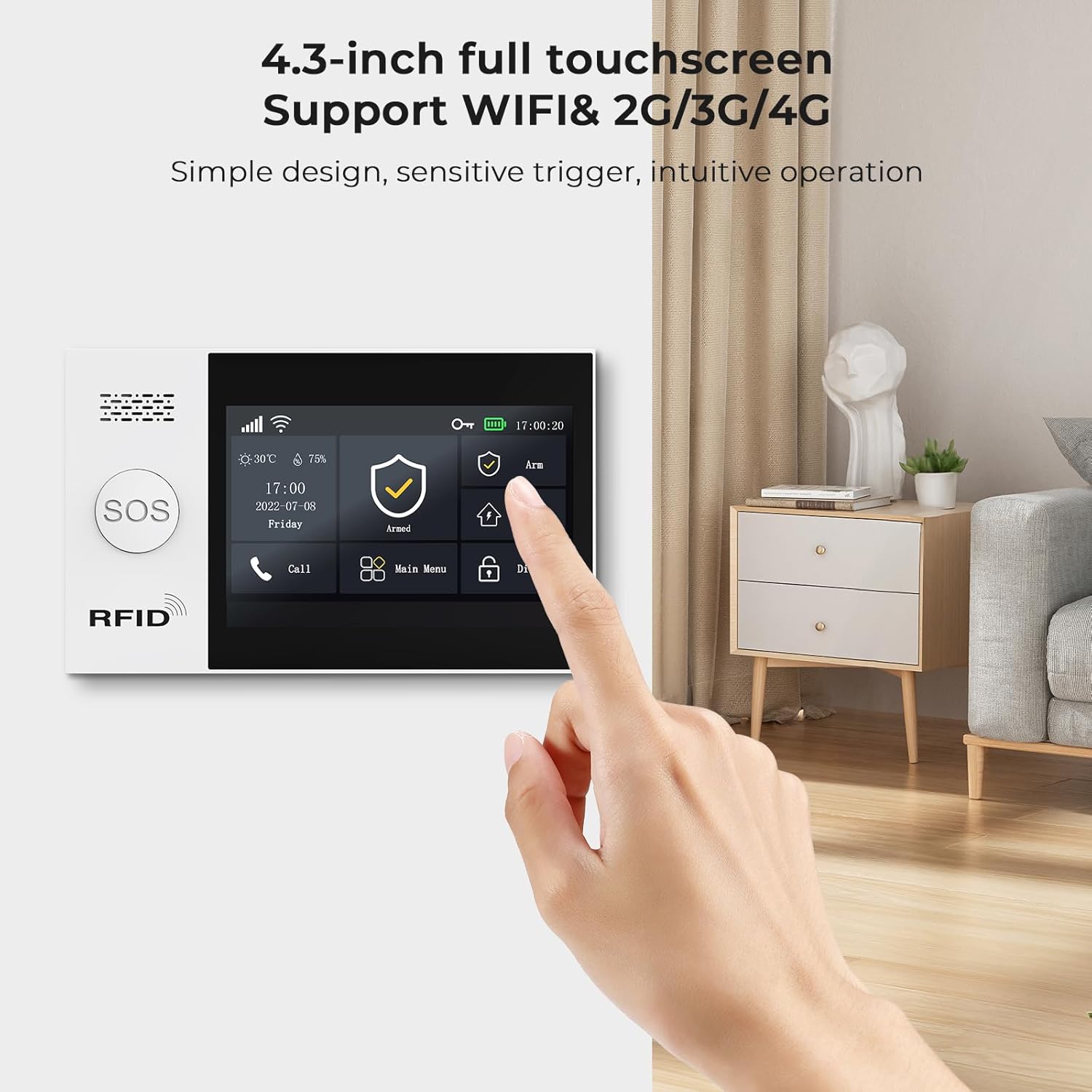
Figure 5: User interacting with the touchscreen interface.
4.2 Inserimento e disinserimento
The system offers various arming statuses:
- Braccio in trasferta: Attiva tutti i sensori per una protezione completa quando non c'è nessuno in casa.
- Braccio di casa: Attiva i sensori perimetrali (ad esempio sensori per porte/finestre) consentendo il movimento all'interno.
- Delay Arm: Provides a set time delay before arming, allowing you to exit the premises.
- Timely Arm: Scheduled arming.
- Disarmare: Disattiva il sistema di allarme.
You can control the system via the touchscreen, remote controls, phone app, or voice commands.

Figure 6: Controlling the alarm system via the phone app.
4.3 Funzioni del telecomando
The included remote controls provide quick access to four modes:
- Braccio: Attiva il sistema di allarme.
- Disarmare: Disattiva il sistema di allarme.
- Casa: Activates home arm mode.
- SOS: Attiva immediatamente un allarme di emergenza.
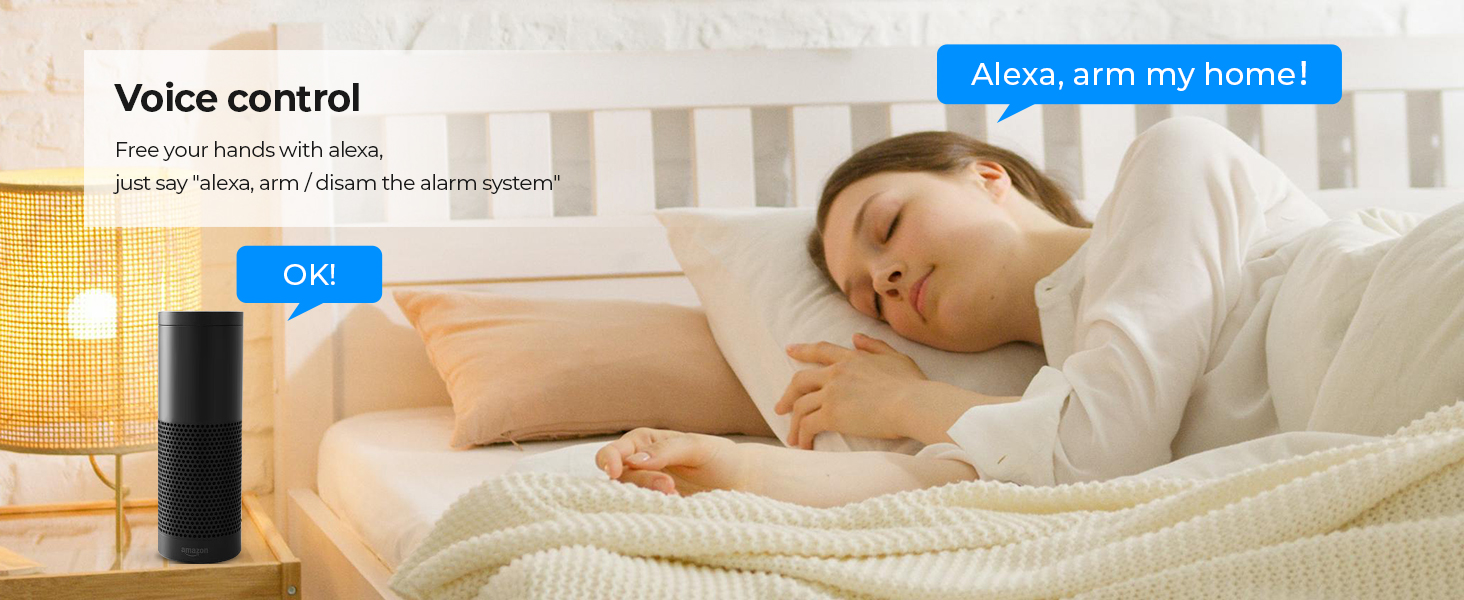
Figure 7: Remote controls for instant safety.
4.4 RFID Tap
Use an RFID card to quickly switch your home security system status without needing to enter a password. This provides a convenient and fast method for arming or disarming.
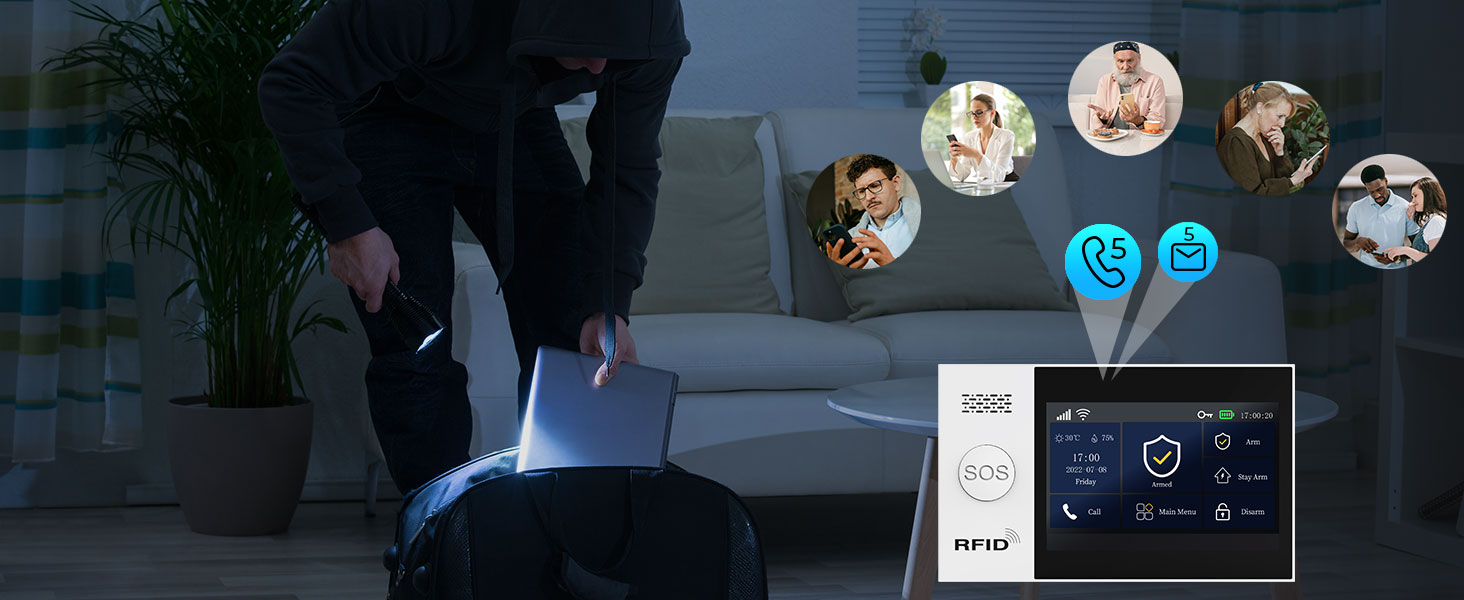
Figura 8: RFID tags for quick system control.
4.5 Controllo vocale (compatibile con Alexa)
The system is compatible with Alexa, allowing for convenient voice control. Simply use commands like "Alexa, arm my home!" to manage your security system hands-free.

Figura 9: Integrazione del controllo vocale con Alexa.
4.6 Instant Alerts and Siren
When a motion detector monitors movement or a door/window sensor is triggered, an alarm sound will be activated immediately. The system sends instant push alerts to your smartphone via the app. The wireless siren produces a loud 100dB alarm to deter intruders.
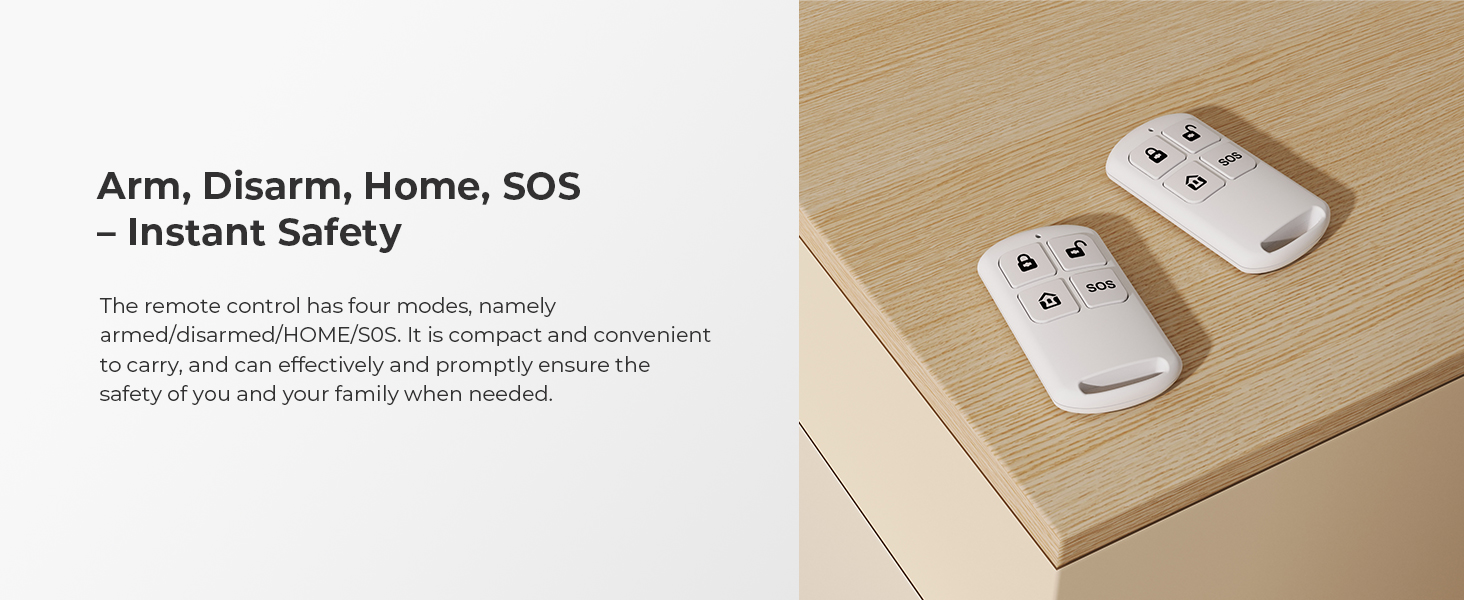
Figure 10: Instant motion alerts for 24/7 protection.

Figure 11: 100dB loud alarm for intruder deterrence.
5. Manutenzione
- Durata della batteria: The CR2450-powered door sensors and AAA-powered motion detectors are designed for long-lasting performance, typically lasting 12+ months.
- Low-Power Alerts: The central hub continuously monitors battery levels of connected sensors and will trigger low-power alerts, ensuring you are notified when batteries need replacement.
- Anti-T fisicoamplui: The main alarm host features physical anti-tamper mechanisms. Any forced removal will trigger an instant alarm.
- Password-Lock Alarm: Once the screen lock is activated, the alarm can only be stopped by entering the correct password, preventing unauthorized disarming.
- Post-Power Failure Functionality: The alarm system is designed to continue functioning for up to 5-8 hours when there is a sudden loss of power or internet connection at home, thanks to its built-in battery backup.
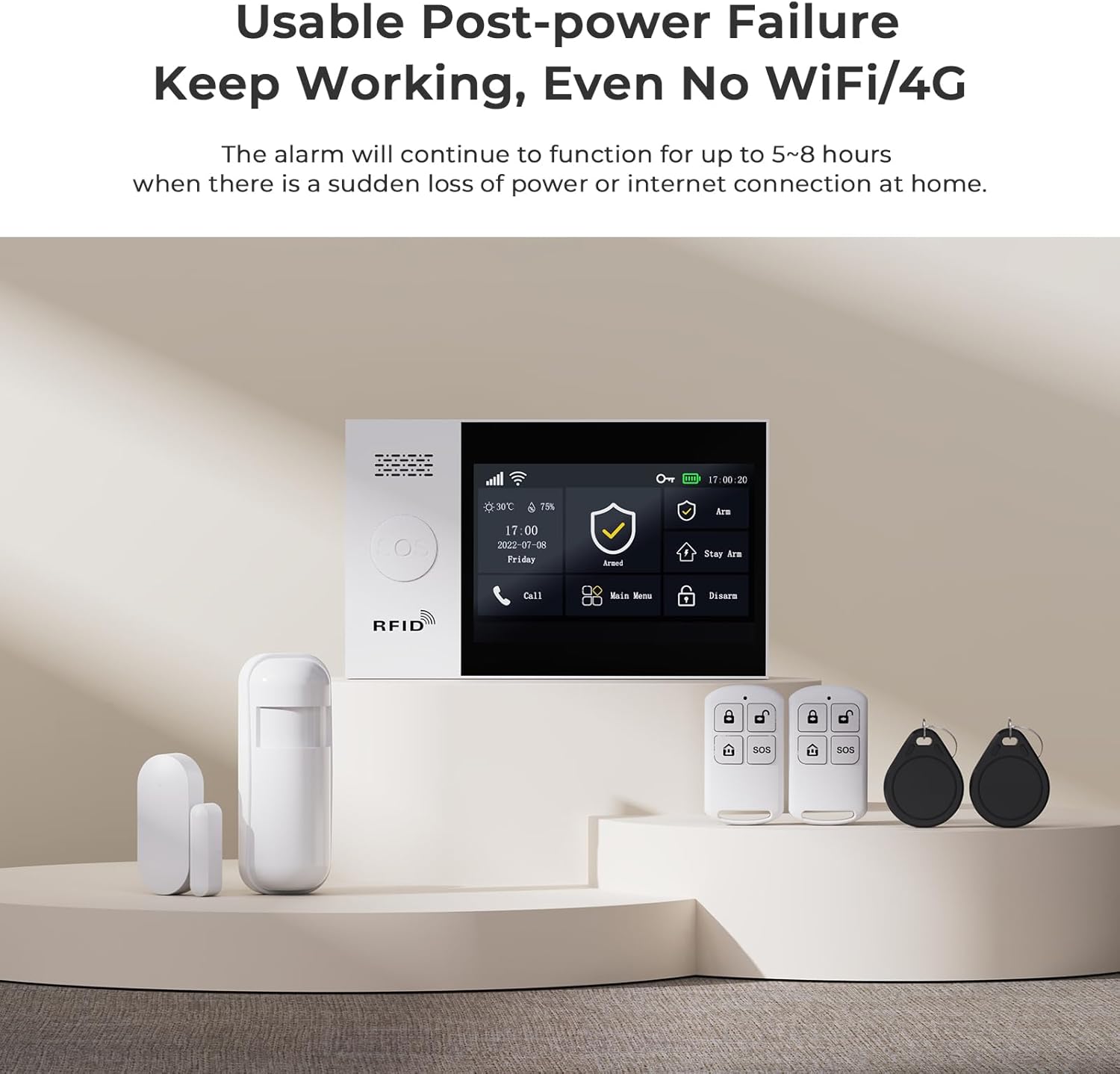
Figure 12: System functionality during power outages.
6. Risoluzione Dei Problemi
If you encounter any issues with your PGST Home Security Alarm System, please consider the following common solutions:
- Il sistema non risponde: Ensure the main alarm host is properly powered and connected to Wi-Fi (2.4GHz only) or has a working GSM SIM card inserted.
- Il sensore non si attiva: Check the battery level of the sensor. Ensure the sensor is within range of the main host and that its components (for door/window sensors) are correctly aligned.
- Problemi di connettività dell'app: Verify your smartphone's internet connection and ensure the app is updated to the latest version. Restarting both the alarm host and your smartphone may resolve temporary glitches.
- Falsi allarmi: Review sensor placement to avoid areas with drafts, direct sunlight, or pets that might trigger motion detectors. Adjust sensitivity settings if available.
- Problemi con la password: If you forget your password, refer to the detailed instructions provided with your system for password reset procedures.
For more detailed troubleshooting steps or persistent issues, please refer to the comprehensive user manual included in your package or contact PGST customer support.
7. Specifiche
| Caratteristica | Dettaglio |
|---|---|
| Marca | PGST |
| Numero di modello | PG107-4GUS-E |
| Colore | PG107-4GUS-E |
| Fonte di alimentazione | Alimentazione CA con batteria di backup |
| Dispositivi compatibili | Alexa, Smartphone, Phone App |
| Dimensioni articolo (L x P x A) | 3.6 x 2.9 x 2.8 pollici |
| Tecnologia di connettività | Wireless (2.4GHz Wi-Fi, GSM) |
| Tipo di installazione | Autoadesivo |
| Peso dell'articolo | 1.76 libbre (0.8 chilogrammi) |
| Composizione delle celle della batteria | Lithium Ion (main unit), CR2450 (door sensor), AAA (motion detector) |
| Componenti inclusi | Batteries, Main Host, Motion Detectors, Door/Window Sensors, Remote Controls, Wireless Siren, RFID Tags |
| Materiale | PVC |
8. Garanzia e supporto
PGST is committed to providing reliable security solutions and excellent customer service. Your alarm system comes with:
- Supporto tecnico a vita: Access to professional technical assistance for the lifespan of your product.
- Risposta rapida: Dedicated support available to address your inquiries and issues promptly.
For any assistance, please contact PGST customer support through the contact information provided in your product packaging or on the official PGST websito.


Figure 13: PGST's commitment to quality and customer support.
Ask a question about this manual
Ask about setup, troubleshooting, compatibility, parts, safety, or missing instructions. Manuals+ will review the question and use this page’s manual context to help answer it.