
Introduzione
The Avantree Voyager is a versatile Bluetooth 5.4 audio adapter designed to provide wireless audio connectivity for various devices, particularly in travel environments like airplanes. Featuring an OLED display, Auracast support, and aptX Adaptive technology, it allows you to use your favorite Bluetooth headphones with non-Bluetooth audio sources.

The Avantree Voyager adapter shown with its accessories, including a dual-prong airplane adapter and a small carrying pouch.
Impostare
1. Ricarica iniziale
Before first use, fully charge the Avantree Voyager using the provided USB-C cable. The OLED display will indicate charging status.
2. Pairing with Headphones
- Assicurati che le tue cuffie Bluetooth siano in modalità di associazione. Consulta il manuale delle cuffie per istruzioni specifiche.
- Slide the power switch on the Voyager to 'ON'. The OLED screen will display "Searching...".
- Use the '+' and '-' buttons on the Voyager to navigate and select your headphones from the list on the OLED display.
- Press the central button once to connect. Once connected, the screen will show your headphone's name.

The OLED display clearly shows connected devices and battery levels.
3. Collegamento alla sorgente audio
Plug the 3.5mm audio jack of the Voyager into the audio output of your desired source (e.g., airplane entertainment system, gym machine, PC). Audio will now stream wirelessly to your paired headphones.
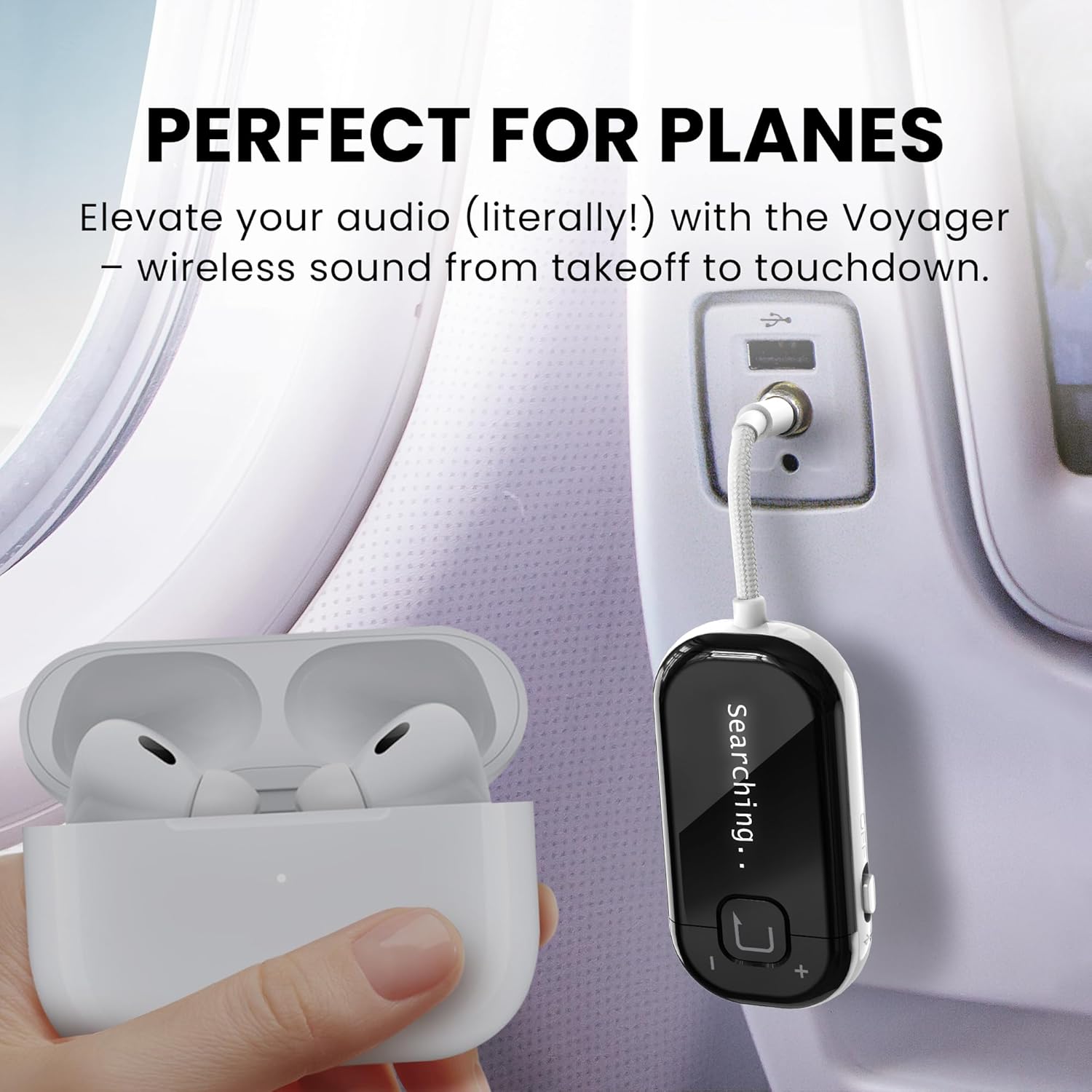
The Voyager connected to an airplane's audio system, enabling wireless listening with personal headphones.
Guida video all'installazione
This video provides an interactive setup guide for the Avantree Voyager, demonstrating the steps to connect your headphones and audio source.
Istruzioni per l'uso
Accensione/spegnimento
Slide the side switch to 'ON' to power on the device. Slide to 'OFF' to power off.
Controllo del volume
Use the '+' and '-' buttons on the side of the device to adjust the audio volume.
Informazioni sul display OLED
The OLED screen provides real-time information including:
- Stato della connessione: Indicates if headphones are connected.
- Nome dispositivo: Shows the name of the currently connected headphones.
- Livello della batteria: Displays the remaining battery life of the Voyager.
- Modalità audio: Shows whether it's in Classic Bluetooth or Auracast mode.
Auracast Mode (Audio Sharing)
The Voyager supports Auracast broadcast mode, allowing you to share one audio source with multiple Auracast-enabled headphones simultaneously. To activate, ensure your headphones support Auracast and follow their pairing instructions while the Voyager is in broadcast mode.

The Voyager's Auracast feature allows sharing audio with multiple compatible headphones.
Modalità Bluetooth classica
In Classic Bluetooth mode, the Voyager connects to a single Bluetooth headset for personal listening. This is the default mode for most standard Bluetooth headphones.
Manutenzione
Cura della batteria
The Voyager has a built-in Lithium Polymer battery. For optimal battery life, avoid extreme temperatures and fully charge the device regularly. The device offers up to 15 hours of playtime on a full charge.

The Voyager provides up to 15 hours of extended playtime.
Aggiornamenti del firmware
Regular firmware updates are available to enhance performance, add new features, and improve compatibility. Visit the Avantree support website to download the latest firmware updater for Windows or macOS and follow the on-screen instructions.

Keep your Voyager updated with the latest firmware for new features and improved performance.
Assistenza generale
Clean the device with a soft, dry cloth. Avoid exposure to water or extreme conditions. Store in a cool, dry place when not in use.
Risoluzione dei problemi
- Impossibile accoppiare? Ensure your headphones are in pairing mode. Approximately 95% of pairing issues are due to headphones not being in the correct pairing state.
- AirPods Disconnect? Turn off Bluetooth on nearby Apple devices (e.g., iPhone) to avoid interference and ensure a stable connection with the Voyager.
- Dual Link Not Working? The Classic Bluetooth mode of the Voyager supports only one headset connection. For dual connections, consider other Avantree models like Relay or SoundJet R1.
- Audio Delay? For the best low-latency audio experience, use headphones that support aptX Adaptive or aptX-HD codecs.
- Not for Hearing Aids, Phones & TVs: The Voyager is not compatible with hearing aids, phones, tablets, musical instruments, or TVs without a 3.5mm AUX output. If you require Auracast-enabled hearing aid compatibility, choose the Avantree Voyager HA model.
Prodotto generale finitoview
This introductory video provides an overview of the Avantree Voyager Airplane Adapter and its features.
Caratteristiche e utilizzo del prodotto
This video highlights the key features and usage scenarios of the Avantree Voyager Bluetooth Airplane Adapter.
Specifiche
| Numero di modello | BTTC-228 |
| Dimensioni del prodotto | 4.65 x 1.25 x 0.49 pollici |
| Peso dell'articolo | 3.52 once (0.1 chilogrammi) |
| Tecnologia di connettività | Bluetooth 5.4 |
| Fonte di alimentazione | Alimentato a batteria (1 batteria ai polimeri di litio inclusa) |
| Caratteristiche speciali | OLED Display, Auracast Support, Qualcomm Chip & aptX Adaptive |
| Produttore | Avantree |
Garanzia e supporto
Avantree products typically come with a manufacturer's warranty. For specific warranty details, product registration, or technical assistance, please visit the official Avantree support website. You can also scan the QR code on the product packaging for direct access to support resources and interactive guides.
For additional help or to contact customer service, please refer to the contact information provided on the Avantree websito.