
Introduzione
This manual provides comprehensive instructions for the LogiLink ID0212 Wireless 28-Key Bluetooth 5.0 Scissor Mechanism Keyboard. It covers setup, operation, maintenance, and troubleshooting to ensure optimal performance and user experience. Please read this manual thoroughly before using the device.
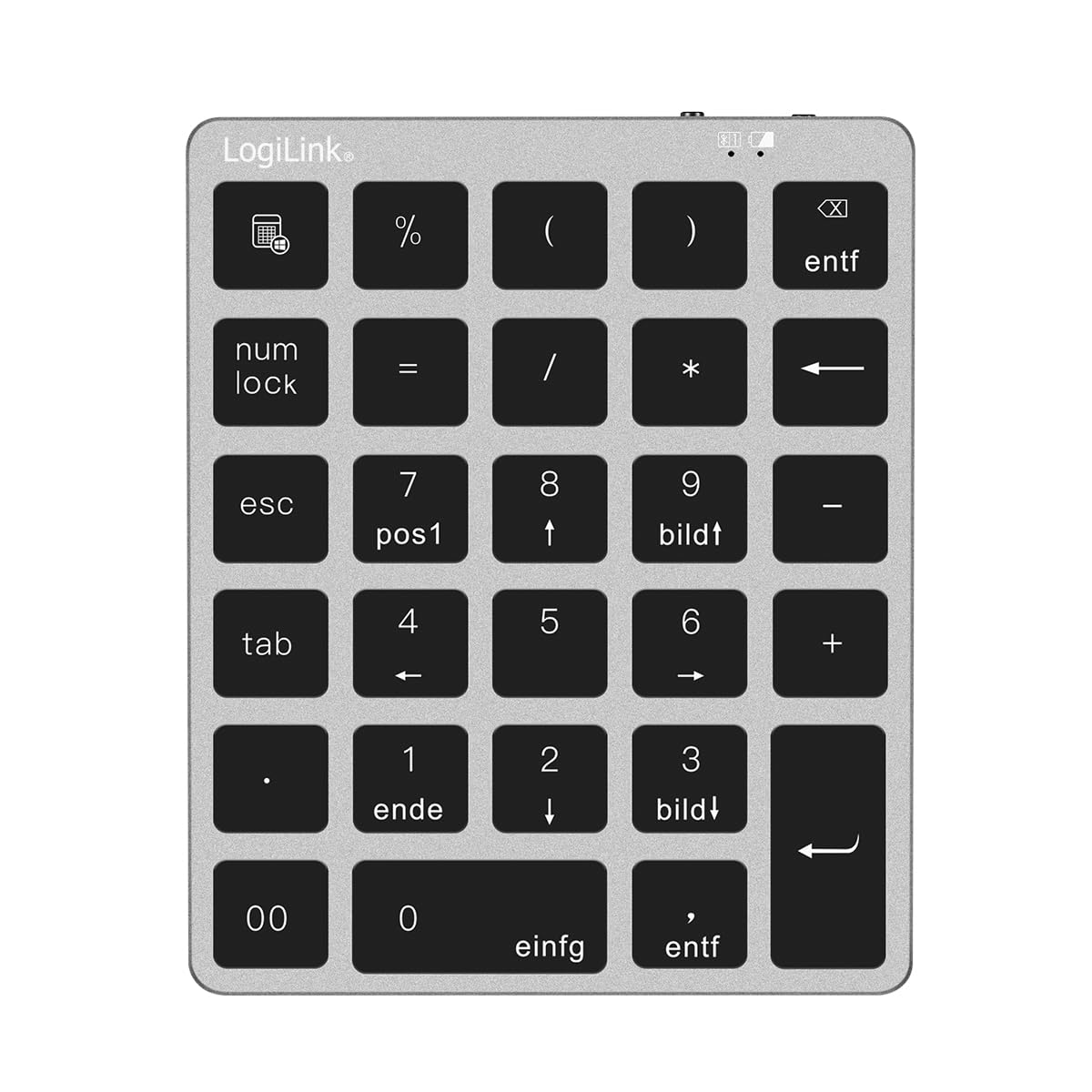
Figure 1: LogiLink ID0212 Wireless 28-Key Bluetooth 5.0 Scissor Mechanism Keyboard. This image shows the overall design of the numeric keypad.
Contenuto della confezione
Assicurarsi che tutti gli articoli siano presenti nel pacco:
- LogiLink ID0212 Wireless 28-Key Bluetooth 5.0 Keyboard
- Cavo di ricarica USB-C
- Manuale dell'utente (questo documento)
Impostare
1. Ricarica della tastiera
Before initial use, fully charge the keyboard. Connect the supplied USB-C cable to the keyboard's charging port and the other end to a USB power source (e.g., computer USB port, USB wall adapter).
- L'indicatore LED mostrerà rosso durante la carica.
- Quando la carica è completa, l'indicatore LED si spegnerà o cambierà colore (a seconda del modello).
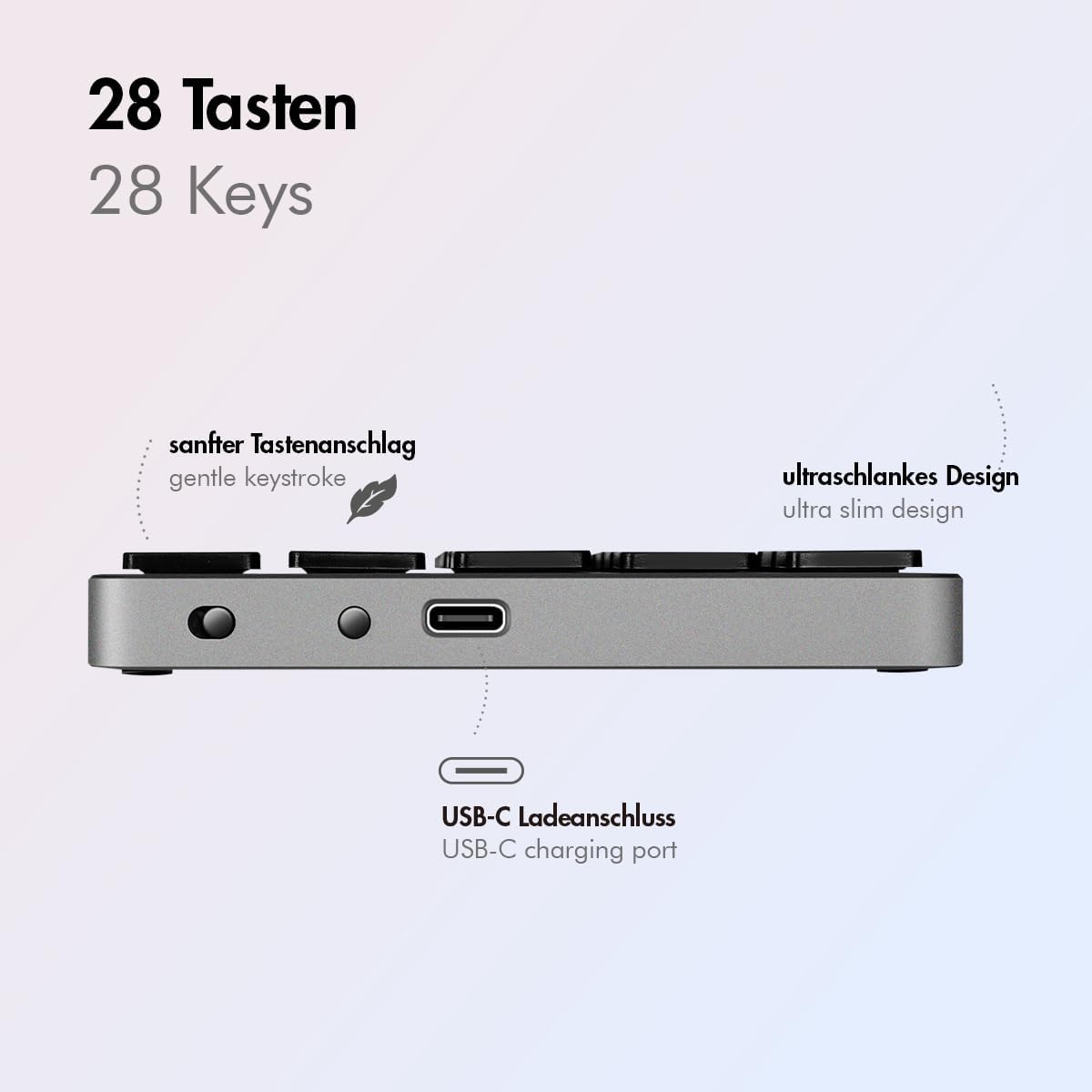
Figura 2: lato view of the LogiLink ID0212 keyboard showing the USB-C charging port. This image highlights the location of the charging port and the ultra-slim design.

Figura 3: dettagliata view of the LogiLink ID0212 keyboard's side profile, indicating the USB-C charging port, gentle keystroke mechanism, and ultra-slim design.
2. Accoppiamento Bluetooth
Follow these steps to connect your LogiLink ID0212 keyboard via Bluetooth 5.0:
- Assicurarsi che la tastiera sia carica e accesa.
- Activate Bluetooth on your device (computer, tablet, smartphone).
- Put the keyboard into pairing mode. Look for a small button on the back or side, or a key combination like Fn+C (common for Bluetooth keyboards). The LED indicator will flash blu when in pairing mode.
- Sul tuo dispositivo, cerca i dispositivi Bluetooth disponibili.
- Select "LogiLink ID0212" or a similar name from the list of found devices.
- If prompted, enter the pairing code displayed on your screen using the LogiLink ID0212 keyboard and press Entrare.
- Once paired, the blue LED indicator will stop flashing and remain solid for a few seconds, then turn off. The keyboard is now ready for use.
The keyboard supports a stable connection up to 10 meters (33 feet) and is compatible with iOS, Android, Windows, MacOS, Chrome OS, and iPadOS.
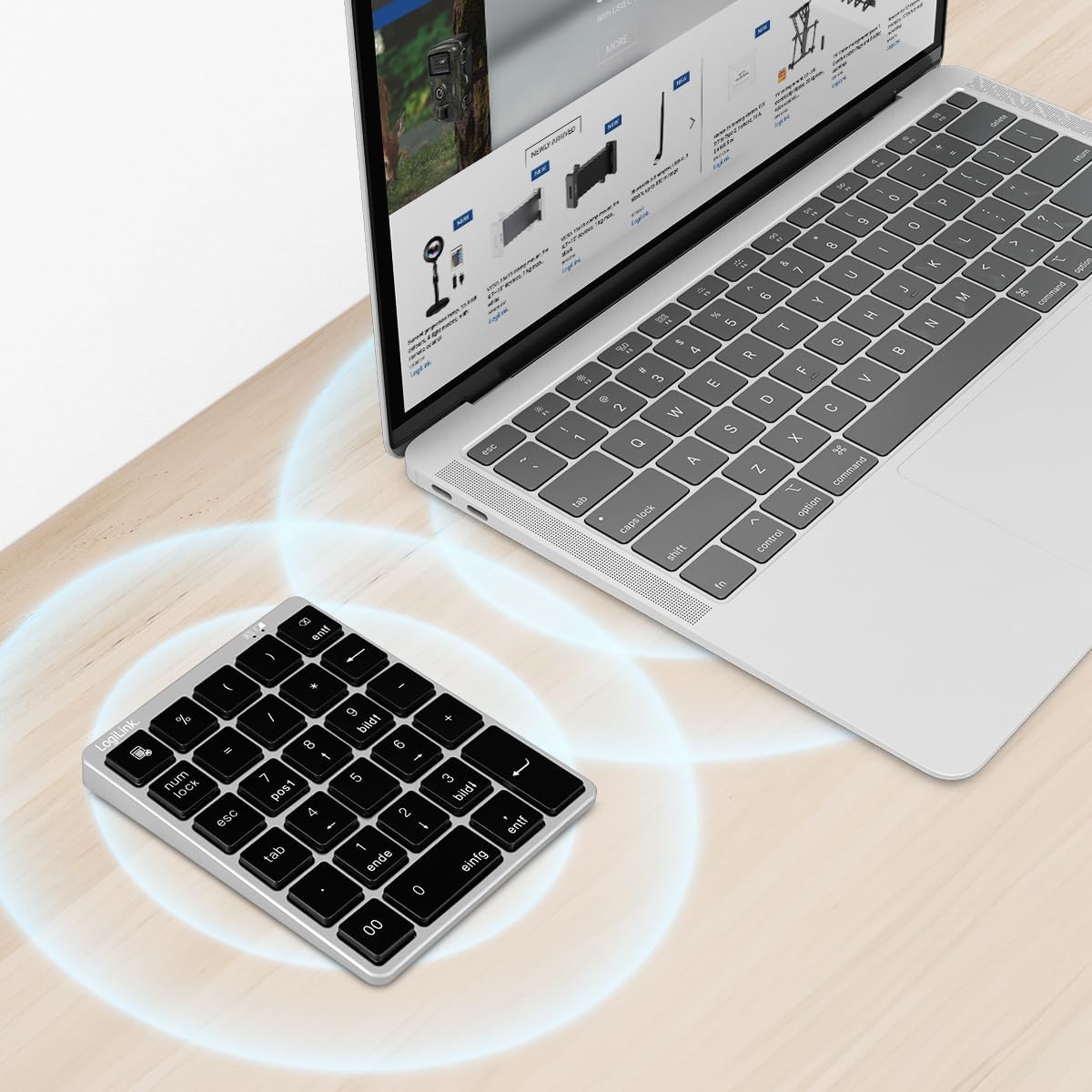
Figure 4: The LogiLink ID0212 keyboard positioned next to a laptop, illustrating its wireless connectivity. This image demonstrates the keyboard's use in a typical workspace setup.
Istruzioni per l'uso
Funzioni chiave di base
The LogiLink ID0212 features 28 keys designed for efficient data entry and calculations. Key functions include:
- Tasti numerici (0-9): Standard number input.
- Operatori aritmetici (+, -, *, /): Per i calcoli.
- Punto decimale (.): For fractional numbers.
- BlocNum: Toggles the numeric keypad function. When NumLock is active, the green LED indicator will be on.
- ESC: Escape key, typically used to cancel operations or close menus.
- Elimina (CANC): Deletes characters.
- Pulsante Calcolatrice: Launches the calculator application on compatible operating systems.
- Scheda: Moves the cursor to the next tab stop or field.
- Home/End/PgUp/PgDn: These keys (often labeled as 'pos1', 'ende', 'bildt', 'bildl' or similar) provide navigation functions.
The scissor mechanism keys provide a gentle and quiet keystroke, enhancing typing comfort.

Figure 5: The LogiLink ID0212 keyboard in active use, demonstrating its compact layout and key functions alongside a laptop. This image provides a clear view of the keypad's design and key labels.
Indicatori LED
The keyboard features LED indicators to provide status information:
- LED rosso: Indicates the keyboard is charging.
- LED blu: Flashes during Bluetooth pairing mode; solid when successfully paired (then turns off).
- LED verde: Indicates that NumLock is active.
Manutenzione
Pulizia
Per mantenere l'aspetto e la funzionalità della tastiera:
- Per pulire la superficie, utilizzare un panno morbido, asciutto e privo di lanugine.
- Per sporco ostinato, leggermente dampPulire il panno con acqua o una soluzione detergente delicata. Evitare l'eccessiva umidità.
- Do not use abrasive cleaners, solvents, or aerosol sprays directly on the keyboard.
Cura della batteria
The integrated 140 mAh lithium battery provides long-lasting power. To prolong battery life:
- Caricare la tastiera utilizzando il cavo USB-C in dotazione.
- Evitare di scaricare completamente la batteria frequentemente.
- Se si conserva la tastiera per un periodo prolungato, caricarla al 50% circa e conservarla in un luogo fresco e asciutto.
Risoluzione dei problemi
La tastiera non si connette/associa
- Controllare il livello della batteria: Ensure the keyboard is sufficiently charged. Charge it if the red LED indicates low battery.
- Accedi nuovamente alla modalità di associazione: Turn the keyboard off and on, then re-enter Bluetooth pairing mode (blue LED flashing).
- Device Bluetooth: Ensure Bluetooth is enabled on your computer/device and it's discoverable.
- Dimentica dispositivo: On your device, remove or "forget" the keyboard from your Bluetooth device list, then attempt to pair again.
- Distanza: Ensure the keyboard is within the 10-meter (33 feet) operating range of your device.
- Interferenza: Move away from other wireless devices that might cause interference.
I tasti non rispondono
- Connessione: Verify the keyboard is still connected via Bluetooth (blue LED should not be flashing).
- BlocNum: If numeric keys are not working as expected, check the green NumLock LED. Press the NumLock key to toggle its state.
- Riavviare il dispositivo: Sometimes, restarting your computer or device can resolve input issues.
- Compatibilità: While compatible with many OS, specific key functions might behave differently on certain systems (e.g., some special characters on macOS, as noted in reviewS).
Problemi di ricarica
- Controllo del cavo: Ensure the USB-C cable is securely connected to both the keyboard and the power source.
- Fonte di alimentazione: Try a different USB port or power adapter.
- LED rosso: Confirm the red LED illuminates when charging. If not, the cable or port might be faulty.
Specifiche
| Caratteristica | Dettaglio |
|---|---|
| Numero di modello | ID0212 |
| Chiavi | 28 keys (NumLock, ESC, Delete, Calculator button) |
| Meccanismo chiave | Meccanismo a forbice |
| Connettività | Bluetooth 5.0 |
| Campo di funzionamento | Fino a 10 metri (33 piedi) |
| Batteria | Batteria al litio da 140 mAh |
| Porta di ricarica | USB-C |
| Indicatori LED | Red (Charging), Blue (Pairing/Connected), Green (NumLock) |
| Materiale | Alluminio + ABS |
| Colore | Grigio siderale |
| Dimensioni (L x P x A) | 12.1 x 10 x 1.3 cm (4.76 x 3.94 x 0.51 pollici) |
| Peso | 95 grammi (0.21 libbre) |
| Compatibilità | iOS, Android, Windows, MacOS, Chrome OS, iPadOS |
| Componenti inclusi | Cavo USB-C |
| Paese di origine | Cina |
Informazioni sulla garanzia
Specific warranty details for the LogiLink ID0212 keyboard are typically provided at the point of purchase or included with the product packaging. Please refer to your purchase documentation or the official LogiLink websito per i termini e le condizioni di garanzia più accurati e aggiornati.
Assistenza clienti
If you encounter issues not covered in this manual or require further assistance, please contact LogiLink customer support. You can usually find contact information, FAQs, and additional resources on the official LogiLink websito:
When contacting support, please have your product model number (ID0212) and purchase information ready.