
PGST PGST A105F
Manuale utente del sistema di sicurezza domestica intelligente PGST
Modello: PGST A105F
Marca: PGST
Introduzione
This user manual provides comprehensive instructions for the installation, operation, and maintenance of your PGST Smart Home Security System. Designed for ease of use and robust protection, this wireless alarm system offers real-time alerts, multiple alarm modes, and compatibility with smart home assistants like Alexa and Google Assistant. Ensure you read this manual thoroughly before setting up and using your system.
Caratteristiche principali
- Real-Time Alerts & No Monthly Fees: Receive instant notifications via the Smart Life Tuya App (iOS/Android) and calls/messages from the 4G GSM card during emergencies. No hidden costs or recurring charges.
- Modalità di allarme multiple: Features loud sound alarms with siren and supports Arm/Disarm/Stay at Home modes via the app.
- Intelligent & Precise Control: Accurately detects intrusions and can be expanded with additional PGST accessories like smoke detectors and security cameras.
- Facile installazione fai da te: Simple to install in key areas of your home, user-friendly for all ages.
- Controllo vocale: Compatibile con Amazon Alexa e Google Assistant per un comodo inserimento e disinserimento.
- Schermo TFT a colori da 2.4 pollici: Provides clear information and easy navigation.
- Support for 11 Languages: Multi-language menu display, voice operation prompts, and alarm SMS settings.
- Anti-demolition Alarm Function: Alerts if the host unit is tampmodificato o rimosso.
- Wireless Sensor Battery Low Alarm: Notifies you via app when door magnet or infrared sensors have low battery.
Componenti inclusi
Il kit da 8 pezzi include:
- 1 x PGST A105F Alarm System Host
- Additional sensors and accessories as part of the 8-piece kit (e.g., door alarms, motion detector, remote controls, RFID tags, SOS button).

Immagine: Oltreview of the PGST Smart Home Security System 8-piece kit, showing the main control panel, motion sensor, door/window sensor, remote controls, RFID tagse un pulsante SOS.
Impostare
Initial Setup & Network Configuration
The PGST Smart Home Security System is designed for easy DIY installation. Follow these steps to configure your network:

Image: Diagram showing two methods for network configuration: Method 1 (Soft AP Configure) and Method 2 (Airlink Configure), detailing host and phone operations.
- Accensione: Connect the main alarm host to a power source.
- Scarica l'app: Download the "Smart Life" or "Tuya Smart" app from your device's app store (iOS/Android).
- Registrati/Accedi: Crea un account o accedi all'app.
- Aggiungi dispositivo: In the app, select "Add Device" and choose the security system.
- Network Configuration (Method 1 - Soft AP):
- Sull'host: vai su Menu -> Wi-Fi -> Configurazione Soft AP.
- On your Phone: Connect to Wi-Fi (2.4GHz), enable Bluetooth, open the Smart Life APP, and select "Add devices".
- Network Configuration (Method 2 - Airlink):
- Sull'host: vai su Menu -> Wi-Fi -> Configura Airlink.
- On your Phone: Connect to Wi-Fi (2.4GHz), open the Smart Life APP, select "Add devices", then "Alarm", "Wi-Fi", and "Blink Quickly".
- Sensori di coppia: Follow the app's instructions to pair included sensors (door/window sensors, motion detectors, etc.) with the main alarm host.
- Posizionamento: Strategically place sensors in key areas of your home, such as entry points and high-traffic zones.
Sensor Installation Tips
- Sensori per porte/finestre: Install on the frame and moving part of doors and windows. Ensure alignment for proper detection.
- Rilevatori di movimento: Mount in corners or on walls to cover a wide area, typically 6-8 feet high. Avoid direct sunlight or heat sources.
- Sirena: Place in a central location or outdoors (if weather-resistant) for maximum sound projection.
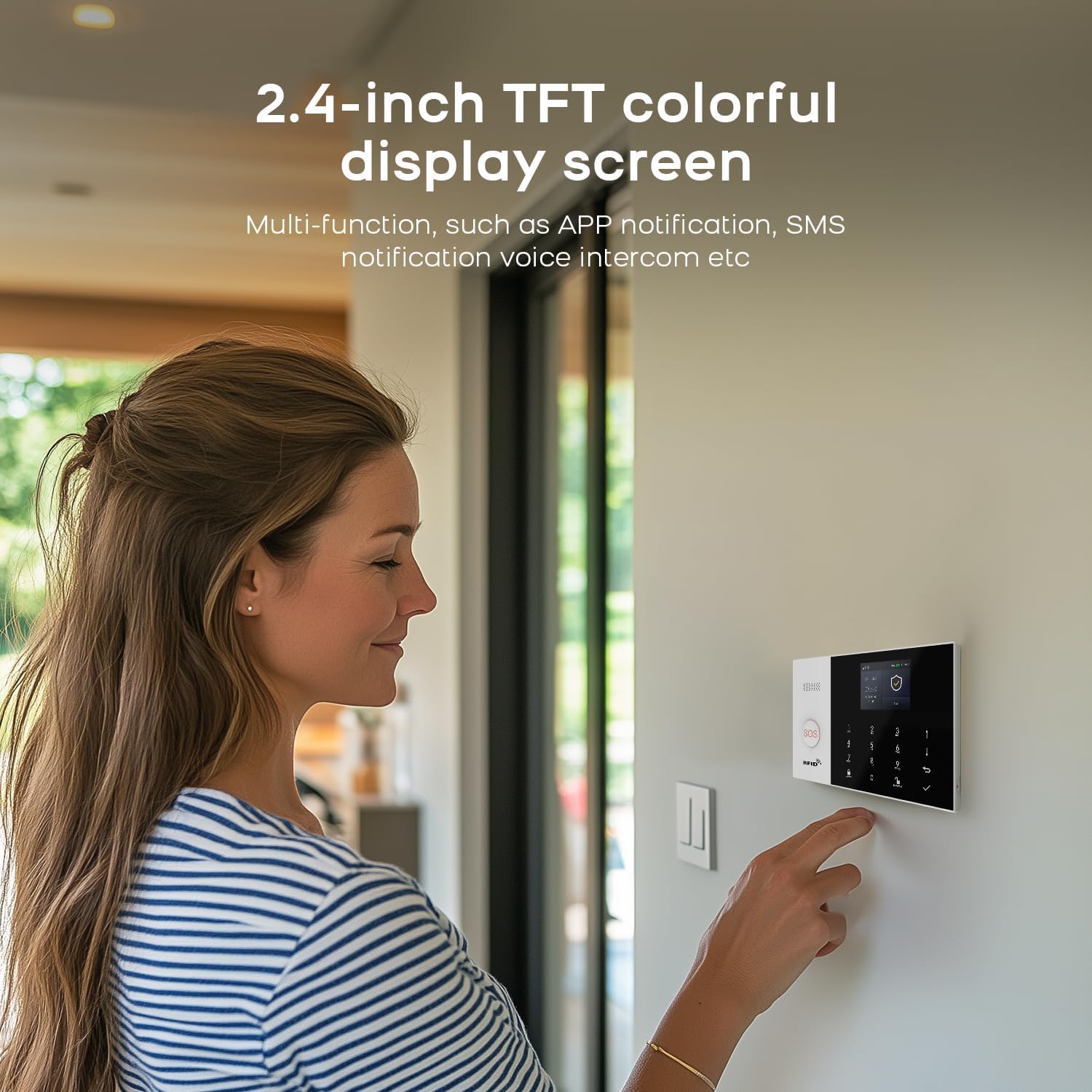
Image: A woman interacting with the 2.4-inch TFT colorful display screen of the PGST security system, highlighting its multi-functionality.
Istruzioni per l'uso
Inserimento e disinserimento
Il sistema offre opzioni flessibili di attivazione e disattivazione:
- Controllo app: Use the Smart Life/Tuya App to remotely arm, disarm, or set "Stay at Home" mode.
- tastiera: Enter your PIN on the main alarm host keypad to arm or disarm.
- Telecomando: Use the provided remote controls for quick arming/disarming.
- Controllo vocale: Integrate with Amazon Alexa or Google Assistant to arm or disarm using voice commands (e.g., "Alexa, arm my home").

Image: A woman and a dog in a living room, demonstrating voice control compatibility with Amazon Alexa and Google Assistant for the PGST security system.
notifiche di allarme
Quando scatta un allarme, il sistema fornisce notifiche immediate:
- Avvisi push dell'app: Receive instant notifications on your smartphone via the Smart Life/Tuya App.
- 4G GSM Card Alerts: If a 4G GSM card is inserted, the system can call or send SMS messages to pre-set numbers.
- Sirena: The system's siren will emit a loud sound to deter intruders and alert occupants.

Image: Illustration showing the PGST security system dialing pre-set alarm calls and sending messages to multiple contacts when an emergency occurs.
Funzione di allarme SOS
The system includes an SOS button for immediate assistance in emergencies, particularly useful for the elderly or those needing quick help.
Video: Demonstrates the SOS alarm function, showing a person pressing an SOS button and the immediate alert received on a smartphone, enabling timely assistance.
Doorbell Prompt Function
Utilize the smart intercom feature to communicate with visitors or delivery personnel, ensuring you never miss a package.
Video: Illustrates the doorbell prompt feature, showing a delivery person leaving a package, a user pressing a smart doorbell, and a person receiving a video call on their smartphone to communicate with the delivery person.
Water Immersion Detection
The water immersion detector alerts you when water levels exceed a set threshold, preventing potential damage from leaks or floods.
Video: Shows a water immersion detector in a bathroom, demonstrating how it triggers an alarm when water levels rise, indicating a potential flood or leak.
Rilevazione del fumo
The smoke detector provides early warning of fire hazards, sending alarms directly to your mobile phone.
Video: Illustrates the smoke detector in a kitchen, showing it activating and sending an alarm to a mobile phone when smoke is detected, allowing for timely intervention.
Solar Siren Integration
For enhanced security, the system can integrate with a solar siren, providing a high-decibel alarm sound outdoors.
Video: Demonstrates the solar siren installed on an exterior wall, emitting a loud alarm sound when triggered by the security system.
Manutenzione
- Controllo della batteria: The system will notify you via the app if wireless sensors (door magnet, infrared) have low battery. Replace batteries promptly to ensure continuous protection.
- Pulizia regolare: Gently wipe the main alarm host and sensors with a soft, dry cloth to remove dust. Avoid using abrasive cleaners or liquids.
- Aggiornamenti del firmware: Check the Smart Life/Tuya App regularly for any available firmware updates for your system to ensure optimal performance and security.

Image: Illustrates the wireless sensor low battery alarm, showing how door magnets and infrared sensors send low voltaginvia segnali all'host, che poi invia le informazioni all'utente tramite l'app.
Risoluzione dei problemi
- Difficoltà di installazione: If you encounter issues during setup, refer to the "Setup" section or contact customer support. Operation videos can be provided if necessary.
- Problemi di connettività: Ensure your Wi-Fi network is 2.4GHz (5G Wi-Fi is not supported). Check your internet connection and the system's Wi-Fi status.
- Il sensore non si attiva: Verify that sensors are correctly paired and installed. Check battery levels for wireless sensors.
- L'app non riceve avvisi: Ensure the Smart Life/Tuya App has necessary permissions (notifications, background data) on your smartphone. Check your phone's internet connection.
Specifiche
| Attributo | Valore |
|---|---|
| Marca | PGST |
| Numero di modello | PGST A105F |
| Fonte di alimentazione | Alimentato a batteria |
| Dispositivi compatibili | Smartphone |
| Dimensioni articolo (L x P x A) | 8 x 6 x 4 pollici |
| Tecnologia di connettività | Senza fili |
| Tipo di avviso | Motion Only (expandable) |
| Metodo di controllo | Applicazione |
| Conteggio unità | 8.0 Count (for 8-piece kit) |
| Codice UPC | 704444503096 |
| Peso dell'articolo | 1.39 libbre |
Garanzia e supporto
PGST offers a Garanzia di 1 anno for this Smart Home Security System. If you have any questions, require assistance with setup, or encounter any issues, please feel free to contact PGST customer support. Quality is our top priority, and every product undergoes rigorous multi-stage testing to ensure compliance with international safety standards.
Per ulteriore assistenza, puoi anche fare riferimento a Negozio PGST su Amazon per ulteriori risorse e informazioni di contatto.
Ask a question about this manual
Ask about setup, troubleshooting, compatibility, parts, safety, or missing instructions. Manuals+ will review the question and use this page’s manual context to help answer it.