
1. Introduzione
The nuphy Kick75 is a 75% layout wireless low-profile mechanical keyboard designed for gaming and productivity. It features 80 keys, a volume knob, RGB backlighting, and durable PBT keycaps. The keyboard supports multiple connectivity options including Bluetooth 5.1, 2.4GHz wireless, and USB-C wired connections, ensuring broad compatibility across various operating systems and devices.
Key features include a gasket mount design for enhanced typing comfort, hot-swappable switches for customization, and the NuPhyIO web assistant for personalized key, knob, and lighting effect configurations.
2. Contenuto della confezione e configurazione
2.1 Contenuto della confezione
- nuphy Kick75 Mechanical Keyboard
- Cavo USB-C
- Dongle wireless da 2.4 GHz
- Estrattore per tasti
- Extra Keycaps (for Windows/macOS compatibility)
2.2 Configurazione iniziale
Before first use, ensure the keyboard is adequately charged using the provided USB-C cable. The keyboard can be used in wired, 2.4GHz wireless, or Bluetooth modes.
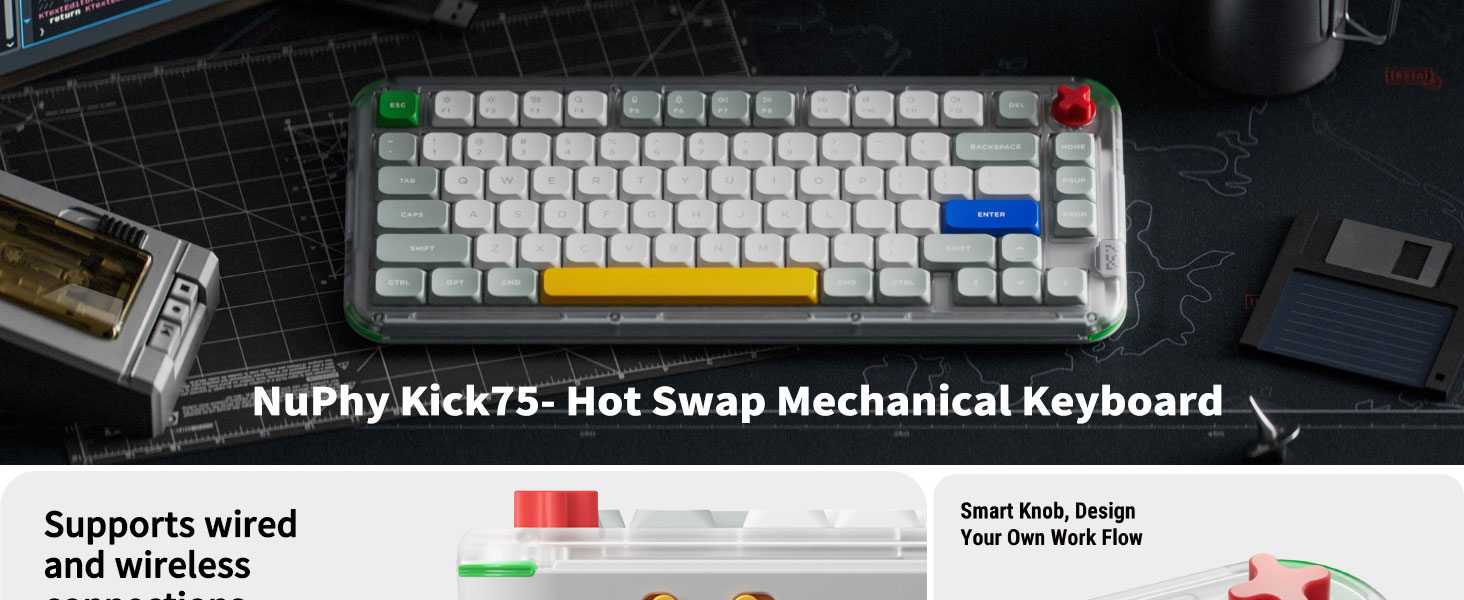
Immagine: Lato view of the Kick75 keyboard highlighting the mode switches for operating system and connectivity, along with battery life indicators for wireless use.
System Compatibility Switch
Locate the system switch on the back of the keyboard. Toggle it to either 'WIN' for Windows/Linux or 'MAC' for macOS to ensure correct key mapping.

Image: Close-up of the side of the Kick75 keyboard, showing the physical toggle switches for Windows/Mac operating system compatibility and wired/wireless connectivity modes.
Piedini regolabili
The keyboard features two one-stage adjustable feet on the bottom to customize the typing angle for improved ergonomics.

Image: Underside of the Kick75 keyboard, displaying the adjustable feet in their extended position, along with the retro-inspired design elements.
2.3 Video di unboxing
Video: An unboxing demonstration of the NuPhy Kick75 Tri-Mode Mechanical Keyboard, showing the contents of the package and initial handling.
3. Istruzioni per l'uso
3.1 Modalità di connettività
The Kick75 offers three versatile connectivity options:
- USB-C cablato: Collega la tastiera direttamente al tuo dispositivo tramite il cavo USB-C in dotazione. Questa modalità ricarica anche la tastiera.
- Wireless a 2.4 GHz: Insert the 2.4GHz dongle into your device's USB port. Toggle the connectivity switch on the keyboard to 'WIRELESS'. The dongle can be stored in a dedicated slot on the keyboard when not in use. This mode offers a 1000Hz polling rate.
- Bluetooth 5.1: Toggle the connectivity switch to 'WIRELESS' and initiate pairing on your device. The keyboard supports a 125Hz polling rate in Bluetooth mode.
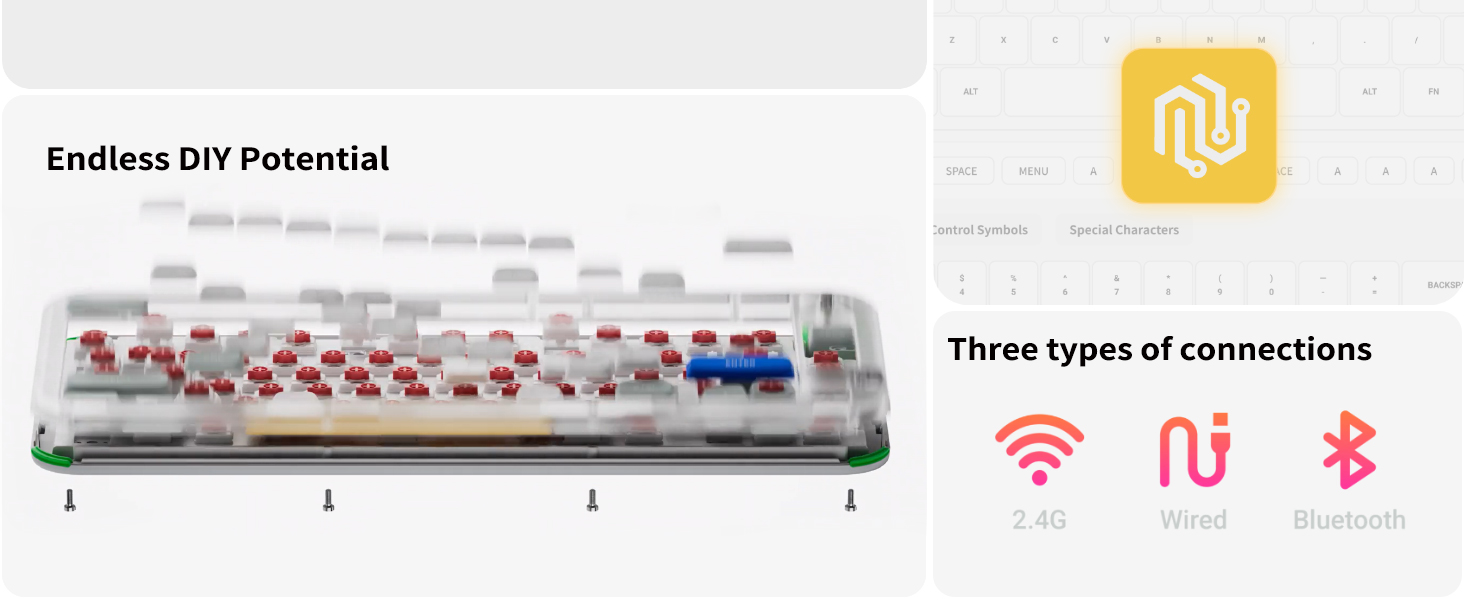
Image: The Kick75 keyboard displayed with icons illustrating its three connection modes: Bluetooth, 2.4GHz, and USB-C wired, compatible with phones, tablets, laptops, and PCs.
3.2 Manopola del volume
The integrated volume knob allows for quick and precise audio adjustments. Rotate to change volume, and press to mute/unmute.
3.3 Retroilluminazione RGB
The keyboard features customizable RGB backlighting. Use the NuPhyIO software to select various lighting effects and colors. Note that the PBT keycaps do not allow light to pass through the legends.

Image: The Kick75 keyboard illuminated with vibrant RGB backlighting, showcasing gli effetti di luce personalizzabili.
4 Personalizzazione
4.1 Software NuPhyIO
Utilize the NuPhyIO web assistant to personalize your keyboard experience. This software allows you to:
- Personalizza le assegnazioni dei tasti.
- Remap the volume knob functions.
- Regola gli effetti di illuminazione RGB e i colori.
- Record macros for complex actions.
Image: A computer screen displaying the NuPhyIO programmable software interface, showing options for key bindings, macro recording, and lighting effects.
4.2 Switch sostituibili a caldo
The Kick75 features a hot-swappable PCB, compatible with both 3-pin and 5-pin mechanical switches. This allows users to easily change switches without soldering, tailoring the typing feel to their preference.
4.3 Hybrid Profile Conversione
The Kick75 is a hybrid profile keyboard, meaning it can accommodate both low-profile e di alto livello professionalefile switches. Conversion kits (sold separately) are available to switch between profiles. These kits include a taller top case and case foam to ensure proper fit and acoustics.
5. Switches and Keycaps
5.1 Red Nano Switches
This specific model comes with pre-lubed Red Nano switches, which are linear switches designed for smooth and consistent keystrokes. Their specifications are:
- Forza di azionamento: 45 ± 15 gf
- End Force: 60 ± 15gf
- Pre-corsa: 1.7 ± 0.4 mm
- Total Travel: 3.55mm Max
- Stem: POM
- Top housing: POM
- Bottom housing: POM
- Spring: 16.5mm Single-stage
Image: Detailed specifications for the Red Nano switch, alongside a top-down view of the Kick75 keyboard.
5.2 Tasti PBT
The keyboard is equipped with durable PBT keycaps that resist wear and shine over time. These keycaps contribute to the keyboard's aesthetic and tactile feel.
5.3 Progettazione del supporto della guarnizione
The innovative gasket mount design, combined with sound-absorbing foam, provides a softer, more responsive, and comfortable typing experience by reducing impact and vibration.
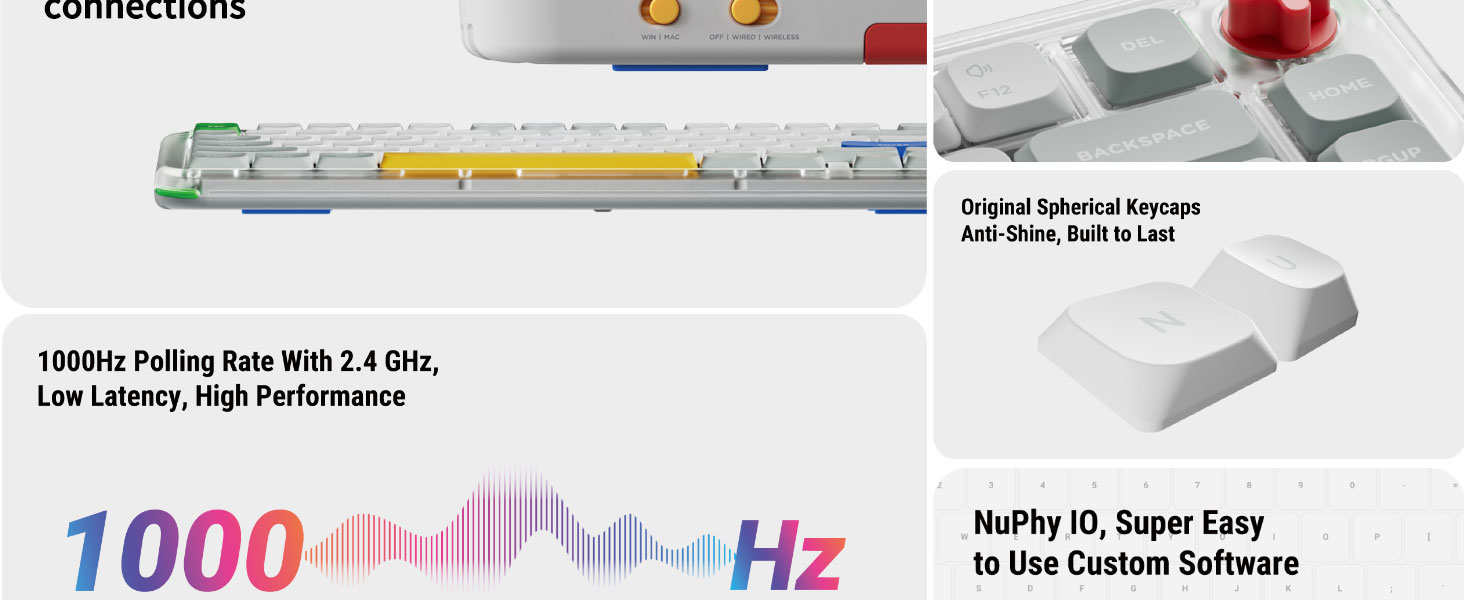
Image: An exploded diagram illustrating the internal gasket structure of the Kick75 keyboard, showing layers like the volume knob, upper cover, PC positioning board, sound-absorbing cotton, shaft bottom pad, PE voice actor pad, PCB board, base cotton, silicone base mat, and bottom shell.
5.4 Typing Sound Test
Video: A sound test demonstrating the typing acoustics of the NuPhy Kick75 keyboard with Red Nano switches, recorded using a SENNHEISER-MKH416 microphone.
6. Manutenzione
6.1 Pulizia
- Use a soft, dry cloth to wipe the keyboard case.
- For keycaps, use the provided keycap puller to remove them and clean with a mild soap solution if necessary. Ensure they are completely dry before reattaching.
- Utilizzare aria compressa per rimuovere polvere e detriti dagli spazi tra i tasti.
6.2 Sostituzione dell'interruttore
To replace switches, gently remove the keycap using the keycap puller. Then, use a switch puller (not included, but often comes with switch sets) to carefully extract the switch. Align the new switch's pins with the PCB sockets and press firmly until it clicks into place. Ensure pins are not bent during insertion.
6.3 Smontaggio
For advanced maintenance or customization, the keyboard can be disassembled. Access the screws on the bottom of the keyboard by carefully removing the rubber strip. Use the included screwdriver for this process.
7. Risoluzione Dei Problemi
7.1 Problemi di connettività
- Nessuna connessione: Ensure the keyboard is charged and the mode switch (Wired/Wireless) is set correctly. For 2.4GHz, ensure the dongle is properly inserted. For Bluetooth, ensure the keyboard is in pairing mode and visible to your device.
- Lag/Delay: In 2.4GHz or wired mode, the polling rate is 1000Hz for minimal latency. Bluetooth mode has a 125Hz polling rate, which may introduce slight delays compared to wired/2.4GHz. Ensure no interference for wireless connections.
7.2 Problemi di illuminazione RGB
- Luci non funzionanti: Check the keyboard's lighting settings via the NuPhyIO software. Ensure the keyboard is not in a low-power mode that disables lighting.
- Illuminazione fioca: Adjust brightness settings. Remember that PBT keycaps do not allow light to shine through the legends, so only the underglow and side lighting will be visible.
7.3 Funzionalità chiave
- Output chiave errato: Verify the system compatibility switch (Win/Mac) is set to the correct operating system. Use the NuPhyIO software to check and reset key mappings if custom configurations are causing issues.
- Tasti che non rispondono: If a specific key is not responding, it may indicate a faulty switch. Utilize the hot-swappable feature to replace the switch.
7.4 Durata della batteria
The Kick75 features a battery capacity of 2500mAh (NuPhyIO version) or 4000mAh (QMK/VIA version). Expected battery life is up to 360 hours with the backlight off and up to 90 hours with the backlight on. If battery life is significantly shorter, ensure the keyboard is fully charged and consider reducing RGB brightness or disabling it when not needed.
Video: A partial function demonstration of the NuPhy Kick75 keyboard, showcasing various features and operations.
8. Specifiche
| Caratteristica | Dettaglio |
|---|---|
| Nome del modello | Calcio75 |
| Dimensioni del prodotto | 13.11 x 5.63 x 1.14 pollici |
| Peso dell'articolo | 1.74 libbre |
| Tecnologia di connettività | USB-C / 2.4GHz / Bluetooth 5.1 |
| Disposizione della tastiera | 75% (80 Keys), QWERTY |
| Tipo di interruttore | Red Nano Switch (Hot-swappable) |
| Materiale del copritastiera | PBT |
| Retroilluminazione | RGB (personalizzabile) |
| Dispositivi compatibili | Laptop, PC, Tablet (Windows, macOS, Linux) |
| Fonte di alimentazione | USB Powered (Internal Battery) |
| Capacità della batteria | 2500mAh (NuPhyIO) / 4000mAh (QMK/VIA) |
| Tasso di sondaggio | 1000Hz (2.4GHz/Wired), 125Hz (Bluetooth) |
9. Garanzia e supporto
9.1 Informazioni sulla garanzia
The nuphy Kick75 keyboard typically comes with a 1-year manufacturer's warranty covering defects in materials and workmanship. Please refer to your purchase documentation for specific warranty terms and conditions.
9.2 Assistenza clienti
For further assistance, technical support, or inquiries regarding your nuphy Kick75 keyboard, please visit the official nuphy website or contact their customer service. The NuPhyIO web assistant is also available for software-related support and customization.
Official NuPhy Store: NuPhy Store on Amazon


