
UGREEN CM309
UGREEN Audio Bluetooth 5.0 Adapter CM309 User Manual
Modello: CM309
Introduzione
The UGREEN Audio Bluetooth 5.0 Adapter CM309 is designed to provide a high-quality wireless audio experience. It allows you to stream music from your Bluetooth-enabled devices to car audio systems or 3.5mm speakers via USB and AUX connections. With its built-in microphone, it also supports hands-free calling, ensuring convenience and safety. This adapter offers stable connectivity and crystal-clear sound without the need for complex software installation.
Informazioni sulla sicurezza
- Tenere il dispositivo lontano da acqua, fuoco e temperature elevate.
- Non tentare di smontare o riparare il dispositivo da soli.
- Use only compatible power sources.
- Evitare di esporre il dispositivo alla luce solare diretta per periodi prolungati.
- Smaltire il dispositivo in modo responsabile secondo le normative locali.
Contenuto della confezione
- UGREEN Audio Bluetooth 5.0 Adapter CM309
- Manuale d'uso
Prodotto finitoview
The UGREEN CM309 adapter is a compact device designed for seamless audio streaming. It features a USB connector for power and an integrated 3.5mm AUX cable for audio output. A small LED indicator shows the connection status, and a built-in microphone allows for hands-free communication.
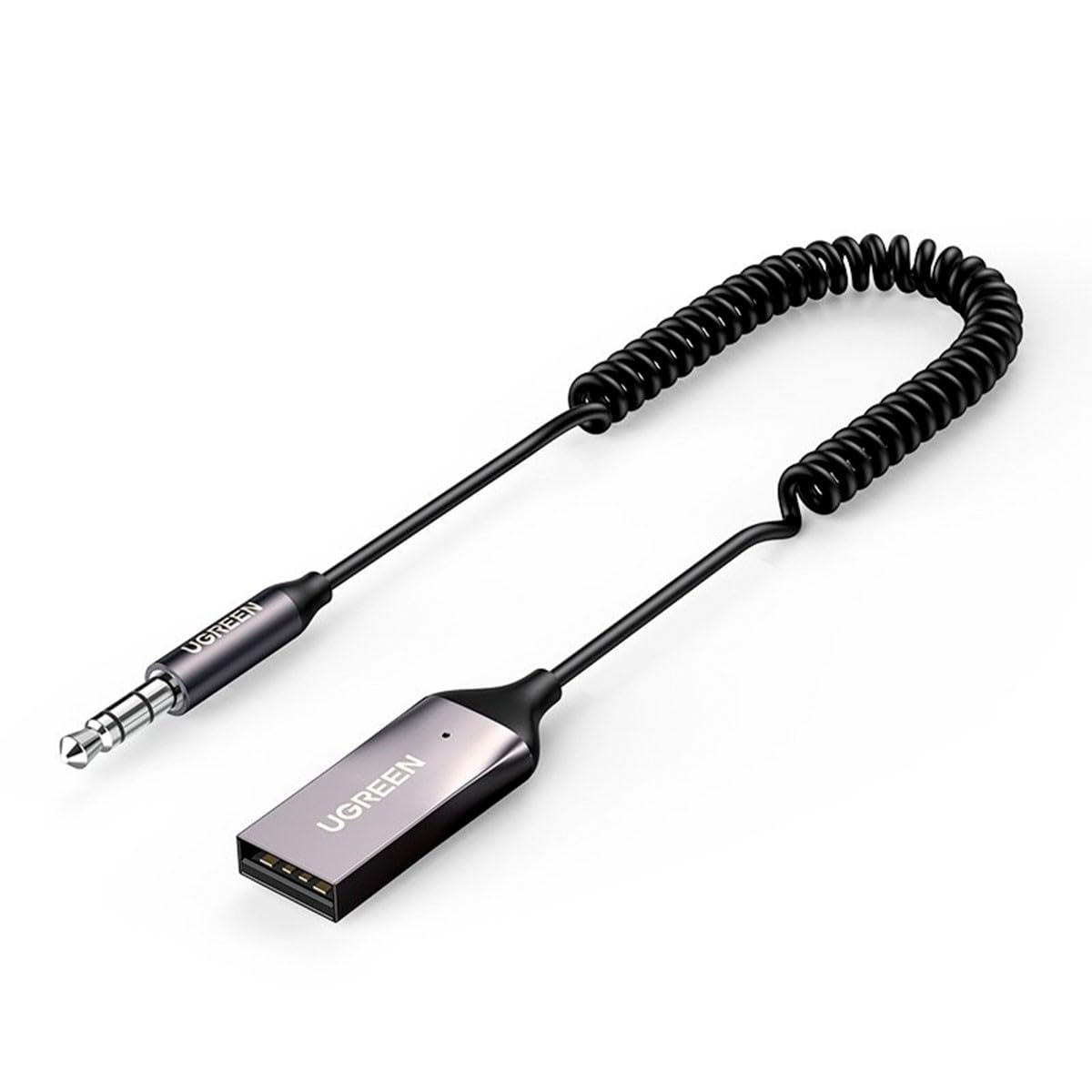
Immagine 1: UGREEN Audio Bluetooth 5.0 Adapter CM309. This image shows the compact design of the adapter, highlighting its USB connector and integrated 3.5mm AUX cable.
Impostare
1. Collegamento dell'adattatore
- Collegamento elettrico: Insert the USB connector of the CM309 adapter into a USB port (e.g., car charger, car USB port, power bank, or USB wall adapter) for power supply. The LED indicator will light up, indicating the adapter is powered on.
- Connessione audio: Plug the 3.5mm AUX cable from the CM309 adapter into the 3.5mm AUX input port of your car audio system or speaker.
2. Associazione con un dispositivo Bluetooth
- Once powered on, the adapter will automatically enter pairing mode. The LED indicator will flash, signifying it is ready to connect.
- Sul tuo smartphone o altro dispositivo abilitato Bluetooth, vai alle impostazioni Bluetooth.
- Cercare available devices and select "UGREEN-CM309" (or similar name) from the list.
- Once successfully paired, the LED indicator will turn solid, and you will hear a confirmation tone (if supported by your audio system).
Istruzioni per l'uso
Riproduzione di musica
- After successful pairing, open your preferred music application on your Bluetooth device.
- Start playing music. The audio will be transmitted wirelessly to your car stereo or connected speaker.
- Adjust the volume using your Bluetooth device or the audio system's controls.
Chiamata a mani libere
- When a call comes in, the music will pause automatically.
- Answer the call using your phone's controls. Your voice will be picked up by the adapter's built-in microphone, and the caller's voice will be heard through your audio system.
- End the call using your phone's controls. Music playback will resume automatically.
Manutenzione
- Pulizia: Per pulire l'adattatore, utilizzare un panno morbido e asciutto. Non utilizzare detergenti liquidi o spray.
- Magazzinaggio: Quando non in uso, conservare l'adattatore in un luogo fresco e asciutto, lontano dalla luce solare diretta e da temperature estreme.
- Gestione: Avoid pulling on the cables forcefully or bending them sharply to prevent damage.
Risoluzione dei problemi
Nessuna alimentazione/LED spento
- Assicurarsi che il connettore USB sia completamente inserito in una porta USB funzionante.
- Prova una porta USB o una fonte di alimentazione diversa.
Impossibile accoppiarsi con il dispositivo
- Make sure the adapter is in pairing mode (LED flashing).
- Assicurati che il Bluetooth sia abilitato sul tuo dispositivo e che si trovi nel raggio d'azione (in genere 10 metri).
- Forget previously paired devices on your phone and try pairing again.
- Restart both the adapter (by unplugging and replugging) and your Bluetooth device.
Nessuna uscita audio
- Verify that the 3.5mm AUX cable is securely connected to both the adapter and the audio system's AUX input.
- Ensure your car stereo or speaker system is set to the correct AUX input source.
- Check the volume levels on both your Bluetooth device and the audio system.
- Confirm that the adapter is successfully paired and connected to your Bluetooth device.
Specifiche
| Caratteristica | Dettaglio |
|---|---|
| Numero di modello | CM309 |
| Versione Bluetooth | 5.0 |
| Ingresso | USB (for power), Auxiliary (for audio input from device) |
| Produzione | 3.5mm AUX (for audio output to speaker/car stereo) |
| Caratteristiche speciali | Built-in Microphone for Hands-Free Calls |
| Dispositivi compatibili | Desktop computer, Game console, Headphones |
| Dimensioni (LxWxH) | Dimensioni: 10 x 10 x 10 mm |
| Peso | 1 chilogrammo |
Garanzia e supporto
UGREEN products come with a standard warranty. For detailed warranty information, technical support, or customer service inquiries, please refer to the official UGREEN websito o contattare direttamente l'assistenza clienti. Si prega di conservare la prova d'acquisto per eventuali reclami in garanzia.
Documenti correlatiCM309


Ask a question about this manual
Ask about setup, troubleshooting, compatibility, parts, safety, or missing instructions. Manuals+ will review the question and use this page’s manual context to help answer it.