
Introduzione
Thank you for choosing the Pro Breeze 25L Smart Dehumidifier. This appliance is designed to efficiently remove excess moisture from your indoor environment, helping to prevent mold, mildew, and dampness. Featuring smart Wi-Fi connectivity, a digital display, and multiple operating modes, this dehumidifier offers advanced control and convenience. Please read this manual thoroughly before operation to ensure safe and optimal performance.
Importanti istruzioni di sicurezza
Quando si utilizzano apparecchi elettrici, seguire sempre le precauzioni di sicurezza di base per ridurre il rischio di incendi, scosse elettriche e lesioni.
- Assicurarsi che l'alimentazione corrisponda al voltage specificato sulla targhetta dei dati tecnici.
- Non utilizzare il deumidificatore se il cavo o la spina sono danneggiati.
- Keep the appliance at least 20 cm (8 inches) away from walls and other objects to ensure proper airflow.
- Non immergere l'unità, il cavo di alimentazione o la spina in acqua o altri liquidi.
- Scollegare il deumidificatore prima della pulizia, della manutenzione o quando non è in uso.
- Questo apparecchio è destinato esclusivamente all'uso in ambienti interni.
- Non ostruire l'ingresso o l'uscita dell'aria.
- Sorvegliare i bambini e assicurarsi che non giochino con l'apparecchio.
- Non tentare di riparare o modificare l'unità autonomamente. Contattare personale di assistenza qualificato.
Caratteristiche del prodotto

Image: The Pro Breeze 25L Smart Dehumidifier, showcasing its compact design and highlighting features such as Wi-Fi compatibility, 25L extraction rate, energy efficiency, and laundry mode. Dimensions are also indicated.
- Deumidificazione potente: Extracts up to 25 liters of moisture per day, effectively combating persistent humidity, mold, and condensation in large rooms.
- Grande serbatoio dell'acqua: Features a 5.5-liter water tank with automatic shut-off when full. A drainage hose is included for continuous operation.
- Efficienza energetica: Utilizes a high-performance compressor, 24-hour timer, and automatic stop system to reduce energy consumption.
- Funzionamento silenzioso: Designed with silent technology, making it suitable for use in bedrooms, living rooms, offices, and other quiet environments.
- Controllo intelligente tramite app: Manage all functions remotely using the free Pro Breeze app or voice commands with Alexa and Google Home (compatible with iPhone and Android).
- Digital Display & Humidity Sensor: An intuitive LED screen allows selection of fan speed and humidity levels between 30% and 80%. The smart sensor displays real-time humidity and automatically stops the dehumidifier once the target is reached.
- Molteplici modalità operative: Includes a 24-hour timer and 4 operating modes, including a dedicated Modalità di asciugatura della biancheria. Also features a Blocco bambini, Automatic Defrost Mode, E Visualizzazione notturna.

Image: The Pro Breeze dehumidifier positioned next to a large 25-liter water bottle, visually representing its daily moisture extraction capacity and the benefit of fewer tank emptying cycles.
Contenuto della confezione
Si prega di selezionare la casella per i seguenti elementi:
- Pro Breeze 25L Smart Dehumidifier Unit
- Tubo di drenaggio continuo
- Manuale d'uso
Impostare
- Disimballaggio: Estrarre con cautela il deumidificatore dall'imballaggio. Conservare l'imballaggio per un eventuale stoccaggio o trasporto futuro.
- Posizionamento: Place the dehumidifier on a firm, level surface. Ensure there is at least 20 cm (8 inches) of clear space around the air inlet and outlet to allow for efficient airflow. Avoid placing it near heat sources or in direct sunlight.
- Collegamento elettrico: Collegare il cavo di alimentazione a una presa elettrica con messa a terra. Assicurarsi che il volumetage corrisponde ai requisiti dell'unità.
- Installazione del serbatoio dell'acqua: Assicurarsi che il serbatoio dell'acqua sia inserito correttamente nell'unità. Il deumidificatore non funzionerà se il serbatoio non è posizionato correttamente o è pieno.
- Drenaggio continuo (facoltativo): For continuous operation without emptying the tank, connect the provided drainage hose to the continuous drainage port on the back of the unit. Route the hose to a suitable drain, ensuring it is sloped downwards to allow water to flow freely.
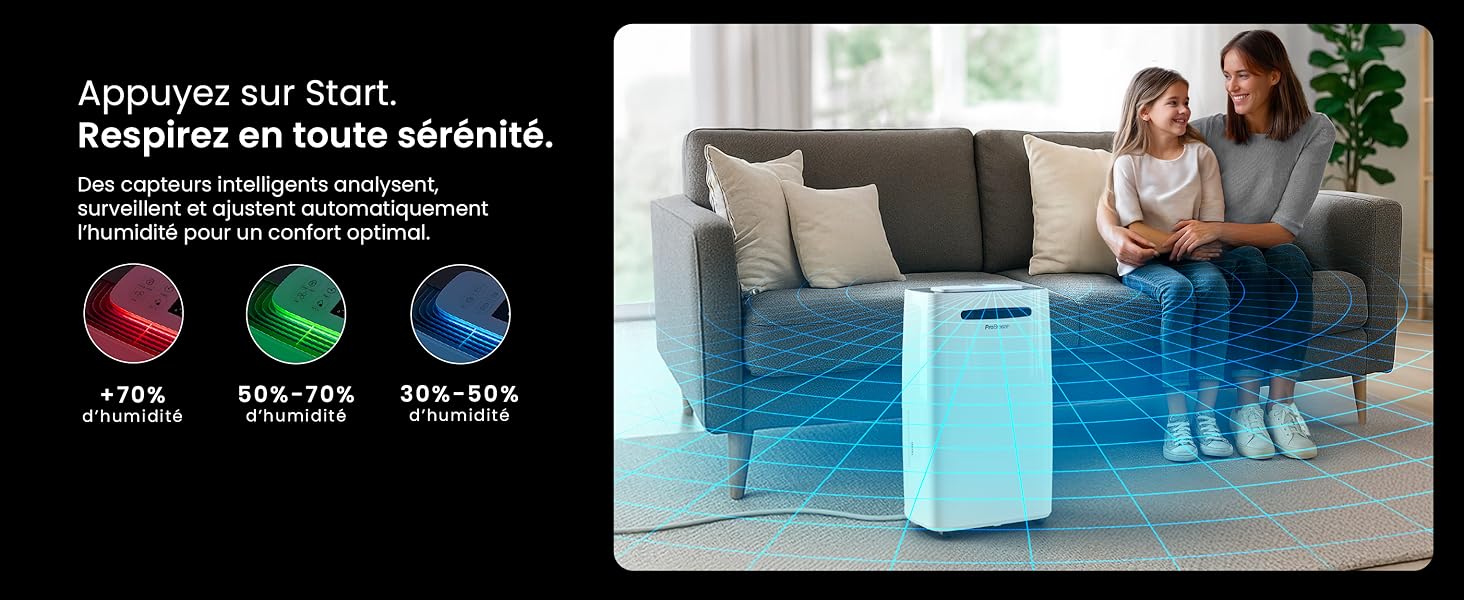
Image: The dehumidifier shown in different environments such as a garage, home office, and laundry room, illustrating its versatility and suitability for various spaces. Icons for continuous drainage and automatic defrost are also present.
Istruzioni per l'uso
Pannello di controllo Fineview

Immagine: Un dettaglio view of the dehumidifier's illuminated digital control panel, showing buttons for power, mode, fan speed, timer, child lock, and humidity settings, along with the LED display.
The intuitive LED display and touch controls allow for easy operation.
- Pulsante di accensione: Premere per accendere o spegnere l'unità.
- Pulsante Modalità: Scorrere le modalità operative disponibili: Normale, Asciugatura del bucato, E Modalità notturna.
- Pulsante velocità ventola: Adjust the fan speed between Basso E Alto.
- Humidity Setting (SET %): Use the up/down arrows to set your desired humidity level (30% - 80%). The unit will operate until this level is reached.
- Pulsante Timer: Set a 24-hour timer for automatic power ON or OFF.
- Pulsante Blocco bambini: Tenere premuto per attivare/disattivare il blocco bambini, impedendo modifiche accidentali alle impostazioni.
- Pulsante di visualizzazione: Turn the LED display lights ON or OFF, useful for night mode.
Controllo Wi-Fi e app

Image: A user interacting with the Pro Breeze mobile application on a smartphone, demonstrating remote control capabilities for the dehumidifier. The app shows current humidity and temperature settings.
The Pro Breeze 25L Smart Dehumidifier can be controlled remotely via the Pro Breeze app. Download the app from your smartphone's app store and follow the in-app instructions to connect your device to your home Wi-Fi network. Once connected, you can control all functions, set schedules, and monitor humidity levels from anywhere.
The unit is also compatible with Amazon Alexa and Google Home for voice control. Refer to the app's help section for detailed instructions on integrating with these smart home platforms.
Manutenzione
Svuotamento del serbatoio dell'acqua
When the water tank is full, the dehumidifier will automatically shut off and an indicator light will illuminate. Carefully remove the water tank from the unit, empty the collected water, and reinsert the tank securely. The unit will resume operation.
Pulizia del filtro dell'aria
A clogged filter can reduce efficiency. It is recommended to clean the air filter every two weeks or more frequently depending on usage and air quality.
- Spegnere il deumidificatore e scollegarlo dalla presa di corrente.
- Individuare e rimuovere il filtro dell'aria (solitamente sul retro o sul lato dell'unità).
- Pulire il filtro con un aspirapolvere oppure lavarlo delicatamente con acqua calda e sapone.
- Risciacquare abbondantemente e lasciare asciugare completamente il filtro all'aria prima di reinserirlo nell'unità.
Pulizia dell'esterno
Pulire l'esterno del deumidificatore con un panno morbido, damp panno. Non utilizzare prodotti chimici aggressivi, detergenti abrasivi o solventi, poiché potrebbero danneggiare la superficie.
Magazzinaggio
Se si ripone l'unità per un periodo prolungato, assicurarsi che il serbatoio dell'acqua sia vuoto e pulito e che il filtro sia pulito e asciutto. Conservare il deumidificatore in un luogo fresco e asciutto, preferibilmente nella confezione originale.
Risoluzione dei problemi
| Problema | Possibile causa | Soluzione |
|---|---|---|
| Il deumidificatore non si accende. | No power; water tank full or incorrectly inserted; ambient temperature too low. | Check power connection; empty and reinsert water tank; ensure room temperature is above 5°C (41°F). |
| L'unità è in funzione ma non raccoglie acqua. | Humidity level too low; air filter clogged; room temperature too low; unit size too small for space. | Adjust desired humidity setting lower; clean air filter; ensure room temperature is adequate; consider if unit is appropriate for room size. |
| L'unità è rumorosa. | Unit not on a level surface; air filter clogged; internal components vibrating. | Posizionare su una superficie piana e stabile; pulire il filtro dell'aria; se il rumore persiste, contattare l'assistenza. |
| Problemi di connessione Wi-Fi. | Incorrect Wi-Fi password; unit too far from router; router issues; app issues. | Verify Wi-Fi password; move unit closer to router; restart router; reinstall Pro Breeze app. |
| Sulle bobine appare del gelo. | Bassa temperatura ambiente. | L'unità è dotata di una funzione di sbrinamento automatico. Se il gelo persiste, aumentare la temperatura ambiente. |
Specifiche
| Specificazione | Dettaglio |
|---|---|
| Numero di modello | PB-D-37W-W-EU |
| Marca | Pro Brezza |
| Moisture Extraction Capacity | 25 litri/giorno |
| Capacità del serbatoio dell'acqua | 5.5 litri |
| Dimensioni (L x P x A) | Dimensioni: 38.6 cm x 26 cm x 50 cm |
| Peso | 15.1 chilogrammi |
| Velocità della ventola | 2 |
| Caratteristiche speciali | Adjustable Humidity Control, Night Mode, Continuous Drainage, Wi-Fi Connectivity, Digital Display, 24h Timer, Laundry Drying Mode, Child Lock, Automatic Defrost |
| Superficie consigliata | Fino a 322 piedi quadrati (30 m²) |

Image: The Pro Breeze dehumidifier highlighting its elegant and discreet design, along with its dimensions (50cm H, 38.6cm L, 26cm P) and four easy-to-move caster wheels.
Garanzia e supporto
Pro Breeze products are manufactured to the highest standards. This product comes with a standard manufacturer's warranty. For specific warranty details, please refer to the warranty card included in your package or visit the official Pro Breeze websito.
If you encounter any issues or have questions regarding your dehumidifier, please contact Pro Breeze customer support. Contact information can typically be found on the Pro Breeze websito o sulla confezione del prodotto.