
Introduzione
This manual provides detailed instructions for the operation and maintenance of your LEOTEC AM FM Bluetooth Portable Radio, Model LT-1808. Please read this manual thoroughly before using the device to ensure proper function and longevity.
Caratteristiche principali
- Radio AM/FM: Supports both AM and FM bands for broad station access.
- Connettività Bluetooth: Seamlessly connect to Bluetooth-enabled devices for audio playback.
- 10 suoni di rumore bianco: Includes various soothing sounds for relaxation and sleep.
- Digital Sleep Timer: Customizable sleep timer from 5 to 90 minutes.
- Jack per cuffie: Jack da 3.5 mm per l'ascolto privato.
- Doppie fonti di alimentazione: Operates via AC power cord or 4 AA batteries (not included).
- Design portatile: Compact and lightweight with a convenient handle for easy transport.
- Ampio display LCD: Clear digital display for frequency and settings.
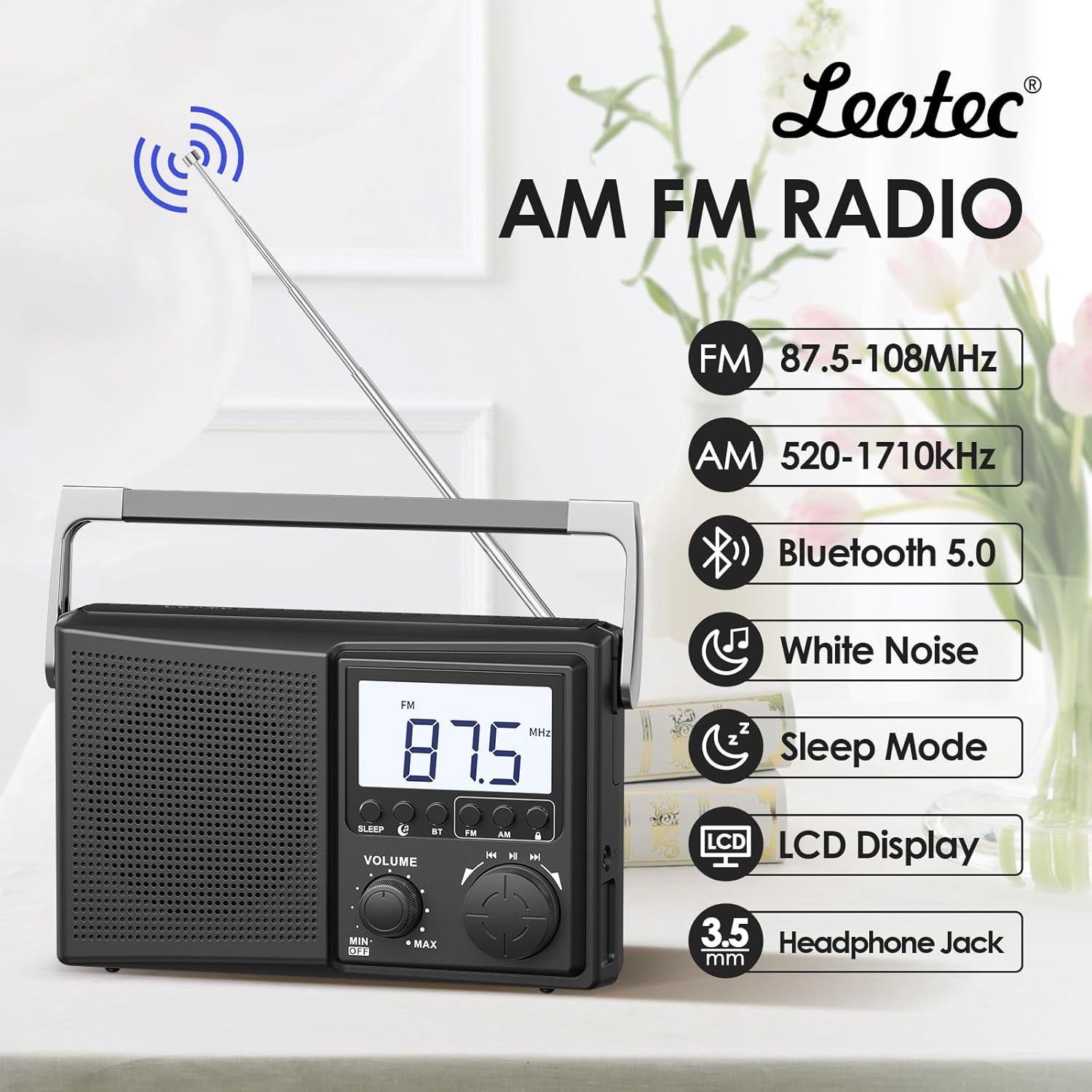
Figura 1: Oltreview of the LEOTEC AM FM Bluetooth Portable Radio's key features.
Componenti del prodotto
The LEOTEC LT-1808 radio includes the following main components:
- Main Unit (Radio)
- Cavo di alimentazione CA
- Antenna telescopica
- Maniglia di trasporto integrata
- Manopola di controllo del volume
- Manopola di sintonia
- Mode Selection Buttons (Sleep, BT, FM, AM)
- Schermo LCD
- Jack per cuffie da 3.5 mm
- Battery Compartment (for 4 AA batteries, not included)
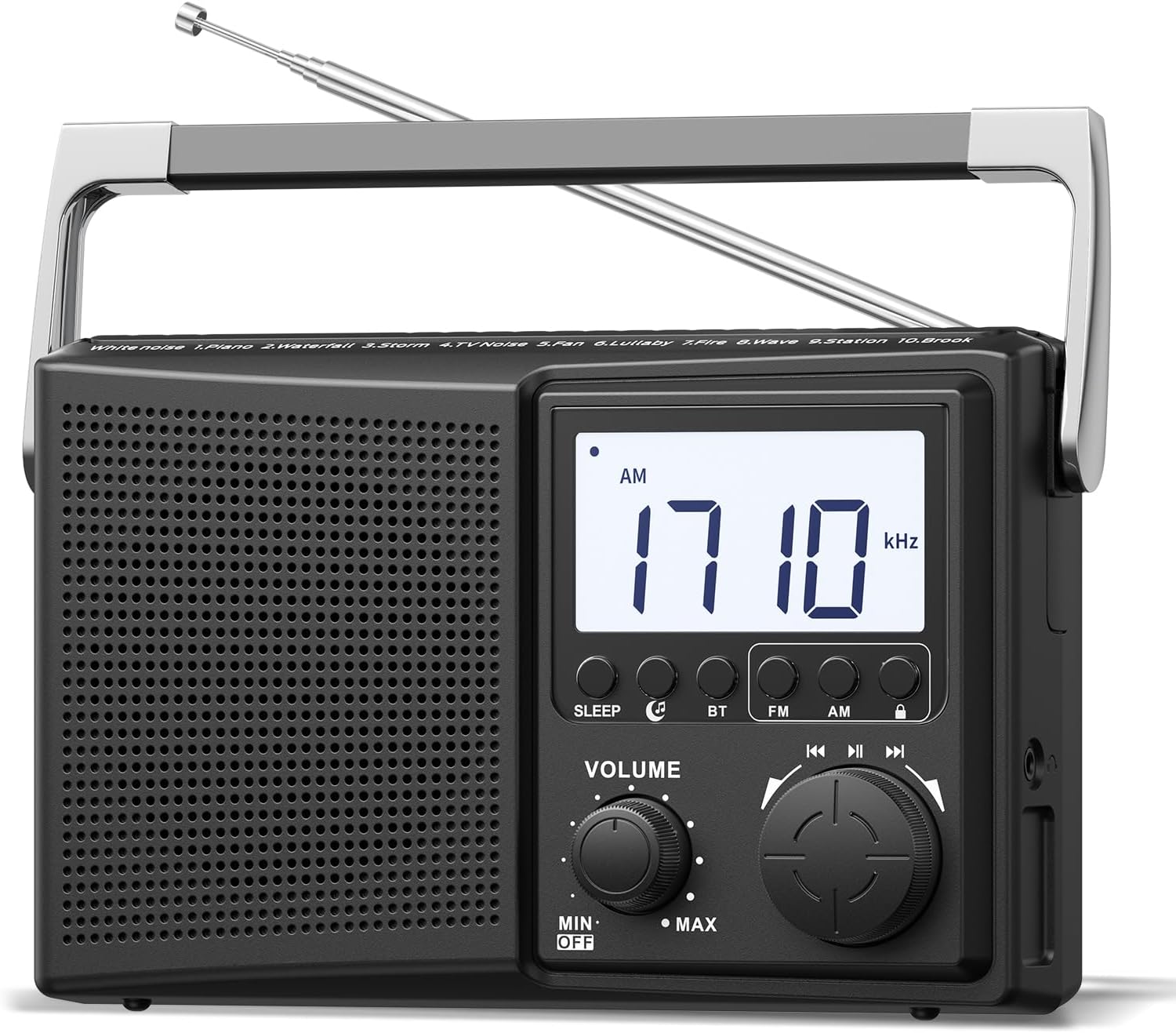
Figura 2: Fronte view of the radio, highlighting controls and display.
Impostare
1. Accensione della radio
The radio can be powered by two methods:
- Alimentazione CA: Connect the provided AC power cord to the radio's power input and then to a standard 120V wall outlet.
- Potenza della batteria: Open the battery compartment on the back of the radio and insert 4 AA batteries (not included), ensuring correct polarity.
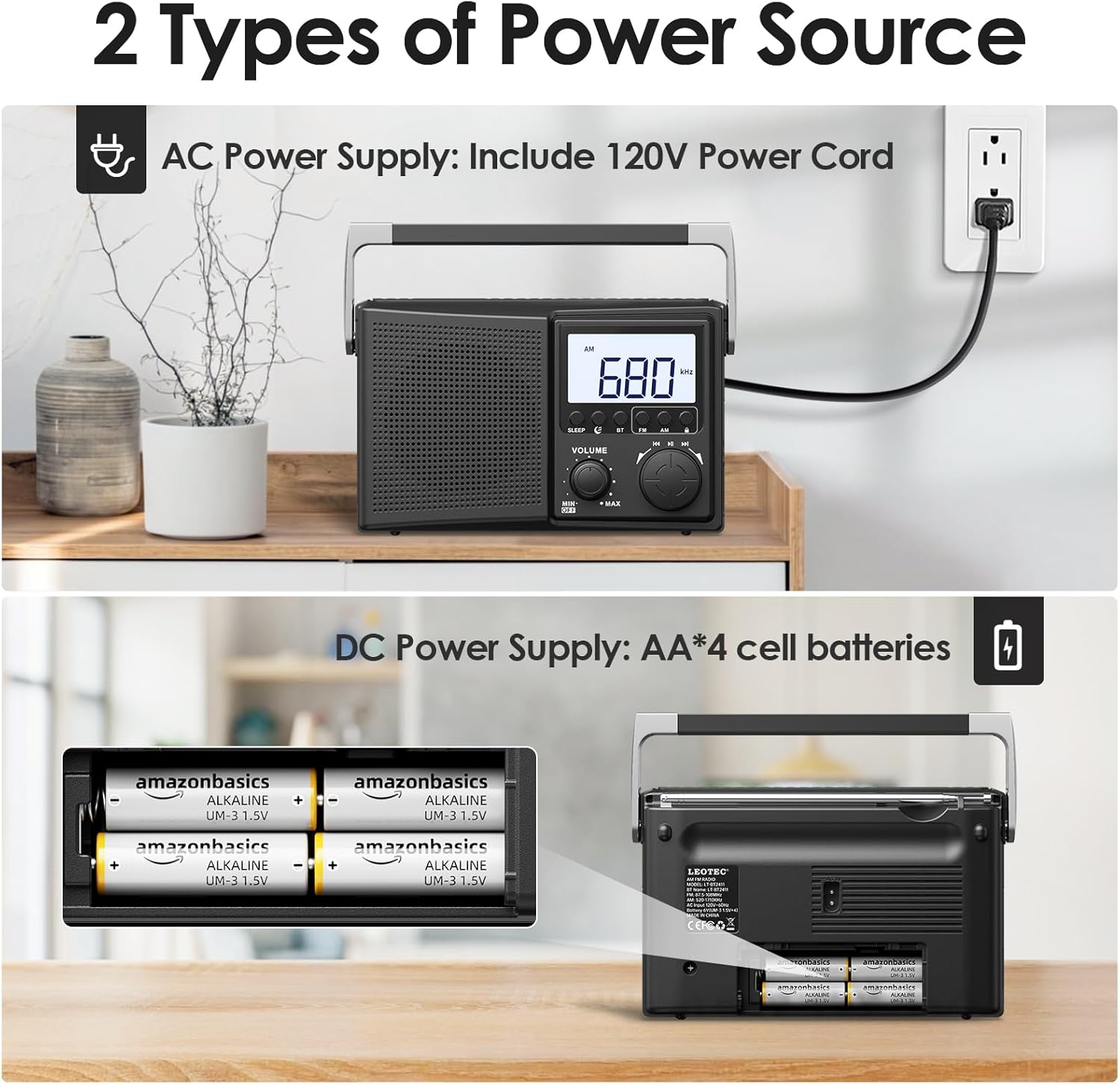
Figure 3: Powering the radio using either AC power or AA batteries.
2. Regolazione dell'antenna
For optimal FM and AM reception, extend the telescopic antenna fully and adjust its direction. For AM reception, rotating the entire radio may also improve signal quality.
Operazione
1. Turning On/Off and Volume Control
Ruotare il VOLUME Ruotare la manopola in senso orario per accendere la radio e aumentare il volume. Ruotare in senso antiorario per diminuire il volume e spegnere la radio.
2. Selecting Radio Bands (AM/FM)
Premere il tasto FM or AM button on the front panel to select the desired radio band. The selected band will be displayed on the LCD screen.
3. Sintonizzazione delle stazioni radio
Ruota il grande ACCORDATURA knob to scan for radio stations. The frequency will be displayed on the LCD screen. Adjust the antenna for best reception.

Figure 4: Digital display and tuning knob for precise station selection.
4. Accoppiamento Bluetooth
- Premere il tasto BT button to enter Bluetooth mode. The display will indicate Bluetooth pairing mode.
- Sul tuo dispositivo esterno (ad esempio, smartphone), attiva il Bluetooth e cerca i dispositivi disponibili.
- Select "LEOTEC LT-1808" from the list to pair. A confirmation sound will indicate successful pairing.
- Ora puoi riprodurre l'audio dal tuo dispositivo tramite la radio.
5. Funzione rumore bianco
The radio offers 10 different white noise and nature sounds to aid relaxation or sleep. Press the dedicated white noise button (if available, or cycle through modes) to activate this feature. Use the tuning knob to select different sounds.
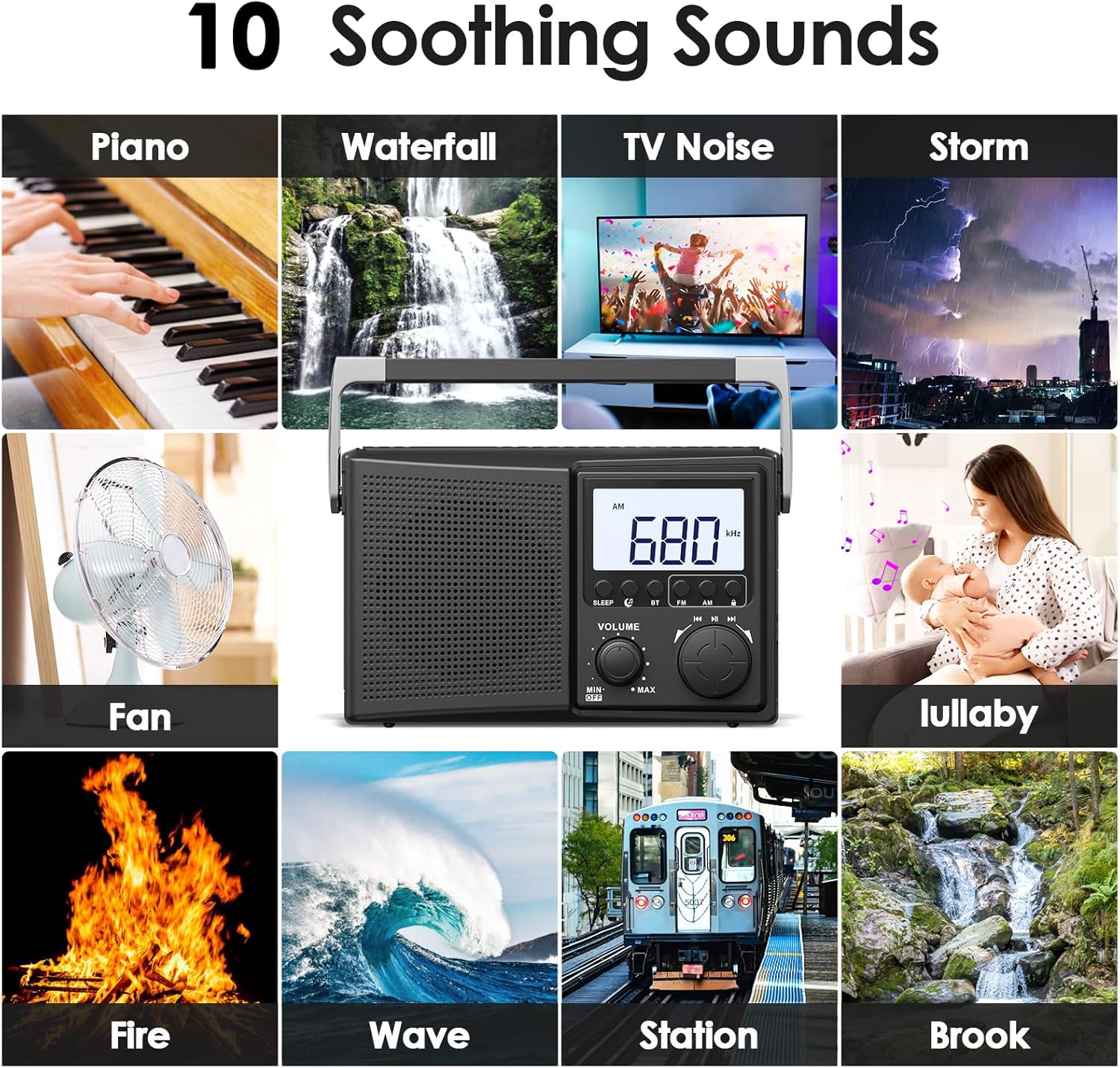
Figure 5: Selection of 10 white noise and nature sounds.
6. Digital Sleep Timer
Per impostare il timer di spegnimento:
- Premere il tasto SONNO pulsante.
- Premere ripetutamente il tasto SONNO button to cycle through available sleep times: 90, 80, 70, 60, 50, 40, 30, 20, 10, 5 minutes.
- La radio si spegnerà automaticamente dopo il periodo di tempo selezionato.
- Per annullare il timer di spegnimento, premere il tasto SONNO button until the timer display disappears or turn the radio off.
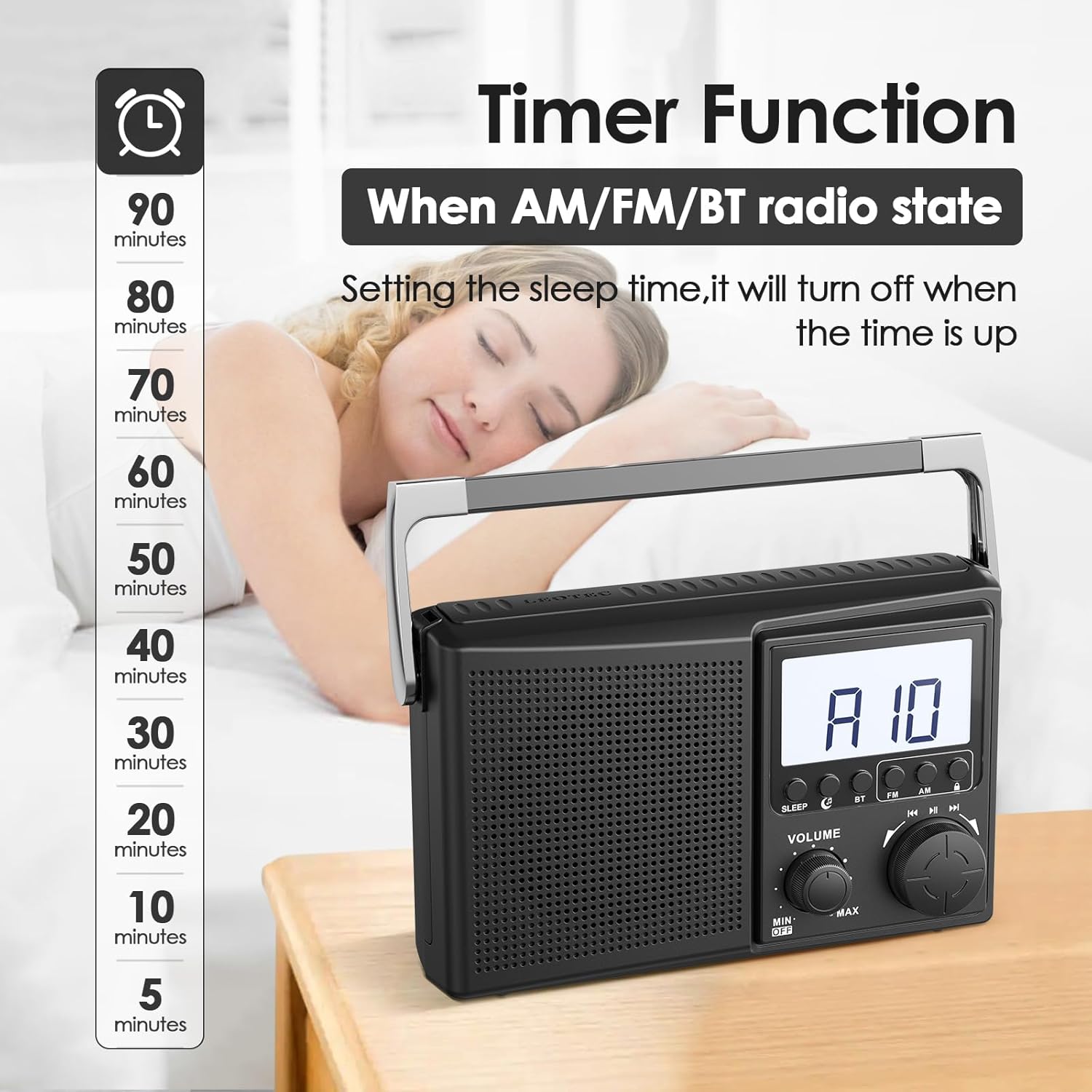
Figure 6: Setting the digital sleep timer for automatic power-off.
7. Uso delle cuffie
For private listening, plug any standard 3.5mm wired headphones into the headphone jack located on the side of the radio. The internal speaker will automatically mute when headphones are connected.

Figure 7: Using the 3.5mm headphone jack for private audio.
Manutenzione
- Pulire la radio con un panno morbido e asciutto. Non utilizzare detergenti liquidi o materiali abrasivi.
- Evitare di esporre la radio a temperature estreme, alla luce solare diretta o a elevata umidità.
- Se si utilizzano le batterie, rimuoverle se si prevede di non utilizzare la radio per un periodo prolungato, per evitare perdite.
Risoluzione dei problemi
| Problema | Possibile soluzione |
|---|---|
| Nessun potere | Controllare che il cavo di alimentazione CA sia collegato saldamente. Se si utilizzano batterie, assicurarsi che siano inserite correttamente e che non siano scariche. |
| Scarsa ricezione radio | Fully extend and adjust the telescopic antenna. Try repositioning the radio. For AM, rotate the unit for better signal. |
| Il Bluetooth non si connette | Ensure the radio is in Bluetooth pairing mode. Check that Bluetooth is enabled on your external device and it is within range. Forget previous pairings on your device and try again. |
| Nessun suono dalle cuffie | Ensure headphones are fully plugged into the 3.5mm jack. Check headphone functionality with another device. |
Specifiche
| Caratteristica | Dettaglio |
|---|---|
| Dimensioni del prodotto | 8.46 x 2.95 x 5.16 pollici (21.5 x 7.5 x 13.1 cm) |
| Peso dell'articolo | 1.58 libbre (0.72 kg) |
| Fonte di alimentazione | Corded Electric (AC 120V) or 4 AA Batteries (not included) |
| Bande radio supportate | AM/FM |
| Tecnologia di connettività | Bluetooth |
| Dispositivi compatibili | Headphones (3.5mm wired), Smartphones (via Bluetooth) |
| Numero di modello | LT-1808 |
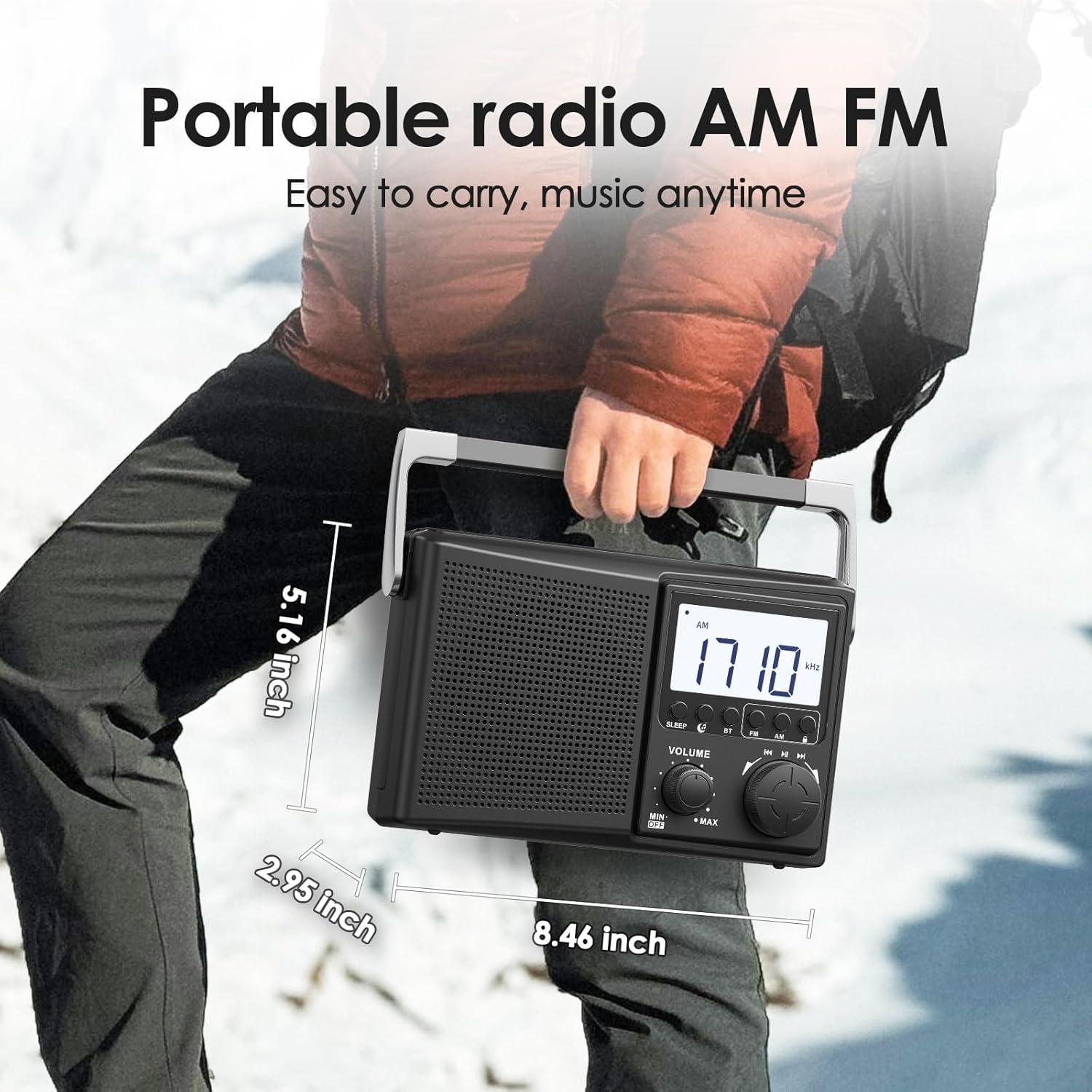
Figure 8: Physical dimensions of the LEOTEC LT-1808 radio.
Garanzia e supporto
For warranty information or technical support, please refer to the contact details provided with your product packaging or visit the official LEOTEC website. LEOTEC is committed to providing quality products and customer service.