
1. Prodotto finitoview
The ShanWan Q38 is a versatile wireless Bluetooth controller designed for a wide range of gaming platforms. It features advanced controls such as Hall Effect joysticks and micro-switch buttons for enhanced precision and responsiveness.

Immagine 1.1: Dall'alto verso il basso view of the ShanWan Q38 Wireless Bluetooth Controller, showcasingrazie al suo design compatto e alla disposizione dei pulsanti.
2. Contenuto della confezione
Si prega di assicurarsi che tutti gli articoli siano presenti nel pacco:
- ShanWan Q38 Wireless Bluetooth Controller
- Cavo di ricarica USB
- Manuale dell'utente (questo documento)
- 1 batteria AAA (preinstallata o inclusa separatamente)
3. Configurazione e connettività
3.1 Ricarica del controller
Before initial use, ensure the controller is sufficiently charged. Connect the provided USB charging cable to the controller's charging port and to a USB power source (e.g., computer, USB wall adapter). The LED indicator will show charging status.
3.2 Compatibilità
The ShanWan Q38 controller is compatible with the following platforms:
- Nintendo Switch / Switch 2 (firmware upgrade may be required for Switch 2)
- Ponte di vapore
- PC (finestre)
- Android devices (phones, tablets)
- iPhone
- iPad
- dispositivi macOS
- PS4 (as indicated by mode switch, specific compatibility may vary)

Image 3.1: The ShanWan Q38 controller demonstrating compatibility with multiple gaming platforms.
3.3 Connessione tramite Bluetooth
Per collegare il controller al tuo dispositivo:
- Accensione: Tieni premuto il pulsante Home sul controller finché le spie luminose non iniziano a lampeggiare.
- Seleziona modalità: Use the mode switch located on the top edge of the controller to select the appropriate mode for your device:
- X Mode: For Mobile & Computer (Android, PC, macOS, iOS).
- Modalità S: For Nintendo Switch.
- Modalità P: For PS4 (if compatible).
- Abbinamento: On your device, navigate to the Bluetooth settings and search for available devices. Select "ShanWan Q38" (or similar) from the list to pair.
- Conferma: Once successfully paired, the indicator light on the controller will become solid.
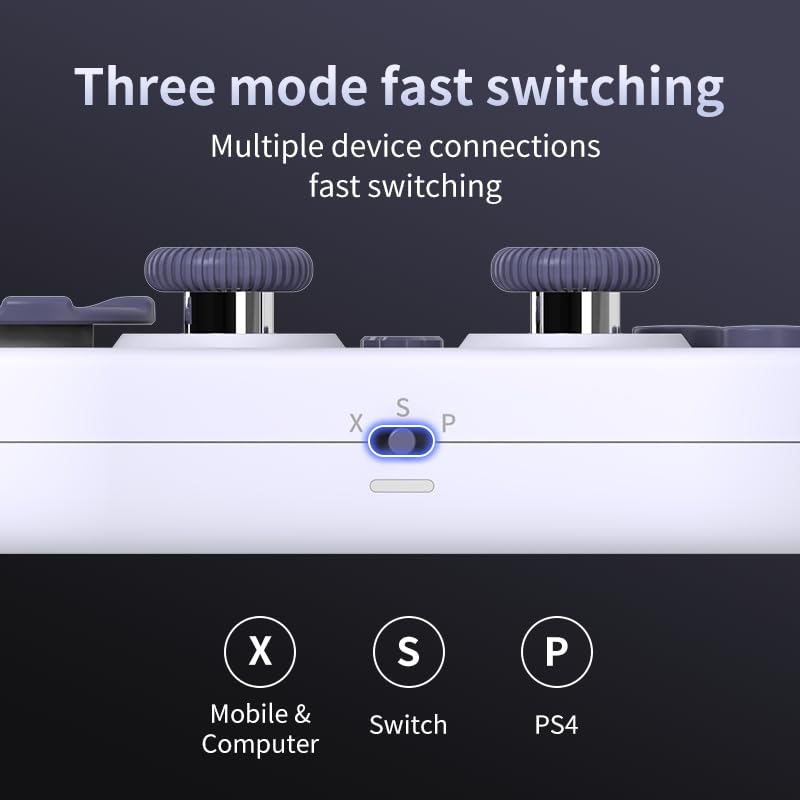
Image 3.2: Detail of the three-mode fast switching selector on the controller.
3.4 Customization and Calibration
For advanced customization, including button remapping and macro functions, download the official "gamepad space" application. This application also allows for controller calibration to ensure optimal performance.
4. Funzionamento del controller
4.1 Caratteristiche principali
- Joystick ad effetto Hall: Provides high precision and sensitivity. The joystick height is adjustable between 5mm and 8mm for personalized comfort.
- Composite Micro-Switch Buttons: These buttons offer a tactile response similar to mechanical keyboards, providing quick and precise input.
- Mechanical Triggers: Designed for fast response times.
- Dual Micro Motors: Provides dual vibration feedback for an immersive gaming experience.
- Somatosensory Gyroscope: Equipped with a 6-axis gyroscope for motion control in supported games.

Image 4.1: Detail of the adjustable Hall Effect joysticks.

Image 4.2: Close-up of the composite micro-switch action buttons.

Image 4.3: Diagram illustrating the internal components of the composite micro-keypad.
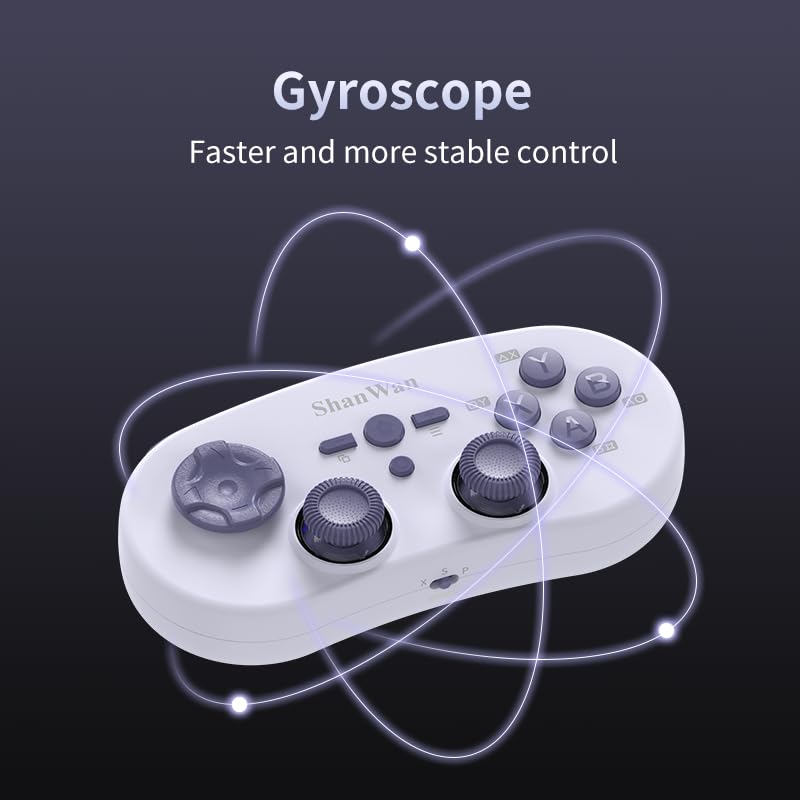
Image 4.4: Visual representation of the controller's gyroscope functionality.
4.2 Esperienza di gioco
The compact design allows for portability, making it suitable for gaming on the go with devices like the Nintendo Switch or smartphones.

Image 4.5: Controller in use with a Nintendo Switch.

Image 4.6: Controller paired with a smartphone for mobile gaming.
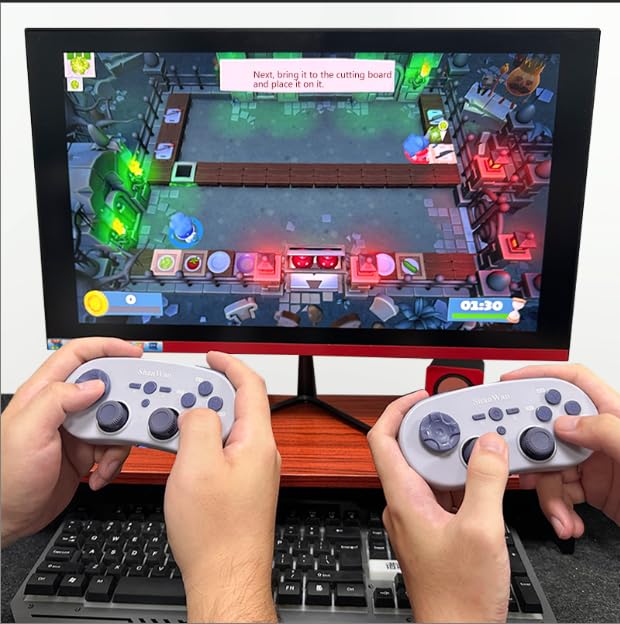
Image 4.7: Two controllers in use for multiplayer gaming on a PC.
5. Manutenzione
To ensure the longevity and optimal performance of your ShanWan Q38 controller, follow these maintenance guidelines:
- Pulizia: Utilizzare un panno morbido e asciutto per pulire il controller. Per lo sporco ostinato, un panno leggermenteamp È possibile utilizzare un panno, ma assicurarsi che non penetri umidità nel dispositivo. Evitare prodotti chimici aggressivi o detergenti abrasivi.
- Magazzinaggio: Conservare il controller in un luogo fresco e asciutto, lontano dalla luce solare diretta e da temperature estreme.
- Cura della batteria: If using replaceable AAA batteries, remove them if the controller will not be used for an extended period to prevent leakage.
- Evitare gocce: Proteggere il controller da urti e cadute, che potrebbero danneggiare i componenti interni.
6. Risoluzione Dei Problemi
If you encounter issues with your ShanWan Q38 controller, refer to the following common problems and solutions:
- Il controller non si accende:
- Ensure the battery is correctly inserted and has sufficient charge. Replace AAA batteries if necessary.
- Connect the controller to a power source using the USB cable to confirm if it charges.
- Difficoltà di connessione tramite Bluetooth:
- Ensure the controller is in the correct mode (X, S, or P) for your device.
- Disattiva e riattiva il Bluetooth del tuo dispositivo.
- Dimentica il dispositivo nelle impostazioni Bluetooth e prova a riassociarlo.
- Assicurati che il controller si trovi nel raggio d'azione effettivo del tuo dispositivo.
- Pulsanti o joystick non rispondono correttamente:
- Calibrate the controller using the "gamepad space" application.
- Controllare che non vi siano ostacoli fisici o detriti attorno ai pulsanti o ai joystick.
- Ensure the controller's firmware is up to date, especially for Switch 2 compatibility.
- Disconnessioni casuali:
- Assicurarsi che non vi siano forti interferenze wireless nelle vicinanze.
- Keep the controller close to the connected device.
- Re-pair the controller if disconnections are frequent.
7. Specifiche
| Caratteristica | Dettaglio |
|---|---|
| Numero di modello | Q38 |
| Produttore | ShanWan |
| Connettività | Bluetooth senza fili |
| Compatibilità | Switch/Switch 2, Steam Deck, PC, Android, iPhone, iPad, macOS, PS4 |
| Tipo di joystick | Hall Effect, Adjustable Height (5mm-8mm) |
| Tipo di pulsante | Composite Micro-Switch |
| Vibrazione | Dual Micro Motors |
| Controllo del movimento | Giroscopio ad asse 6 |
| Dimensioni del pacco | 5.63 x 4.53 x 1.54 pollici |
| Peso dell'articolo | 4.6 once |
| Batterie | È necessaria 1 batteria AAA (inclusa) |

Image 7.1: Physical dimensions of the ShanWan Q38 controller.
8. Garanzia e supporto
For warranty information and customer support, please refer to the official ShanWan webo contattare il rivenditore presso il quale è stato acquistato il prodotto. Conservare la prova d'acquisto per eventuali reclami in garanzia.