
1. Introduzione
Welcome to the TABWEE T80 Tablet user manual. This guide provides comprehensive instructions to help you get the most out of your new Android 15 tablet. The T80 is designed for a seamless and powerful user experience, featuring advanced AI capabilities, a vibrant display, and robust performance for both work and entertainment.
Caratteristiche principali:
- Sistema operativo Android 15: Experience the latest features and security enhancements.
- Gemini AI 2.0: Enhanced AI for smarter interactions and controls.
- Display IPS HD+ da 10.5 pollici: Enjoy clear and vibrant visuals with a wide viewangolo di ing.
- Prestazioni potenti: Equipped with a 2.0GHz CPU, 12GB RAM, and 64GB ROM (expandable up to 2TB via TF card).
- Batteria a lunga durata: 6000mAh mega battery for extended use.
- Connettività avanzata: Supports 5G WiFi and Bluetooth 5.0.
- 5MP Google Lens Camera: For clear photos and smart scene recognition.

Figure 1.1: The TABWEE T80 Tablet, showcasinil suo design elegante e il suo display.
2. Impostazione
2.1 Unboxing e carica iniziale
Carefully remove your TABWEE T80 Tablet from its packaging. Before first use, it is recommended to fully charge the device using the provided USB-C cable and power adapter. The charging port is located on the side of the tablet.
2.2 Accensione e configurazione iniziale
- Press and hold the Power button (located on the side) until the TABWEE logo appears on the screen.
- Segui le istruzioni sullo schermo per selezionare la lingua, connetterti a una rete Wi-Fi e configurare il tuo account Google.
- Review e accettare i termini e le condizioni per completare il processo di configurazione.

Figura 2.1: Un overview of the TABWEE T80's core specifications and features.
3. Utilizzo del tablet
3.1 Funzionalità di Android 15
Your TABWEE T80 runs on the latest Android 15, offering enhanced user experience, improved privacy, and smart features.
Split-Screen Combo
The split-screen feature allows you to run two applications simultaneously, enhancing multitasking and productivity. You can easily save app pairs for quick access.
Video 3.1: Demonstrates how to use the split-screen feature to run two applications concurrently on the TABWEE T80 tablet.
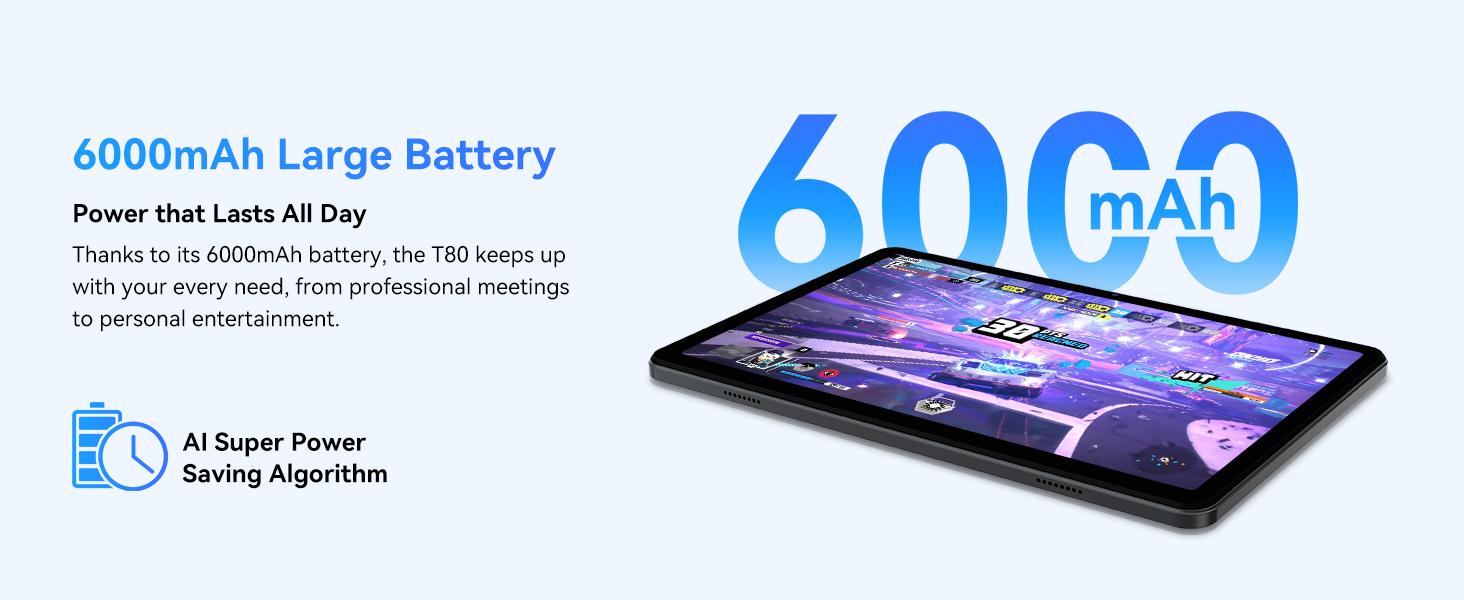
Figure 3.1: Visual representation of the split-screen functionality, allowing for efficient multitasking.
Desktop Customization and Widgets
Personalize your home screen by dragging and grouping apps freely. You can also add various widgets, such as the calendar, to quickly access information and tasks.
Video 3.2: Illustrates how to customize your desktop layout and add widgets for quick access to information.
Controllo della privacy
Android 15 offers enhanced privacy controls, allowing you to manage app permissions and secure your data. You can block app access to sensitive information like location.
Video 3.3: Shows how to manage privacy settings and control app access to your data on the TABWEE T80.
Parental Controls with Gemini AI
Utilize Gemini AI parental controls to manage screen time, automatically lock games during homework, and ensure a safe digital environment for children.
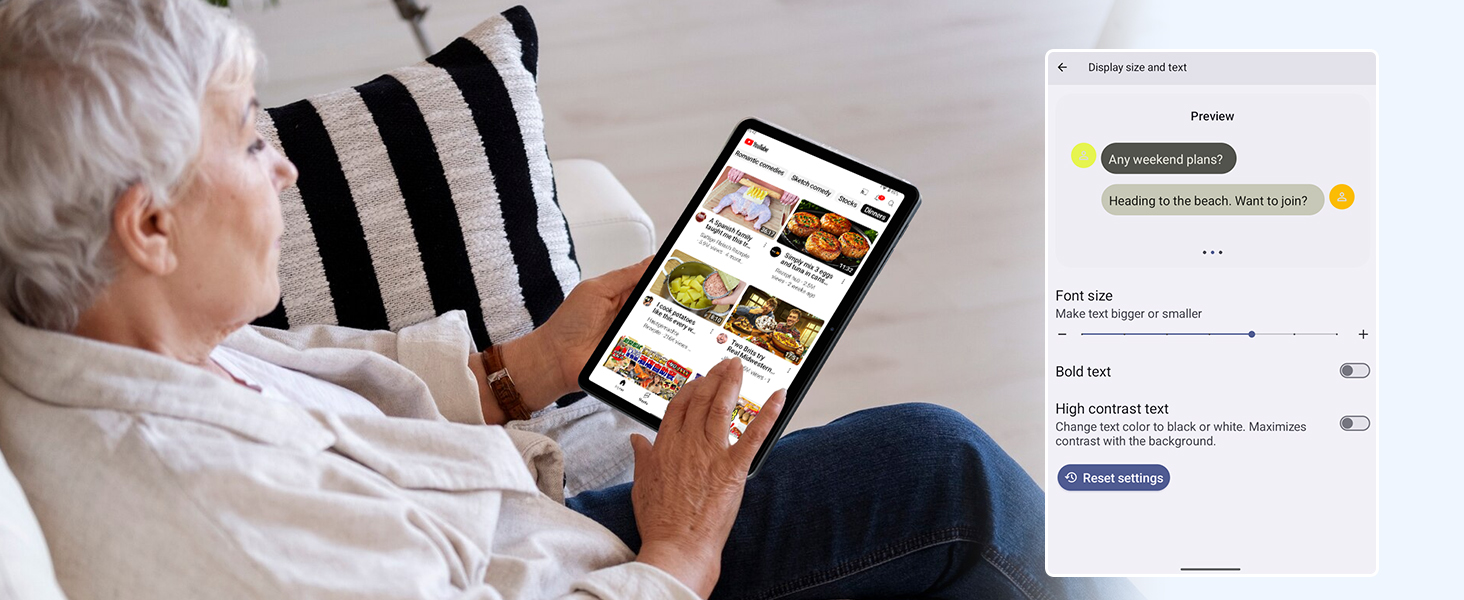
Figure 3.2: The Digital Wellbeing interface, demonstrating options for managing screen time and parental controls.
3.2 Visualizzazione e immagini
The 10.5-inch HD+ IPS display provides a clear and immersive viewing experience with a 1280x800 resolution and 84.9% screen-to-body ratio. It's ideal for watching videos, browsing, and reading.

Figure 3.3: Details of the tablet's display, highlighting its resolution and IPS full view capacità.
3.3 Prestazioni e archiviazione
Powered by a 2.0GHz Unisoc T310 CPU and 12GB RAM (expandable via software memory extension), the T80 ensures smooth multitasking and responsive performance. With 64GB of internal storage and support for up to 2TB TF cards, you have amplo spazio per tutti i tuoi files, app e media.

Figure 3.4: Illustration of the tablet's processing power and memory, enabling seamless multitasking and productivity.
3.4 Durata della batteria
The 6000mAh mega battery provides extended usage, offering up to 8 hours of video streaming, 6 hours of gaming, or 30 hours of music playback. Smart power-saving modes further optimize battery longevity.

Figure 3.5: Depiction of the tablet's large 6000mAh battery and its USB-C charging port.
3.5 Caratteristiche della fotocamera
The T80 features a 5MP Google Lens enabled camera. This allows for scene recognition, night mode optimization, and useful functions like text translation and object identification.

Figura 3.6: Un overview of the tablet's camera and its integration with Google Lens for smart functions.
4. Manutenzione
To ensure the longevity and optimal performance of your TABWEE T80 Tablet, follow these maintenance guidelines:
- Pulizia: Utilizzare un panno morbido e privo di lanugine per pulire lo schermo e il corpo. Evitare materiali abrasivi o prodotti chimici aggressivi.
- Aggiornamenti software: Controlla e installa regolarmente gli aggiornamenti di sistema per beneficiare delle funzionalità più recenti, delle patch di sicurezza e dei miglioramenti delle prestazioni.
- Cura della batteria: Evitare temperature estreme. Non lasciare che la batteria si scarichi completamente frequentemente. Per una conservazione a lungo termine, caricare la batteria a circa il 50%.
- Gestione della memoria: Cancellare periodicamente ciò che non è necessario filee app per liberare spazio di archiviazione e mantenere un funzionamento regolare.
- Protezione: Si consiglia di utilizzare una custodia protettiva e una pellicola protettiva per lo schermo per proteggerlo da cadute e graffi.
5. Risoluzione Dei Problemi
Questa sezione affronta i problemi più comuni che potresti riscontrare con il tuo tablet TABWEE T80.
5.1 Il dispositivo non si accende
- Controllare la batteria: Ensure the tablet has sufficient charge. Connect it to the charger and wait a few minutes before attempting to power on again.
- Ripristino completo: Tenere premuto il pulsante di accensione per circa 10-15 secondi finché il dispositivo non si riavvia.
5.2 Problemi di connettività Wi-Fi
- Attiva/disattiva Wi-Fi: Disattiva e riattiva il Wi-Fi nelle Impostazioni.
- Riavvia il router: Power cycle your Wi-Fi router.
- Dimentica la rete: Go to Wi-Fi settings, forget the problematic network, and then reconnect.
5.3 Prestazioni lente
- Chiudi le app in background: Chiudere le applicazioni non utilizzate in esecuzione in background.
- Cancella cache: Regularly clear app caches in Settings > Apps.
- Libera spazio di archiviazione: Elimina non necessario files or uninstall rarely used apps.
- Riavvia dispositivo: A simple restart can often resolve temporary slowdowns.
5.4 Le app si bloccano o non rispondono
- Forza l'arresto dell'app: Go to Settings > Apps, select the problematic app, and choose 'Force Stop'.
- Clear App Data/Cache: In the same app settings, try clearing its cache or data (note: clearing data will reset the app to its default state).
- Reinstalla app: Uninstall and then reinstall the app from the Google Play Store.
6. Specifiche
Specifiche tecniche dettagliate per il tablet TABWEE T80:
| Caratteristica | Specificazione |
|---|---|
| Marca | TABWEE |
| Nome del modello | T80 |
| Sistema operativo | Androide 15 |
| Dimensioni dello schermo | 10.5 pollici |
| Risoluzione dello schermo | 1280 x 800 pixel |
| Processore | 2.0 GHz Unisoc T310 |
| Memoria (RAM) | 12 GB |
| Memoria (ROM) | 64 GB |
| Archiviazione espandibile | Scheda TF fino a 2 TB |
| Posteriore WebRisoluzione della camma | 5 MP |
| Tipo senza fili | 802.11n, 802.11b, 802.11a, 802.11ac, 802.11g (5G WiFi) |
| Bluetooth | Bluetooth 5.0 |
| Capacità della batteria | 6000mAh |
| Durata media della batteria | 550 ore (standby) |
| Peso dell'articolo | 1.1 libbre (circa 523 grammi) |
| Dimensioni del prodotto | 9.5 x 6.4 x 0.3 pollici |
| Colore | Grigio |
7. Garanzia e supporto
TABWEE is committed to quality and customer satisfaction. Your T80 Tablet comes with comprehensive support to ensure a worry-free experience.
7.1 Informazioni sulla garanzia
The TABWEE T80 Tablet is backed by a Garanzia di 2 anno. This warranty covers manufacturing defects and ensures free repair service for eligible issues. Please retain your proof of purchase for warranty claims.
7.2 Assistenza clienti
For any questions, technical assistance, or warranty claims, please contact our dedicated support team:
- Assistenza telefonica online 24 ore su 24, 7 giorni su 7: Disponibile per assistenza immediata.
- Supporto tecnico a vita: Expert help whenever you need it.
- Hassle-Free Service: Assistance available through the TABWEE Official Flagship Store.
We are dedicated to providing prompt and effective solutions to all your inquiries.

Figure 7.1: Our dedicated customer support team is ready to assist you.