
Introduzione
This manual provides essential instructions for the safe and efficient use of your Philips TAT5000 True Wireless Bluetooth Earbuds. Please read this guide thoroughly before operating the device and retain it for future reference. These earbuds feature Adaptive Noise Canceling Pro, 6-mic call technology, and Bluetooth 5.4 multipoint connectivity, designed for a superior audio experience.
Cosa c'è nella scatola
- Philips TAT5000 True Wireless Earbuds (Left and Right)
- Custodia di ricarica
- Cavo di ricarica USB-C
- Punte auricolari (piccole, medie, grandi)
- Manuale d'uso

Image: Philips TAT5000 True Wireless Earbuds shown inside their open charging case, ready for use.
Impostare
1. Ricarica degli auricolari e della custodia
Before first use, fully charge the earbuds and charging case. Connect the USB-C charging cable to the charging port on the case and to a power source. The charging indicators on the case will show the charging status. A full charge provides up to 40 hours of total playtime (10 hours from earbuds + 30 hours from case with ANC off). A 15-minute quick charge provides approximately 3 hours of playtime.

Image: The Philips TAT5000 charging case, closed, displaying its USB-C charging port on the front.
2. Associazione con il tuo dispositivo
- Assicurarsi che gli auricolari siano carichi e inseriti nella custodia di ricarica.
- Aprire la custodia di ricarica. Gli auricolari entreranno automaticamente in modalità di associazione.
- Sul tuo dispositivo (smartphone, tablet, laptop), attiva il Bluetooth e cerca nuovi dispositivi.
- Select "Philips TAT5000" from the list of available devices to connect.
- For Android devices, Google Fast Pair allows for instant connection. For Windows devices, Microsoft Swift Pair offers quick pairing.
- The earbuds support Bluetooth 5.4 multipoint connectivity, allowing connection to two devices simultaneously.
3. Selezione dei gommini auricolari giusti
Choose the soft silicone eartips (S/M/L) that provide the most comfortable and secure fit for optimal sound quality and noise cancellation performance.
Istruzioni per l'uso
1. Accensione/spegnimento
- Accensione: Apri la custodia di ricarica e gli auricolari si accenderanno automaticamente.
- Spegni: Riponi gli auricolari nella custodia di ricarica e chiudi il coperchio. Si spegneranno automaticamente.
2. Music Playback (Touch Controls)
- Riproduci/Pausa: Tap the touch panel on either earbud once.
- Traccia successiva: Double-tap the touch panel on the right earbud.
- Traccia precedente: Double-tap the touch panel on the left earbud.
3. Call Management (Touch Controls)
- Rispondi/Termina chiamata: Tap the touch panel on either earbud once.
- Rifiuta chiamata: Tenere premuto il pannello touch su uno degli auricolari per 2 secondi.
4. Modalità di controllo del rumore
The earbuds feature Adaptive Noise Canceling Pro. Tap the touch panel (specific earbud/pattern may vary, refer to app for customization) to cycle through modes:
- Adaptive Noise Canceling (ANC): Riduce il rumore ambientale.
- Modalità di consapevolezza: Allows you to hear your surroundings.
- Quick Awareness: Amplifies voices for quick conversations without removing earbuds.
5. App per cuffie Philips
Scarica l'app Philips Headphones per usufruire di funzionalità aggiuntive, tra cui:
- Personalizzazione dei controlli touch.
- Adjusting Equalizer (EQ) settings.
- Managing ANC levels and modes.
- Ricezione degli aggiornamenti del firmware.
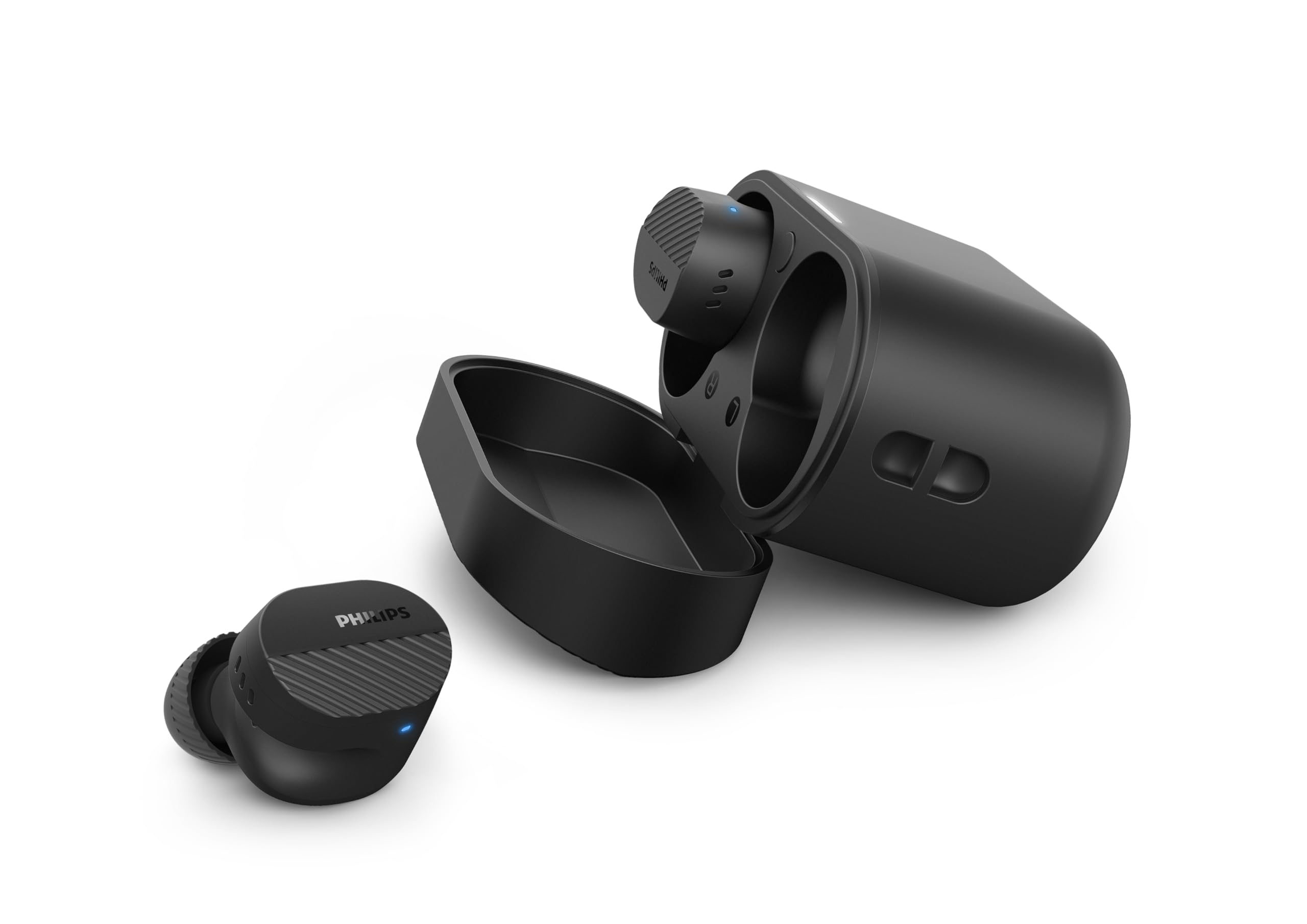
Image: A person holds the Philips TAT5000 earbuds in their charging case in one hand and a smartphone displaying the Philips Headphones app settings in the other, demonstrating app control.
Manutenzione
Pulizia
- Pulisci delicatamente gli auricolari e la custodia di ricarica con un panno morbido, asciutto e privo di lanugine.
- Rimuovere i gommini auricolari e pulirli con acqua e sapone neutro, quindi asciugarli accuratamente prima di riapplicarli.
- Non utilizzare detergenti abrasivi, alcol o solventi chimici.
Resistenza all'acqua
The earbuds are IPX5 water resistant, meaning they are protected against sweat and splashes of water. They are not designed for submersion in water. Ensure the charging port is dry before charging.
Magazzinaggio
Store the earbuds in their charging case when not in use to protect them and conserve battery life. Avoid extreme temperatures.
Risoluzione dei problemi
| Problema | Possibile causa | Soluzione |
|---|---|---|
| Gli auricolari non si accendono | Batteria scarica | Inserire gli auricolari nella custodia di ricarica e caricarli completamente. |
| Impossibile associare il dispositivo | Bluetooth off, earbuds not in pairing mode, or device too far | Ensure Bluetooth is enabled on your device. Open the charging case to activate pairing mode. Move device closer to earbuds. Try forgetting the device in Bluetooth settings and re-pairing. |
| Nessun suono o qualità del suono scadente | Incorrect eartip size, low volume, or connection issue | Adjust eartips for a secure fit. Increase volume on your device. Reconnect earbuds to your device. |
| L'ANC non funziona in modo efficace | Improper fit, or ANC mode not active | Ensure earbuds are properly seated in your ears with the correct eartip size. Verify ANC is enabled via touch controls or the Philips Headphones App. |
| La custodia di ricarica non si ricarica | Cavo o fonte di alimentazione difettosi | Try a different USB-C cable and power adapter. Ensure the charging port is clean and dry. |
If issues persist, refer to the Philips Headphones App for further assistance or contact customer support.
Specifiche
- Nome modello: Modello TAT5000BK/00
- Connettività: Bluetooth 5.4
- Driver audio: 8mm Graphene-Coated Dynamic Driver
- Durata della batteria: Up to 40 Hours Total (10 hours earbuds + 30 hours case, ANC off)
- Ricarica rapida: 15 minuti per 3 ore di riproduzione
- Resistenza all'acqua: IPX5 (resistente al sudore e agli schizzi)
- Metodo di controllo: Tocco
- Controllo del rumore: Adaptive Noise Canceling Pro
- Peso: Approximately 4.16 ounces (earbuds and case)
- Componenti inclusi: Auricolari, custodia di ricarica, cavo USB-C, gommini auricolari, manuale utente
Garanzia e supporto
Your Philips TAT5000 True Wireless Bluetooth Earbuds are covered by a limited warranty. Please refer to the warranty card included in your product packaging or visit the official Philips websito per termini e condizioni di garanzia dettagliati specifici per la tua regione.
For technical support, product registration, or frequently asked questions, please visit the Philips support website or contact Philips customer service directly. Contact information can typically be found on the Philips websito o nella documentazione del prodotto.