
Introduzione
The Metz MPE7300Z is a 24-inch portable smart television designed for versatility and high-quality viewing. It features a built-in battery, 12V car charging capability, and an anti-glare LED FHD display, making it suitable for various environments including campers, trains, boats, and outdoor activities. This manual provides essential information for setting up, operating, maintaining, and troubleshooting your device.
Key features of the Metz MPE7300Z include:
- Portabilità: Equipped with a carrying handle and internal battery for mobile use.
- Schermo antiriflesso: Provides clear, reflection-free viewanche alla luce diretta del sole.
- Design premiato: Recognized for its elegant and functional design.
- Utilizzo versatile: Adaptable for office, home, and outdoor settings.
- Immagini superiori: Offers high-quality images with HDMI and USB connectivity.
- Batteria a lunga durata: Up to 3 hours of autonomy on a single charge, with 12V car charging support.
- Ottimale Viewdistanza: Raccomandato viewing distance between 0.8 and 1.5 meters for a 24-inch screen.
Contenuto della confezione
Before proceeding with the setup, please ensure all components are present in the box:
- Metz MPE7300Z Portable TV
- Telecomando
- 2 batterie AAA (per il telecomando)
- Manuale dell'utente (questo documento)
- Adattatore di alimentazione (12V, 5A)
- Cavo di alimentazione (lunghezza 1.5 m)

Impostare
1. Accensione iniziale e ricarica
For the first use, the TV must be connected to a power source to turn on, even if it has an internal battery. Use the provided power adapter to connect the TV to a standard electrical outlet. For portable use, the TV supports 12V car charging. The internal battery provides up to 3 hours of viewtempo.
2. Impostazione del telecomando
Inserire le due batterie AAA (incluse) nel telecomando, assicurandosi della corretta polarità.
3. Collegamento dell'antenna
Connect your antenna cable to the appropriate antenna input port on the TV for receiving broadcast channels (DVB-T/T2, DVB-C, DVB-S/S2).
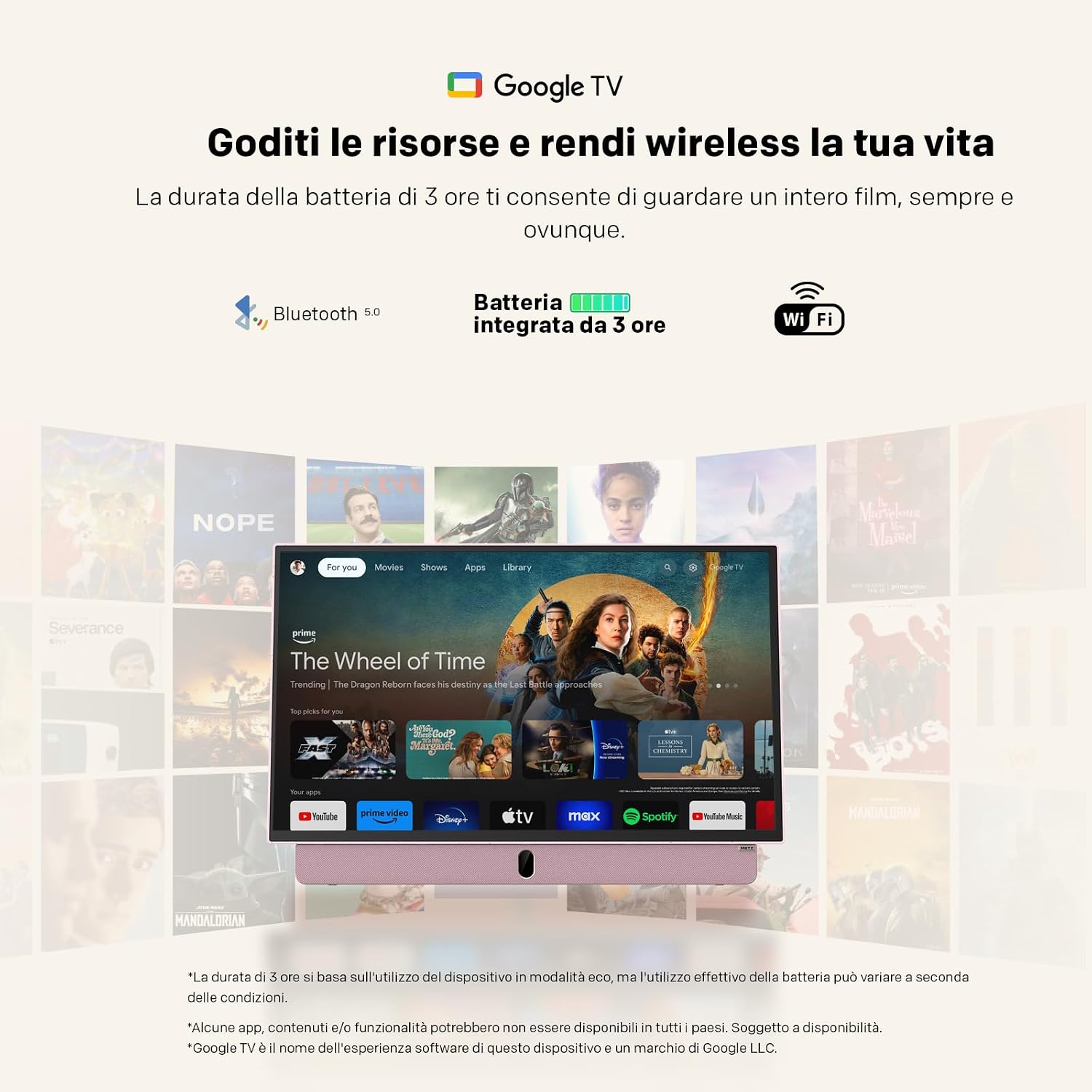
4. Network and Google TV Setup
Upon first power-on, the TV will guide you through the initial setup process for Google TV. This requires an internet connection (Wi-Fi 5 or LAN) and a Google account. Follow the on-screen instructions to connect to your Wi-Fi network and log in to your Google account. This step is mandatory for full functionality, including accessing smart features and apps.
Istruzioni per l'uso
Funzionamento di base
- Accensione/spegnimento: Press the power button on the remote control or the TV. Initial power-on requires a connected power source.
- Controllo del volume: Utilizzare i pulsanti volume su/giù sul telecomando.
- Navigazione nel canale: Use the number buttons or the program up/down buttons on the remote to change channels.
- Selezione della fonte: Press the "Source" button on the remote to switch between inputs (HDMI, USB, TV, etc.).
Connettività
- HDMI: Connect external devices like gaming consoles, Blu-ray players, or laptops using an HDMI cable.
- USB: Inserire le unità USB in view photos, play videos, or listen to music. The USB port provides 5V/500mA.
- Bluetooth: Pair Bluetooth-enabled devices such as headphones or speakers for wireless audio.
- Wi-Fi 5 / LAN: Connect to your network for internet access, streaming services, and Google TV features.
Funzionalità di Google TV
Navigate the Google TV interface using the remote control's directional pad and select button. Access a wide range of streaming applications, live TV, and personalized content recommendations. A stable internet connection is required for optimal performance of smart features.

Manutenzione
Pulizia del televisore
Per pulire lo schermo, strofinarlo delicatamente con un panno morbido e privo di lanugine. Per macchie ostinate, strofinare leggermenteampPulire il panno con acqua o una soluzione detergente per schermi. Evitare l'uso di prodotti chimici aggressivi o materiali abrasivi. Per il corpo del televisore, utilizzare un panno asciutto e morbido.
Cura della batteria
- Per prolungare la durata della batteria, evitare di scaricarla completamente frequentemente.
- Quando non si utilizza il televisore per lunghi periodi, conservarlo in un luogo fresco e asciutto.
- Se si prevede di non utilizzarla per un lungo periodo, caricare la batteria a circa il 50% prima di riporla.
Risoluzione dei problemi
- TV does not turn on: Ensure the TV is connected to a power source for the initial power-on. Check if the power adapter is securely connected to both the TV and the electrical outlet. If using battery, ensure it is charged.
- No picture/sound: Verify that the correct input source is selected (e.g., HDMI 1, TV). Check all cable connections. For broadcast TV, ensure the antenna is properly connected and positioned.
- Problemi di connessione Wi-Fi: The TV may not remember Wi-Fi settings after a power cycle, requiring manual reconnection to your hotspot each time. Ensure your Wi-Fi network is active and within range. Try restarting your router.
- Telecomando non funzionante: Controllare e sostituire le batterie del telecomando. Assicurarsi che non vi siano ostacoli tra il telecomando e il sensore IR del televisore.
- Prestazioni lente: Ensure your internet connection is stable. Close any unused applications running in the background on Google TV.
- Adhesives on screen: If you encounter stubborn screen adhesives, gently warm them with a hairdryer on a low setting before peeling. Clean any residue with a soft cloth and screen cleaner.
Specifiche
| Caratteristica | Specificazione |
|---|---|
| Marca | Metz |
| Modello | MPE7300Z |
| Dimensioni dello schermo | 24 pollici |
| Tecnologia di visualizzazione | GUIDATO |
| Risoluzione | 1080p (FHD) |
| Frequenza di aggiornamento | Frequenza 60 Hz |
| Caratteristica speciale | Portable, Anti-glare, Google TV |
| Tecnologia di connettività | HDMI, USB, Bluetooth, Wi-Fi 5 |
| Dimensioni del prodotto (P x L x A) | 8P x 55l x 37H cm (circa 8 x 55 x 37 cm) |
| Porte HDMI totali | 1 |
| Batteria | 1 Lithium Ion battery (included), up to 3 hours autonomy |
| Anno del modello | 2025 |
| Codifica video | HEVC Principale 10 |
Informazioni sulla garanzia
The Metz MPE7300Z Portable Smart TV comes with a Garanzia del produttore di 2 anni. Please retain your proof of purchase for warranty claims. For detailed terms and conditions, refer to the official Metz websito o contattare l'assistenza clienti.
Supporto
For further assistance, please refer to the digital user manual available on the product page or visit the official Metz support website. You can also contact Metz customer service for technical support or service inquiries.
Manuale utente ufficiale (PDF): Manuale Scarica il PDF
Metz Store on Amazon: Visit Metz Store
Video correlati
August DA383 10-inch Portable TV Overview
Questo video fornisce un overview of the August DA383 10-inch Portable TV, demonstrating its features such as DVD playback and multimedia storage options. While not the Metz MPE7300Z, it illustrates general portable TV functionalities that may be similar.