
DUSONLAP E6
DUSONLAP E6 Open Ear Earbuds
Manuale d'uso
1. Introduzione
Thank you for choosing the DUSONLAP E6 Open Ear Earbuds. These earbuds are designed to provide a comfortable listening experience while allowing you to stay aware of your surroundings. Featuring Bluetooth 5.4 for stable connectivity and a 14mm large driver unit for rich sound, they are ideal for various activities including music listening, cycling, calling, running, and exercising. The built-in ENC microphone technology ensures clear calls by isolating your voice from background noise.
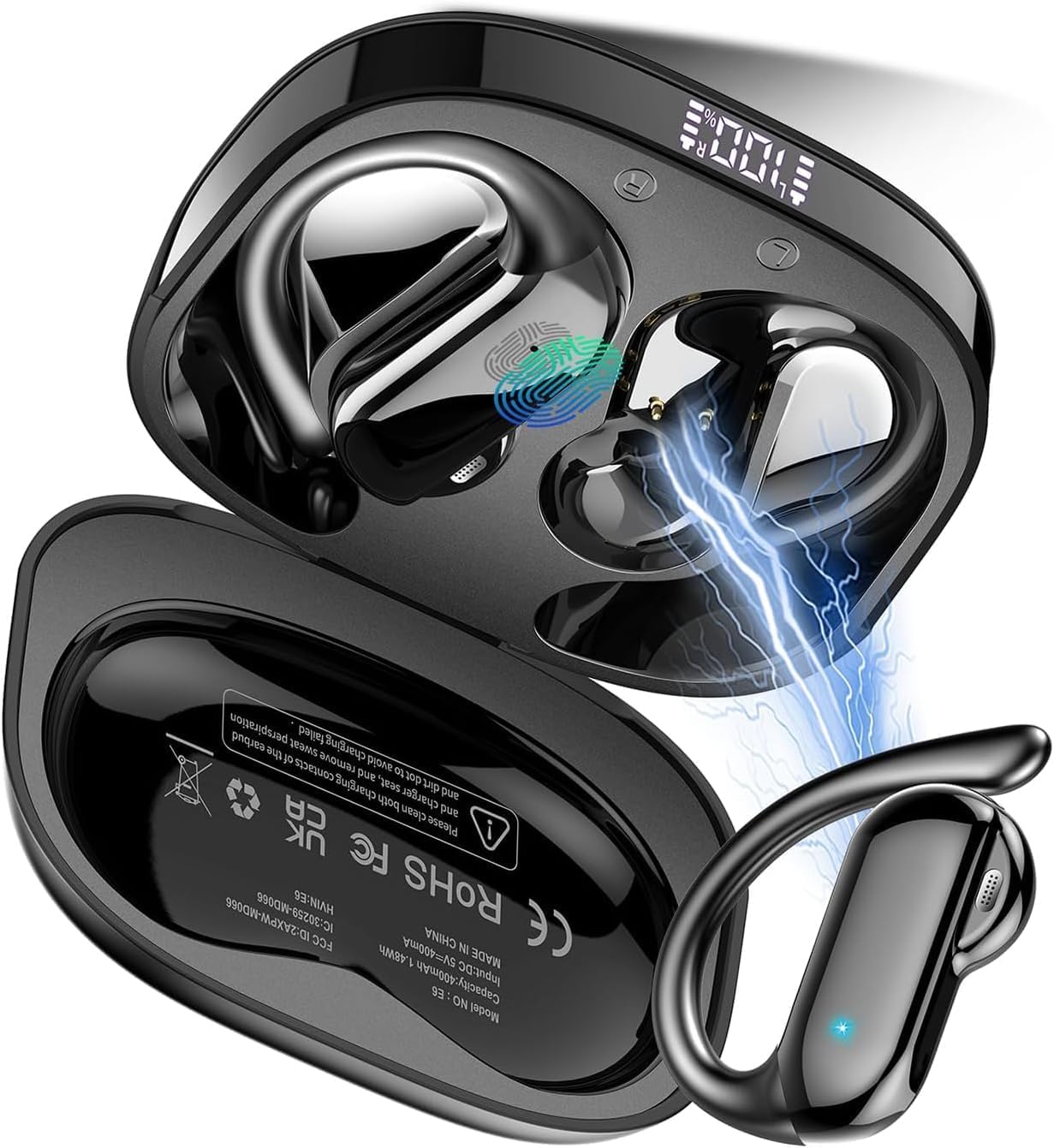
Image: The DUSONLAP E6 Open Ear Earbuds, showcasing their design and the compact charging case.
2. Contenuto della confezione
Si prega di controllare il pacco per assicurarsi che siano presenti tutti gli articoli:
- Cuffie aperte x2 (sinistra e destra)
- Custodia di ricarica rapida x1
- Cavo di ricarica rapida USB-C x1
- Manuale utente x1

Image: A visual representation of the DUSONLAP E6 package contents, including the earbuds, charging case, USB-C cable, and user manual.
3. Impostazione
3.1 Carica iniziale
Before first use, fully charge the earbuds and the charging case. Connect the provided USB-C cable to the charging port on the case and a power source. The LED indicator on the case will show charging status.
3.2 Associazione con il dispositivo
- Assicurati che gli auricolari siano nella custodia di ricarica e che la custodia sia alimentata.
- Aprire la custodia di ricarica. Gli auricolari entreranno automaticamente in modalità di associazione.
- Sul tuo dispositivo (smartphone, tablet, laptop), vai alle impostazioni Bluetooth e attiva il Bluetooth.
- Cercare available devices and select "DUSONLAP E6" from the list.
- Una volta connessi, gli auricolari indicheranno l'avvenuto abbinamento (ad esempio, tramite un messaggio vocale o un cambiamento del LED).
Se il Bluetooth è abilitato sul dispositivo, gli auricolari si riconnetteranno automaticamente all'ultimo dispositivo associato quando vengono rimossi dalla custodia.
4. Istruzioni per l'uso
4.1 Indossare gli auricolari
Per una vestibilità comoda e sicura, segui questi passaggi:
- Basta rimuovere le cuffie dalla custodia di ricarica.
- Per una vestibilità perfetta, appendi le cuffie all'orecchio.
- Ruotare gli auricolari e farli scorrere dietro l'orecchio.
- Regolare il gancio auricolare, indossarlo e tirarlo verso il basso per una vestibilità sicura.

Image: A visual guide demonstrating the four steps to correctly wear the DUSONLAP E6 Open Ear Earbuds for optimal comfort and stability.
4.2 Comandi touch
The DUSONLAP E6 earbuds feature intuitive touch controls. The touch sensitive area is located on the outer surface of each earbud.
| Azione | Controllare |
|---|---|
| Volume + | Tocca 1 volte (auricolare destro) |
| Volume - | Tocca 1 volte (auricolare sinistro) |
| Riproduci / Pausa | Tocca 2x (uno dei due auricolari) |
| Assistente vocale | Tocca 3x (uno dei due auricolari) |
| Traccia successiva | Press and hold 2S (Right Earbud) |
| Traccia precedente | Press and hold 2S (Left Earbud) |
| Riaggancia/Rifiuta chiamata | Press and hold 2S (Either Earbud) |
| Rispondi alla chiamata | Tocca 2x (uno dei due auricolari) |

Image: A detailed diagram illustrating the various smart touch control gestures for the DUSONLAP E6 earbuds, including volume, playback, calls, and voice assistant.
5. Manutenzione
5.1 Pulizia
Regularly clean your earbuds and charging case with a soft, dry, lint-free cloth. Do not use harsh chemicals or abrasive materials. Avoid getting moisture into any openings.
5.2 Resistenza all'acqua
The earbuds are rated IPX7 waterproof, meaning they are resistant to rain and sweat, making them suitable for intense workouts and outdoor activities. However, they are not designed for swimming or prolonged submersion in water. Ensure the charging port is dry before charging.

Image: The DUSONLAP E6 earbuds shown with water splashes, illustrating their IPX7 water resistance for protection against sweat and rain.
5.3 Conservazione
Quando non li usi, riponi gli auricolari nella loro custodia di ricarica per proteggerli e mantenerli carichi. Conservali in un luogo fresco e asciutto, lontano da temperature estreme.
6. Risoluzione Dei Problemi
| Problema | Possibile soluzione |
|---|---|
| Gli auricolari non si accoppiano | Ensure earbuds are charged. Turn off and on Bluetooth on your device. Forget "DUSONLAP E6" in your device's Bluetooth settings and re-pair. |
| Nessun suono da un auricolare | Place both earbuds back in the case, close the lid, then open again. Check if both earbuds are charged. |
| Basso volume | Aumenta il volume sia sugli auricolari (tramite controllo touch) sia sul dispositivo connesso. |
| La custodia di ricarica non si ricarica | Controlla il cavo USB-C e l'alimentatore. Assicurati che il cavo sia collegato saldamente. |
| Gli auricolari si disconnettono frequentemente | Assicurati di trovarti entro un raggio di 15 metri dal segnale Bluetooth. Evita ostacoli tra gli auricolari e il dispositivo. |
7. Specifiche
| Caratteristica | Dettaglio |
|---|---|
| Nome del modello | E6 |
| Tecnologia di connettività | Senza fili (Bluetooth 5.4) |
| Portata Bluetooth | 15 metri |
| Tipo di controllo | Controllo touch |
| Livello di resistenza all'acqua | IPX7 impermeabile |
| Durata della batteria (carica singola) | 8 ore |
| Tempo di riproduzione totale (con custodia di ricarica) | Fino a 32 ore |
| Peso dell'articolo | 4.2 once |
| Produttore | DUSOLP |

Image: An illustration highlighting the battery life of the DUSONLAP E6 earbuds, showing 8 hours on a single charge and up to 32 hours with the charging case.
8. Garanzia e supporto
DUSONLAP provides a two-year warranty for the E6 Open Ear Earbuds. For any product inquiries, technical support, or warranty claims, please contact DUSONLAP customer service. We offer 24-hour customer service to assist you.
Please refer to the contact information provided on the product packaging or the official DUSONLAP websito per i canali di supporto più aggiornati.
Ask a question about this manual
Ask about setup, troubleshooting, compatibility, parts, safety, or missing instructions. Manuals+ will review the question and use this page’s manual context to help answer it.