
Introduzione
This manual provides detailed instructions for the installation, operation, and maintenance of your Multi-Language DS-KV6113-WPE1 IP Doorbell. Please read this manual thoroughly before using the device to ensure proper functionality and safety.
Prodotto finitoview
The DS-KV6113-WPE1 IP Doorbell is a multi-language, WiFi-enabled video intercom system designed for enhanced home security and communication. It features a waterproof design, IC card unlock capability, and supports direct calls to HIK-CONNECT without an indoor monitor.

Image: The DS-KV6113-WPE1 IP Doorbell unit shown with six yellow IC card key fobs. The doorbell unit is black and silver, enclosed in a clear protective rain cover.
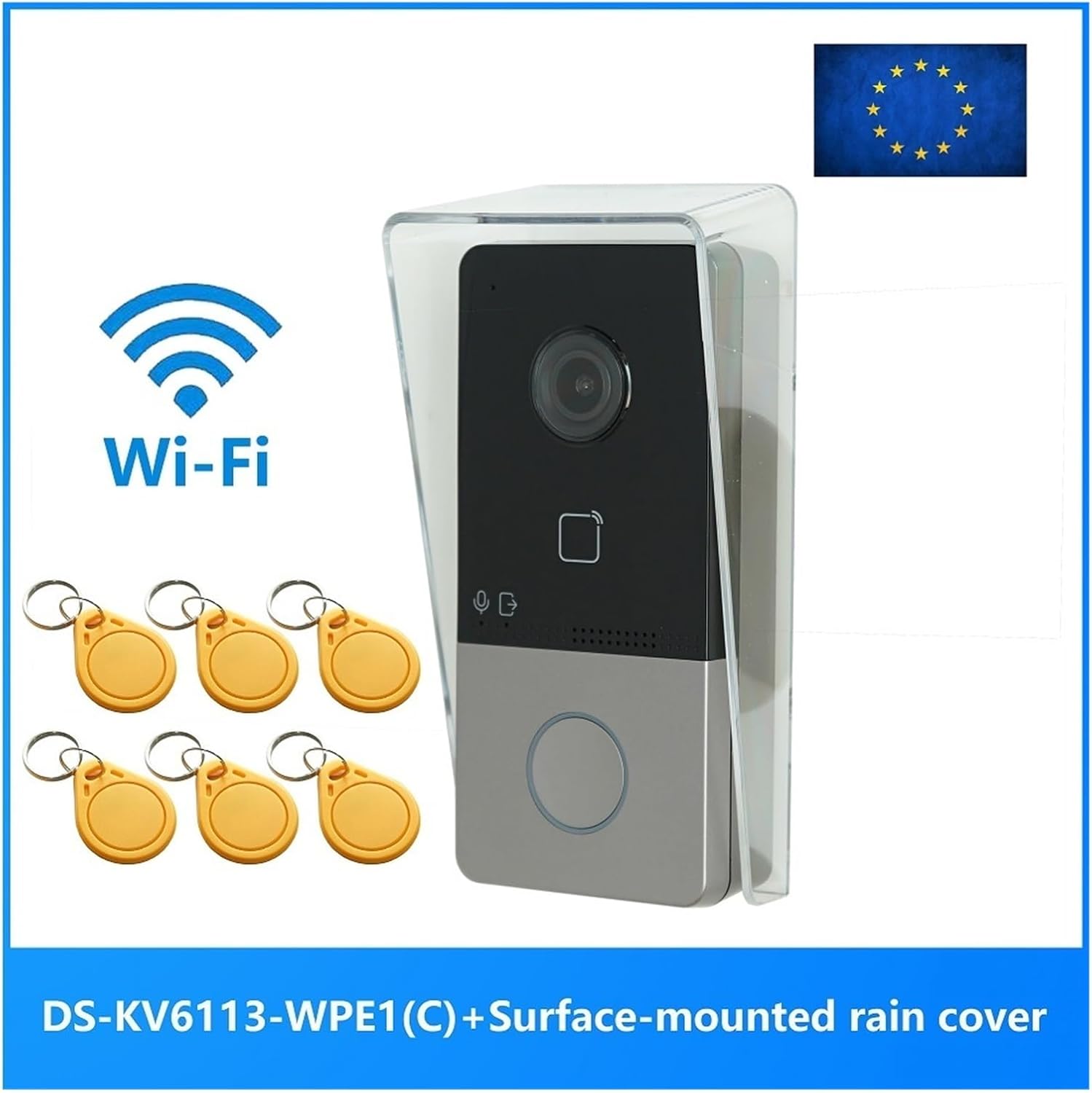
Image: The DS-KV6113-WPE1 IP Doorbell unit with a prominent Wi-Fi logo and the text "DS-KV6113-WPE1 (C) + Surface-mounted rain cover" indicating its features and included accessories. An EU flag is visible in the top right corner.
Contenuto della confezione
Verificare che tutti gli articoli siano presenti nel pacco:
- DS-KV6113-WPE1 IP Doorbell Unit
- Surface-mounted rain cover
- IC Card Key Fobs (quantity may vary)
- Viti e ancoraggi di montaggio
- Guida rapida (se applicabile)
Specifiche
| Categoria | Parametro | Valore |
|---|---|---|
| Parametri di sistema | Sistema operativo | Linux incorporato |
| ROM | 32 MB | |
| Memoria RAM | 256 MB | |
| processore | Embedded MCU Processor | |
| Parametri video | Resolution (Main Stream) | 1920 × 1080p, 720p |
| Resolution (Sub Stream) | Dimensioni: 704 × 576 | |
| Campo visivo | Orizzontale: 131°, Verticale: 78° | |
| WDR | Vero WDR | |
| Luce supplementare | IR supplement | |
| Compressione video | H.264 | |
| Parametri audio | Compressione audio | G.711 U |
| Ingresso audio | Microfono omnidirezionale integrato | |
| Uscita audio | Altoparlante incorporato | |
| Qualità audio | Soppressione del rumore e cancellazione dell'eco | |
| Capacità | Capacità dell'utente | 2000 |
| Capacità della carta | 10000 | |
| Parametri di rete | Protocollo di comunicazione | TCP/IP, RTSP |
| Rete cablata | Ethernet 10/100 Mbps | |
| Specifiche fisiche | Dimensioni (circa) | 149.78 mm (H) x 79.56 mm (L) x 48.63 mm (P) |
| Grado di impermeabilità | SÌ |

Immagine: Lato view of the DS-KV6113-WPE1 IP Doorbell with its clear rain cover, showing approximate dimensions: 149.78mm in height and 79.56mm in width.

Immagine: Frontale view of the DS-KV6113-WPE1 IP Doorbell, highlighting the camera lens, IC card reader area, microphone, speaker, and call button.

Image: Angled side profile of the DS-KV6113-WPE1 IP Doorbell, showing the depth of the unit and the clear protective cover.
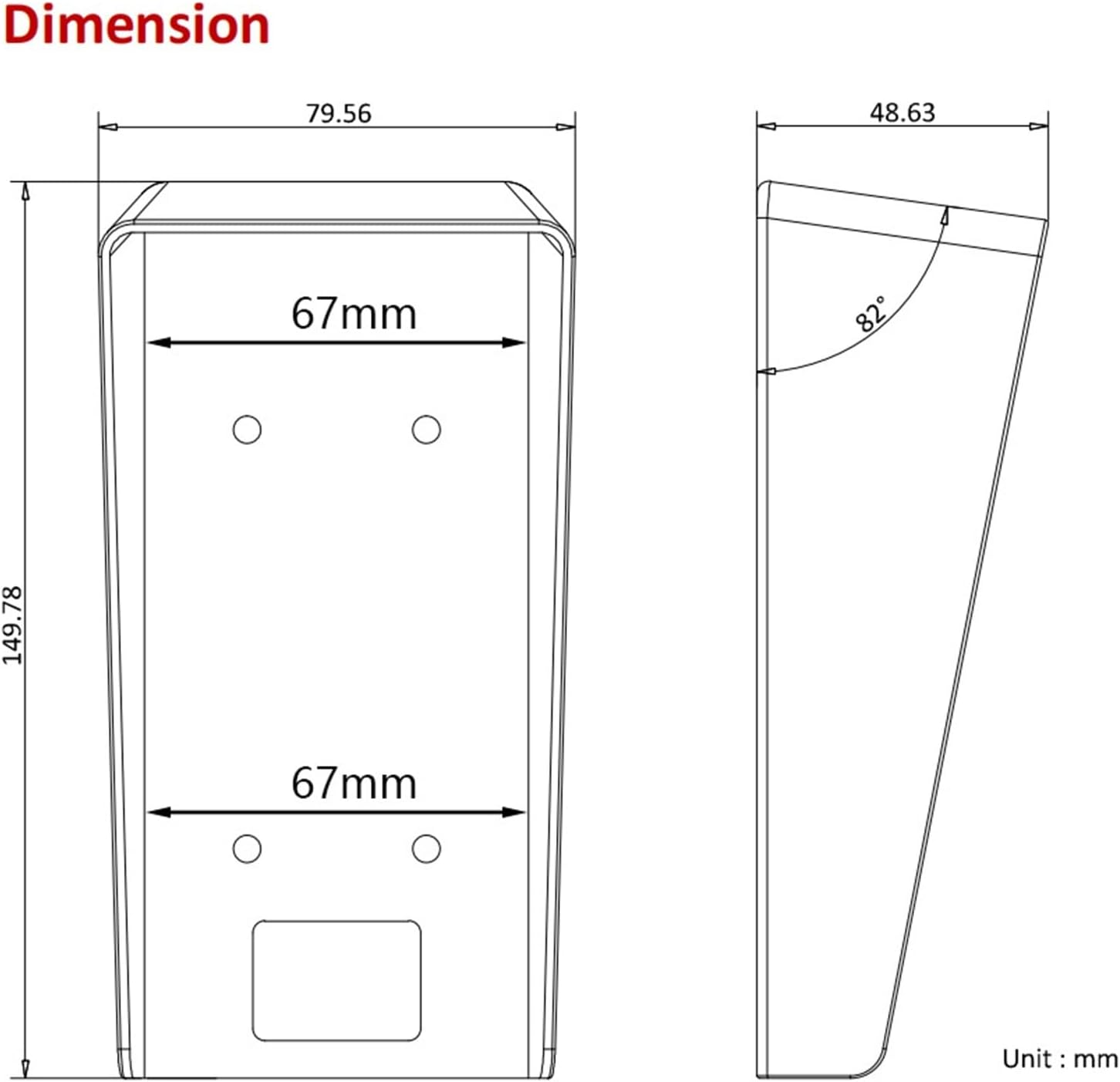
Image: Technical diagram showing the top and side dimensions of the DS-KV6113-WPE1 IP Doorbell unit, including measurements like 79.56mm width, 149.78mm height, and a 82° angle for the rain cover.

Immagine: Posteriore view of the DS-KV6113-WPE1 IP Doorbell, displaying the various ports (power, RS485, alarm in, lock, LAN) and overall dimensions of 138mm height, 65mm width, and 27mm depth for the main body.
Configurazione e installazione
1. Selezione del sito
Choose a suitable location for installation, typically near the main entrance. Ensure the area is protected from direct heavy rain and extreme temperatures, although the unit is waterproof.
2. Montaggio dell'unità
- Mark the drilling points on the wall using the mounting template (if provided) or by holding the rain cover in place.
- Praticare i fori e inserire i tasselli nel muro.
- Secure the surface-mounted rain cover to the wall using the provided screws.
- Carefully insert the DS-KV6113-WPE1 doorbell unit into the rain cover, ensuring it clicks securely into place.
3. Collegamenti elettrici
Connect the necessary cables to the ports on the rear of the unit:
- Energia: Connect to a suitable power supply. This unit supports PoE (Power over Ethernet) if connected to a compatible PoE switch.
- LAN: Connect an Ethernet cable for wired network connectivity.
- Serratura: Connect to an electronic door lock for remote unlock functionality.
- Ingresso allarme: Connect to external alarm sensors if desired.
- RS485: For advanced communication with other devices (if applicable).
4. Configurazione di rete (WiFi)
For WiFi connectivity:
- Accendere il dispositivo.
- Access the device's configuration interface via a connected PC or mobile app.
- Navigate to the network settings and select your WiFi network.
- Enter the WiFi password and save the settings.
Istruzioni per l'uso
1. Effettuare una chiamata
To initiate a call, a visitor presses the call button on the doorbell unit. The call will be routed to your configured indoor monitor or the HIK-CONNECT mobile application.
2. Rispondere a una chiamata
Quando si riceve una chiamata:
- Sul monitor interno: Tap the answer button to establish two-way audio and video communication.
- On HIK-CONNECT App: Accept the incoming call notification to view il feed live e comunicare con il visitatore.
3. Sbloccare la porta
During an active call, you can unlock the connected door remotely:
- On Indoor Monitor/App: Locate and tap the unlock icon. Confirm the action if prompted.
4. Sblocco della carta IC
To unlock the door using an IC card:
- Ensure IC cards are registered with the doorbell system. Refer to the system's administration guide for card registration procedures.
- Present a registered IC card to the card reader area on the doorbell unit.
- The door will unlock momentarily upon successful card recognition.
5. Impostazioni della lingua
Il dispositivo supporta più lingue. Per cambiare la lingua:
- Access the device's settings menu (via indoor monitor or app).
- Navigate to "System Settings" or "Language".
- Select your preferred language from the available options (English, French, Portuguese, Spanish, Russian, German, Italian, Polish, Arabic, Turkish, Vietnamese, Hungarian, Dutch, Romanian, Czech, Bulgarian, Ukrainian, Croatian, Serbian, Greek, Slovenian, Portuguese (Brazil), Estonian, Finnish, Hebrew, Lithuanian, Latvian, Mongolian, Norwegian, Slovak, Danish, Traditional Chinese, Uzbek, Kazakh).
Manutenzione
- Pulizia: Regularly wipe the camera lens and front panel with a soft, damp panno. Evitare detergenti abrasivi o solventi.
- Aggiornamenti del firmware: Periodically check for official firmware updates to ensure optimal performance and security. Updates can typically be performed via the HIK-CONNECT app or web interfaccia.
- Protezione ambientale: While waterproof, avoid prolonged exposure to extreme weather conditions or direct high-pressure water jets.
Risoluzione dei problemi
Nessuna alimentazione / Dispositivo non acceso
- Controllare tutti i collegamenti di alimentazione.
- Ensure the power adapter or PoE switch is functioning correctly.
No Video / Poor Video Quality
- Verify network connectivity (wired or WiFi).
- Pulisci l'obiettivo della fotocamera.
- Check network bandwidth and signal strength for WiFi.
Nessun audio / scarsa qualità audio
- Assicurarsi che il microfono e l'altoparlante non siano ostruiti.
- Check audio settings in the device configuration.
- Verificare la stabilità della rete.
IC Card Not Unlocking Door
- Ensure the IC card is properly registered with the system.
- Verify the card is being presented correctly to the reader.
- Check the connection to the electronic door lock.
Impossibile connettersi al Wi-Fi
- Controlla attentamente la password del Wi-Fi.
- Ensure the doorbell is within range of your WiFi router.
- Restart the doorbell unit and your WiFi router.
Informazioni sulla garanzia
Questo prodotto viene fornito con un Garanzia di 3 mesi dalla data di acquisto. La presente garanzia copre difetti di fabbricazione e malfunzionamenti in condizioni di normale utilizzo. Non copre danni causati da uso improprio, incidenti, modifiche non autorizzate o installazione impropria.
For warranty claims, please contact your retailer or the manufacturer with your proof of purchase.
Assistenza clienti
For further assistance or technical support, please refer to the official website of the manufacturer or contact their customer service department. Keep your product model number (DS-KV6113-WPE1) and purchase details ready when seeking support.