
SKYZONE M5F
Manuale utente del monitor FPV SKYZONE M5F da 5 pollici con DVR
Model: M5F | Brand: SKYZONE
1. Introduzione
Thank you for choosing the SKYZONE M5F 5-inch FPV Monitor with DVR. This manual provides essential information for the proper setup, operation, and maintenance of your device. Please read this manual thoroughly before using the monitor to ensure safe and optimal performance.
Precauzioni di sicurezza
- Always read the entire manual to familiarize yourself with the product before operation.
- Avoid operating the monitor in humid or wet environments.
- The monitor cannot record video input from the AV port.
- Audio output and video input cannot function simultaneously.
2. Contenuto della confezione
Verifica che tutti gli articoli elencati di seguito siano inclusi nel tuo pacchetto:
- 1 x SKYZONE M5F 5-inch FPV Monitor with DVR
- 2 x Antenne
- 1 cavo di ricarica USB
- 1 x Manuale utente
3. Prodotto finitoview
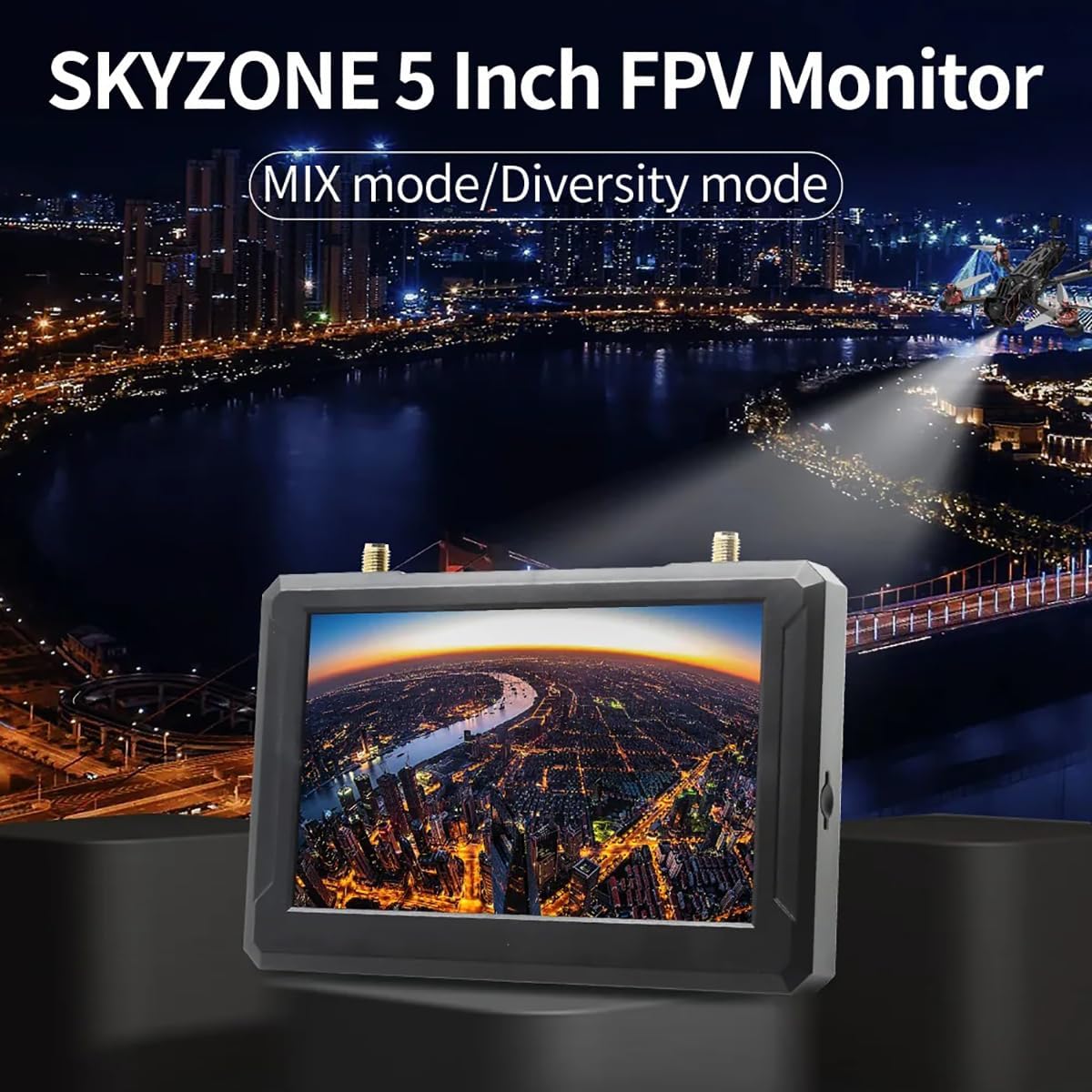
The SKYZONE M5F is a high-brightness 5-inch FPV monitor featuring a built-in DVR and a 5.8GHz 48-channel receiver. It supports advanced signal reception modes for enhanced video stability.
Schema dei componenti

Caratteristiche principali
- Built-in Steadyview Ricevitore: Features two reception modes:
- Diversity Mode: The receiver compares two RSSI signals and selects the strongest output. Rapid signal changes may cause image tearing or rolling.
- MIX Mode: Two signals are processed through complex circuits and algorithms, fusing them into a single, more stable and clear image.
- Molteplici opzioni di alimentazione: Supports 2-6S LiPo batteries, USB-C power supply, or an 18650 Li-ion battery.
4. Impostazione
4.1 Collegamento delle antenne
Carefully screw the two provided antennas onto the ANT1 and ANT2 connectors located on the top of the monitor. Ensure they are finger-tight to establish a secure connection.
4.2 Alimentazione del monitor
The SKYZONE M5F monitor offers flexible power options:
- 18650 Li-ion Battery: Insert a fully charged 18650 Li-ion battery into the battery bay on the back of the monitor, observing correct polarity.
- 2-6S LiPo Input: Connect a 2-6S LiPo battery to the DCIN port using the appropriate cable.
- Alimentatore USB-C: Connect a USB-C cable to the Type-C port and a compatible USB power source (e.g., a power bank or wall adapter).

4.3 Inserimento della scheda SD
For DVR recording functionality, insert a C10 high-speed TF (microSD) card into the SD card slot on the side of the monitor. Ensure the card is inserted correctly until it clicks into place.
5. Funzionamento
5.1 Accensione/spegnimento
Press and hold the power switch button located on the side of the monitor to turn the device on or off.
5.2 Ricerca canali
The monitor features an automatic channel search function for convenience.
- To initiate an auto search, press the designated button (refer to the diagram in Section 3).
- Use the shuttle wheel to fine-tune frequency selection if needed after the auto search.

5.3 Navigazione nel menu
Navigate through the monitor's settings and options using the MENU button and the shuttle wheel. The shuttle wheel provides fast and accurate control for selecting items and adjusting values.
5.4 Registrazione DVR
To record your FPV feed, ensure a high-speed TF card is inserted. Press the REC button to start and stop recording. Recorded videos are saved in AVI format.
5.5 AV Input/Output
The monitor includes an AV interface for external audio and video input or audio output. Note that video input from the AV port cannot be recorded, and audio output and video input cannot be used simultaneously.
6. Specifiche
| Caratteristica | Specificazione |
|---|---|
| Dimensioni dello schermo | 5 pollici |
| Risoluzione | 800 x 480 pixel |
| Luminosità | 500 cd/m² |
| Rapporto di visualizzazione | 16:9 |
| Frequenza | 5.8 GHz |
| Numero di canali | 40 canale |
| Video File Formato | AVI |
| Alimentazione elettrica | DC5V/2A, supports DV5-23V wide voltage |
| Ricerca automatica dei canali | SÌ |
| Snow Screen Function | SÌ |
| Slot per scheda | Supports C10 high-speed TF card |
| Interfaccia AV | External audio/video input or audio output |
| Battery Life (Built-in) | Approx. 2.5 hours (DVR on), Approx. 3.5 hours (DVR off) |
| Connettori dell'antenna | 2 x RP-SMA male hole |
| Dimensioni | 146 x 80 x 13 mm (5.75 x 3.15 x 0.51 pollici) |
| Peso | 159g (5.6 oz) (excluding antennas) |
| Nome del modello | SKYZONE M5F |
| Tecnologia di connettività | 5.8GHz |
| Risoluzione di acquisizione video | 800x480 |
| Peso dell'articolo | 165 grammi (5.8 once) |
| Dimensioni del prodotto | 5.3 cm L x 0.6 cm P x 3.5 cm A |
7. Risoluzione Dei Problemi
This section addresses common issues you might encounter with your SKYZONE M5F monitor.
- Nessun potere: Ensure the battery is charged and correctly inserted, or that the external power supply is connected and functioning. Check the power switch.
- Nessun segnale video: Verify that antennas are securely attached. Perform an auto channel search. Ensure your FPV transmitter is powered on and transmitting on a compatible frequency. Check for obstructions between the transmitter and receiver.
- Poor Video Quality (Tearing/Rolling): This may occur in Diversity Mode with rapidly changing signals. Try switching to MIX Mode for a more stable image. Ensure antennas are positioned optimally.
- Il DVR non registra: Confirm a C10 high-speed TF card is inserted correctly and has sufficient free space. Ensure the card is formatted correctly (FAT32 recommended).
- AV Input/Output Issues: Remember that video input from the AV port cannot be recorded, and audio output and video input cannot be used simultaneously. Ensure correct cables are used for AV connections.
8. Manutenzione
To ensure the longevity and optimal performance of your SKYZONE M5F monitor, follow these maintenance guidelines:
- Pulizia: Use a soft, dry cloth to clean the monitor's screen and casing. Evitare detergenti abrasivi o solventi.
- Magazzinaggio: Store the monitor in a cool, dry place away from direct sunlight and extreme temperatures. Remove batteries if storing for extended periods.
- antenne: Handle antennas with care to prevent damage to the connectors.
9. Garanzia e supporto
No specific warranty information is provided in the product details. For technical support or service inquiries, please contact your retailer or the manufacturer, SKYZONE.
Ask a question about this manual
Ask about setup, troubleshooting, compatibility, parts, safety, or missing instructions. Manuals+ will review the question and use this page’s manual context to help answer it.