
DUSONLAP SU8
Manuale utente degli auricolari per dormire DUSONLAP SU8
Model: SU8 | Brand: DUSONLAP
1. Prodotto finitoview
The DUSONLAP SU8 Sleep Earbuds are designed for comfort and extended use, especially for side sleepers. Featuring Bluetooth 5.4 connectivity, these lightweight earbuds provide clear audio and calls, with a long-lasting battery life.
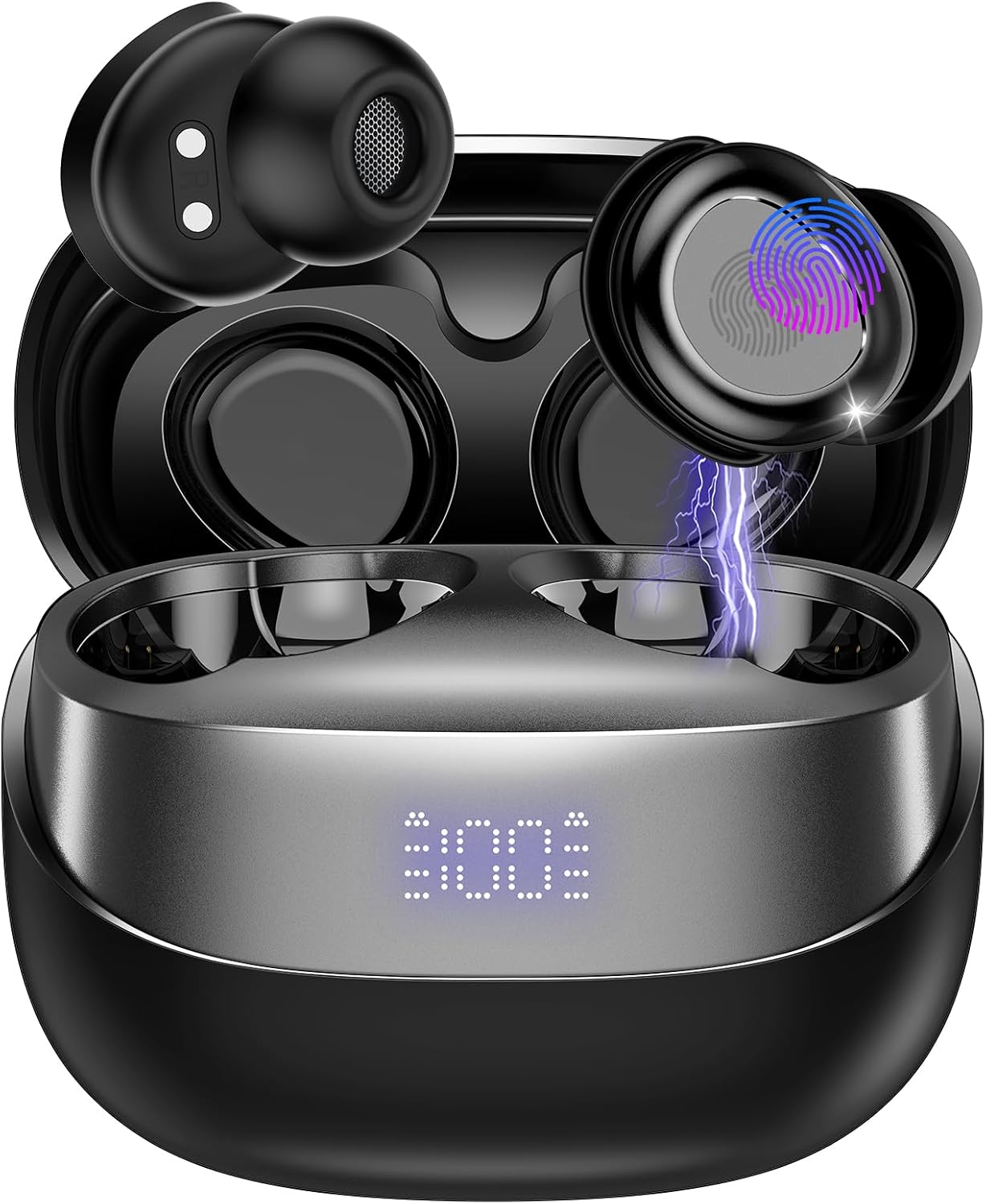
Image: DUSONLAP SU8 Sleep Earbuds in their charging case, showcasingrazie al loro design compatto ed elegante.
Caratteristiche principali:
- Bluetooth 5.4: Garantisce una connessione wireless stabile ed efficiente.
- Design ultraleggero: Each earbud weighs approximately 3.0 grams for maximum comfort during sleep.
- Tempo di riproduzione esteso: Up to 47 hours total playtime with the charging case, offering 5-7 hours of listening time per charge.
- 24dB Noise Blocking: Helps reduce ambient noise for a more peaceful experience.
- Cancella chiamate: Equipped for clear voice communication.
- Controlli touch intuitivi: Easy management of music, calls, and sleep mode.
- Ricarica rapida USB-C: Convenient and quick recharging of the case.
2. Cosa c'è nella scatola
Upon opening your DUSONLAP SU8 Sleep Earbuds package, you will find the following items:

Image: An illustration showing the DUSONLAP SU8 Sleep Earbuds, charging case, USB-C cable, and user manual, representing the package contents.
- DUSONLAP SU8 Sleep Earbuds (x2)
- SU8 Charging Case (x1)
- Cavo di ricarica USB-C (x1)
- Guida per l'utente (x1)
3. Guida all'installazione
3.1 Carica iniziale
Before first use, fully charge the earbuds and the charging case. Connect the provided USB-C cable to the charging case and a power source. The LED digital display on the case will indicate the charging status.

Image: The DUSONLAP SU8 charging case with earbuds inside, displaying the battery percentage on its LED screen, indicating charging status.
- Custodia di ricarica: Il display mostra la percentuale della batteriatage.
- Earbuds: Indicators on the earbuds will show charging status when placed in the case.
3.2 Indossare gli auricolari
For optimal sound quality and comfort, especially for sleep, ensure the earbuds are properly fitted.

Image: A three-step diagram illustrating how to properly wear the SU8 Sleep Earbuds: 1) Choose appropriate ear caps, 2) Place ear cap downwards and insert into ear canal, 3) Twist to lock into place.
- Choose the appropriate ear caps for a snug fit.
- Place the earbud with the ear cap pointing downwards.
- Gently insert the earbud into your ear canal and twist to lock it into place.
3.3 Associazione Bluetooth
The SU8 earbuds feature one-step pairing for quick connection to your device.

Image: The DUSONLAP SU8 Sleep Earbuds and their open charging case next to a smartphone displaying its Bluetooth settings, showing 'SU8 Connected audio' for pairing.
- Aprire il coperchio della custodia di ricarica. Gli auricolari entreranno automaticamente in modalità di associazione.
- Sul tuo dispositivo (smartphone, tablet, laptop), attiva il Bluetooth.
- Cercare "SU8" in the list of available devices and select it to connect.
- Una volta effettuata la connessione, sentirai un tono di conferma e gli auricolari saranno pronti per l'uso.
4. Istruzioni per l'uso
4.1 Comandi touch
The SU8 earbuds are equipped with touch-sensitive areas for easy control of various functions.

Image: A close-up of the DUSONLAP SU8 Sleep Earbuds, highlighting the touch control area with a fingerprint icon and indicating various functions like calls, music, volume, and sleep mode.
| Azione | Funzione |
|---|---|
| Tocca x1 | Riproduci/Pausa musica |
| Tocca x2 | Rispondi/riaggancia la chiamata |
| Tocca x3 | Attiva l'Assistente Vocale |
| Tocca x4 | Toggle Sleep Mode (No shutdown, no low battery beep) |
| Pressione prolungata (2 secondi) | Reject Call / Adjust Volume (Left for volume down, Right for volume up) |
4.2 Modalità di sospensione
The SU8 earbuds feature a dedicated sleep mode designed for uninterrupted rest.

Image: A person sleeping peacefully on a pillow, wearing the DUSONLAP SU8 Sleep Earbuds, illustrating the product's use for sleep.
- Activate Sleep Mode by tapping the earbud 4 times.
- In Sleep Mode, the earbuds will not automatically power off and will suppress low battery beeps, ensuring continuous audio without disturbances.
5. Manutenzione
Proper maintenance ensures the longevity and optimal performance of your DUSONLAP SU8 Sleep Earbuds.
5.1 Pulizia
- Pulisci delicatamente gli auricolari e la custodia di ricarica con un panno morbido, asciutto e privo di lanugine.
- For earwax or debris in the ear tips, carefully remove the ear caps and clean them with a small, soft brush or cotton swab. Ensure they are completely dry before reattaching.
- Non utilizzare detergenti abrasivi, alcol o solventi chimici.
5.2 Conservazione
- Quando non li usi, riponi sempre gli auricolari nella loro custodia di ricarica per proteggerli e mantenerli carichi.
- Conservare in un luogo fresco e asciutto, lontano dalla luce solare diretta e dalle temperature estreme.
6. Risoluzione Dei Problemi
If you encounter issues with your SU8 Sleep Earbuds, refer to the following common solutions:
6.1 Gli auricolari non si associano/connettono
- Assicurati che entrambi gli auricolari siano carichi.
- Riposizionare gli auricolari nella custodia di ricarica, chiudere il coperchio, attendere qualche secondo, quindi riaprirlo per riavviare la modalità di associazione.
- Disattiva e attiva il Bluetooth sul tuo dispositivo.
- Forget "SU8" from your device's Bluetooth list and attempt to pair again.
- Assicurati che il tuo dispositivo si trovi nel raggio d'azione del Bluetooth (in genere 10 metri/33 piedi).
6.2 Nessun suono o volume basso
- Controlla il livello del volume sia sul dispositivo che sugli auricolari.
- Assicurati che gli auricolari siano posizionati correttamente nelle orecchie.
- Pulisci eventuali detriti dalla rete degli auricolari.
- Ricollega gli auricolari al tuo dispositivo.
6.3 Problemi di addebito
- Verificare che il cavo USB-C sia collegato saldamente sia alla custodia sia alla fonte di alimentazione.
- Prova un cavo USB-C e un adattatore di alimentazione diversi.
- Assicurarsi che i contatti di ricarica sugli auricolari e all'interno della custodia siano puliti e privi di detriti.
7. Specifiche
| Caratteristica | Dettaglio |
|---|---|
| Numero di modello | SU8 |
| Versione Bluetooth | 5.4 |
| Peso degli auricolari | Circa 3.0 g per auricolare |
| Tempo di gioco totale | Fino a 47 ore (con custodia di ricarica) |
| Tempo di ascolto (carica singola) | 5-7 ore |
| Noise Blocking | 24 dB |
| Porta di ricarica | USB-C |
| ASIN | B0F3862NN3 |
| Produttore | DUSOLP |
8. Garanzia e supporto
For information regarding product warranty, returns, or technical support, please refer to the official DUSONLAP website or contact their customer service directly. The user guide included in your package may also contain specific warranty details.
Visit the DUSONLAP Store: DUSONLAP Official Store
Ask a question about this manual
Ask about setup, troubleshooting, compatibility, parts, safety, or missing instructions. Manuals+ will review the question and use this page’s manual context to help answer it.