
NIMO NIMO N154G
NIMO 15.6 FHD-Laptop User Manual
Model: NIMO N154G
Introduzione
Thank you for choosing the NIMO 15.6 FHD-Laptop. This powerful and versatile laptop is designed to enhance your productivity and entertainment experience. Featuring an Intel Core i3-1215U processor, 16GB RAM, and a 1TB SSD, it delivers fast and efficient performance for all your tasks. This manual provides essential information on setting up, operating, maintaining, and troubleshooting your new laptop.

Image: The NIMO 15.6 FHD-Laptop, showcasing its sleek design and key features like Full HD display, 16GB RAM, 1TB SSD, Type-C PD Charger, Fingerprint reader, and Backlit keyboard.
Cosa c'è nella scatola
Si prega di controllare il contenuto del pacco per assicurarsi che siano presenti tutti gli articoli:
- 1 x Nimo N154 Laptop
- 1 x Type-C 65W PD Fast Charger
- 1 x Manuale utente
- Windows 11 Home (preinstallato)
Impostare
Accensione iniziale e ricarica
- Unpack your NIMO laptop and the Type-C 65W PD Fast Charger.
- Connect the Type-C charger to the laptop's Type-C charging port and plug the adapter into a power outlet.
- Lasciare caricare il laptop per almeno 30 minuti prima del primo utilizzo o finché l'indicatore della batteria non mostra una carica sufficiente.
- Press the power button located on the top right side of the keyboard to turn on the laptop.
Installazione di Windows 11
Follow the on-screen instructions to complete the initial Windows 11 setup. This typically includes:
- Selezione della regione e del layout della tastiera.
- Connessione a una rete Wi-Fi.
- Accettazione del contratto di licenza.
- Creazione o accesso con un account Microsoft.
- Setting up a PIN or password for login.
- Configurazione delle impostazioni sulla privacy.
Utilizzo del tuo laptop
Display e immagini
The NIMO laptop features a stunning 15.6-inch Full HD (1920x1080) display with an 85% screen-to-body ratio and razor-thin bezels, providing vibrant colors and sharp details for an immersive viewesperienza di acquisizione.

Image: The NIMO laptop screen displaying a vibrant image, highlighting its Full HD (1920x1080) resolution, IPS technology, bright view, and eye protection features.
Prestazione
Equipped with an Intel Core i3-1215U processor, 16GB DDR4 RAM, and a 1TB SSD, your NIMO laptop delivers powerful performance for multitasking, productivity, and entertainment. The 12th Gen Intel Core i3-1215U processor offers 6 cores and 8 threads, with a turbo boost up to 3.7 GHz, ensuring smooth and responsive operation.

Immagine: Un dettaglio view of the 12th Gen Intel Core i3-1215U Processor, illustrating its 6 cores, 8 threads, 15W power consumption, and 3.7 GHz Turbo Boost frequency, with a performance improvement indicator.
Tastiera e input
The laptop features a backlit keyboard for comfortable typing in various lighting conditions, a responsive touchpad, and a numeric keypad for efficient data entry. The integrated fingerprint reader provides seamless and secure login.
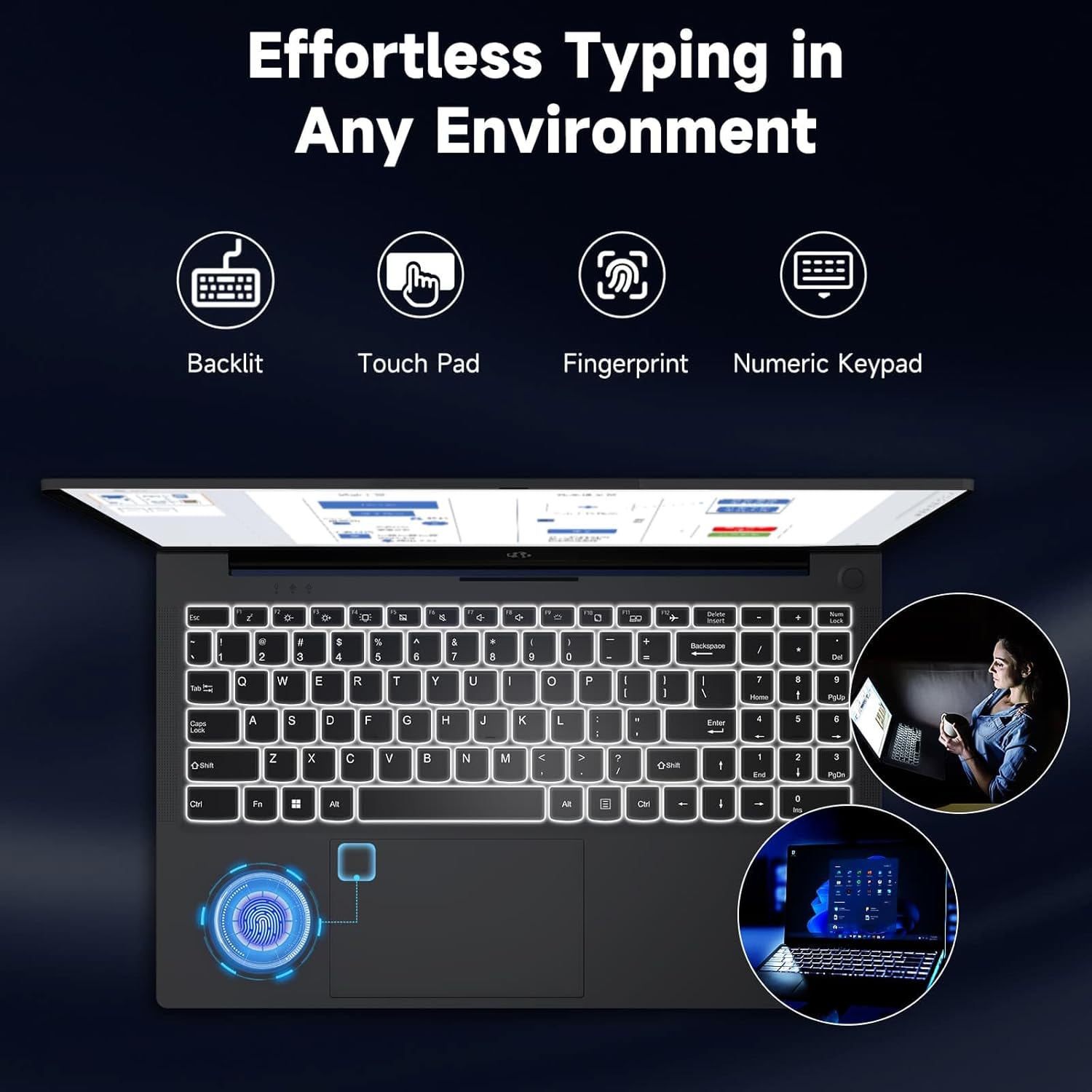
Image: The NIMO laptop keyboard, highlighting its backlit keys, touchpad, fingerprint sensor, and numeric keypad for effortless typing in any environment.
Sicurezza e privacy
Unlock your laptop with ease and speed using the integrated fingerprint scanner. For privacy, the 2.0MP webcam includes a physical privacy switch, allowing you to control when your camera is active.
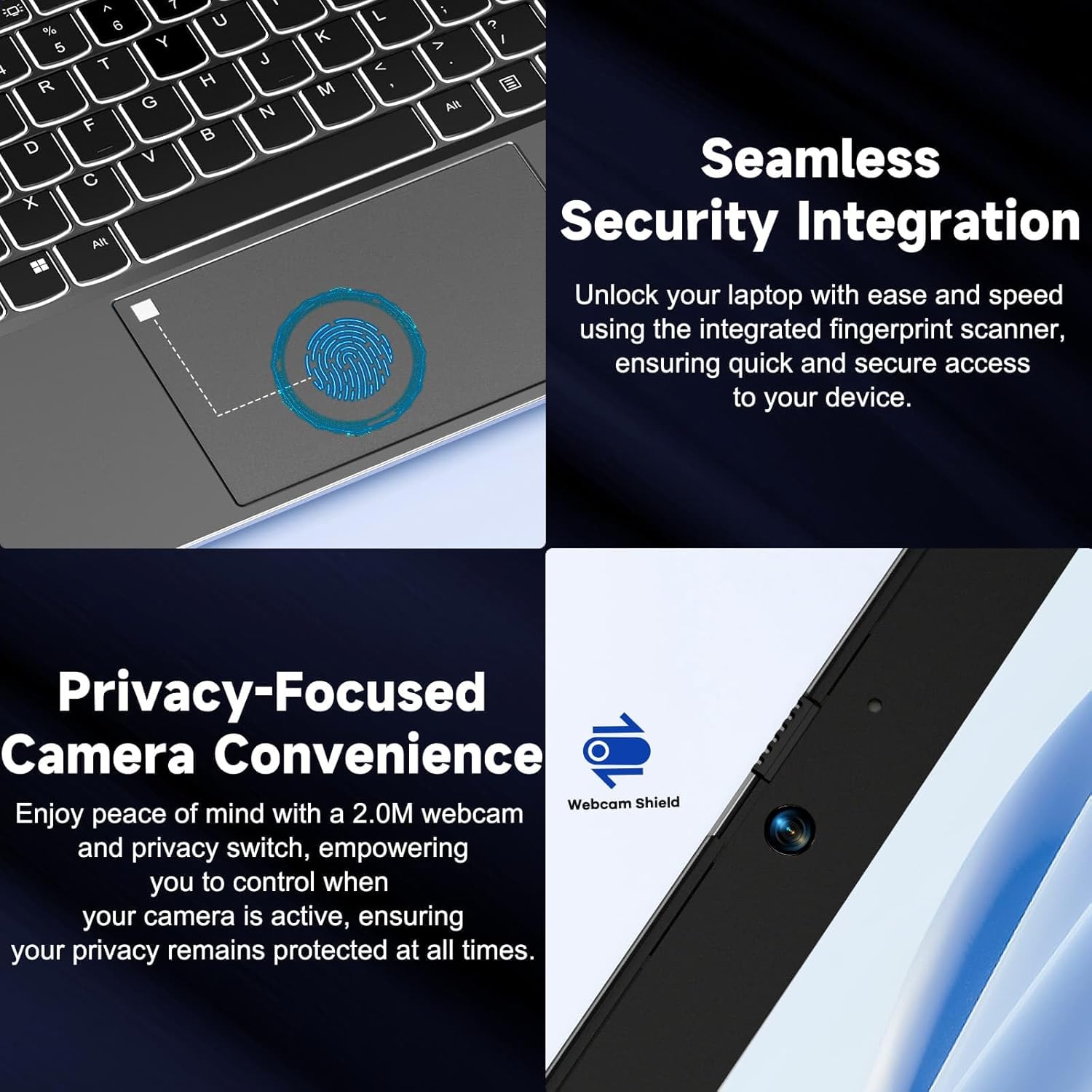
Immagine: Primo piano views of the laptop's fingerprint sensor for seamless security integration and the webcam with its privacy shield for enhanced privacy.
Connettività
The NIMO laptop offers multiple ports for versatile connectivity, including USB 2.0, USB 3.0, HDMI, and Type-C ports (one for charging, one for multifunction). It also features a Micro SD card reader, a headphone combo jack, and a Kensington lock slot.

Immagine: Un esploso view of the NIMO laptop, highlighting the location and type of its multiple ports, including USB, HDMI, Type-C, Micro SD, headphone combo, and Kensington lock.
Cerniera piatta a 180°
The laptop is equipped with a 180° lay-flat hinge, allowing the screen to lie completely flat. This feature expands usage scenarios, making it easier to share content or collaborate with others.

Image: The NIMO laptop demonstrating its 180° lay-flat hinge, showing the screen fully opened and flat, ideal for sharing content.
Manutenzione
Pulizia
- Utilizzare un panno morbido e privo di lanugine leggermente dampcon acqua o un detergente per schermi per pulire il display.
- Per la tastiera e lo chassis, utilizzare un panno morbido e asciutto. Evitare prodotti chimici aggressivi o materiali abrasivi.
- Utilizzare aria compressa per rimuovere la polvere dai tasti della tastiera e dalle griglie di ventilazione.
Cura della batteria
- Evitare di scaricare completamente la batteria frequentemente.
- Se non si utilizza il computer portatile per lunghi periodi, conservarlo in un luogo fresco e asciutto.
- Use only the provided NIMO 65W PD fast charger.
Aggiornamenti software
- Regularly check for Windows updates to ensure your system has the latest security patches and performance improvements.
- Keep your drivers updated for optimal hardware performance.
Risoluzione dei problemi
| Problema | Possibile causa | Soluzione |
|---|---|---|
| Il portatile non si accende | Batteria scarica; problema con l'adattatore di alimentazione | Ensure charger is properly connected and plugged in. Allow to charge for a few minutes before attempting to power on again. |
| Problemi di connessione Wi-Fi | Driver issue; Router problem; Wi-Fi disabled | Check if Wi-Fi is enabled (Fn+F5). Restart your router. Update Wi-Fi drivers via Device Manager. |
| Prestazioni lente | Too many background apps; Low disk space; Malware | Close unnecessary applications. Free up disk space. Run a full system scan with antivirus software. |
| La retroilluminazione della tastiera non funziona | Retroilluminazione disabilitata | Press Fn + F10 (or the key with the backlight icon) to toggle the backlight on/off or adjust brightness. |
| Fingerprint reader not responding | Sensor dirty; Driver issue; Incorrect setup | Clean the sensor with a soft cloth. Re-register your fingerprint in Windows Settings. Update fingerprint reader drivers. |
Specifiche
| Caratteristica | Dettaglio |
|---|---|
| Nome del modello | NIMO N154G |
| Dimensioni dello schermo | 15.6 pollici |
| Risoluzione dello schermo | 1920 x 1080 pixel (Full HD) |
| Processore | Intel Core i3-1215U (fino a 4.4 GHz) |
| Memoria RAM | 16 GB DDR4 (3200 MHz) |
| Magazzinaggio | SSD da 1 TB |
| Coprocessore grafico | Grafica integrata |
| Sistema operativo | Windows 11 Casa |
| Tipo senza fili | 802.11a/b/g/n/ac |
| Porte USB | 1 x USB 2.0, 2 x USB 3.0 |
| Altre porte | HDMI, 2 x Type-C (1 Charge Only, 1 Multifunction), Micro SD Reader, Headphone Combo, Kensington Lock |
| Webcamma | 2 MP posteriore WebRisoluzione della camma |
| Durata della batteria (media) | 5 ore |
| Fonte di alimentazione | Battery Powered (65W PD Type-C Charger) |
| Peso dell'articolo | 5 libbre |
| Dimensioni del prodotto | 14.07 x 8.98 x 0.76 pollici |
| Colore | Grigio |
| Caratteristiche speciali | Fingerprint Reader, HD Audio, Backlit Keyboard, Memory Card Slot, Numeric Keypad, 180° Lay-Flat Hinge |
Garanzia e supporto
NIMO is committed to providing reliable products and excellent customer service. Your NIMO laptop comes with comprehensive warranty and support:
- 2-Year Laptop Protection: Goditi la tranquillità di una garanzia di 2 anni che copre i difetti di fabbricazione.
- Resi gratuiti entro 90 giorni: If you are not satisfied with your purchase, you can return it within 90 days.
- 24/7 Customer Service Support: Our dedicated team of laptop experts is available around the clock to provide instant assistance and resolve any issues you may encounter.
For support, please refer to the contact information provided on the NIMO official website or the packaging. Please have your model number (NIMO N154G) and purchase details ready when contacting support.

Image: An illustration of NIMO's after-sales excellence, showing domestically partial assembly, 90-day free returns, 2-year after-sales support, and 24/7 customer service support.
Ask a question about this manual
Ask about setup, troubleshooting, compatibility, parts, safety, or missing instructions. Manuals+ will review the question and use this page’s manual context to help answer it.