1. Introduzione
Thank you for choosing the QZUKOY QZ-K618 RGB Backlit Gaming Keyboard and Mouse Set. This manual provides detailed instructions for setting up, operating, and maintaining your new gaming peripherals. Please read this manual thoroughly before use to ensure optimal performance and longevity of your product.
2. Caratteristiche del prodotto
- Retroilluminazione RGB: Features 16 vibrant lighting modes with customizable effects, including 7 monochrome options, easily switchable using FN + number keys for personalized gaming ambiance.
- Design ergonomico: Includes built-in wrist support and phone/card holder for maximum comfort during extended gaming sessions.
- Gaming Bundle: Complete set includes a matching RGB gaming mouse with precision tracking and complementary lighting effects.
- Caratteristiche della tastiera: Full-size layout with dedicated multimedia controls and anti-ghosting technology for reliable keystroke registration.
- Compatibilità versatile: Works seamlessly with Windows systems, plug-and-play setup without requiring additional software installation.
3. Contenuto della confezione
- QZUKOY RGB Backlit Gaming Keyboard
- QZUKOY RGB Gaming Mouse
- Manuale d'uso
4. Istruzioni per l'installazione
The QZUKOY QZ-K618 Gaming Keyboard and Mouse Set is designed for plug-and-play functionality with Windows operating systems.
- Collegare la tastiera: Individua una porta USB disponibile sul tuo computer. Collega il connettore USB della tastiera alla porta USB.
- Collega il mouse: Individua un'altra porta USB disponibile sul tuo computer. Collega il connettore USB del mouse alla porta USB.
- Installazione del driver: Your computer should automatically detect and install the necessary drivers. This process may take a few moments. No additional software installation is required.
- Verifica connessione: Once drivers are installed, the keyboard and mouse backlighting should illuminate, indicating a successful connection.
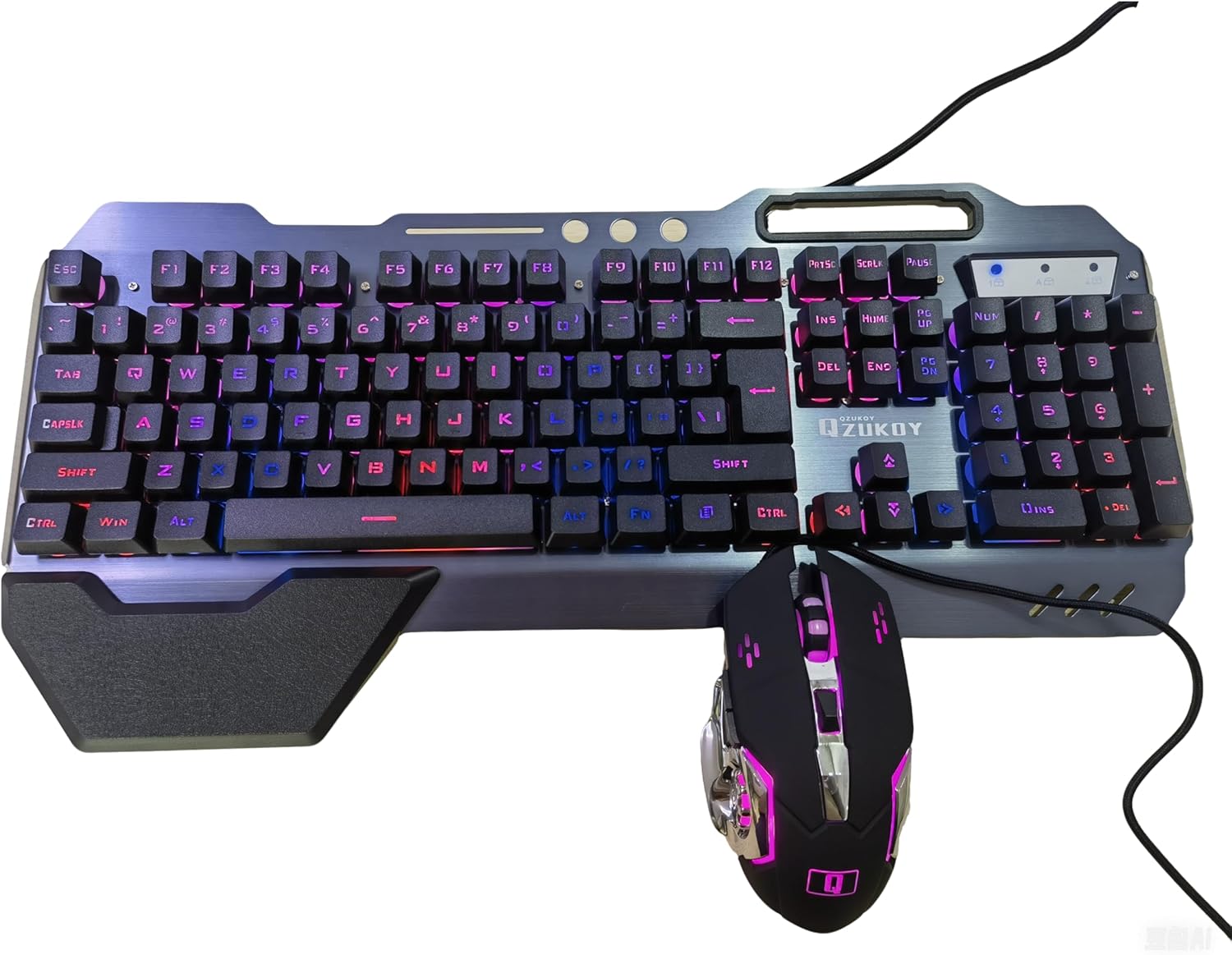
Image: The QZUKOY RGB Gaming Keyboard and Mouse Set connected and illuminated, ready for use.
5. Istruzioni per l'uso
5.1 Funzioni della tastiera
- Controllo della retroilluminazione RGB:
- Premere NV + 1-0 per scorrere 16 diversi effetti di retroilluminazione.
- Premere NV + 4 to switch between 7 monochrome backlight options.
- Collegamenti multimediali: Utilizzare il FN key in combination with the F-keys for quick access to multimedia functions.
Combinazione di tasti Funzione Tasto F1 Apri lettore multimediale Tasto F2 Abbassa il volume Tasto F3 Alza il volume Tasto F4 Muto Tasto F5 Interrompi la riproduzione Tasto F6 Traccia precedente Tasto F7 Riproduci/Pausa Tasto F8 Traccia successiva Tasto F9 Apri e-mail Tasto F10 Aprire Web Pagina iniziale del browser Tasto F12 Apri Calcolatrice - Anti-ghosting: The keyboard features anti-ghosting technology to ensure accurate registration of multiple simultaneous key presses, crucial for gaming.
- Poggiapolsi ergonomico: The keyboard includes a magnetic and detachable wrist rest for enhanced comfort during prolonged use. Attach or detach as preferred.
- Integrated Phone/Card Holder: Utilize the slots at the top of the keyboard to hold your smartphone or cards for convenient access.
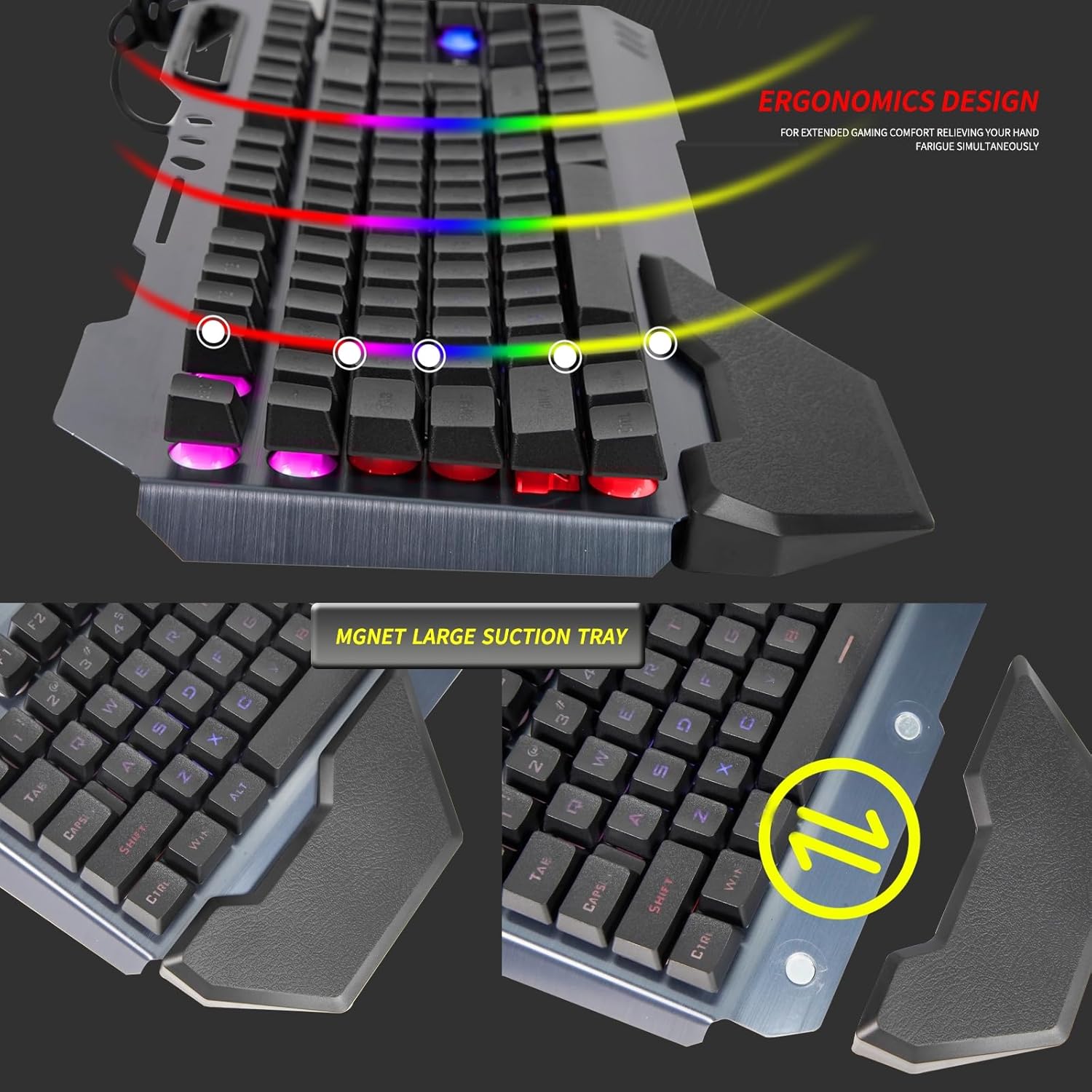
Image: The QZUKOY RGB Gaming Keyboard showcasing its integrated phone holder and ergonomic wrist rest.
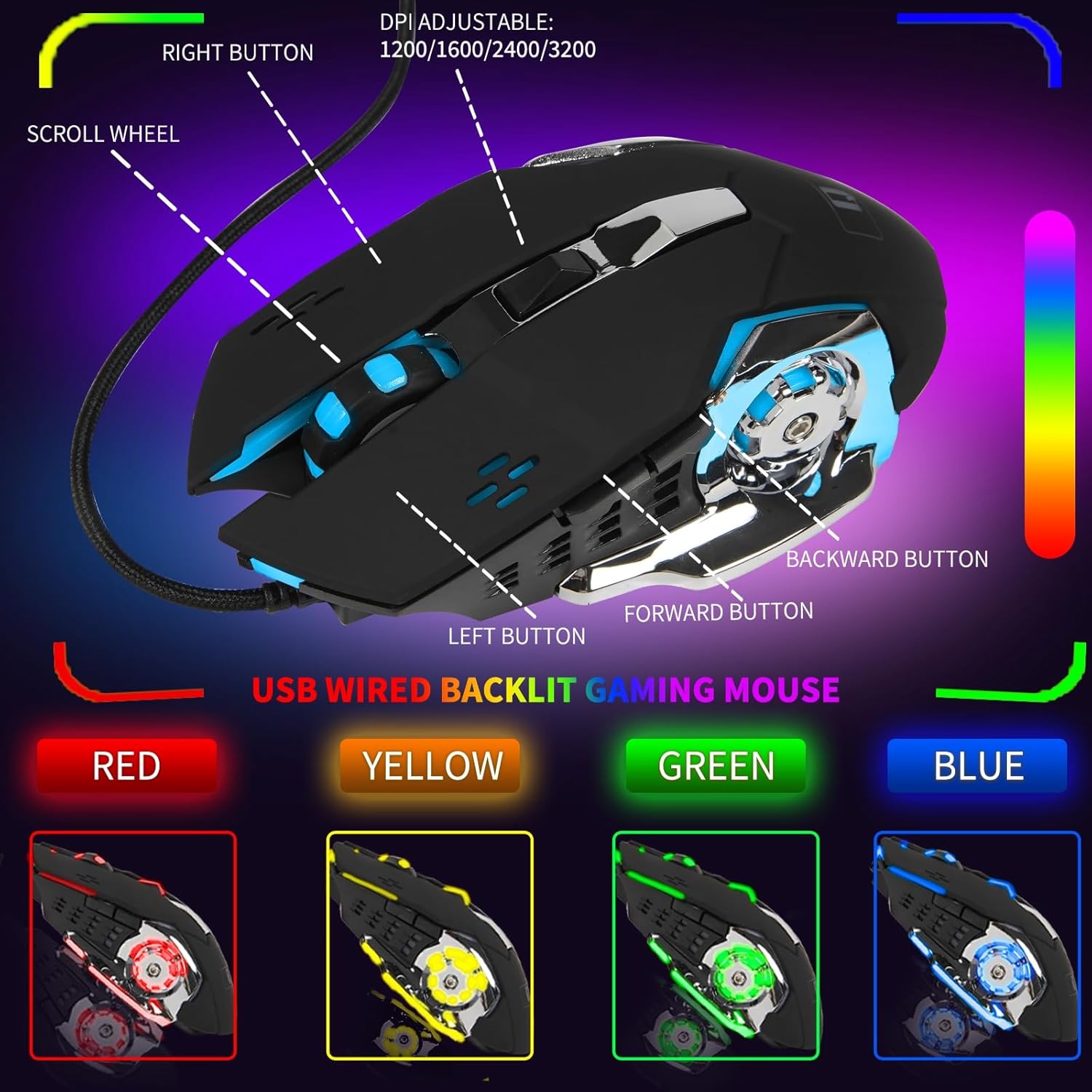
Image: A visual representation of the 16 different RGB backlight modes available on the QZUKOY Gaming Keyboard.
5.2 Funzioni del mouse
- Regolazione DPI: The mouse features a dedicated DPI button to cycle through different sensitivity levels (e.g., 1200/1600/2400/3200 DPI). Press the DPI button to change sensitivity.
- Illuminazione RGB: The mouse also features RGB lighting. To adjust mouse lighting:
- Press and hold the forward side button (left side of the mouse) while clicking the DPI button to cycle through color options.
- Press and hold the backward side button (left side of the mouse) while clicking the DPI button to cycle through two levels of dimming or turn off the lights.
- The mouse lighting typically features a "breathing" effect, slowly dimming and brightening.
- Design a 4 pulsanti: The mouse includes left-click, right-click, scroll wheel, and DPI adjustment buttons for versatile control.
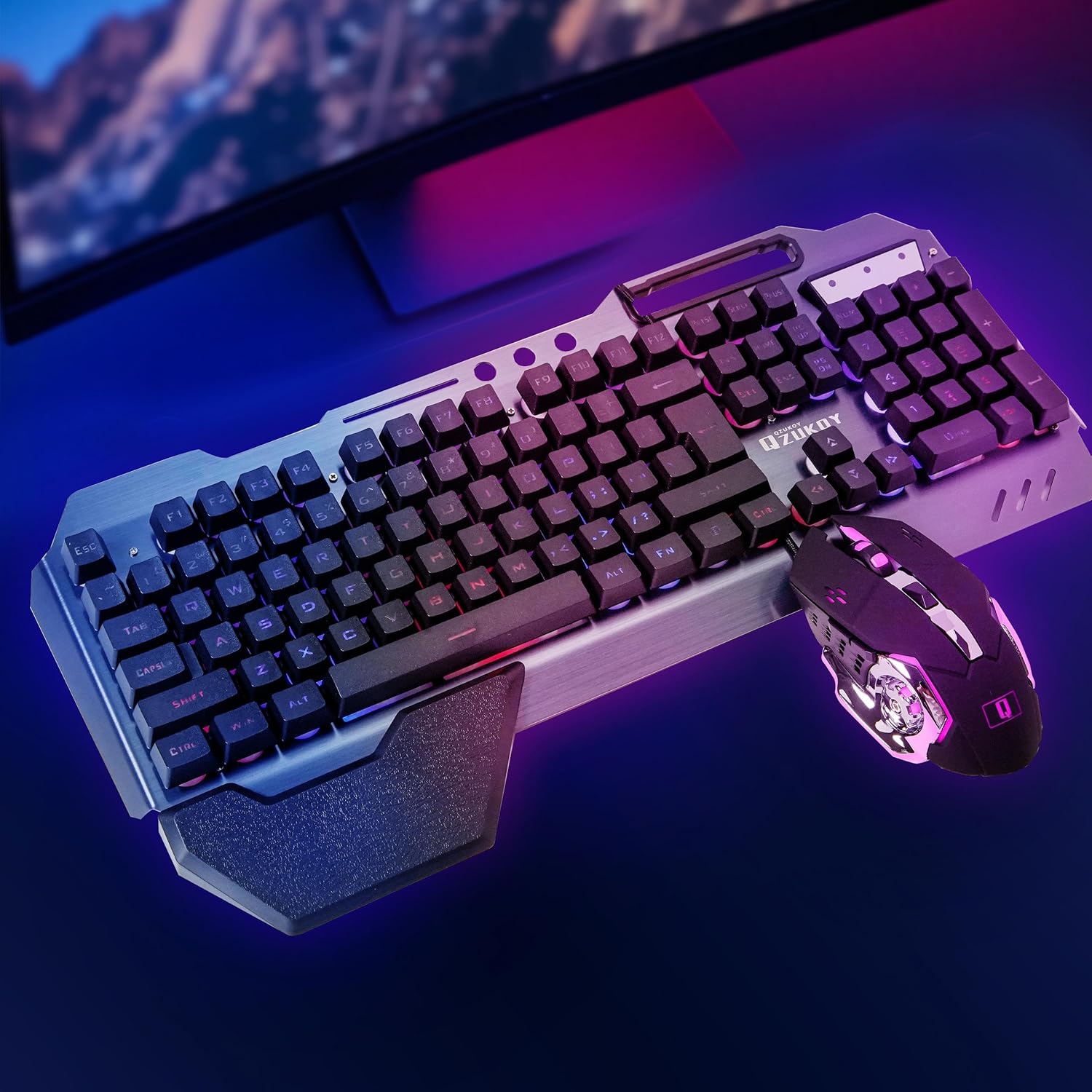
Image: The QZUKOY RGB Gaming Mouse, highlighting its buttons and adjustable DPI settings.
6. Manutenzione e cura
- Pulizia: Utilizzare un panno morbido e asciutto per pulire le superfici della tastiera e del mouse. Per lo sporco ostinato, un panno leggermenteamp è possibile utilizzare un panno, assicurandosi che nessun liquido entri nel dispositivo.
- Evitare i liquidi: Do not expose the keyboard or mouse to excessive moisture or liquids.
- Magazzinaggio: Store the devices in a cool, dry place away from direct sunlight when not in use for extended periods.
- Cura del cavo: Avoid sharp bends or excessive pulling on the USB cables to prevent damage. The braided cables are designed for durability.
7. Risoluzione Dei Problemi
| Problema | Possibile causa | Soluzione |
|---|---|---|
| Tastiera/mouse non rispondono | Connessione USB allentata, porta USB difettosa, problema con il driver. |
|
| La retroilluminazione non funziona | Lighting mode turned off, power issue. |
|
| Il cursore del mouse è irregolare o non risponde | Dirty sensor, incorrect DPI setting, surface issue. |
|
8. Specifiche
| Caratteristica | Dettaglio |
|---|---|
| Dimensioni del prodotto | 18 x 8.26 x 1.18 pollici (tastiera) |
| Peso dell'articolo | 2.5 pounds (Combined) |
| Numero di modello | QZ-K618 |
| Tecnologia di connettività | USB, cablato |
| retroilluminazione della tastiera | RGB, 16 Lighting Modes (7 monochrome options) |
| DPI del mouse | Adjustable (e.g., 1200/1600/2400/3200) |
| Pulsanti del mouse | 4 (Left, Right, Scroll, DPI) |
| Caratteristiche speciali | Ergonomic Design, Phone Holder, Wrist Rest, Anti-Ghosting |
| Dispositivi compatibili | Laptop, Personal Computer (Windows OS) |
| Produttore | XINMENG |
9. Video dimostrativo del prodotto
Video: This official product video from QZUKOY demonstrates the RGB lighting effects, ergonomic features, and overall design of the QZ-K618 Gaming Keyboard and Mouse Set.
10. Garanzia e supporto
For warranty information and customer support, please refer to the contact details provided by your retailer or visit the official QZUKOY webluogo. Conserva la ricevuta di acquisto per eventuali richieste di garanzia.
Typical return policy: 30 days for refund/replacement.
For further assistance, you may contact the seller, "QZUKOY official store".