
1. Dispositivo suview
The Samsung Galaxy A56 5G is a powerful smartphone designed for reliable performance and a rich user experience. It features a 6.7-inch FHD+ Super AMOLED display, a 50MP camera system, and IP67 dust and water resistance. This manual provides essential information for setting up, operating, and maintaining your device.
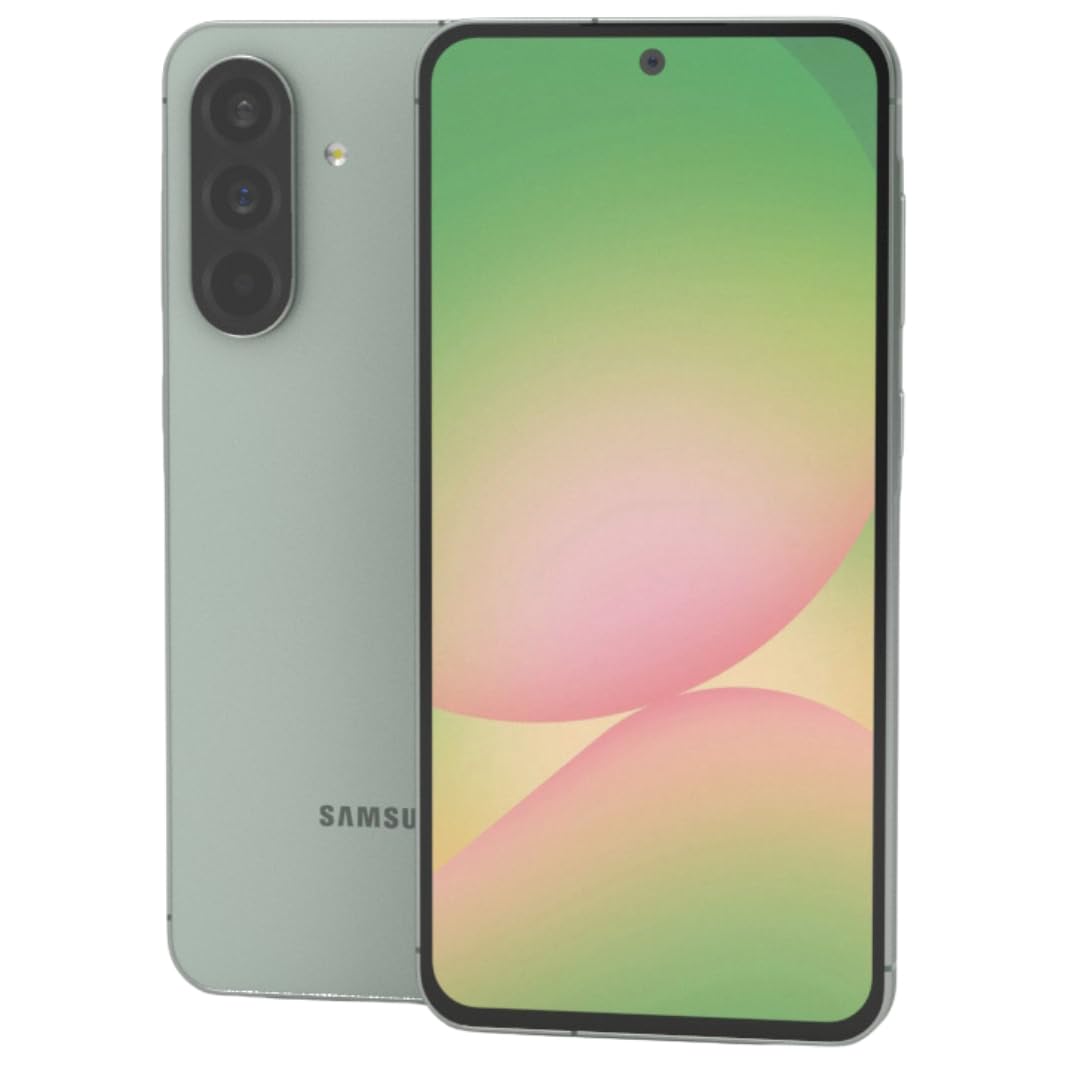
Figura 1: Davanti view dello smartphone Samsung Galaxy A56 5G, mostratoasing il suo ampio display.
2. Guida all'installazione
2.1. Disimballaggio e ispezione iniziale
Rimuovere con cautela tutti gli articoli dall'imballaggio. Verificare che siano presenti i seguenti componenti:
- Samsung Galaxy A56 5G smartphone
- Cavo da USB-C a USB-C
- 25W Samsung Super Fast Charger
- Strumento di espulsione SIM
- Guida rapida (se inclusa)
Prima di procedere, ispezionare il dispositivo per verificare che non presenti danni fisici.
2.2. Inserting SIM Card(s) and eSIM
The Galaxy A56 5G supports Dual SIM functionality and eSIM. You can use two physical Nano-SIM cards or one physical Nano-SIM and one eSIM simultaneously.
- Individuare il vassoio della scheda SIM sul lato del dispositivo.
- Inserire lo strumento di espulsione della SIM nel piccolo foro accanto al vassoio e spingere delicatamente finché il vassoio non fuoriesce.
- Inserisci la/le tua/e scheda/e Nano-SIM nell'apposito alloggiamento con i contatti dorati rivolti verso il basso. Assicurati che siano posizionati correttamente.
- Reinserire con cautela il vassoio della SIM nel dispositivo.
- For eSIM activation, follow the on-screen prompts during initial setup or navigate to Settings > Connections > SIM card manager.
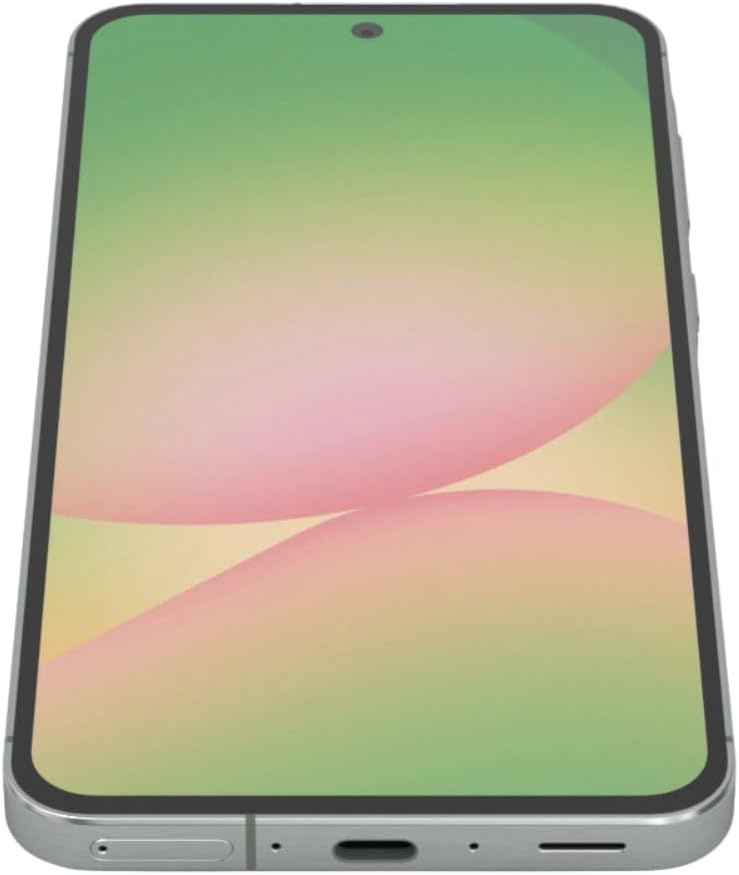
Figura 2: Lato view of the Samsung Galaxy A56 5G, showing the location of the SIM card tray and USB-C port.
2.3. Carica della batteria
Before first use, fully charge the device battery. Use only the provided 25W Samsung Super Fast Charger and USB-C cable.
- Collegare il cavo USB-C alla porta di ricarica nella parte inferiore del telefono.
- Collegare l'altra estremità del cavo all'adattatore di alimentazione da 25 W.
- Collegare l'adattatore di corrente a una presa a muro.
- L'indicatore di carica apparirà sullo schermo.
Nota: The device supports 25W Super Fast Charging. Using a lower wattage charger may result in slower charging times.
2.4. Accensione/Spegnimento
- Per accendere: Press and hold the Side key (Power button) until the Samsung logo appears.
- Per spegnere: Press and hold the Side key and Volume Down button simultaneously, then tap "Power off" on the screen. Alternatively, swipe down from the top of the screen to open the Quick Panel, tap the Power icon, and select "Power off".
- Ricominciare: Follow the power off steps, but select "Restart".
2.5. Configurazione iniziale del dispositivo
Upon first power-on, the device will guide you through the initial setup process. This includes:
- Selezione della lingua
- Connessione di rete Wi-Fi
- Accesso all'account Google
- Data transfer from an old device (using Samsung Smart Switch)
- Setting up screen lock (PIN, pattern, password, fingerprint)
- Reviewing and agreeing to terms and conditions
3. Utilizzo del dispositivo
3.1. Navigazione e interfaccia utente
The Galaxy A56 5G runs on Android 15 with Samsung's One UI 7. Navigation is primarily touch-based.
- Schermata iniziale: Il tuo hub centrale per app e widget.
- Cassetto delle applicazioni: Scorri verso l'alto dalla schermata Home per accedere a tutte le applicazioni installate.
- Quick Panel: Scorri verso il basso dalla parte superiore dello schermo per accedere alle impostazioni rapide e alle notifiche.
- Applicazioni recenti: Scorri verso l'alto e tieni premuto dalla parte inferiore dello schermo (se utilizzi la navigazione gestuale) oppure tocca il pulsante App recenti (se utilizzi i pulsanti di navigazione) per view applicazioni utilizzate di recente.
3.2. Google Circle to Search Feature
The Circle to Search with Google feature allows for quick information retrieval. Simply circle, highlight, or tap an object or text on your screen to initiate a Google Search.
3.3. Effettuare chiamate e inviare messaggi
- Chiamate: Aprire il Telefono app, inserisci il numero e tocca l'icona della chiamata.
- Messaggi: Aprire il Messaggi app, tap the new message icon, enter the recipient's number or select from contacts, type your message, and tap send.
3.4. Utilizzo della fotocamera
The device features a 50MP main camera, 12MP ultra-wide, 5MP macro, and a 12MP front camera. The camera system includes AI enhancements that optimize image quality by recognizing elements like sky, skin, and hair. The front camera supports Super HDR for high-resolution selfie videos with optimized colors and contrast. The camera app also includes an Object Eraser tool that allows you to remove unwanted elements from your photos.
- Aprire il Telecamera applicazione.
- Seleziona la modalità desiderata (Foto, Video, Ritratto, Pro, ecc.).
- Tocca il pulsante di scatto per scattare una foto o avviare/interrompere la registrazione video.
- Utilizzare i controlli dello zoom sullo schermo per regolare l'ingrandimento.
- Passa dalla fotocamera anteriore a quella posteriore utilizzando l'icona di cambio fotocamera.
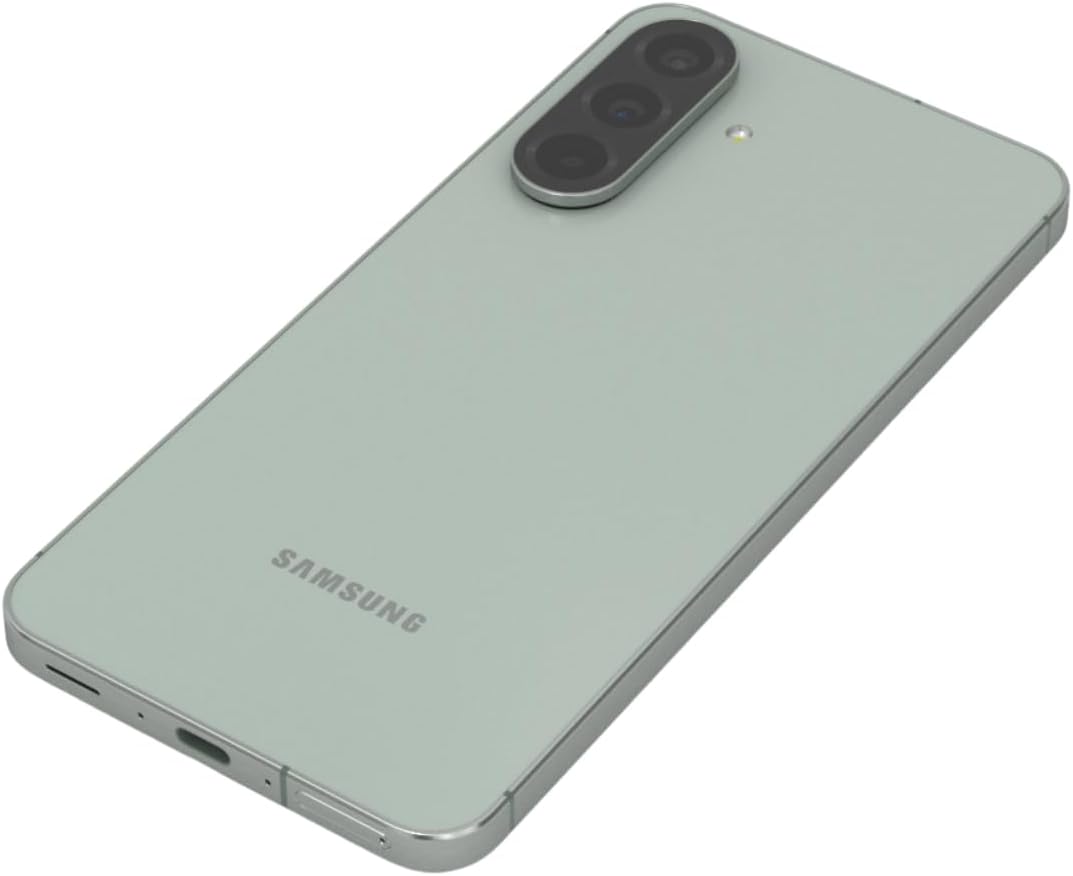
Figura 3: Posteriore view of the Samsung Galaxy A56 5G, highlighting the triple camera system.
3.5. Internet e connettività
- Wifi: Vai a Impostazioni > Connessioni > Wi-Fi per connettersi alle reti disponibili.
- Dati mobili: Assicurati che i dati mobili siano abilitati in Impostazioni > Connessioni > Utilizzo dati.
- Bluetooth: Abbinamento con altri dispositivi tramite Impostazioni > Connessioni > Bluetooth.
- NFC: Use for contactless payments and quick sharing via Settings > Connections > NFC and contactless payments.
3.6. Funzionalità di sicurezza
The Galaxy A56 5G includes an in-display optical fingerprint sensor for secure unlocking.
- Vai a Settings > Security and privacy > Biometrics > Fingerprints.
- Seguire le istruzioni sullo schermo per registrare le impronte digitali.
- You can also set up Face Recognition for convenient unlocking.
4. Manutenzione e cura
4.1. Ottimizzazione della batteria
To maximize battery life (5000mAh capacity):
- Regola la luminosità dello schermo.
- Abilita la modalità di risparmio energetico (Impostazioni > Batteria e manutenzione del dispositivo > Batteria).
- Chiudi le app inutilizzate in esecuzione in background.
- Limita l'utilizzo dei dati in background per determinate app.
4.2. Aggiornamenti software
Keep your device's software up to date for optimal performance and security. Samsung provides up to 6 major Android upgrades for this model.
- Vai a Impostazioni > Aggiornamento software.
- Rubinetto Scarica e installa.
- Seguire le istruzioni visualizzate sullo schermo.
4.3. Pulizia del dispositivo
Use a soft, lint-free cloth to clean the screen and body of the phone. Avoid harsh chemicals or abrasive materials. The device has an IP67 rating for dust and water resistance, meaning it can withstand immersion in up to 1 meter of fresh water for up to 30 minutes. However, it is not recommended for beach or pool use and water resistance may decrease over time with normal wear.
5. Risoluzione Dei Problemi
5.1. Problemi comuni e soluzioni
| Problema | Soluzione |
|---|---|
| Il dispositivo non si accende | Assicurati che la batteria sia carica. Tieni premuto il pulsante di accensione per almeno 10 secondi per forzare il riavvio. |
| Connettività di rete scadente | Check SIM card insertion. Toggle Airplane mode on/off. Restart the device. Verify network settings with your carrier. |
| Le app si bloccano o si bloccano | Cancella la cache dell'app (Impostazioni > App > [Nome app] > Archiviazione > Cancella cache). Aggiorna l'app. Riavvia il dispositivo. |
| La batteria si scarica rapidamente | Review utilizzo della batteria in Impostazioni > Batteria e manutenzione del dispositivo > Batteria. Reduce screen brightness. Close background apps. |
| Il sensore di impronte digitali non funziona | Ensure your finger and the screen are clean and dry. Re-register your fingerprint if necessary. |
6. Specifiche
| Caratteristica | Dettaglio |
|---|---|
| Nome del modello | Galassia A56 5G |
| Numero di modello | A566E/DS |
| Display | 6.7-inch FHD+ Super AMOLED, 120Hz Refresh Rate, 1080 x 2340 Resolution |
| Processore | Exynos 1580 (4nm), Octa-core, 2.9 GHz CPU Speed |
| Memoria RAM | 12 GB |
| Magazzinaggio | 256 GB (nessuno slot per scheda SD) |
| Telecamera posteriore | 50MP (f/1.8) Main, 12MP (f/2.2) Ultra-wide, 5MP (f/2.4) Macro |
| Fotocamera frontale | 12 MP (f/2.2) |
| Batteria | 5000 mAh, 25W Super Fast Charging |
| Sistema operativo | Android 15 (with up to 6 major Android upgrades) |
| Connettività | 5G, 4G LTE, Wi-Fi, Bluetooth 5.3, GPS, NFC |
| Tipo di SIM | Dual SIM + eSIM |
| Resistenza all'acqua/polvere | Grado di protezione IP67 |
| Dimensioni | 6 x 4 x 2 pollici |
| Peso | 10.6 once |
| Caratteristiche speciali | Fingerprint (under display, optical), Accelerometer, Internet Browser, Music Player, Speakerphone, Touchscreen, Unlocked |
7. Garanzia e supporto
This is an International Model and may not include a U.S. manufacturer warranty. Please refer to the seller's return policy for details regarding returns and exchanges.
For technical assistance, you can visit the official Samsung support website or contact their customer service. For issues related to your purchase, please contact your seller directly.
Optional protection plans may be available for purchase to extend coverage beyond the standard return policy. Please check with your retailer for details on available plans.
8. Video di prodotto
Watch these official videos for additional guidance and feature demonstrations.
Video 1: Dispositivo in overclockview
Questo video fornisce una breve panoramicaview of the Samsung Galaxy A56 5G, highlighting its key features and design. (Duration: 0:17)
Video 2: Advanced Features
A detailed video demonstrating some of the advanced functionalities and user interface elements of the device. (Duration: 1:25)
Video 3: Camera Capabilities
Explore the various camera modes and features available on the Galaxy A56 5G. (Duration: 0:36)
Video 4: Performance and Gaming
This video showcases the device's performance, including its capabilities for gaming and multitasking. (Duration: 0:48)
Video 5: Durability and Design
Learn about the robust design and IP67 water resistance of the Samsung Galaxy A56 5G. (Duration: 1:27)
Video 6: Display Features
This video highlights the vibrant 6.7-inch FHD+ Super AMOLED display and its Vision Booster technology. (Duration: 1:17)
Video 7: Software Experience
Un oltreview of the Android 15 operating system and Samsung's One UI 7 interface. (Duration: 0:36)
Video 8: Quick Features
A short video highlighting some quick and convenient features of the device. (Duration: 0:10)
Video 9: Connectivity Options
This video explains the various connectivity options, including 5G, Wi-Fi, and Bluetooth. (Duration: 1:12)
Video 10: Ecosystem Integration
Discover how the Galaxy A56 5G integrates with the broader Samsung ecosystem. (Duration: 1:04)