
Introduzione
This manual provides detailed instructions for the installation, operation, and maintenance of your Bvavo Wireless Video Doorbell Intercom System. Please read this manual thoroughly before using the product to ensure proper function and safety. Keep this manual for future reference.

Figure 1: Bvavo Wireless Video Doorbell Intercom System components, including the doorbell unit, indoor monitor, and smartphone application interface.
Cosa c'è nella scatola
Verificare che tutti i componenti siano presenti:
- Telecamera campanello senza fili
- Monitor touch screen da 8 pollici
- Scheda SD da 32 GB (preinstallata o inclusa separatamente)
- Hardware di montaggio
- Power Adapters for Doorbell and Monitor
- Manuale dell'utente (questo documento)
Configurazione e installazione
1. Ricarica dei dispositivi
Before initial use, fully charge both the doorbell camera and the indoor monitor. The doorbell camera features an upgraded 7,000mAh rechargeable lithium battery, providing approximately 60-90 days of operation on a full charge, depending on usage. The touchscreen monitor has a built-in 5,000mAh battery, offering up to 6-8 hours of constant use.

Figure 2: Battery specifications for the doorbell camera and indoor monitor.
2. Doorbell Placement
Select an optimal location for the doorbell camera. It is recommended to install the doorbell at a height that allows for a clear view of visitors. Avoid installing the doorbell on metal surfaces, as metal can significantly impact wireless signal strength and range.

Figure 3: Wireless signal strength can be reduced by obstacles, especially metal. Optimal placement avoids metal obstructions.
3. Connessione senza fili
The system connects wirelessly via Wi-Fi and a 915MHz signal, eliminating the need for complex wiring. The doorbell and monitor are typically pre-paired. If pairing is required, refer to the on-screen instructions on the monitor or the Tuya App.

Figure 4: Wireless intercom system setup, showing connectivity between the doorbell and monitor without physical wires.
4. Integrazione dell'app Tuya
For smartphone control and remote access, download the free Tuya Smart App from the App Store (iOS) or Google Play Store (Android). Follow the in-app instructions to add your Bvavo doorbell system.
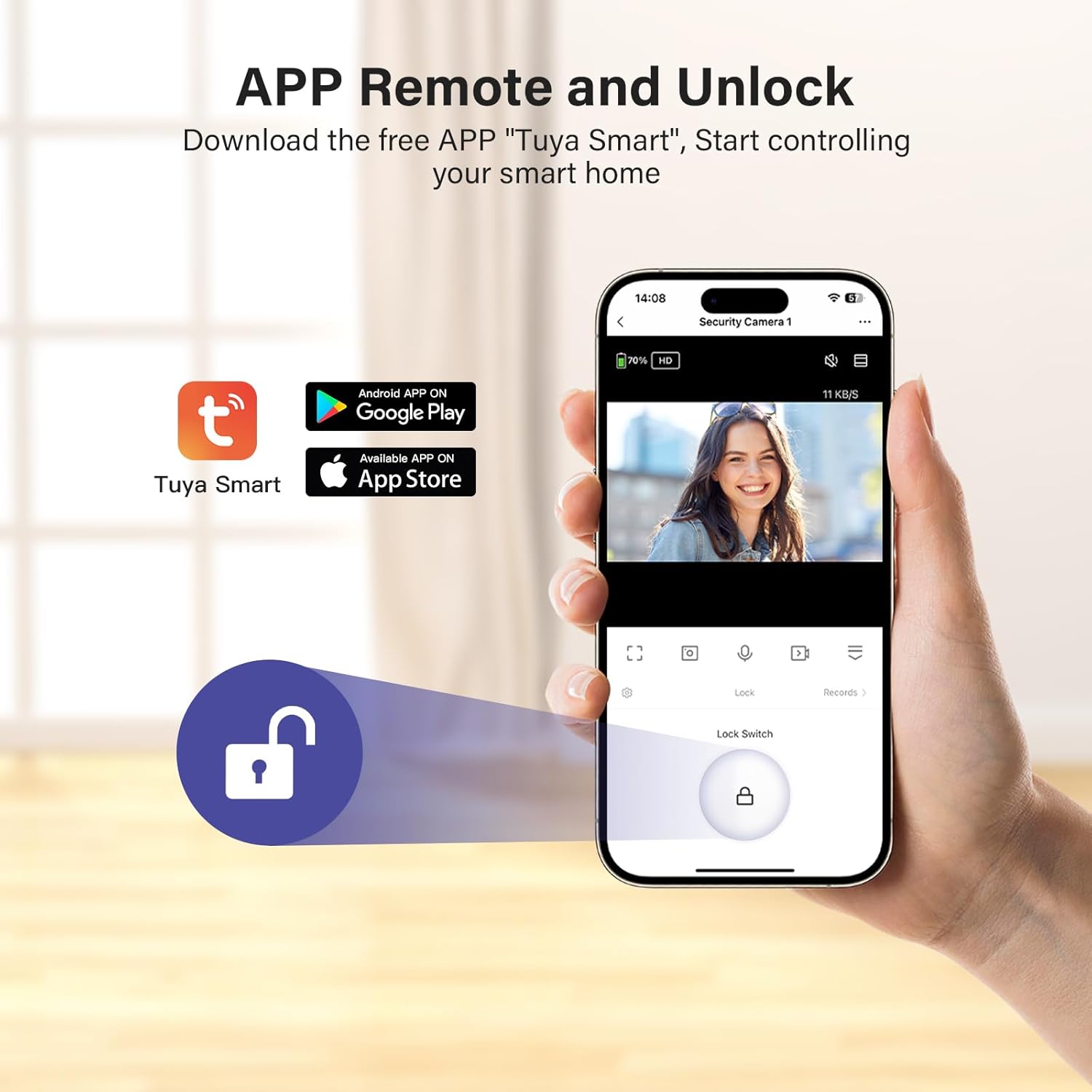
Figure 5: Tuya Smart App interface for remote control and monitoring.
Istruzioni per l'uso
1. Vivere View e audio bidirezionale
When a visitor presses the doorbell, the indoor monitor will ring and display a live video feed. You can also access the live view at any time through the monitor or the Tuya App. Use the two-way audio feature to communicate with visitors.
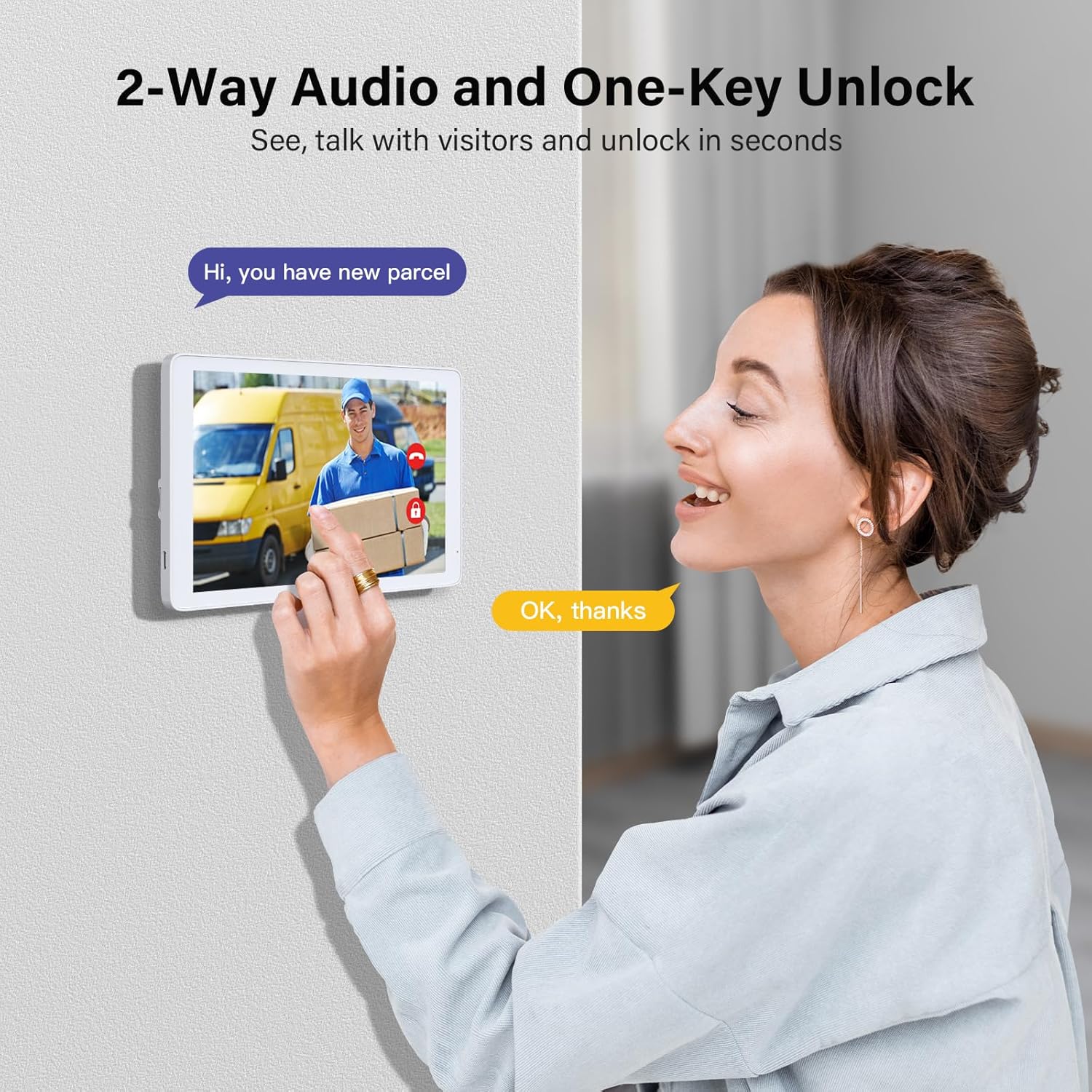
Figure 6: Demonstrating two-way audio communication with a visitor via the indoor monitor.
2 Rilevamento del movimento e avvisi
The doorbell features a 160° wide-angle lens and motion detection capabilities. When movement is detected within 5 meters, an alert will be sent to your smartphone via the Tuya App and displayed on the indoor monitor.

Figure 7: Motion detection system sending an alert to a smartphone when activity is detected.
3. Visione notturna
The doorbell camera is equipped with night vision to ensure clear visibility in low-light conditions or complete darkness.

Figura 8: Capacità di visione diurna e notturna della telecamera del campanello.
4. Registrazione e riproduzione video
The system automatically captures and saves images or videos to the included SD card when motion is detected or the doorbell is pressed. You can review these recordings directly on the indoor monitor or through the Tuya App. The system supports up to 128GB SD cards.

Figure 9: Video record and playback interface on the indoor monitor.
5. Sblocco remoto
If connected to a compatible smart lock system (sold separately), the Tuya App allows for remote unlocking of your door.
Manutenzione
1. Pulizia
Wipe the doorbell camera and indoor monitor with a soft, dry cloth. Avoid using abrasive cleaners or solvents that could damage the surfaces.
2. Gestione della batteria
Recharge the doorbell camera and monitor as needed. For stable use, it is recommended to keep the indoor monitor connected to its power adapter when possible. The monitor's display will turn off after 5 minutes of inactivity by default, but this duration can be customized in the settings.
3 Resistenza alle intemperie
The doorbell camera is waterproof (IP55 rated), designed to withstand various weather conditions. However, extreme conditions may affect performance.

Figure 10: The doorbell camera is designed with IP55 weather resistance for outdoor use.
Risoluzione dei problemi
| Problema | Possibile causa | Soluzione |
|---|---|---|
| No video feed or poor signal | Interference from metal objects; distance from monitor; Wi-Fi issues. | Relocate the doorbell away from metal surfaces. Ensure the doorbell and monitor are within effective range. Check your home Wi-Fi connection. |
| La batteria del monitor si scarica rapidamente | High brightness setting; frequent use; prolonged monitoring sessions. | Reduce screen brightness. Keep the monitor plugged in for extended use. Adjust the monitoring duration setting. |
| Il rilevamento del movimento non funziona | Incorrect sensitivity settings; obstructions in the detection zone. | Adjust motion detection sensitivity in the monitor settings or Tuya App. Ensure the camera's view è chiaro. |
| Cannot connect to Tuya App | Incorrect Wi-Fi password; app not updated; device not in pairing mode. | Verify Wi-Fi credentials. Update the Tuya App to the latest version. Follow app instructions for device pairing. |
Specifiche
| Caratteristica | Dettaglio |
|---|---|
| Nome del modello | Video door phone |
| Uso interno/esterno | Interno, Esterno |
| Risoluzione di acquisizione video | Formato: 1080p |
| Fonte di alimentazione | Alimentato a batteria |
| Doorbell Battery Capacity | 7,000mAh (upgraded) |
| Monitorare la capacità della batteria | 5,000mAh (upgraded) |
| Tecnologia di comunicazione wireless | Wi-Fi, 915MHz |
| Caratteristiche speciali | 2-Way Audio, HD Resolution, Image Sensor, Motion Sensor, Night Vision |
| Intervallo di rilevamento del movimento | Fino a 5 metri |
| Gamma di visione notturna | 50 metri |
| Livello di resistenza all'acqua | Impermeabile (IP55) |
| Magazzinaggio | SD card (up to 128GB supported, 32GB included) |
| Dispositivi compatibili | Smartphone (app Tuya) |
| Dimensioni del prodotto | 3 x 3 x 3 pollici (circa) |
| Peso dell'articolo | 2.72 libbre |
Informazioni sulla garanzia
Si prega di fare riferimento alle istruzioni ufficiali del produttore website or the product packaging for detailed warranty terms and conditions. Keep your purchase receipt as proof of purchase for any warranty claims.
Assistenza clienti
For technical assistance, troubleshooting, or product inquiries, please contact Bvavo customer support through their official channels. You can also find additional resources and FAQs within the Tuya Smart App.