
Introduzione
Thank you for choosing the iKF T1 Max Wireless Bluetooth Over Ear Headphones. These headphones are designed to provide a premium audio experience with features like Active Noise Cancellation, HiFi sound, and extended battery life. This manual will guide you through the setup, operation, and maintenance of your new headphones to ensure optimal performance and enjoyment.
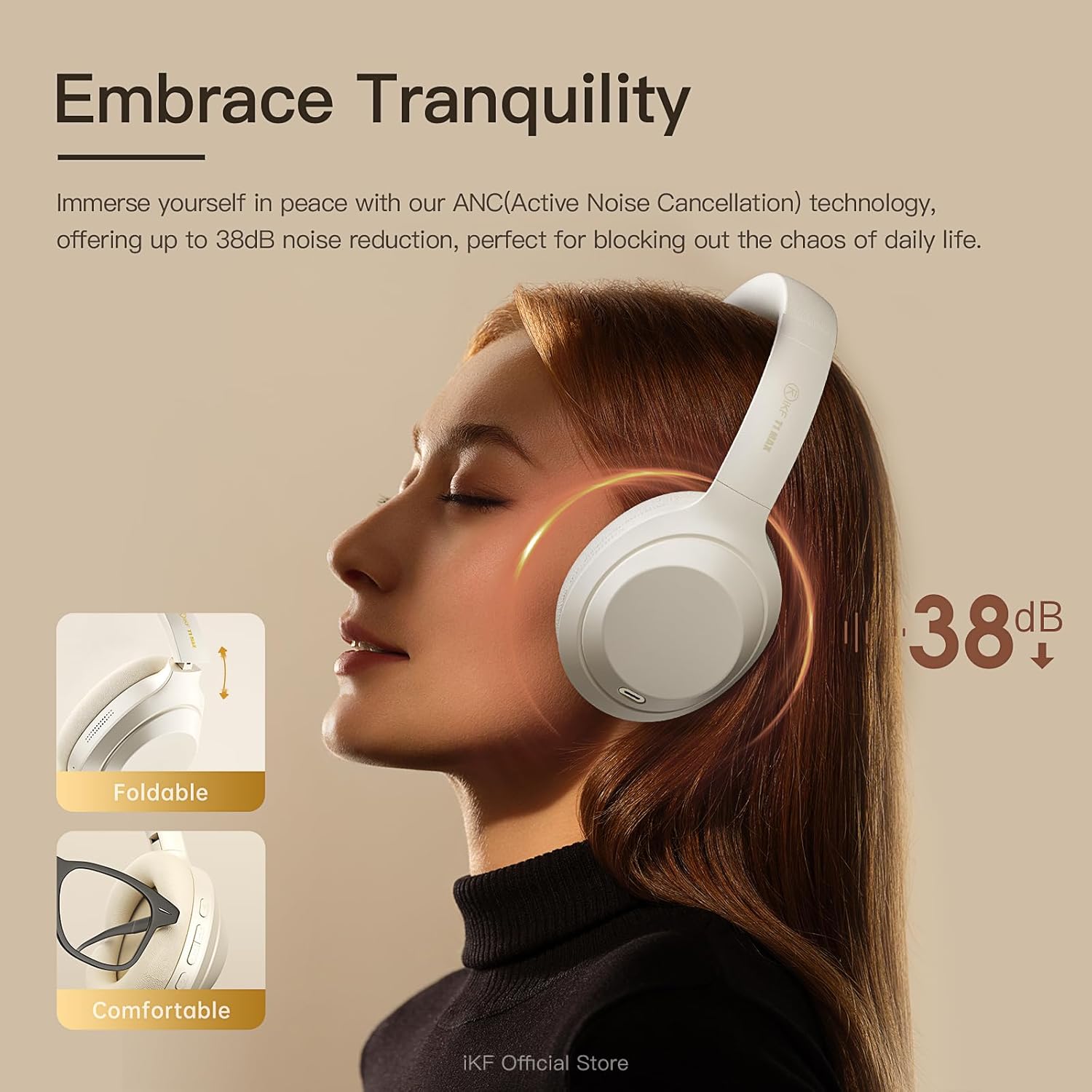
Immagine: Frontale view of the iKF T1 Max Wireless Bluetooth Over Ear Headphones.
Cosa c'è nella scatola
Si prega di controllare il contenuto della confezione per assicurarsi che siano presenti tutti gli articoli:
- iKF T1 Max Wireless Bluetooth Over Ear Headphones
- Manuale d'uso
- Cavo di ricarica
- Cavo audio (AUX da 3.5 mm)

Image: The iKF T1 Max headphones and included accessories.
Caratteristiche del prodotto
Premium HiFi Sound with 40mm Drivers
The iKF T1 Max headphones feature 40mm HiFi speakers, engineered to deliver deep bass, rich mids, and crisp highs. This ensures a studio-quality audio performance for music, movies, and podcasts.

Image: Illustration of the 40mm dynamic driver for HiFi sound.
Fino a 100 ore di riproduzione
Enjoy extended listening sessions with a long-lasting battery. The headphones offer up to 100 hours of wireless playtime with Active Noise Cancellation (ANC) off, and 75 hours with ANC on. This makes them suitable for long commutes, travel, or remote work without frequent recharging.

Image: Battery life details for iKF T1 Max headphones.
Active Noise Cancelling with Adjustable Levels
Immerse yourself in your audio with advanced Active Noise Cancellation (ANC) technology, providing up to 38dB noise reduction. Customize ANC levels through the iKF app to effectively block out distractions in various environments such as flights, offices, or public spaces.

Image: Active Noise Cancellation feature of the iKF T1 Max headphones.
Dual Device Bluetooth Connection
Connect your headphones to two Bluetooth devices simultaneously. This allows for seamless switching between your phone and laptop for calls, meetings, or music without the need to disconnect and reconnect. This feature is ideal for multitasking professionals.

Image: Dual device connection capability of the headphones.
Wireless and Wired Modes
The iKF T1 Max offers both wireless Bluetooth 5.4 connectivity and a wired mode via the included 3.5mm AUX audio cable. This ensures continuous listening even if the battery runs low, providing flexibility for various usage scenarios.

Image: Wireless and wired connection options.
Customization via iKF App
Connect to the iKF-APP to personalize your listening experience. Adjust ANC levels, create custom sound profiles, and fine-tune settings to match your unique preferences and lifestyle.

Image: iKF App interface for personalized settings.
Impostare
1. Carica delle cuffie
Before first use, fully charge your iKF T1 Max headphones. Connect the provided charging cable to the USB-C port on the headphones and to a USB power source (e.g., computer, wall adapter). The charging time is approximately 2 hours for a full charge.

Image: Charging port location on the headphones.
2. Accensione/Spegnimento
- Per accendere: Tenere premuto il pulsante di accensione per circa 3 secondi finché la spia non si accende.
- Per spegnere: Tenere premuto il pulsante di accensione per circa 5 secondi finché la spia non si spegne.
3. Accoppiamento Bluetooth
- Assicurati che le cuffie siano spente.
- Press and hold the Power button for about 5-7 seconds until the indicator light flashes blue and red, indicating pairing mode.
- Sul tuo dispositivo (smartphone, laptop, ecc.), attiva il Bluetooth e cerca i dispositivi disponibili.
- Select "iKF T1 Max" from the list of found devices.
- Una volta effettuata la connessione, la spia luminosa diventerà blu fissa o lampeggerà lentamente in blu.
4. Connessione cablata (modalità AUX)
To use the headphones in wired mode, connect one end of the 3.5mm audio cable to the AUX port on the headphones and the other end to your audio source. The headphones will automatically switch to wired mode, and Bluetooth will be disabled.
Istruzioni per l'uso

Immagine: Oltreview of headphone control buttons.
Riproduzione musicale
- Riproduci/Pausa: Press the Multi-function button (usually the power button or a dedicated play/pause button) once.
- Traccia successiva: Press and hold the Volume Up button or a dedicated "Next" button. (Refer to specific button layout in the included manual for exact controls).
- Traccia precedente: Press and hold the Volume Down button or a dedicated "Previous" button. (Refer to specific button layout in the included manual for exact controls).
- Aumenta volume: Premere brevemente il pulsante Volume su.
- Volume basso: Premere brevemente il pulsante Volume giù.
Gestione delle chiamate
- Rispondi/Termina chiamata: Premi una volta il pulsante Multifunzione.
- Rifiuta chiamata: Tenere premuto il pulsante multifunzione per 2 secondi.
- Assistente vocale: Double-press the Multi-function button to activate your device's voice assistant (Siri, Google Assistant).
Controllo della cancellazione attiva del rumore (ANC)
- Attiva/disattiva le modalità ANC: Press the ANC button once to cycle through ANC On, Ambient Sound Mode, and ANC Off.
- Customize ANC: Use the iKF app to fine-tune ANC levels and ambient sound settings.
Connessione a doppio dispositivo
When connected to two devices, the headphones will intelligently switch audio sources. For example, if you are listening to music on your laptop and receive a call on your phone, the headphones will automatically switch to the phone call. After the call, they will return to the laptop audio.
Manutenzione
- Pulizia: Per pulire le cuffie, utilizzare un panno morbido e asciutto. Non utilizzare detergenti abrasivi o solventi.
- Magazzinaggio: Store the headphones in a cool, dry place, away from direct sunlight and extreme temperatures. When not in use for extended periods, ensure they are fully charged.
- Esposizione all'acqua: Queste cuffie non sono impermeabili. Evitare l'esposizione all'acqua o a umidità eccessiva.
- Cura della batteria: Per prolungare la durata della batteria, evitare di scaricare completamente le cuffie frequentemente. Caricarle regolarmente, anche se non vengono utilizzate costantemente.
Risoluzione dei problemi
| Problema | Possibile soluzione |
|---|---|
| Le cuffie non si accendono. | Assicurati che le cuffie siano cariche. Collegale a una fonte di alimentazione tramite il cavo di ricarica. |
| Impossibile effettuare l'associazione tramite Bluetooth. |
|
| Nessun suono o volume basso. |
|
| L'ANC non è efficace. |
|
| La qualità del suono è scadente. |
|
Specifiche
| Caratteristica | Dettaglio |
|---|---|
| Nome del modello | iKF T1 Max |
| Tecnologia di connettività | Bluetooth, cablato (jack da 3.5 mm) |
| Comunicazione senza fili | Bluetooth 5.4 |
| Posizionamento dell'orecchio | Sopra l'orecchio |
| Controllo del rumore | Active Noise Cancellation, Environmental Noise Cancellation |
| Dimensioni del conducente | 40mm |
| Durata della batteria (ANC disattivato) | Fino a 100 ore |
| Durata della batteria (ANC attivato) | Fino a 75 ore |
| Tempo di ricarica | Circa 2 ore |
| Materiale | Plastica, poliuretano (PU) |
| Componenti inclusi | Headphones, Charging Cable, Audio Cable, User Manual |
| Dispositivi compatibili | Android Phone, Laptops, Smart Watch, Tablets, iPhone/iPad/Macbook |
Informazioni sulla garanzia
The iKF T1 Max headphones come with a standard manufacturer's warranty. Please refer to the warranty card included in your product packaging or visit the official iKF websito per termini e condizioni di garanzia dettagliati. Conservare la prova d'acquisto per eventuali reclami in garanzia.
Supporto
For further assistance, technical support, or customer service inquiries, please visit the official iKF store or contact their customer support team:
- Negozio ufficiale iKF: Visit iKF Store on Amazon
- Supporto online: Refer to the official iKF websito per FAQ e informazioni di contatto.