
SANSUI W26
SANSUI W26 Wireless Earphones User Manual
Modello: W26
Introduzione
Thank you for choosing the SANSUI W26 Wireless Earphones. This manual provides detailed instructions for the proper use, maintenance, and troubleshooting of your device. Please read this manual carefully before use and retain it for future reference.
Contenuto della confezione
Assicurarsi che tutti gli articoli siano presenti nel pacco:
- SANSUI W26 Wireless Earphones (Left and Right)
- Custodia di ricarica
- Cavo di ricarica USB di tipo C.
- Manuale dell'utente (questo documento)
Prodotto finitoview
The SANSUI W26 earphones feature an open-ear design, Bluetooth 5.4 connectivity, and ENC noise cancellation for clear calls. They are designed for comfort and stability during extended use.

Immagine: SANSUI W26 Wireless Earphones and Charging Case. This image displays the open-ear design of the earphones and their transparent charging case, highlighting the "ears not blocked" feature, surround effect, directional sound, call noise reduction, and 36 hours of playback.

Immagine: Illustration of Directional Driver Technology. This image shows how the directional driver guides sound into the ear, preventing sound leakage. It features the "DIRECTIN TONE" and "PeakStroy" logos.
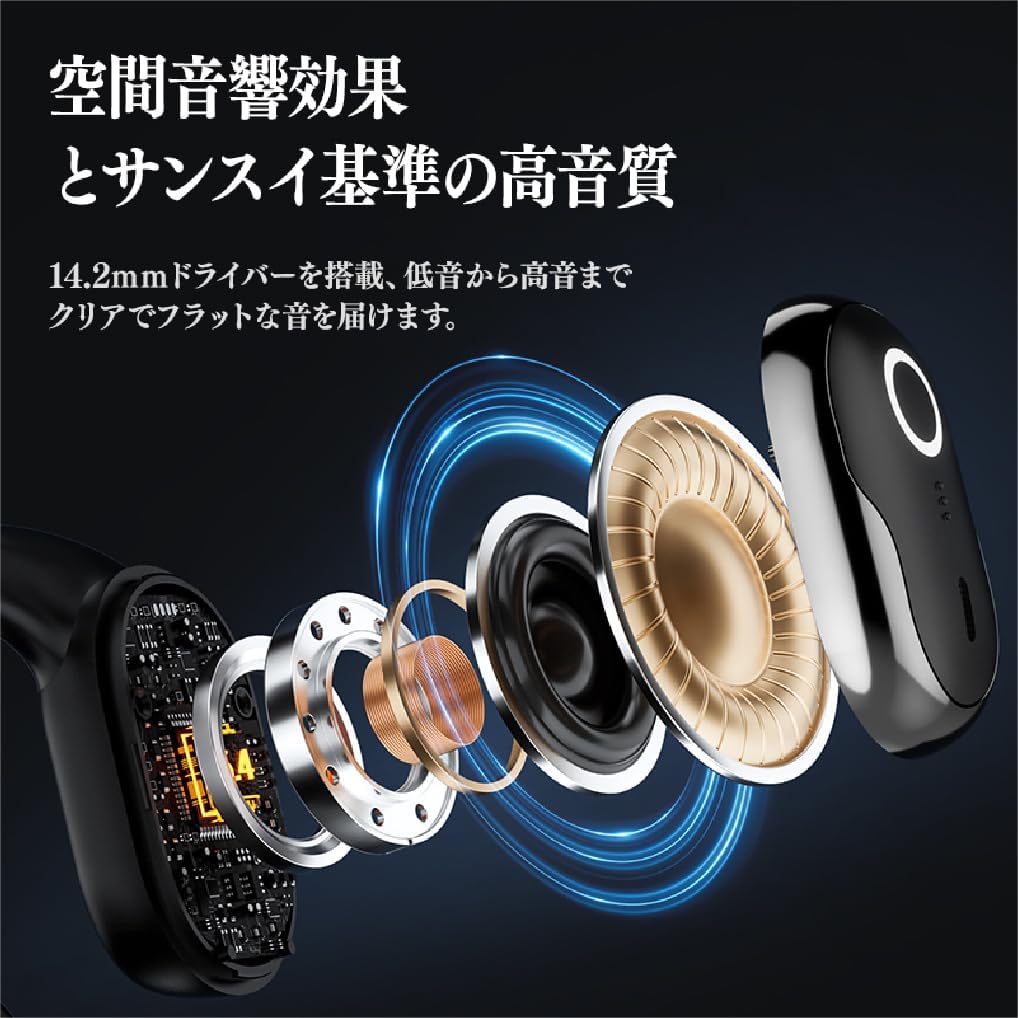
Immagine: Esploso view of SANSUI W26 Earphone Internal Components. This image illustrates the internal structure, including the 14.2mm driver, which contributes to spatial acoustic effects and high-quality sound.
Impostare
1. Ricarica degli auricolari e della custodia
Prima del primo utilizzo, caricare completamente gli auricolari e la custodia di ricarica.
- Riporre gli auricolari nella custodia di ricarica.
- Connect the provided USB Type-C cable to the charging port on the case and a power source (e.g., USB wall adapter, computer USB port).
- Le spie luminose sulla custodia mostreranno lo stato di carica. Una volta completata la carica, le spie indicheranno il completamento.
A full charge provides up to 12 hours of playback for the earphones alone, and up to 36 hours with the charging case.
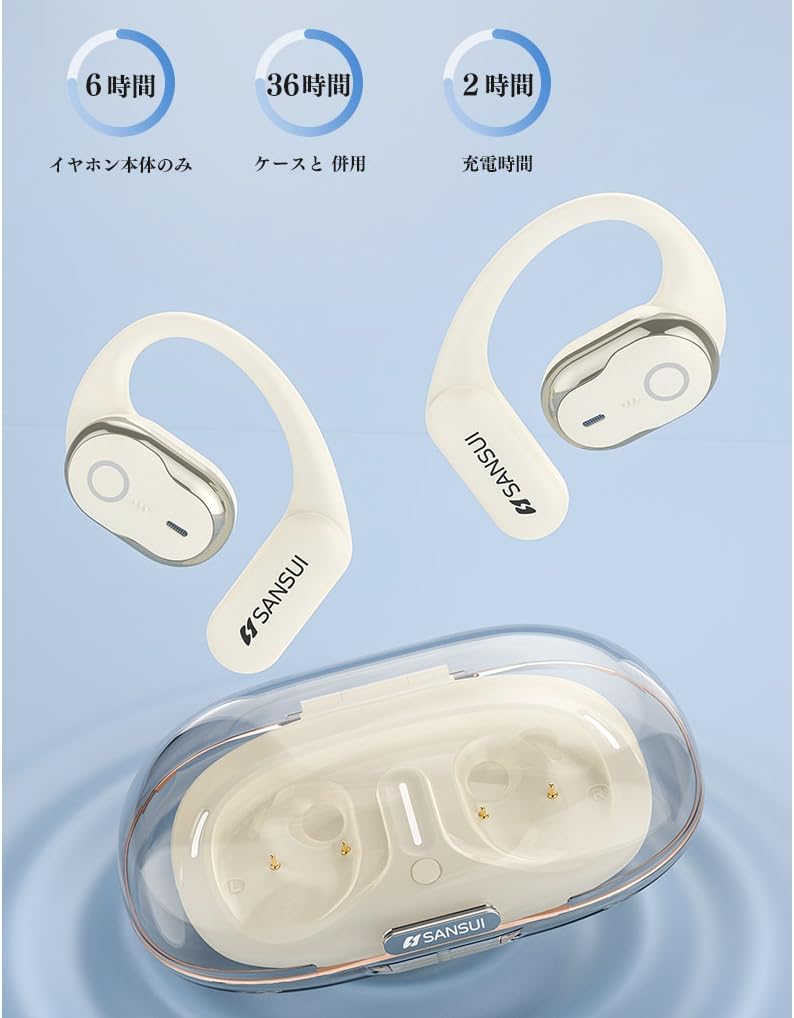
Immagine: SANSUI W26 Earphone Battery Life and Charging. This image illustrates the battery life: 6 hours for earphones only, 36 hours with the charging case, and a 2-hour charging time for the case.
2. Accoppiamento Bluetooth
The earphones support Bluetooth V5.4 for a stable and low-latency connection.
- Aprire la custodia di ricarica. Gli auricolari entreranno automaticamente in modalità di associazione.
- Sul tuo dispositivo (smartphone, tablet, ecc.), attiva il Bluetooth e cerca i dispositivi disponibili.
- Select "SANSUI W26" from the list of found devices.
- Una volta effettuata la connessione, un messaggio vocale confermerà l'avvenuta associazione.
- Una volta estratti dalla custodia, gli auricolari si riconnetteranno automaticamente all'ultimo dispositivo associato.
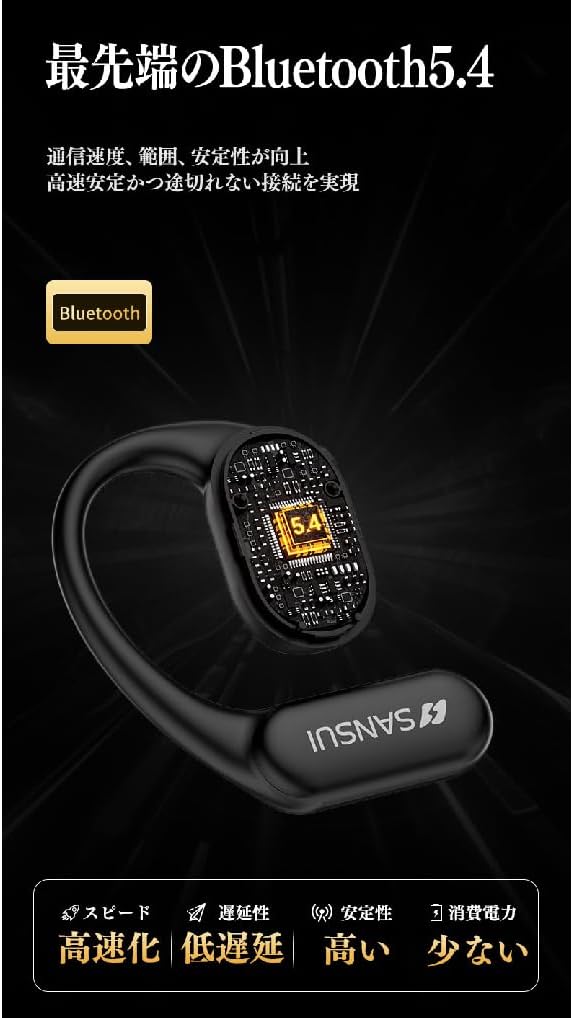
Immagine: SANSUI W26 Bluetooth 5.4 Connectivity. This image highlights the advanced Bluetooth 5.4 technology, emphasizing improved communication speed, range, stability, low latency, and reduced power consumption.
Istruzioni per l'uso
1. Indossare gli auricolari
The SANSUI W26 features an ergonomic ear-hook design for secure and comfortable fit.
- Identificare gli auricolari sinistro (L) e destro (R).
- Gently hook the earphone over your ear, ensuring the speaker part is positioned correctly near your ear canal without blocking it.
- Adjust for a snug and comfortable fit. The design allows you to hear ambient sounds while enjoying audio.

Immagine: SANSUI W26 Ear-Hook Design. This image demonstrates the stable and non-falling ear-hook design, showing how it fits securely with three support points and features skin-friendly silicone material.
2. Toccare Controlli
The earphones are equipped with touch-sensitive controls for various functions. Refer to the table below for common operations:
| Funzione | Azione |
|---|---|
| Riproduci/Pausa musica | Tocca una volta su uno degli auricolari |
| Traccia successiva | Doppio tocco sull'auricolare destro |
| Traccia precedente | Tocca due volte sull'auricolare sinistro |
| Rispondi/Termina chiamata | Tocca una volta su uno degli auricolari |
| Rifiuta chiamata | Long press on either earphone |
| Attiva l'Assistente Vocale | Triple tap on either earphone |
3. Call Functions (ENC Noise Cancelling)
The built-in ENC (Environmental Noise Cancellation) engine separates your voice from ambient noise, ensuring clear communication during calls and online meetings.
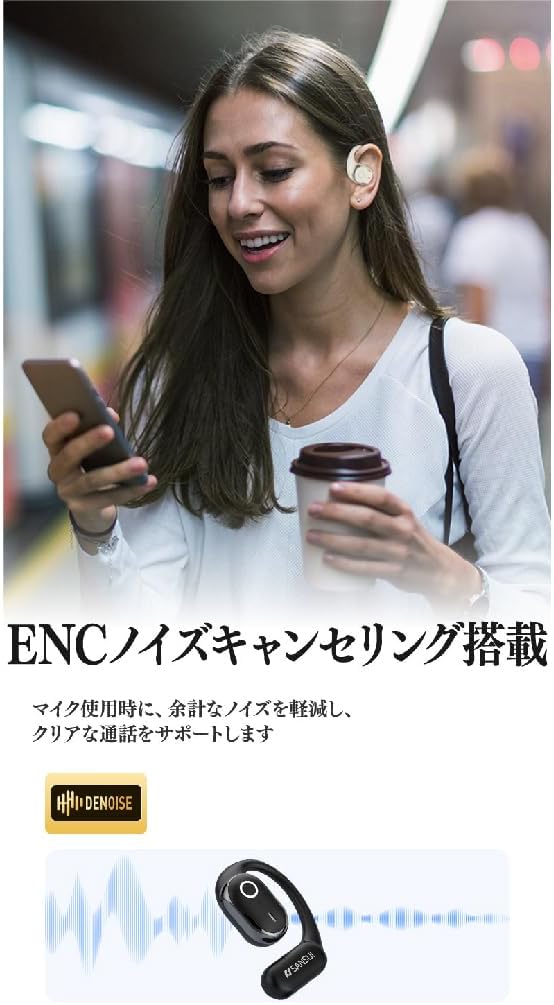
Immagine: SANSUI W26 ENC Noise Cancelling Feature. This image shows a person using the earphones in a busy environment, illustrating how the ENC technology reduces background noise for clearer calls.
Manutenzione
- Pulizia: Regularly clean the earphones and charging case with a soft, dry cloth. For stubborn dirt, a slightly damp cloth can be used, but ensure no moisture enters the charging ports or speaker grilles. The earphones are IPX5 waterproof, allowing for rinsing under tap water if needed, but avoid prolonged submersion.
- Magazzinaggio: Quando non li usi, conservali nella loro custodia di ricarica per proteggerli da polvere e danni. Conservali in un luogo fresco e asciutto, lontano dalla luce solare diretta e da temperature estreme.
- Cura della batteria: Per prolungare la durata della batteria, evitare di scaricare completamente gli auricolari frequentemente. Ricaricarli regolarmente, anche se non utilizzati per periodi prolungati.
Risoluzione dei problemi
If you encounter issues with your SANSUI W26 earphones, refer to the following common problems and solutions:
- Gli auricolari non si associano:
- Assicurati che il Bluetooth sia abilitato sul tuo dispositivo.
- Assicurati che gli auricolari siano carichi.
- Riporre gli auricolari nella custodia, chiuderla e riaprirla per rientrare in modalità di associazione.
- Forget "SANSUI W26" from your device's Bluetooth list and try pairing again.
- Nessun suono:
- Controlla il livello del volume sia sul dispositivo che sugli auricolari.
- Assicurati che gli auricolari siano collegati correttamente al dispositivo.
- Prova a riprodurre l'audio da un'applicazione o una sorgente diversa.
- Scarsa qualità della chiamata:
- Assicurarsi che il microfono non sia ostruito.
- Avvicinati al dispositivo connesso per migliorare la potenza del segnale.
- Controlla che non vi siano rumori di sottofondo eccessivi nell'ambiente.
- Gli auricolari non si caricano:
- Assicurarsi che il cavo di ricarica sia collegato saldamente sia alla custodia sia alla fonte di alimentazione.
- Controllare che i contatti di ricarica sugli auricolari e all'interno della custodia siano puliti.
- Prova a utilizzare un cavo USB Type-C o un adattatore di alimentazione diverso.
Specifiche
| Caratteristica | Dettaglio |
|---|---|
| Marca | SANSUIO |
| Nome del modello | W26 |
| Tecnologia di connettività | Senza fili (Bluetooth V5.4) |
| Stile delle cuffie | Ear-hook, Open-ear |
| Colore | Bianco |
| Cancellazione del rumore | ENC (cancellazione del rumore ambientale) per le chiamate |
| Resistenza all'acqua | Equivalente IPX5 |
| Codec audio | CAA, SBC |
| Tempo di riproduzione degli auricolari | Fino a 12 ore |
| Tempo di riproduzione totale (con custodia) | Fino a 36 ore |
| Porta di ricarica | USB di tipo C |
| Paese di origine | Cina |
Garanzia e supporto
Garanzia del produttore: The SANSUI W26 Wireless Earphones come with a 1-year manufacturer warranty from the date of purchase. This warranty covers defects in materials and workmanship under normal use.
Esclusioni: La garanzia non copre i danni causati da uso improprio, incidenti, modifiche non autorizzate o normale usura.
Assistenza clienti: For warranty claims, technical assistance, or any questions regarding your SANSUI W26 earphones, please contact your retailer or the official SANSUI customer support channel. Refer to the product packaging or official websito per le informazioni di contatto.
Ask a question about this manual
Ask about setup, troubleshooting, compatibility, parts, safety, or missing instructions. Manuals+ will review the question and use this page’s manual context to help answer it.