
1. Introduzione
Thank you for choosing the Cuifati MP3 Player. This device is designed to provide a versatile portable audio experience, featuring Bluetooth connectivity, HiFi sound quality, a voice recorder, FM radio, and e-book functionality. This manual will guide you through the setup, operation, and maintenance of your new MP3 player.
2. Contenuto della confezione
Si prega di selezionare la casella per i seguenti elementi:
- Cuifati MP3 Player
- Cavo USB (tipo C)
- Manuale d'uso
- Optional: Small Memory Card (16G/32G/64G, depending on purchase)
3. Prodotto finitoview
Familiarizza con la disposizione e i comandi del dispositivo.

Image: Cuifati MP3 Player displaying its main menu interface with various function icons.

Immagine: Frontale view of the Cuifati MP3 Player, highlighting its screen and control buttons.
The device features a 2.01-inch screen and intuitive navigation buttons for easy access to its functions.
4. Impostazione
4.1 Accensione iniziale
To turn on the device for the first time, press and hold the power button located on the side or top of the player until the screen illuminates.
4.2 Ricarica del dispositivo
Before first use, fully charge the MP3 player. Connect the provided USB Type-C cable to the charging port on the device and the other end to a USB power adapter (not included) or a computer's USB port. A full charge typically takes approximately 2 hours and provides up to 48 hours of battery life.

Image: MP3 Player with its USB Type-C charging cable.
4.3 Espansione dello spazio di archiviazione
The MP3 player supports memory card expansion up to 128GB. Insert a compatible microSD card into the designated slot to store more music, videos, and other files.
5. Istruzioni per l'uso
5.1 Navigazione di base
Use the circular navigation buttons to move through menus and select options. The central button typically acts as 'Enter' or 'Play/Pause', while the surrounding buttons control direction (Up, Down, Left, Right). A dedicated 'M' button often accesses menu options, and a 'Return' button navigates back.
5.2 Riproduzione di musica
The player supports various music formats including MP3, WMA, WAV, APE, FLAC, AAC-LC, M4A, and OGG. Navigate to the 'Music' icon on the main menu to browse and play your audio files. The device features HiFi lossless sound quality for an enhanced listening experience.

Image: Illustrates the HiFi sound quality feature of the MP3 player.
5.3 Connessione Bluetooth
The MP3 player is equipped with Bluetooth 5.4 for stable wireless audio transmission. To connect to Bluetooth headphones or speakers:
- Vai al menu "Bluetooth" sul lettore.
- Assicurati che le cuffie o gli altoparlanti Bluetooth siano in modalità di associazione.
- Seleziona 'Cercare dispositivi sul lettore MP3.
- Seleziona il dispositivo dall'elenco per associarlo.
Note: The Bluetooth function only supports connection to Bluetooth headphones and Bluetooth speakers. It does not support file transfer or connection to smartphones.
5.4 Radio FM
To use the FM radio function, connect wired headphones to the 3.5mm headphone jack. The wired headphones act as an antenna. Navigate to the 'FM' icon on the main menu to access radio functions, scan for stations, and listen.

Image: Demonstrates listening to FM radio with wired headphones.
5.5 Registratore vocale
The device includes a voice recording function with lossless sound quality. Select the 'Record' icon to start, pause, and save audio recordings. This feature is useful for meetings, interviews, o appunti personali.
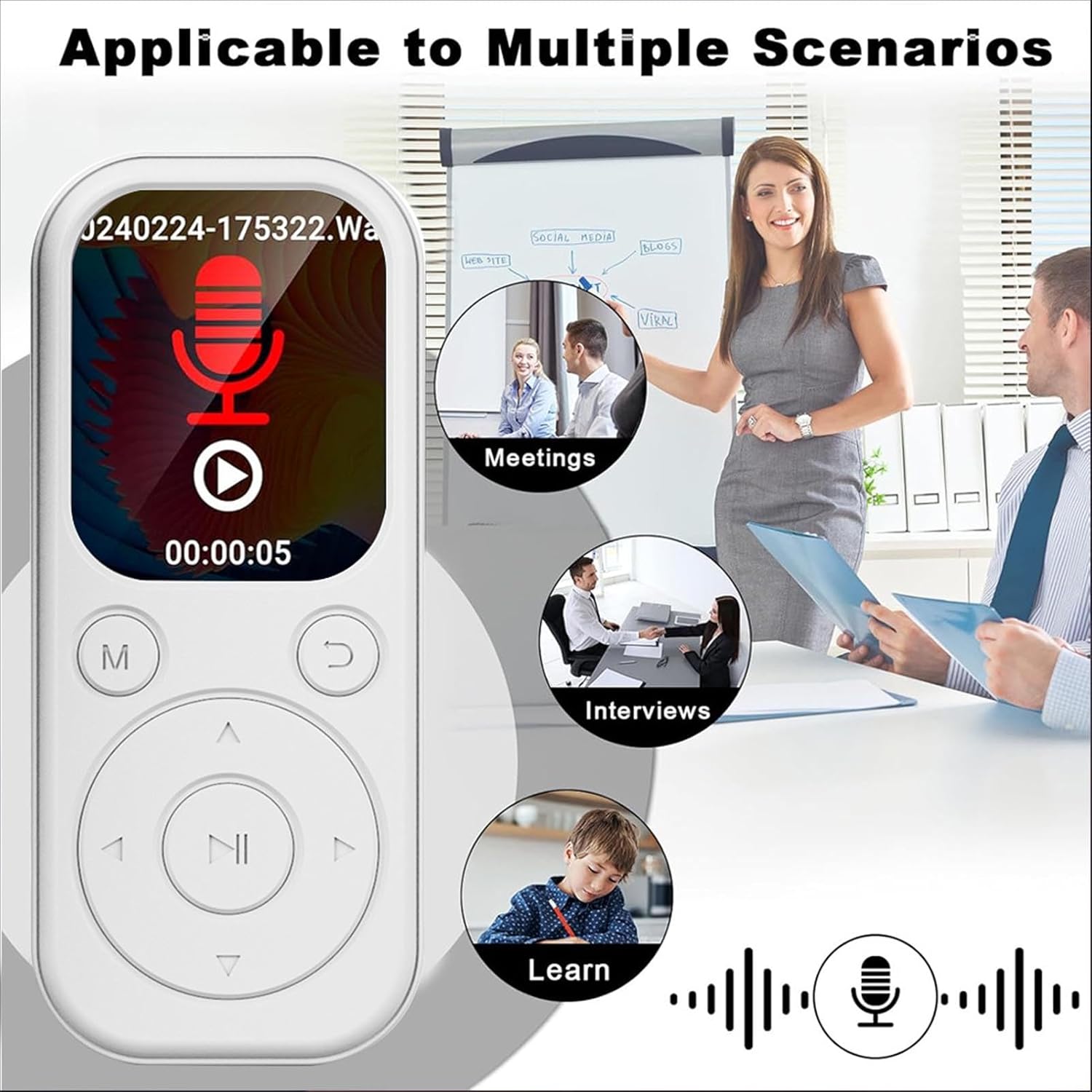
Image: MP3 Player showing its recording function, suitable for various scenarios.
5.6 Lettore di e-book
The MP3 player supports TXT format e-books. Transfer your TXT files to the device's storage and select the 'Ebook' icon to read them on the 2.01-inch screen.
5.7 Video and Picture Viewer
The device can play videos with a resolution of 240x288 in AVI format and display pictures. Use the 'Video' and 'Picture' icons to access these functions.
6. Manutenzione
- Mantenere il dispositivo asciutto. Evitare l'esposizione a umidità o liquidi.
- Pulire lo schermo e il corpo con un panno morbido e asciutto. Non utilizzare detergenti abrasivi.
- Evitare temperature estreme. Non esporre il dispositivo alla luce solare diretta o ad ambienti molto freddi.
- Maneggiare con cura. Non far cadere il dispositivo né sottoporlo a forti urti.
- Conservare in un luogo sicuro quando non in uso.
7. Risoluzione Dei Problemi
7.1 Il dispositivo non si accende
- Assicurarsi che la batteria sia carica. Collegare il dispositivo a una fonte di alimentazione e lasciarlo caricare per almeno 15 minuti prima di riprovare ad accenderlo.
- If the device is unresponsive, try performing a soft reset (refer to the device's specific reset procedure if available, or hold the power button for an extended period).
7.2 Impossibile connettersi al dispositivo Bluetooth
- Ensure both the MP3 player and the Bluetooth audio device are in pairing mode.
- Verify that the Bluetooth audio device is within range (typically 10 meters or 33 feet).
- Confirm that the Bluetooth function on the MP3 player is enabled.
- Remember that the MP3 player's Bluetooth only connects to headphones and speakers, not other devices like phones.
7.3 Nessun suono dalle cuffie
- Controllare che il volume sia alto.
- Assicurarsi che le cuffie siano collegate correttamente al jack da 3.5 mm.
- Test with another pair of headphones to rule out a faulty headphone issue.
8. Specifiche
| Tipo di articolo | Lettore MP3 |
| Numero di modello | CUIFATIu1wiqvc6xd-13 |
| Materiale | addominali |
| Dimensioni (LxWxT) | 92 x 39.8 x 8mm / 3.62 x 1.57 x 0.31in |
| Peso | 26g / 0.9 oz (approx.) |
| Colore | Bianco |
| Batteria | Batteria agli ioni di litio da 500 mAh integrata |
| Schermo | 2.01 pollici |
| Versione Bluetooth | 5.4 |
| Porta di ricarica | Tipo C |
| Presa per cuffie | 3.5mm |
| Risoluzione video | 240x288 |
| Formato video | AVI |
| Formato e-book | TXT |
| Sistemi operativi supportati | For Vista, for OS X 10, 12 above |
| Lingua del software | English, French, German, Russian, Spanish, Korean |
9. Garanzia e supporto
For warranty information and customer support, please refer to the documentation provided with your purchase or contact the retailer. Specific warranty terms may vary by region and seller.