
1. Introduzione
This manual provides essential information for setting up, operating, maintaining, and troubleshooting your GIGABYTE AORUS Elite 16 BWH gaming laptop. The AORUS Elite 16 BWH is designed for high-performance gaming and demanding applications, featuring an Intel Core Ultra 9 processor, NVIDIA GeForce RTX 5070 laptop GPU, a 16-inch WQXGA 165Hz display, and Windows 11 Pro.
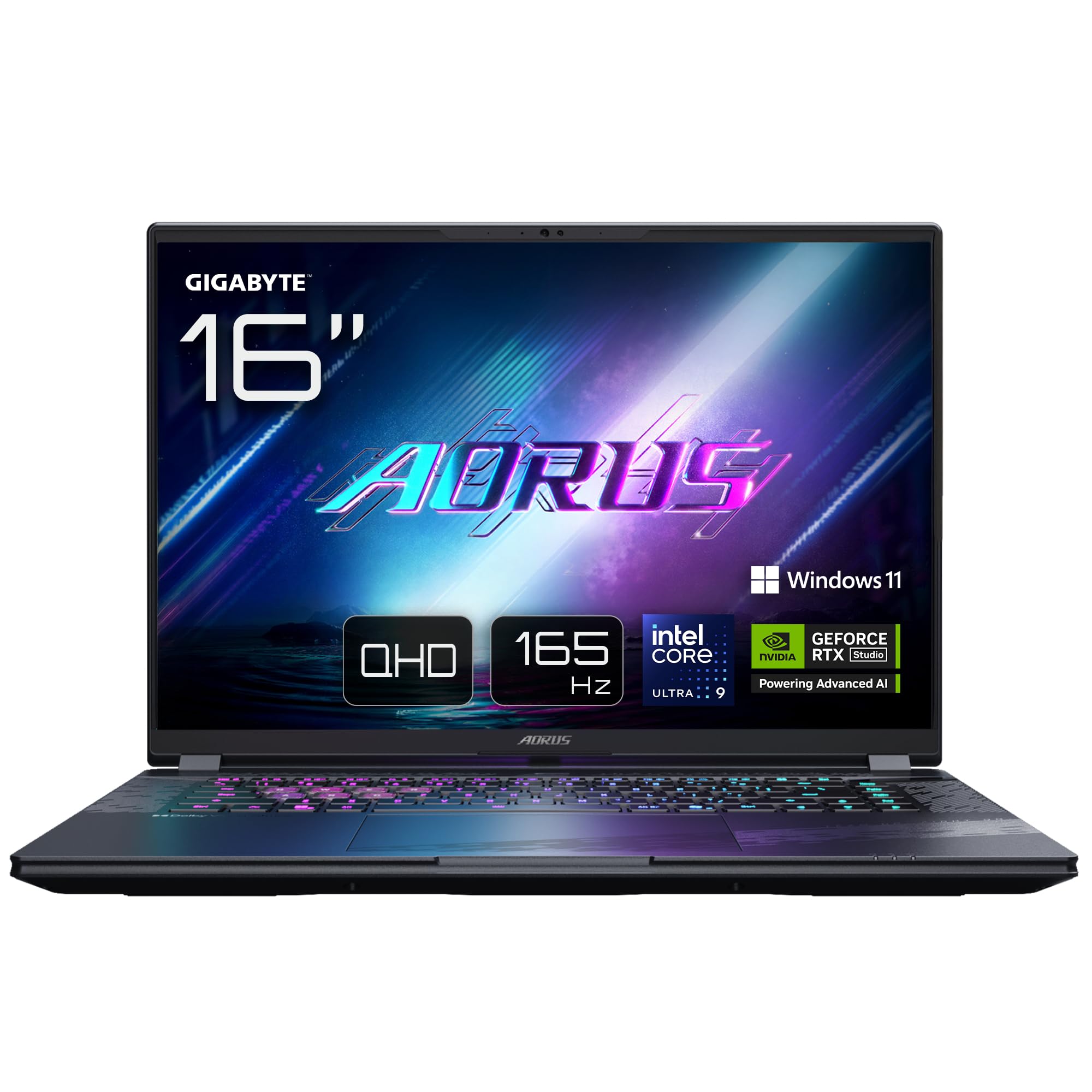
Image: The GIGABYTE AORUS Elite 16 BWH gaming laptop, showcasing its open display and keyboard.
2. Impostazione
2.1 Disimballaggio e ispezione iniziale
Estrarre con cautela il laptop e tutti gli accessori dalla confezione. Verificare che tutti i componenti elencati nella sezione "Contenuto della confezione" siano presenti e integri.
- GIGABYTE AORUS ELITE 16 BWHC3FRC65SP Laptop
- Adattatore di alimentazione e cavo
- Documentazione (questo manuale, scheda di garanzia)
2.2 Collegamento dell'alimentazione
Connect the power adapter to the laptop's power input port and then plug the power cable into an electrical outlet. It is recommended to fully charge the battery before initial use.
2.3 Prima accensione
Premere il pulsante di accensione per accendere il laptop. Seguire le istruzioni visualizzate sullo schermo per completare la configurazione di Windows 11 Pro, inclusa la selezione della lingua, la connessione di rete e la creazione dell'account utente.
2.4 Connecting Peripherals and Network
The laptop features various ports for connecting external devices and networks.
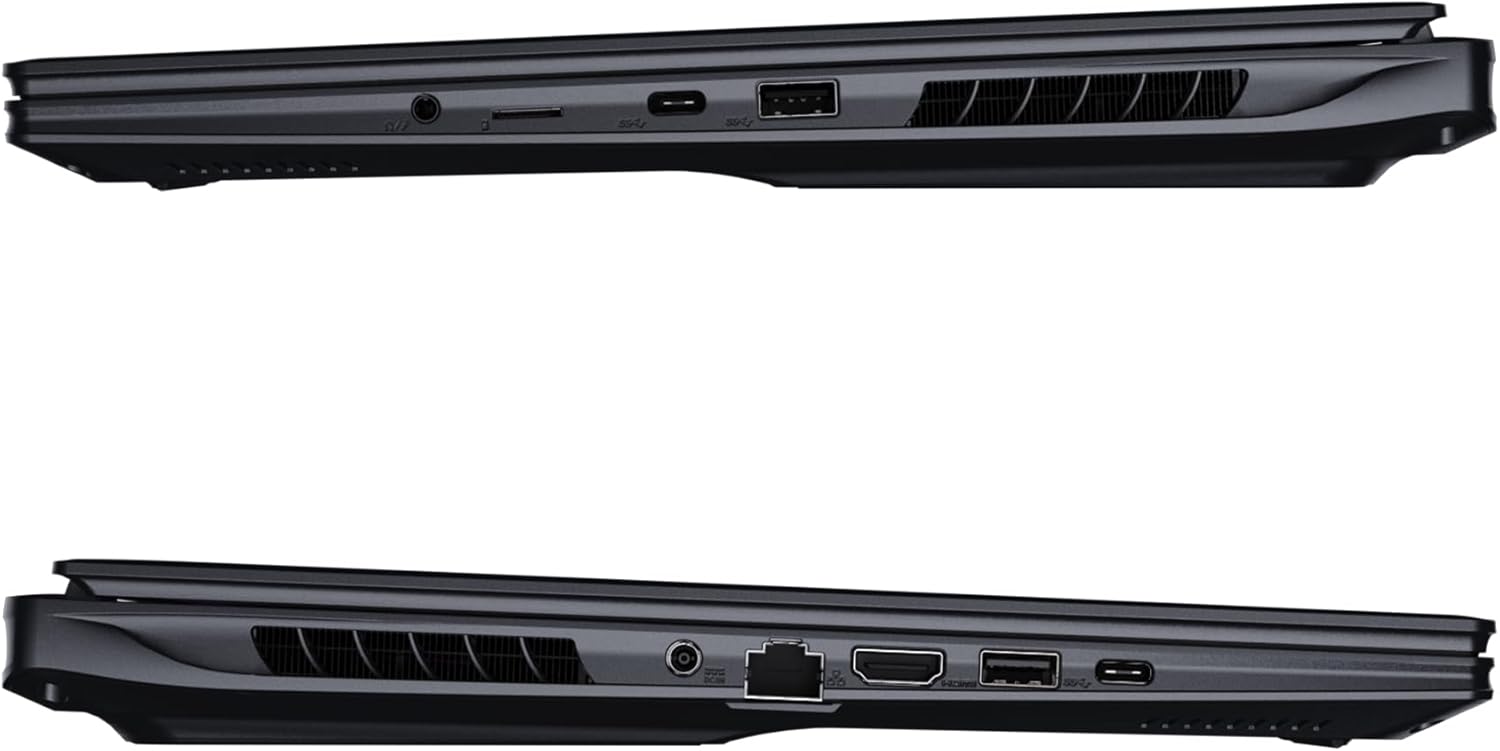
Immagine: Lato view of the laptop illustrating the available ports for connectivity.
- Porte USB: Collegare dispositivi USB come mouse, tastiere o dispositivi di archiviazione esterni.
- Porta HDMI: Collegalo a un display esterno o a una TV.
- Porta Thunderbolt 4: Per trasferimento dati ad alta velocità e output di visualizzazione.
- Porta Ethernet: Per la connessione di rete cablata.
- Jack per cuffie: Per l'uscita audio su cuffie o altoparlanti esterni.
- Wi-Fi 7: Connect to wireless networks via the integrated Wi-Fi 7 module.
- Bluetooth 5.4: Abbinamento con dispositivi abilitati Bluetooth.
3. Utilizzo del laptop
3.1 Funzionalità di visualizzazione
Your AORUS Elite 16 BWH features a 16-inch WQXGA (2560x1600) IPS display with a 165Hz refresh rate and 16:10 aspect ratio, offering a wide viewing experience. It supports Dolby Vision for enhanced visual quality and is Pantone validated for color accuracy.

Image: The laptop's 16:10 aspect ratio display, highlighting its IPS panel and Pantone validation.
3.2 Tastiera e touchpad
The laptop is equipped with a backlit keyboard for comfortable typing in various lighting conditions and a responsive touchpad for navigation.
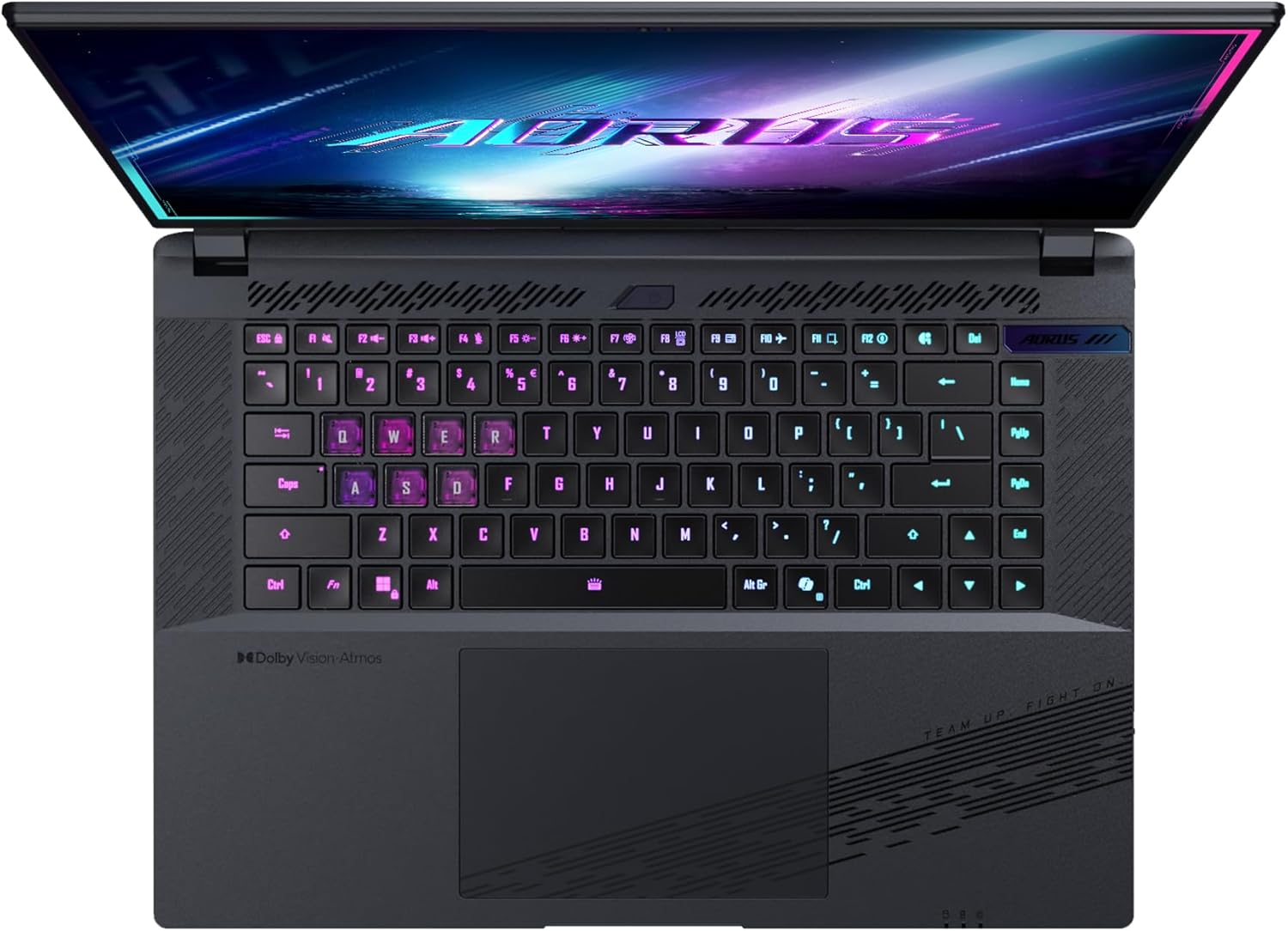
Immagine: dall'alto verso il basso view della tastiera del portatile, mostrataasing its backlit keys.
The keyboard also features a dedicated Copilot Key for quick access to AI functionalities in Windows 11.

Image: Close-up of the keyboard, highlighting the Copilot Key for AI features.
3.3 Sistema audio
Experience immersive audio with Dolby Atmos support and integrated 2W speakers. The laptop also includes a built-in microphone for communication.

Image: Visual representation of Dolby Atmos and Dolby Vision audio and visual enhancements.
3.4 Caratteristiche delle prestazioni
The AORUS Elite 16 BWH is powered by an Intel Core Ultra 9 processor with an integrated NPU for AI acceleration and an NVIDIA GeForce RTX 5070 laptop GPU, ensuring high performance for gaming and demanding tasks. It also features Advanced Optimus with DDS Technology for optimized graphics performance.

Immagine: Un dettaglio view of the Intel Core Ultra 9 processor chip.

Immagine: Un dettaglio view of the NVIDIA GeForce RTX 50 Series laptop GPU chip.
3.5 GiMATE AI Agent
Utilize GiMATE, your personal AI agent, to optimize performance, manage smart cooling, enhance privacy, control power settings, and improve audio and voice functionalities.

Image: GiMATE AI Agent interface showing various optimization features.
4. Manutenzione
4.1 Sistema di raffreddamento
The laptop features the WINDFORCE Infinity cooling system to maintain optimal temperatures during intensive use. Ensure the vents are clear of obstructions to allow proper airflow.

Image: Representation of the WINDFORCE Infinity cooling system.
4.2 Pulizia
Utilizzare un panno morbido e privo di lanugine per pulire lo schermo e le superfici esterne. Per macchie ostinate, dampen the cloth slightly with water or a screen-cleaning solution. Avoid harsh chemicals.
4.3 Cura della batteria
Per prolungare la durata della batteria, evitare temperature estreme e non lasciare il portatile completamente carico o completamente scarico per periodi prolungati.
4.4 Aggiornamenti software
Regularly update your Windows operating system, drivers, and GIGABYTE software to ensure optimal performance and security.
5. Risoluzione Dei Problemi
5.1 Problemi di alimentazione
- Il portatile non si accende: Assicurarsi che l'adattatore di alimentazione sia collegato saldamente e che la presa sia funzionante. Controllare il livello di carica della batteria.
- La batteria non si carica: Verificare che l'adattatore e il cavo di alimentazione non siano danneggiati. Provare una presa diversa.
5.2 Problemi di visualizzazione
- Nessuna visualizzazione: Connect an external monitor to check if the issue is with the laptop's screen. Ensure the laptop is powered on.
- Visualizzazione tremolante o distorta: Aggiorna i driver della scheda grafica. Controlla i collegamenti dei cavi dello schermo se utilizzi un monitor esterno.
5.3 Problemi di connettività
- Wi-Fi non connesso: Check if Wi-Fi is enabled in Windows settings. Restart your router and laptop.
- Dispositivo Bluetooth non associato: Ensure the device is in pairing mode and within range. Update Bluetooth drivers.
5.4 Problemi generali di prestazioni
- Prestazioni lente: Chiudere le applicazioni non necessarie. Verificare la presenza di malware. Assicurarsi di avere sufficiente spazio libero su disco.
- Surriscaldamento: Assicurarsi che le prese d'aria di raffreddamento siano libere. Utilizzare il portatile su una superficie rigida e piana.
For more complex issues, refer to the GIGABYTE support websito o contattare il servizio clienti.
6. Specifiche
| Caratteristica | Dettaglio |
|---|---|
| Marca | GIGABYTE |
| Nome del modello | AORUS ELITE 16 BWHC3FRC65SP |
| Dimensioni dello schermo | 16 pollici |
| Colore | Grigio |
| Dimensioni del disco rigido | 2000 GB (2x 1TB SSD Gen4) |
| Modello CPU | Intel Core Ultra 9 275HX |
| Dimensione RAM installata | 32 GB DDR5 |
| Sistema operativo | Windows 11 Pro |
| Caratteristica speciale | Backlit Keyboard, Memory Card Slot |
| Descrizione della scheda grafica | Dedicato |
| Coprocessore grafico | Scheda grafica NVIDIA GeForce RTX 5070 |
| Hard Disk Technology | Unità SSD |
| Peso dell'articolo | 2300 grammi |
| WebCapacità della camma | Yes (Frontal) |
| Dimensione RAM della scheda grafica | 8 GB GDDR6 |
| RAM massima supportata | 64 GB |
| Contenuto energetico della batteria | 99 Watt-hours (Lithium-polymer, 4 cells) |
| Connettività | Bluetooth 5.4, Ethernet (10/1000 Mbit/s), HDMI (1 port), Thunderbolt 4 (1 port), USB 3.2 Gen 2 (2 ports), Wi-Fi 7 (802.11.be) |
| Velocità del processore | 2.7 GHz (massimo 5.4 GHz) |
| Numero di processori | 24 |
| Risoluzione dello schermo | 2560 x 1600 pixel (WQXGA) |
| Tipo di visualizzazione | Schermo LCD IPS |
| Caratteristiche audio | Dolby Atmos, 2x 2W Integrated Speakers, Integrated Microphone |
7. Informazioni sulla garanzia
Your GIGABYTE AORUS Elite 16 BWH laptop comes with a Garanzia limitata di 2 anno. This warranty covers manufacturing defects and hardware malfunctions under normal use. Please retain your proof of purchase for warranty claims. For detailed terms and conditions, refer to the warranty card included with your product or visit the official GIGABYTE websito.
8. Supporto
For technical assistance, driver downloads, and further product information, please visit the official GIGABYTE support websito. Lì puoi trovare anche FAQ e forum della community.
- GIGABYTE Ufficiale Websito: www.gigabyte.com
- Assistenza clienti: Refer to your regional GIGABYTE websito per le informazioni di contatto locali.