
1. Introduzione
This manual provides essential instructions for the proper use and maintenance of your Simbans Picasso Pen 3. This stylus is specifically designed for use with the PicassoTab X11 Drawing Tablet. Please read this manual thoroughly before using the pen to ensure optimal performance and longevity.
Compatibilità Nota: The Picasso Pen 3 is exclusively compatible with the PicassoTab X11. It is non compatibile with PicassoTab X (10 Inch), PicassoTab XL (11.6 Inch), or PicassoTab X14 (14.1 Inch) models.
2. Prodotto finitoview
The Simbans Picasso Pen 3 is a precision stylus designed to enhance your digital drawing and writing experience on the PicassoTab X11. It offers a natural and responsive feel, allowing for detailed and accurate input.
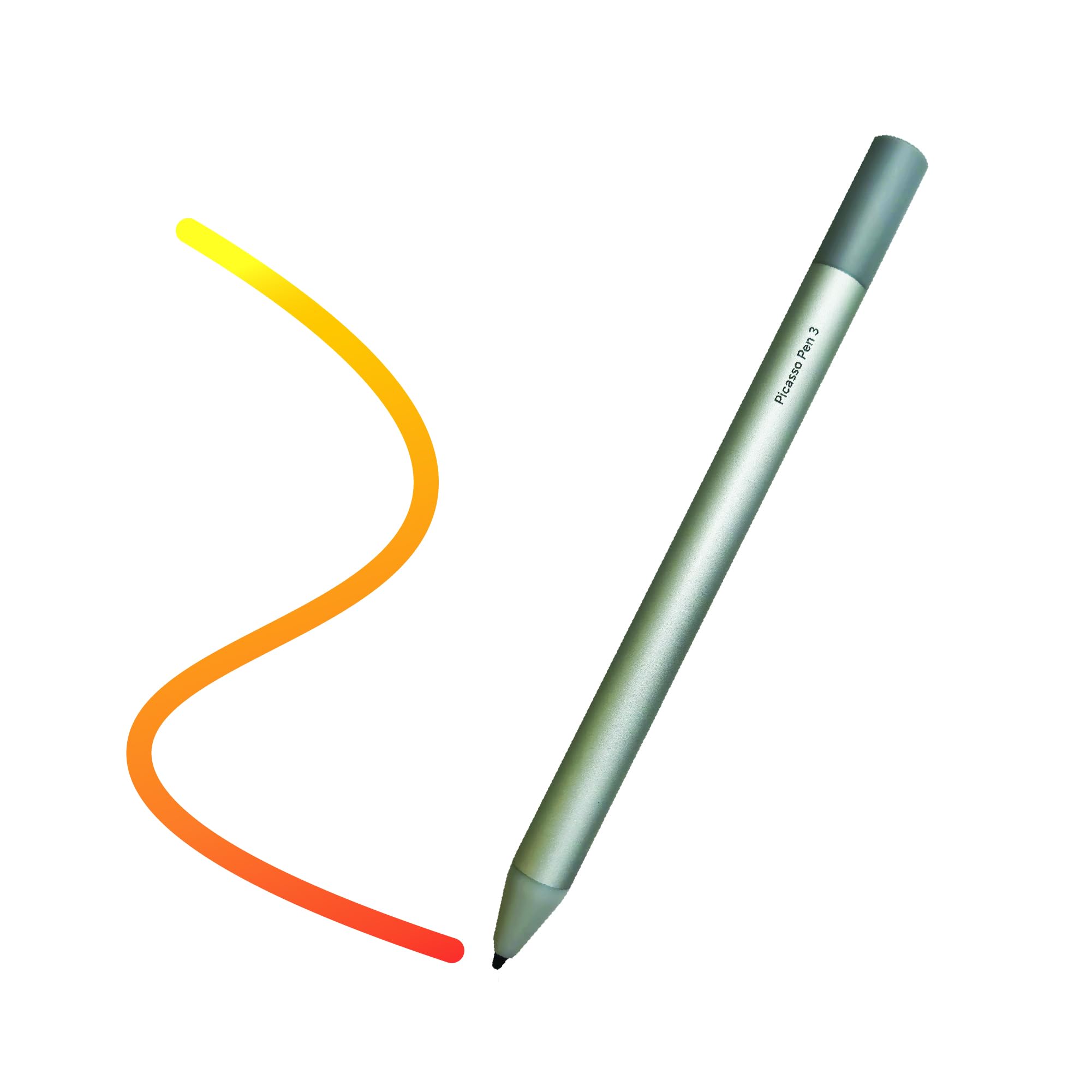
Figure 1: Simbans Picasso Pen 3
This image displays the Simbans Picasso Pen 3, a sleek silver stylus. It features a smooth body with a fine tip, designed for precise interaction with the PicassoTab X11 drawing tablet. The pen is shown from a slight angle, highlighting its ergonomic design.
3. Impostazione
The Picasso Pen 3 is designed for immediate use with your PicassoTab X11. No complex pairing or software installation is required.
3.1. Utilizzo iniziale
- Disimballare la penna: Carefully remove the Picasso Pen 3 from its packaging.
- Controllare la batteria: The Picasso Pen 3 includes batteries. Ensure the pen is ready for use. If the pen does not respond, refer to the "Maintenance" section for battery replacement instructions.
- Begin Drawing: Simply touch the pen tip to the screen of your PicassoTab X11. The tablet should recognize the pen automatically.
4. Operating the Picasso Pen 3
The Picasso Pen 3 functions as a precise input device for your PicassoTab X11, mimicking the feel of a traditional pen or pencil.
4.1. Funzioni di base
- Disegno e scrittura: Use the pen tip directly on the tablet screen to draw, write, and annotate. The pressure sensitivity of the pen allows for varying line thickness and opacity in compatible applications.
- Navigazione: Tap the screen with the pen to select items, open applications, and navigate the tablet's interface.
- Gesti: Some applications may support specific gestures with the stylus. Refer to your application's documentation for details.
4.2. Sensibilità alla pressione
The Picasso Pen 3 supports pressure sensitivity, allowing for dynamic line control in drawing and painting applications. Apply more pressure for thicker or darker lines, and less pressure for finer or lighter strokes.
5. Manutenzione
Proper care and maintenance will extend the life of your Picasso Pen 3.
5.1. Pulizia
- Corpo della penna: Pulire il corpo della penna con un panno morbido, asciutto e privo di lanugine. Non utilizzare prodotti chimici aggressivi o materiali abrasivi.
- Punta della penna: Gently clean the pen tip with a soft cloth if any debris accumulates. Avoid applying excessive force.
5.2. Conservazione
Store the Picasso Pen 3 in a safe place when not in use, away from extreme temperatures and direct sunlight. Avoid placing heavy objects on the pen.
5.3. Sostituzione della batteria
The Picasso Pen 3 uses a replaceable battery. If the pen stops responding or its performance degrades, the battery may need replacement.
- Identificare il vano batteria: Locate the battery compartment, typically by twisting or pulling a section of the pen body.
- Rimuovere la vecchia batteria: Rimuovere con attenzione la vecchia batteria.
- Inserire una nuova batteria: Insert a new compatible battery, ensuring correct polarity.
- Scomparto sicuro: Reassemble the pen body securely.
Nota: smaltire le batterie usate secondo le normative locali.
6. Risoluzione Dei Problemi
If you encounter issues with your Picasso Pen 3, refer to the following common solutions:
| Problema | Possibile causa | Soluzione |
|---|---|---|
| La penna non risponde | Batteria scarica o scarica | Sostituire la batteria (vedere la Sezione 5.3). |
| La penna non risponde | Incompatible tablet model | Ensure you are using a PicassoTab X11. The pen is not compatible with other PicassoTab models. |
| Inaccurate or intermittent input | Dirty pen tip or tablet screen | Clean the pen tip and the tablet screen with a soft, dry cloth. |
| Inaccurate or intermittent input | Interferenza | Move away from strong electromagnetic fields or other electronic devices that may cause interference. |
If the problem persists after trying these solutions, please contact Simbans customer support.
7. Specifiche
- Modello: Simbans Picasso Pen 3 (PEN3)
- Colore: Argento
- Compatibilità: PicassoTab X11 Drawing Tablet ONLY
- Batteria: Incluso
- Produttore: simban
8. Informazioni sulla garanzia
Simbans products are covered by a limited warranty. For detailed warranty terms and conditions, please refer to the warranty card included with your product or visit the official Simbans websito. Conservare la prova d'acquisto per eventuali reclami in garanzia.
9. Assistenza clienti
For further assistance, technical support, or inquiries regarding your Simbans Picasso Pen 3, please contact Simbans customer support through their official websito o le informazioni di contatto fornite nella confezione del prodotto.
Simbans Official Websito: Visit Simbans Store on Amazon