
1. Informazioni importanti sulla sicurezza
- Always turn off the power supply before installing or replacing the bulb.
- This bulb is designed for indoor use only. Do not use in wet locations or outdoors.
- Do not use this smart bulb with traditional dimmer switches. It features built-in dimming functionality controlled via the app or voice commands. Using it with an external dimmer may cause damage or malfunction.
- Assicurare il volumetage of your fixture is compatible with the bulb (AC 120V).
- Non smontare o modificare la lampadina.
- Tenere fuori dalla portata dei bambini.
2. Prodotto finitoview
The I-SHUNFA Wi-Fi RGBCW Smart G9 LED Bulb offers advanced lighting control through your smartphone or voice assistant. It provides a wide range of colors and adjustable white light to suit any mood or activity.

Immagine: Oltreview of I-SHUNFA G9 Smart Bulb features.
Caratteristiche principali:
- 16 milioni di colori: Choose from a vast spectrum of colors to create custom lighting scenes.
- Luce bianca regolabile: Seamlessly transition between warm white (2700K) and cool white (6500K).
- Luminosità dimmerabile: Adjust brightness from 1% to 100% (40LM-400LM) via the app or voice.
- Efficienza energetica: 4W LED bulb equivalent to 40-50W incandescent, saving up to 90% energy.
- Controllo vocale: Compatibile con Amazon Alexa e Google Assistant per l'utilizzo a mani libere.
- Controllo app: Manage your bulbs from anywhere using the 'Smart Life' app (2.4GHz Wi-Fi required).
- Controllo di gruppo: Control multiple bulbs simultaneously for unified lighting.
- Timer e programmi: Set custom schedules for automatic on/off times.
- Modalità Ritmo Musicale: Lights change color with the rhythm of music or sound.
- Lunga durata: Designed to last approximately 30,000 hours.
3. Specifiche
| Nome del modello | G9-2835B-95LED |
| Base della lampadina | G9 |
| Tipo di luce | LED (RGBCW) |
| Cosatage | 4 Watt |
| Equivalente a incandescenza | 40-50 Watts |
| Luminosità | 400 Lumens (adjustable 1%-100%) |
| Temperatura del colore | 2700K-6500K |
| Voltage | AC 120V (100-120V, 60Hz) |
| Indice di resa cromatica (CRI) | > 85 |
| Durata | Circa 30,000 ore |
| Dimensioni | 19.9mm (0.78") W x 63.5mm (2.5") H |
| Materiale | Plastica |
| Metodo di controllo | App, voce |
| Uso interno/esterno | Al chiuso |

Image: Dimensions of the G9 LED bulb compared to a G9 Halogen bulb. Please verify size before purchase.
4. Installazione
- Spegni: Before installation, ensure the power to the light fixture is completely turned off at the main switch or circuit breaker.
- Rimuovere la vecchia lampadina: Carefully remove the existing G9 bulb from its socket.
- Insert Smart Bulb: Gently insert the I-SHUNFA G9 Smart LED Bulb into the G9 socket. Ensure it is seated firmly.
- Accensione: Restore power to the light fixture. The bulb should light up, indicating successful installation.
5. Configurazione e associazione
5.1. Smart Life App Connection
To control your smart bulb, you need to download the 'Smart Life' app and connect the bulb to your home Wi-Fi network.
- Scarica l'app: Scan the QR code on the product packaging or search for 'Smart Life' in your smartphone's app store (iOS or Android) and download the app.
- Registrati/Accedi: Apri l'app "Smart Life" e registrati per un nuovo account oppure accedi se ne hai già uno.
- Requisiti Wi-Fi: Ensure your home Wi-Fi network is 2.4GHz. The bulb does not support 5GHz Wi-Fi.
- Entra in modalità di associazione: Turn the bulb on. Then, turn it off and on three times (on-off-on-off-on) in quick succession. The bulb should start flashing rapidly, indicating it is in pairing mode.
- Aggiungi dispositivo: In the 'Smart Life' app, tap the '+' icon (usually in the top right corner) to add a device. Select 'Lighting' > 'Light Source (Wi-Fi)'.
- Connettiti al Wi-Fi: Follow the on-screen instructions to connect the bulb to your 2.4GHz Wi-Fi network. You will need to enter your Wi-Fi password.
- Dispositivo aggiunto: Once connected, the bulb will stop flashing and appear in your device list in the app. You can rename the bulb for easier control.

Image: Smart Life App Connection Steps.
5.2. Voice Assistant Pairing (Alexa/Google Home)
After successfully connecting your bulb to the 'Smart Life' app, you can link it with Amazon Alexa or Google Assistant for voice control.
- Apri l'app Assistente vocale: Apri l'app Amazon Alexa o l'app Google Home sul tuo smartphone.
- Abilita Abilità/Servizio:
- For Alexa: Go to 'Skills & Games', search for 'Smart Life', and enable the skill.
- For Google Home: Go to 'Set up device' > 'Works with Google', search for 'Smart Life', and link the service.
- Collega account: You will be prompted to log in with your 'Smart Life' account credentials to link the accounts.
- Scopri i dispositivi: Once linked, ask Alexa to "Discover devices" or use the 'Discover devices' option in the Google Home app. Your I-SHUNFA smart bulb will be detected.
- Assign to Rooms: Assign the bulb to a specific room for easier voice control (e.g., "Living Room Light").
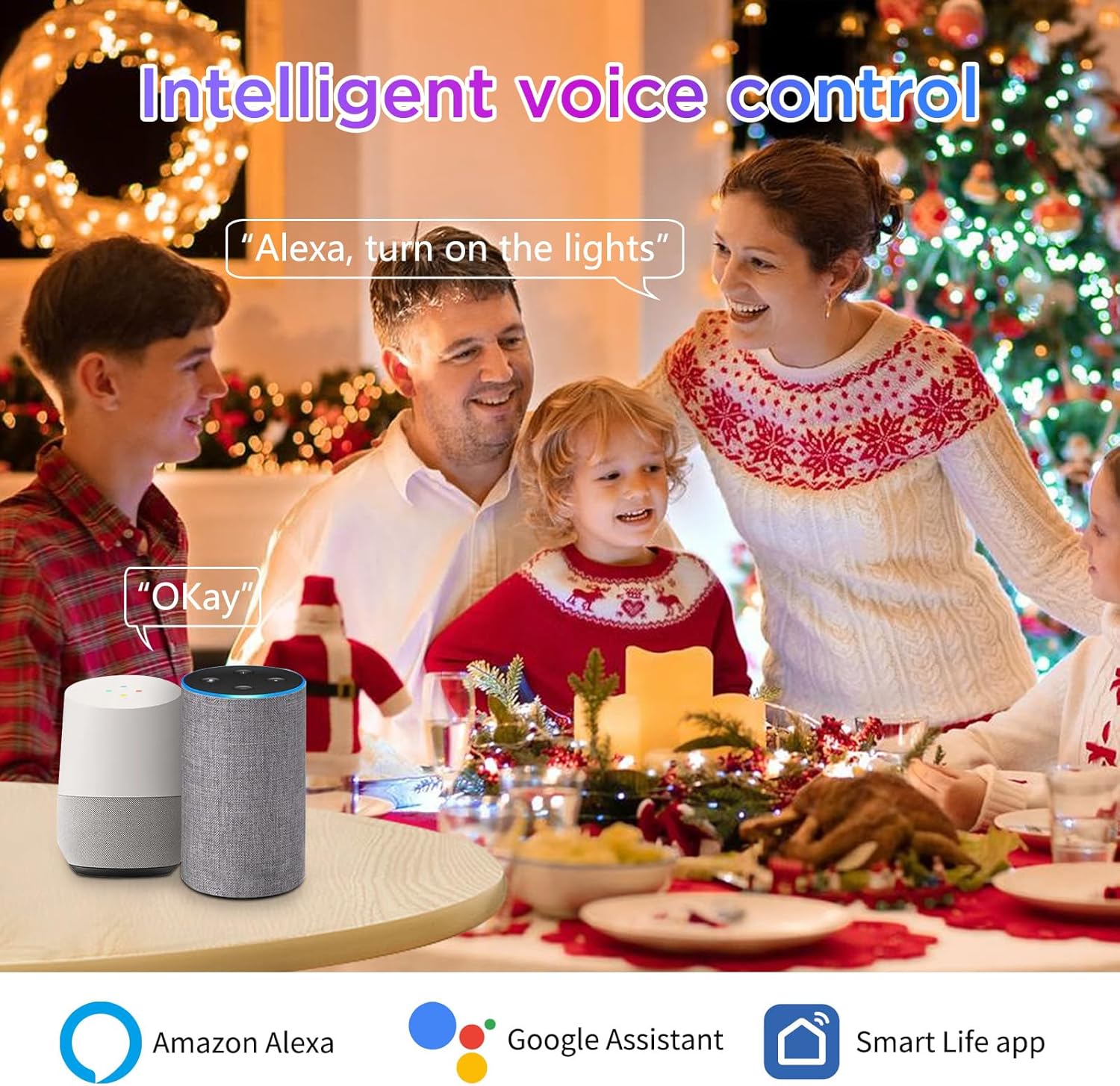
Image: Voice control with Amazon Alexa and Google Assistant.
6. Istruzioni per l'uso
Control your I-SHUNFA Smart G9 LED Bulb using the 'Smart Life' app or your preferred voice assistant.
6.1. Regolazione del colore e della luminosità
- Controllo app: Open the 'Smart Life' app, select your bulb, and use the color wheel or sliders to choose from 16 million colors, adjust brightness (1%-100%), or change the white light temperature (2700K-6500K).
- Comandi vocali:
- "Alexa/Hey Google, turn on [Bulb Name]."
- "Alexa/Hey Google, set [Bulb Name] to blue."
- "Alexa/Hey Google, dim [Bulb Name] to 50%."
- "Alexa/Hey Google, set [Bulb Name] to warm white."

Image: Color Temperature and Brightness Adjustment options.
6.2. Preset Scenes
The 'Smart Life' app offers 12 preset scenes (e.g., Reading, Working, Good Night, Festivals) to instantly create different atmospheres. Select the desired scene within the app.

Immagine: Examples of diverse scenes for colorful atmosphere.
6.3. Timers and Schedules
Set custom timers and schedules for your bulb to turn on or off automatically, helping to save energy and automate your lighting.
- Nell'app "Smart Life", seleziona la lampadina e vai alla sezione "Programmazione" o "Timer".
- Set desired on/off times and repeat days.

Image: Setting individual timers for multiple bulbs.
6.4. Music Rhythm Mode
Activate the music rhythm mode in the 'Smart Life' app. The bulb's colors will change and sync with the sound detected by your smartphone's microphone, creating a dynamic lighting experience.

Image: Musical Rhythm Mode in action.
6.5. Controllo di gruppo
Control multiple I-SHUNFA smart bulbs simultaneously by grouping them in the 'Smart Life' app. This allows you to change the color, brightness, or turn on/off all grouped bulbs with a single command.
- In the 'Smart Life' app, select one of your bulbs, then look for the 'Create Group' option.
- Seleziona tutte le lampadine che desideri includere nel gruppo e conferma.
- You can then control the entire group as a single device.
7. Manutenzione
- Pulizia: Ensure the bulb is off and cool before cleaning. Wipe gently with a soft, dry cloth. Do not use liquid cleaners or abrasive materials.
- Magazzinaggio: Se si conserva il bulbo per un periodo prolungato, tenerlo in un luogo fresco e asciutto, lontano dalla luce solare diretta e da temperature estreme.
8. Risoluzione Dei Problemi
| Problema | Possibile causa | Soluzione |
|---|---|---|
| Bulb not connecting to Wi-Fi/App | Incorrect Wi-Fi band (5GHz), incorrect pairing mode, weak Wi-Fi signal. | Ensure your Wi-Fi is 2.4GHz. Confirm the bulb is flashing rapidly (pairing mode) by power cycling it 3 times. Move closer to your Wi-Fi router. |
| Il controllo vocale non funziona | Smart Life skill/service not linked, device not discovered, incorrect commands. | Verify 'Smart Life' skill/service is enabled and linked in your Alexa/Google Home app. Ask the voice assistant to "Discover devices." Use correct voice commands as listed in the app. |
| Bulb is offline in the app | Perdita della connessione Wi-Fi, interruzione di correntetage. | Check your Wi-Fi router and internet connection. Power cycle the bulb (turn off for 10 seconds, then on). If the issue persists, try re-pairing the bulb. |
| Bulb does not respond to external dimmer switch | Incompatibility with external dimmer. | This smart bulb is not compatible with external dimmer switches. Use the 'Smart Life' app or voice commands for dimming functionality. |
| La lampadina non è abbastanza luminosa | Brightness set too low, lumen output not sufficient for application. | Adjust brightness to 100% in the app. Note that this 400-lumen bulb is equivalent to a 40-50W incandescent bulb; consider if higher lumen output is needed for your specific use case. |
9. Garanzia e supporto
Per informazioni sulla garanzia o supporto tecnico, fare riferimento alla confezione del prodotto o contattare direttamente il produttore tramite il suo rappresentante ufficiale. websito o tramite i canali di assistenza clienti. Conservare la ricevuta d'acquisto per eventuali reclami in garanzia.