
1. Introduzione
Thank you for choosing the DUSONLAP SU8 Mini Wireless Sleep Earbuds. These earbuds are designed to provide a comfortable and immersive audio experience, especially for side sleepers, while effectively blocking out ambient noise. Please read this manual thoroughly to ensure proper usage and optimal performance.

Image: DUSONLAP SU8 Mini Wireless Sleep Earbuds and their compact charging case.
2. Cosa c'è nella scatola
- DUSONLAP SU8 Sleep Earbuds (x2)
- SU8 Charging Case (x1)
- Cavo di ricarica USB-C (x1)
- Manuale utente (x1)

Image: All items included in the DUSONLAP SU8 product package.
3. Caratteristiche del prodotto
- Mini Portable and Safe Design: Made of soft, skin-friendly silicone, weighing only 3 grams per ear, with an ergonomic in-ear design for comfort and secure fit.
- True Noise Blocking: Achieves a noise suppression effect of 24 decibels, ideal for blocking ambient sounds.
- Premium Stereo Sound and Clear Call: Engineered with a 13mm dual chamber speaker driver unit for balanced sound with deep bass. Features ENC (Enhanced Noise Cancellation) technology for clear calls.
- NEW Bluetooth 5.4 and One-Step Pairing: Advanced Bluetooth 5.4 technology provides a fast, stable, and seamless connection with superior sound quality and strong signal up to 15m. Automatic connection to previously paired devices upon opening the charging case.
- LED Power Display and Long Battery Life: Charging case features an LED digital display to monitor charging status and remaining power. Earbuds offer 5-7 hours of listening time, with the case providing an additional 40 hours (total 47 hours). Supports USB-C fast charging.
- Ergonomic Design and IPX7 Waterproof: Soft silicone material and compact design ensure comfortable wear without earaches, even during extended use or side sleeping. IPX7 nano-coating technology makes them waterproof and sweatproof.
- Touch Control and Wide Compatibility: High-tech touch screen controls for calls, music playback, volume adjustment, song switching, and Siri activation. Compatible with most Bluetooth-enabled devices (iOS, Android, laptops, tablets, etc.).

Image: Earbuds designed for comfortable side sleeping with sleep mode features.

Image: IPX7 Waterproof feature for protection against sweat and water.
4. Impostazione
4.1. Ricarica degli auricolari e della custodia
- Inserisci gli auricolari nella custodia di ricarica. Assicurati che siano posizionati correttamente.
- Collegare il cavo di ricarica USB-C alla porta di ricarica sulla custodia e a una fonte di alimentazione.
- The LED digital display on the case will show the charging status.
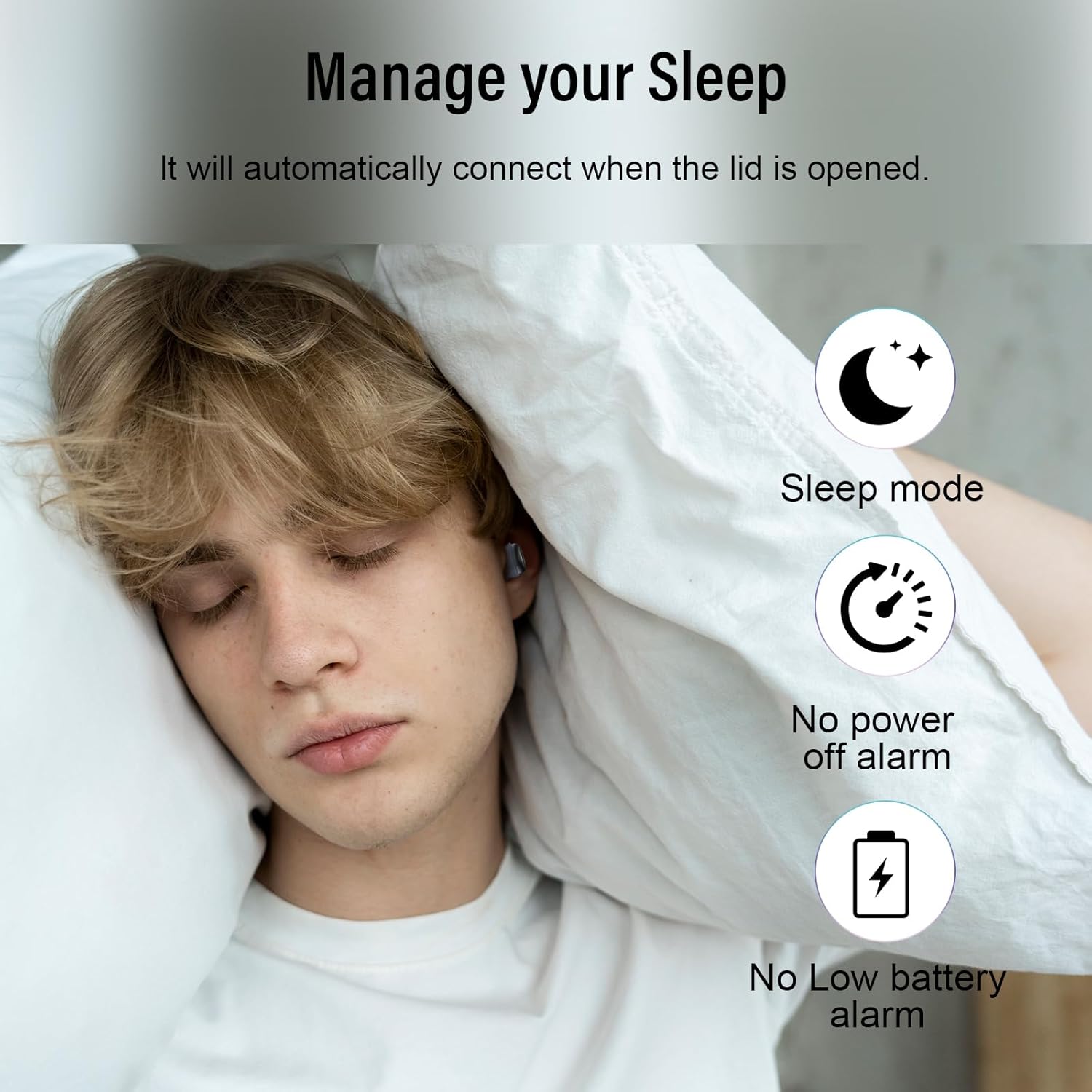
Image: Earbuds charging inside the case, with battery indicator visible.
4.2. Associazione con il tuo dispositivo
- Aprire il coperchio della custodia di ricarica. Gli auricolari entreranno automaticamente in modalità di associazione.
- Sul tuo dispositivo (smartphone, tablet, laptop), vai alle impostazioni Bluetooth.
- Select "SU8" from the list of available devices to connect.
- Una volta connessi, sentirai un messaggio audio e gli auricolari saranno pronti per l'uso.

Image: Visual guide for one-step Bluetooth pairing.
4.3. Come indossare gli auricolari
- Choose the appropriate ear caps and install them on the SU8 sleep earbuds.
- Place the ear cap downwards and insert it into your ear canal.
- Twist gently to lock into place for a secure and comfortable fit.

Image: Step-by-step instructions for wearing the earbuds.
5. Istruzioni per l'uso
5.1. Toccare Controlli
The DUSONLAP SU8 earbuds feature intuitive touch controls for easy management of calls and music.
- Rispondere alle chiamate: Tocca due volte uno degli auricolari.
- Hanging Up Calls: Tocca due volte uno degli auricolari.
- Rifiutare le chiamate: Premi a lungo uno degli auricolari per 2 secondi.
- Riproduci/Pausa musica: Tocca uno degli auricolari una volta.
- Regola volume: Long press the right earbud to increase volume, long press the left earbud to decrease volume.
- Cambia brano: Triple-tap the right earbud for next track, triple-tap the left earbud for previous track.
- Attiva l'assistente vocale (Siri): Tocca tre volte uno degli auricolari.
- Modalità risparmio: Quadruple-tap either earbud to activate sleep mode (no shutdown and low battery beep).

Immagine: Oltreview delle funzioni di controllo touch.
5.2. Modalità sospensione
The dedicated sleep mode ensures an undisturbed night by disabling shutdown and low battery beeps. Activate it with a quadruple-tap on either earbud.
Video: Demonstration of D20 Sleep Headphones features, including sleep mode and comfortable fit.
Video: Velocementeview of aggoo Sleep Earbuds, highlighting comfort and sleep-friendly design.
6. Manutenzione
6.1. Pulizia
- Pulisci regolarmente gli auricolari e la custodia di ricarica con un panno morbido e asciutto.
- Rimuovere i gommini auricolari e pulirli separatamente con acqua e sapone neutro, se necessario. Assicurarsi che siano completamente asciutti prima di riapplicarli.
- Evitare l'uso di prodotti chimici aggressivi o materiali abrasivi.
6.2. Conservazione
- Conserva gli auricolari nella custodia di ricarica quando non vengono utilizzati per proteggerli e mantenerli carichi.
- Conservare il dispositivo in un luogo fresco e asciutto, lontano da temperature estreme e dalla luce solare diretta.
6.3. Resistenza all'acqua
The earbuds are IPX7 waterproof, meaning they can withstand sweat and light rain. However, they are not designed for swimming or submersion in water. Ensure the charging port is dry before charging.
7. Risoluzione Dei Problemi
- Gli auricolari non si associano: Assicurati che entrambi gli auricolari siano nella custodia di ricarica, quindi apri il coperchio per rientrare in modalità di associazione. Controlla le impostazioni Bluetooth del tuo dispositivo e prova a riconnetterti.
- Nessun suono da un auricolare: Riponi entrambi gli auricolari nella custodia, chiudi il coperchio e poi riaprilo. Spesso questa operazione ripristina la connessione.
- Problemi di ricarica: Verify the USB-C cable is securely connected to both the case and the power source. Check the LED display for charging indicators. Ensure the charging contacts on the earbuds and case are clean.
- Vestibilità scomoda: Experiment with different ear tip sizes provided to find the most comfortable and secure fit for your ear canal.
- Low battery beep in sleep mode: Ensure sleep mode is properly activated by quadruple-tapping an earbud. If the issue persists, the earbuds might be too low on battery to sustain sleep mode without a warning.
8. Specifiche
| Caratteristica | Specificazione |
|---|---|
| Nome del modello | SU8 |
| Marca | DUSOLP |
| Tecnologia di connettività | Senza fili (Bluetooth 5.4) |
| Posizionamento dell'orecchio | Nell'orecchio |
| Fattore di forma | Nell'orecchio |
| Controllo del rumore | Enhanced Noise Cancellation (ENC) |
| Livello di resistenza all'acqua | IPX7 impermeabile |
| Durata media della batteria | 47 Hours (5-7 hours earbuds + 40 hours case) |
| Composizione delle celle della batteria | Polimero di litio |
| Materiale | Silicone |
| Caratteristiche speciali | Noise Cancelling, Waterproof, Touch Control |
9. Garanzia e supporto
For warranty information, technical support, or any inquiries regarding your DUSONLAP SU8 Mini Wireless Sleep Earbuds, please refer to the contact details provided on the product packaging or visit the official DUSONLAP webluogo. Conserva la ricevuta di acquisto per eventuali richieste di garanzia.