
1. Prodotto finitoview
The Orbic Speed (RC400L) is a compact and portable 4G LTE MiFi Mobile Hotspot Router designed to provide secure and reliable Wi-Fi connectivity on the go. It allows you to connect up to 10 Wi-Fi enabled devices simultaneously, offering high-speed internet access for various activities such as checking email, streaming media, and working remotely. This device features a long-lasting rechargeable battery and dual-band 802.11ac Wi-Fi for optimal performance and range.
Caratteristiche principali
- Connettività sbloccata: Compatible with various carriers (originally Verizon).
- Durata prolungata della batteria: Fino a 12 ore di uso continuo con una singola carica.
- Fast Wi-Fi: Dual-band 802.11ac Wi-Fi for high-speed data and extended range.
- Supporto multi-dispositivo: Securely connect up to 10 Wi-Fi enabled devices.
- Compatto e portatile: Lightweight design for easy travel and discreet placement.
- Display LCD informativo: Provides real-time status updates of the mobile hotspot.
Cosa c'è nella scatola
- Orbic Speed (RC400L) Mobile Hotspot Router
- Cavo USB
- Batteria agli ioni di litio (preinstallata o separata)
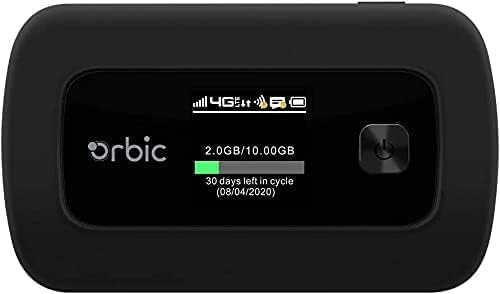
Figure 1: Orbic Speed (RC400L) Front View con display
2. Per iniziare: configurazione
2.1. Carica del dispositivo
Before initial use, fully charge your Orbic Speed hotspot. Connect the provided USB cable to the device's charging port and the other end to a compatible USB power adapter (not included) or a computer's USB port. The device's display will indicate charging status.
- Utilizzare solo accessori di ricarica approvati.
- Avoid leaving the device plugged in for extended periods after it is fully charged to prolong battery life.
2.2. Inserimento di una scheda SIM
The Orbic Speed (RC400L) requires a compatible 4G LTE SIM card (not included) to access cellular data networks. Follow these steps to insert the SIM card:
- Assicurarsi che il dispositivo sia spento.
- Carefully remove the back cover of the device. The back cover is designed to snap off easily without tools.
- Individua lo slot della scheda SIM.
- Insert the SIM card into the slot with the gold contacts facing down and the notched corner aligned correctly. Push gently until it clicks into place.
- Replace the back cover, ensuring it snaps securely into position.

Figure 2: Orbic Speed (RC400L) Back View (SIM card slot is under the cover)
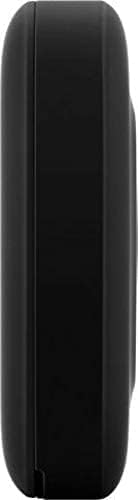
Figure 3: Orbic Speed (RC400L) Side View (Charging port location)
2.3. Accensione/Spegnimento
- Per accendere: Press and hold the Power button (usually located on the front or side) until the display lights up.
- Per spegnere: Press and hold the Power button until the "Power Off" option appears on the display, then confirm. Alternatively, hold the power button for several seconds until the device shuts down.
3. Operating the Hotspot
3.1. Connessione dei dispositivi tramite Wi-Fi
Once your Orbic Speed hotspot is powered on and has established a cellular connection, you can connect your Wi-Fi enabled devices (laptops, tablets, smartphones, etc.) to it.
- Sul tuo dispositivo, apri le impostazioni Wi-Fi.
- Cerca le reti Wi-Fi disponibili.
- Select the network name (SSID) displayed on your Orbic Speed's screen.
- Enter the Wi-Fi password (Key) also displayed on the hotspot's screen.
- Your device should now be connected to the internet through the hotspot.
The Orbic Speed supports both 2.4GHz and 5GHz Wi-Fi bands. You can switch between these or configure them via the web interfaccia di amministrazione.
3.2. Accedendo al Web Interfaccia di amministrazione
For advanced settings, network monitoring, and configuration, you can access the Orbic Speed's web administration interface from a connected device.
- Ensure your device is connected to the Orbic Speed's Wi-Fi network.
- Aprire un web browser (ad esempio, Chrome, Firefox, Edge).
- In the address bar, type the default IP address for the hotspot (commonly 192.168.1.1 or 192.168.0.1, refer to your device's display or packaging for the exact address).
- Enter the administrator username and password when prompted. Default credentials are often "admin" for both, but it is highly recommended to change these for security.
Dal web interface, you can manage Wi-Fi settings, view connected devices, monitor data usage, change passwords, and configure other network parameters.
3.3. Comprensione del display LCD
The Orbic Speed's LCD display provides essential information at a glance:
- Potenza del segnale: Bars indicating the strength of the cellular network signal.
- Tipo di rete: Icons for 4G LTE, 3G, etc.
- Stato Wi-Fi: Indica se il Wi-Fi è attivo e se i dispositivi sono connessi.
- Livello della batteria: Icon showing remaining battery charge.
- Utilizzo dei dati: Displays current data consumption (e.g., GB used out of total plan).
- Dispositivi connessi: Numero di dispositivi attualmente connessi all'hotspot.
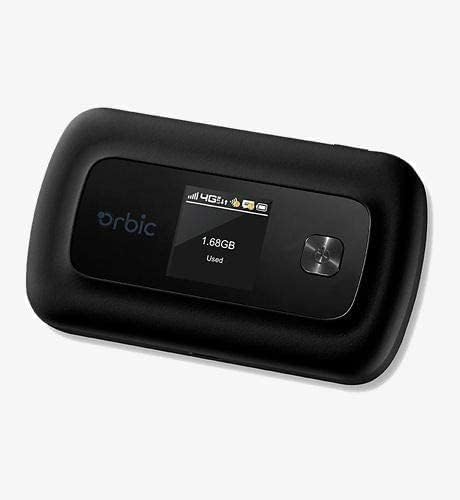
Figure 4: Orbic Speed (RC400L) Display in Use
4. Manutenzione
4.1. Cura della batteria
To maximize the lifespan of your device's battery:
- Evitare temperature estreme.
- Do not leave the device continuously plugged in for extended periods (e.g., 24/7) if not necessary, as this can degrade battery health over time.
- Se si conserva il dispositivo per un lungo periodo, caricarlo fino a circa il 50% prima di riporlo.
- The battery is designed for easy replacement. Should replacement be necessary, the back casing can be snapped off to access the battery without tools.
4.2. Pulizia del dispositivo
Use a soft, dry, lint-free cloth to clean the exterior of the device. Do not use liquid cleaners or aerosols directly on the device.
4.3. Aggiornamenti software
Controllare periodicamente la presenza di aggiornamenti software tramite web administration interface. Updates can improve performance, add features, and enhance security.
5. Risoluzione Dei Problemi
| Problema | Possibile causa | Soluzione |
|---|---|---|
| Nessuna connessione Internet | No SIM card, SIM not activated, poor cellular signal, data plan exhausted. |
|
| Il dispositivo non si accende | Low battery, faulty charger/cable. |
|
| Velocità Wi-Fi lenta | Poor cellular signal, too many connected devices, interference. |
|
| Impossibile accedere Web UI | Incorrect IP address, not connected to hotspot Wi-Fi. |
|
If problems persist, consider performing a factory reset (refer to the web administration interface for instructions, as this will erase all custom settings) or contact customer support.
6. Specifiche
| Caratteristica | Dettaglio |
|---|---|
| Nome del modello | Orbic Speed (RC400L) |
| Tecnologia di connettività | USB, Wi-Fi (4G LTE) |
| standard wireless | 802.11ac (Dual-Band) |
| Dispositivi compatibili | Computer portatile, tablet, smartphone, ecc. |
| Colore | Nero |
| Peso dell'articolo | 7.8 once |
| Dimensioni del pacco | 5.75 x 3.46 x 2.2 pollici |
| Batteria | 1 batteria agli ioni di litio (inclusa) |
| Caratteristica speciale | Indicatore LED |
| Produttore | orbitale |
7. Garanzia e supporto
This product is sold as an Amazon Rinnovato item. Amazon Renewed products are pre-owned and refurbished by qualified suppliers to work and look like new. They come with the Amazon Renewed Guarantee, which provides a replacement or refund within 90 days of receipt if the product does not work as expected.
For technical support or warranty claims, please refer to the Amazon Renewed program details or contact the seller directly through your Amazon order history. For general product inquiries or advanced troubleshooting not covered in this manual, you may also visit the official Orbic support websito se disponibile.
For additional information regarding your purchase, please visit your Amazon Order History.