
1. Introduzione
This manual provides instructions for the installation, operation, and maintenance of your Arlo Essential Spotlight Camera. This wireless security camera offers 1080p HD video, color night vision, two-way audio, and direct Wi-Fi connectivity for comprehensive outdoor surveillance.
2. Cosa c'è nella scatola
Verificare che tutti i componenti siano presenti prima di procedere con l'installazione.
- Telecamera Arlo Essential Spotlight
- Montaggio a parete
- Viti di montaggio e tasselli a parete
- Adattatore di alimentazione (elettrico con cavo)
- Guida rapida
3. Impostazione
3.1. Installazione fisica
The Arlo Essential Spotlight Camera is designed for outdoor use and comes with a wall mount for secure placement.
- Scegli una posizione: Select an outdoor location that provides the desired field of view (130 degrees) and has access to a power outlet. Ensure the camera is positioned to cover critical areas without obstructions.
- Montare la fotocamera:
- Attach the wall mount to your chosen surface using the provided screws and wall anchors.
- Securely attach the camera to the wall mount.
- Adjust the camera angle to achieve optimal coverage.
- Connetti alimentazione: Plug the power adapter into the camera and then into a suitable outdoor power outlet. The camera operates on corded electric power.

Image: Arlo Essential Spotlight Camera mounted on a wall, demonstrating its compact design and placement.
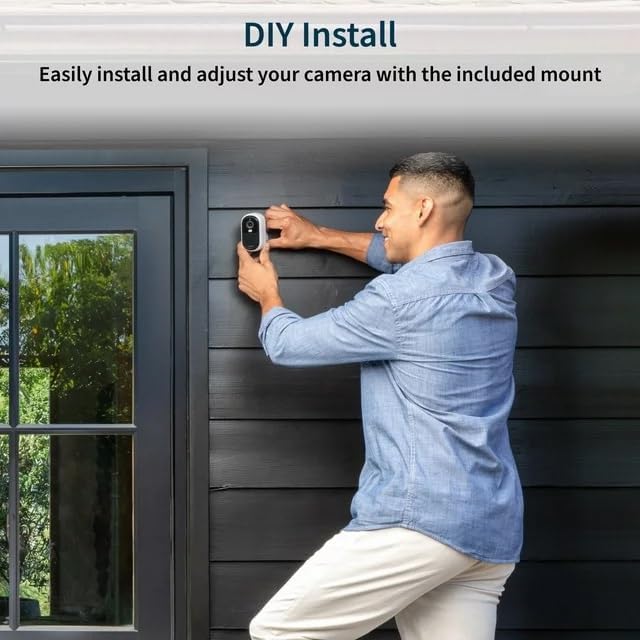
Image: A person installing the Arlo Essential Spotlight Camera on an exterior wall, illustrating the DIY installation process.
3.2. Installazione dell'app e connessione Wi-Fi
The Arlo Essential Spotlight Camera connects directly to your Wi-Fi network and is managed via the Arlo Secure App.
- Scarica l'app Arlo Secure: Download and install the Arlo Secure App from your smartphone's app store (available for iOS and Android).
- Creare un account: Apri l'app e segui le istruzioni sullo schermo per creare un nuovo account Arlo o accedere a uno esistente.
- Aggiungi la tua fotocamera:
- In the app, tap the '+' icon or select "Add Device".
- Choose "Cameras" and then select "Essential Spotlight Camera".
- Follow the app's prompts to connect your camera to your 2.4 GHz Wi-Fi network. This typically involves scanning a QR code with the camera or manually entering network details.
- Prova di connessione: Once connected, verify that you can view live video from your camera within the Arlo Secure App.
4. Utilizzo della fotocamera
4.1. 1080p HD Video and Field of View
The camera records and streams video in 1080p High Definition, providing clear and detailed footage. It features a 130-degree field of view per ridurre al minimo i punti ciechi.

Image: A smartphone screen showing the 130-degree field of view captured by the Arlo Essential Spotlight Camera, highlighting its wide coverage.
4.2. Visione notturna a colori
The integrated spotlight enables color night vision, allowing you to see more details in low-light conditions compared to traditional infrared night vision.

Image: A split image demonstrating the difference between Color Night Vision and Traditional Night Vision, showing clearer details with color.
4.3. Audio bidirezionale
Utilize the built-in microphone and speaker for two-way communication. This feature includes noise cancellation for clearer audio interactions with visitors or to deter intruders.

Image: A smartphone displaying a live feed from the Arlo camera, with speech bubbles indicating two-way audio communication with a person outside a door.
4.4 Rilevamento del movimento e avvisi
The camera features motion detection that triggers recording and sends real-time notifications to your smartphone via the Arlo Secure App. You can customize motion zones and sensitivity settings within the app.
Image: A hand holding a smartphone displaying a notification from the Arlo app, indicating motion detection and offering options for live video or siren activation.
4.5. Integrated Spotlight and Siren
The camera includes an integrated spotlight that can be activated automatically upon motion detection or manually via the app. An integrated siren can also be triggered to deter unwanted visitors.
5. Manutenzione
5.1 Resistenza alle intemperie
The Arlo Essential Spotlight Camera is designed with a weather-resistant casing to withstand various outdoor conditions, including heat, cold, rain, and sun. Ensure all connections are secure to maintain its weather resistance.

Image: The Arlo Essential Spotlight Camera shown with water droplets, illustrating its weather-resistant design against rain.
5.2. Pulizia
Periodically clean the camera lens and housing to ensure optimal video clarity. Use a soft, damp panno. Evitare detergenti abrasivi o solventi che potrebbero danneggiare la finitura della fotocamera o l'obiettivo.
6. Risoluzione Dei Problemi
| Problema | Possibile soluzione |
|---|---|
| La fotocamera non si connette al Wi-Fi |
|
| Scarsa qualità video |
|
| Nessun avviso di rilevamento del movimento |
|
| Problemi audio bidirezionali |
|
7. Specifiche
| Caratteristica | Dettaglio |
|---|---|
| Nome del modello | Telecamera Arlo Essential Spotlight |
| Risoluzione di acquisizione video | Risoluzione 1080p |
| Campo di View | 130 gradi |
| Visione notturna | Color Night Vision (with integrated spotlight) |
| Audio | Audio bidirezionale con cancellazione del rumore |
| Connettività | Direct Wi-Fi (2.4 GHz) |
| Fonte di alimentazione | Elettrico con cavo |
| Uso interno/esterno | All'aperto |
| Tipo di montaggio | Montaggio a parete |
| Dispositivi compatibili | Smartphone (via Arlo Secure App) |
| Dimensioni articolo (L x P x A) | 2.7 x 2 x 1 pollici |
| Peso dell'articolo | 4 once |
8. Garanzia e supporto
For detailed warranty information, please refer to the warranty card included with your product or visit the official Arlo website. For technical support, troubleshooting assistance, or to access additional resources, please visit Assistenza Arlo or contact Arlo customer service directly.