
1. Introduzione
This manual provides detailed instructions for the AGPTEK A53PL 64GB MP3 Player. Please read this manual carefully before using the device to ensure proper operation and to maximize its lifespan. The A53PL is a compact and lightweight portable music player designed for ease of use, featuring Bluetooth 5.3 connectivity, FM radio, and a clip-on design suitable for sports and active lifestyles.
2. Cosa c'è nella scatola
Dopo aver disimballato, verificare che siano presenti tutti i seguenti articoli:
- 1x AGPTEK A53PL MP3 Player
- 1x auricolari cablati
- 1x cavo di ricarica USB-C
- 1x Manuale utente

Image: Package contents of the AGPTEK A53PL MP3 Player.
3. Dispositivo suview
Familiarize yourself with the buttons and ports of your AGPTEK A53PL MP3 player.

Immagine: frontale e laterale view of the AGPTEK A53PL, highlighting its clip, buttons, and ports.
- Clip: Located on the back for attaching to clothing or accessories.
- Pulsante di accensione: Press and hold to turn on/off. Short press to adjust volume (when not in playback).
- Volume + / -: Dedicated buttons for increasing o decreasinvolume g.
- Spinotto degli auricolari: Porta da 3.5 mm per auricolari cablati.
- Pulsante Play/Pausa: Central button for controlling playback.
- Previous Track / Rewind: Navigate to the previous track or rewind within a track.
- Next Track / Fast Forward: Navigate to the next track or fast forward within a track.
- Mode Button (Music/FM): Switch between Music playback and FM Radio mode.
- Pulsante Bluetooth: Attiva la modalità di associazione Bluetooth.
- Indicatore LED: Provides status information (e.g., charging, Bluetooth pairing).
- Playback Mode Switch: Slide switch for sequential or shuffle playback.
- Porta USB-C: Per la ricarica e il trasferimento dei dati.
4. Impostazione
4.1 Ricarica del dispositivo
Before first use, fully charge the MP3 player. Connect the provided USB-C cable to the device's USB-C port and the other end to a USB power adapter (not included) or a computer's USB port. The LED indicator will show charging status.
- Tempo di ricarica completa: circa 2 ore.
- Battery life: Up to 21 hours for music playback with wired earphones, 9.5 hours with Bluetooth.

Image: Battery capacity and estimated playback times.
4.2 Caricamento della musica Files
The AGPTEK A53PL has 64GB of internal storage. To transfer music:
- Collega il lettore MP3 al computer tramite il cavo USB-C.
- Il dispositivo apparirà come un'unità disco rimovibile sul tuo computer.
- Trascina e rilascia la tua musica files (MP3, APE, FLAC, ACELP, WAV) into the device's storage.
- Prima di scollegare il cavo, espellere in modo sicuro il dispositivo dal computer.
The device also supports OTG transmission for direct file transfer from compatible smartphones (OTG cable not included).

Image: OTG transmission for direct file trasferimento.
5. Istruzioni per l'uso
5.1 Accensione/spegnimento
- Per accendere: tenere premuto il pulsante di accensione finché l'indicatore LED non si accende.
- Per spegnere: tenere premuto il pulsante di accensione finché l'indicatore LED non si spegne.
5.2 Riproduzione musicale di base
- Ensure the device is in Music mode (use the Mode button if necessary).
- Connect your wired earphones to the 3.5mm jack or pair a Bluetooth device (see 5.3 Bluetooth Pairing).
- Premere il tasto Riproduci/Pausa pulsante per avviare o mettere in pausa la musica.
- Premere il tasto Traccia successiva pulsante per passare al brano successivo.
- Premere il tasto Traccia precedente button to go back to the beginning of the current song or to the previous song.
- Premere Volume + or Volume - per regolare il volume.
- Utilizzare il Interruttore modalità di riproduzione on the side to toggle between sequential and shuffle playback.
5.3 Associazione Bluetooth
The A53PL supports Bluetooth 5.3 for connecting to Bluetooth speakers and headphones. It does not support connection to smartphones.
- Accendi le cuffie o l'altoparlante Bluetooth e impostali in modalità di associazione.
- On the A53PL, press the Pulsante Bluetooth. The LED indicator will flash, indicating it's searching for devices.
- Once paired, the LED indicator will change its pattern (e.g., slow green blink).
- The device will automatically reconnect to the last paired device if it's available.
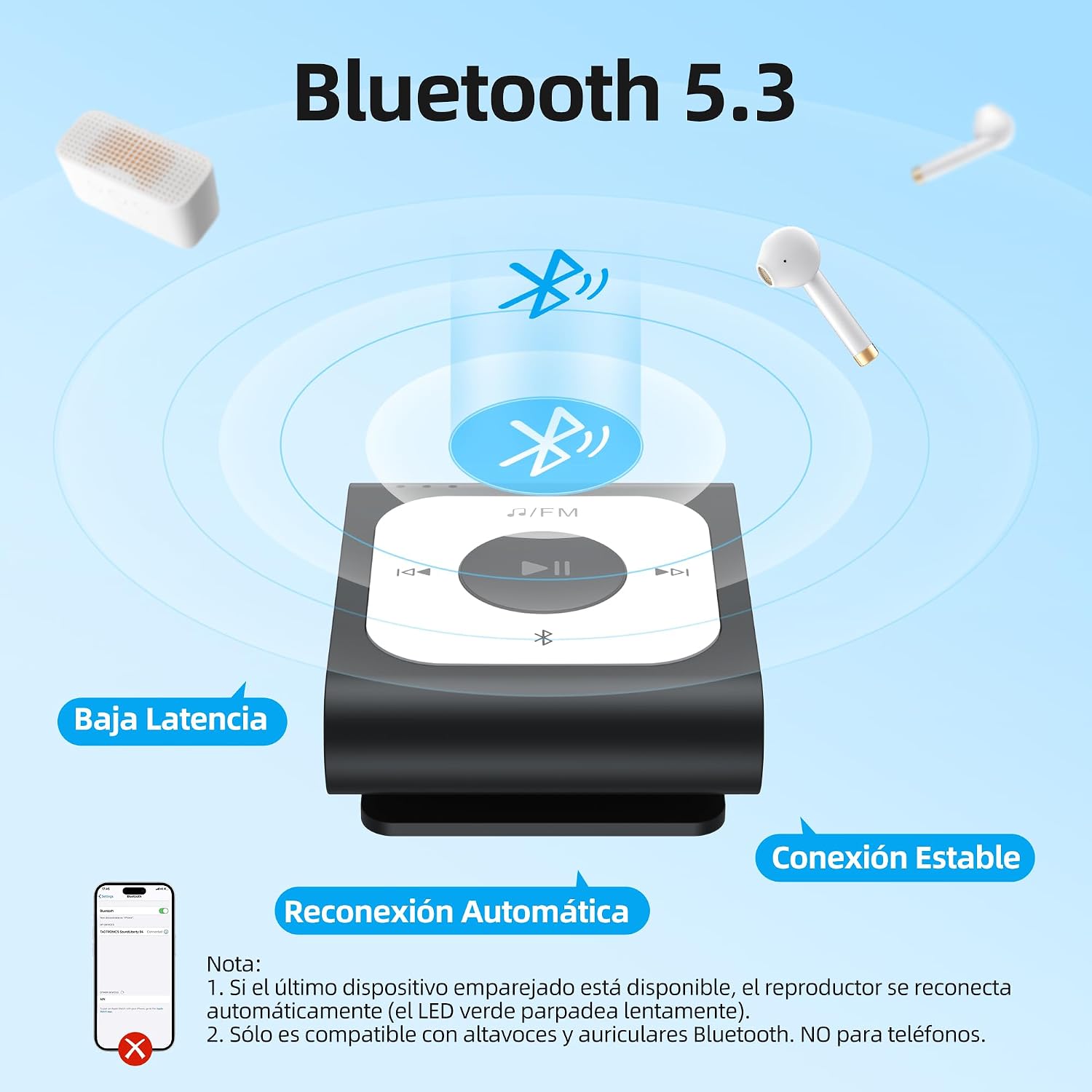
Image: Bluetooth 5.3 features and pairing process.
5.4 Radio FM
Per utilizzare la funzione radio FM:
- Connect wired earphones; they act as the antenna for the FM radio.
- Premere il tasto Pulsante modalità per passare alla modalità Radio FM.
- The device will automatically search for available FM stations.
- Utilizzare il Traccia successiva E Traccia precedente buttons to navigate between stations.

Image: Automatic FM search function.
6. Manutenzione
- Mantenere il dispositivo asciutto. L'umidità può danneggiare i componenti elettronici.
- Evitare temperature estreme.
- Pulisci il dispositivo con un panno morbido e asciutto. Non utilizzare prodotti chimici o solventi aggressivi.
- Non far cadere né sottoporre il dispositivo a forti impatti.
- Quando non viene utilizzato, conservare il dispositivo in un ambiente pulito e privo di polvere.
7. Risoluzione Dei Problemi
7.1 Device does not turn on.
- Ensure the battery is charged. Connect the device to a power source and charge for at least 10 minutes before attempting to turn it on again.
- Try pressing and holding the Power button for a longer duration (e.g., 10-15 seconds) to perform a hard reset.
7.2 Cannot transfer files al dispositivo.
- Assicurarsi che il cavo USB-C sia collegato saldamente sia al dispositivo che al computer.
- Prova una porta USB diversa sul tuo computer.
- Ensure the device is recognized as a removable disk drive. If not, try restarting both the device and the computer.
- Check if the device's storage is full.
7.3 Bluetooth pairing fails.
- Ensure your Bluetooth headphones/speaker are in pairing mode and within range.
- Make sure the A53PL is in Bluetooth pairing mode (LED flashing).
- The A53PL only connects to Bluetooth audio devices (headphones, speakers), not smartphones.
- Try turning off and on both the A53PL and the Bluetooth audio device.
7.4 No sound from earphones.
- Check if the earphones are properly plugged into the 3.5mm jack.
- Assicurarsi che il volume non sia impostato al minimo o disattivato.
- Provare con un altro paio di auricolari per escludere che si tratti di auricolari difettosi.
- If using Bluetooth, ensure it is properly paired and connected.
8. Specifiche
| Nome del modello | A53 PL |
| Capacità di archiviazione | 64 GB |
| Tecnologia di connettività | Bluetooth 5.3 |
| Formati audio supportati | MP3, APE, FLAC, ACELP, WAV |
| Caratteristiche speciali | FM Radio, Shuffle Function, Clip Design |
| Durata della batteria (riproduzione musicale) | Up to 21 hours (wired earphones) |
| Durata della batteria (riproduzione Bluetooth) | Fino a 9.5 ore |
| Tempo di ricarica | Circa 2 ore |
| Dimensioni | 4.4 cm x 3.7 cm x 1.8 cm (circa 1.72 x 1.46 x 0.7 pollici) |
| Peso | 20 g (0.71 once) |

Immagine: Dimensioni del dispositivo.

Image: Supported audio formats.
9. Garanzia e supporto
AGPTEK products come with a standard manufacturer's warranty. For specific warranty terms and conditions, please refer to the warranty card included with your purchase or visit the official AGPTEK websito.
For technical support, troubleshooting assistance, or any inquiries regarding your AGPTEK A53PL MP3 Player, please contact AGPTEK customer service through their official websito o le informazioni di contatto fornite nella confezione del prodotto.