
XG99
User Manual: XG99PRO Bluetooth Headphones
Model: XG99 | Brand: Generic
Prodotto finitoview
The Generic XG99PRO Bluetooth Headphones are an innovative open-ear headset designed for comfort and situational awareness. Utilizing bone conduction technology, these headphones transmit sound through your skull, leaving your ear canals open to ambient sounds. This design ensures a secure fit and allows you to remain aware of your surroundings while enjoying audio content.
The headphones come with a compact charging case, providing extended battery life and convenient portability. The robust design is resistant to stains, making it suitable for various environments, including meetings, lectures, and outdoor activities.

Image: The XG99PRO Bluetooth Headphones, showing both earbuds and the compact charging case. The earbuds feature an over-ear design for a secure fit.
Caratteristiche principali:
- Comodo design over-ear: Ergonomically designed to reduce pressure on the ears during prolonged use.
- Safe and Open-Ear Listening: Bone conduction technology keeps ear canals open, allowing awareness of external sounds for increased safety.
- Vestibilità sicura: The ear-hook structure ensures stability, even during intense physical activity.
- Durata prolungata della batteria: The included charging case allows for multiple recharges, providing long-lasting use.
- Impermeabile e anti-sudore: Resistant to sweat and light rain, suitable for sports and various weather conditions.
Guida all'installazione
1. Ricarica iniziale
Before first use, ensure the headphones and charging case are fully charged. Place the headphones into the charging case. Connect the charging case to a USB power source using the provided cable. The indicator lights on the case will show charging status.

Image: The XG99PRO headphones securely placed within their charging case, illustrating how they are stored and charged.
2. Associazione con il tuo dispositivo
- Ensure the headphones are charged and powered on. They typically enter pairing mode automatically when first removed from the case or when powered on for the first time.
- Sul tuo smartphone, tablet o computer, vai alle impostazioni Bluetooth.
- Abilita il Bluetooth e cerca i dispositivi disponibili.
- Select "XG99PRO" (or similar name) from the list of found devices.
- Once connected, a confirmation sound or indicator light will confirm successful pairing.
3. Indossare le cuffie
Gently place the headphones over your ears, ensuring the bone conduction transducers rest comfortably on your cheekbones, just in front of your ears. Adjust the ear hooks for a secure and comfortable fit. The open-ear design allows for ambient sound awareness.
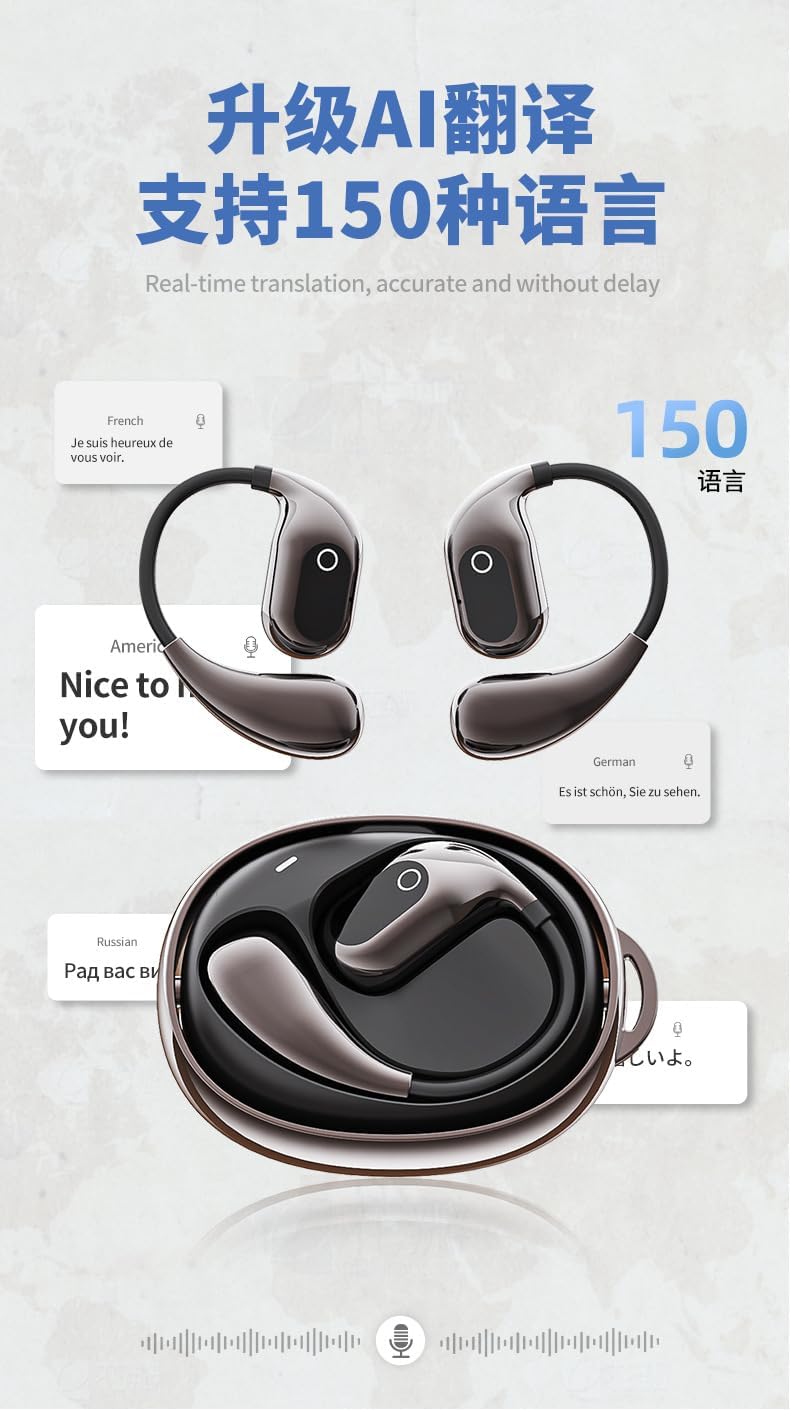
Immagine: un primo piano view of the XG99PRO headphones, highlighting their open-ear design and the area where the bone conduction transducers make contact with the user's head.
Istruzioni per l'uso
Accensione/spegnimento
- Accensione: Remove headphones from the charging case, or press and hold the multi-function button for 3 seconds.
- Spegni: Place headphones back into the charging case, or press and hold the multi-function button for 5 seconds.
Riproduzione musicale
- Riproduci/Pausa: Premere una volta il pulsante multifunzione.
- Traccia successiva: Premere due volte il pulsante multifunzione sull'auricolare destro.
- Traccia precedente: Premere due volte il pulsante multifunzione sull'auricolare sinistro.
- Aumenta volume: Single press the volume up button.
- Volume basso: Single press the volume down button.
Gestione delle chiamate
- Rispondi/Termina chiamata: Premere una volta il pulsante multifunzione.
- Rifiuta chiamata: Tieni premuto il pulsante multifunzione per 2 secondi.
- Attiva l'assistente vocale: Premere tre volte il pulsante multifunzione.
Manutenzione e cura
- Pulizia: Wipe the headphones and charging case with a soft, dry, lint-free cloth. For stubborn dirt, a slightly damp È possibile utilizzare un panno, ma assicurarsi che non penetri umidità nelle aperture. Non utilizzare prodotti chimici aggressivi o materiali abrasivi.
- Magazzinaggio: Quando non vengono utilizzate, conservare le cuffie nella custodia di ricarica per proteggerle da polvere e danni. Conservarle in un luogo fresco e asciutto, lontano dalla luce solare diretta e da temperature estreme.
- Cura della batteria: Per prolungare la durata della batteria, evitare di scaricare completamente le cuffie e la custodia di ricarica frequentemente. Ricaricarle regolarmente, anche se non vengono utilizzate costantemente.
- Resistenza all'acqua: The headphones are sweatproof and resistant to light rain (IPX rating not specified, but generally implies protection against splashes). Do not submerge them in water or expose them to heavy rain. Dry them thoroughly before placing them back in the charging case if they get wet.
Risoluzione dei problemi
| Problema | Possibile causa | Soluzione |
|---|---|---|
| Le cuffie non si accendono. | Batteria scarica. | Inserire le cuffie nella custodia di ricarica e assicurarsi che la custodia sia carica. |
| Impossibile associare il dispositivo. | Il Bluetooth è disattivato sul dispositivo; le cuffie non sono in modalità di associazione; interferenza. | Ensure Bluetooth is enabled. Put headphones back in case, then remove to re-enter pairing mode. Move closer to device. Forget device on phone and re-pair. |
| Nessun suono o volume basso. | Volume troppo basso; cuffie non collegate; uscita audio selezionata non corretta. | Aumenta il volume delle cuffie e del dispositivo. Ricollega le cuffie. Controlla le impostazioni di uscita audio del dispositivo. |
| La custodia di ricarica non si carica. | Cable or power source issue; dirty charging port. | Prova un cavo USB e un adattatore di alimentazione diversi. Pulisci delicatamente la porta di ricarica. |
Specifiche
| Caratteristica | Dettaglio |
|---|---|
| Tecnologia di connettività | Senza fili (Bluetooth 5.4) |
| Componenti inclusi | Custodia di ricarica wireless |
| Numero di articoli | 2 (Headphones and Case) |
| Produttore | Blue and White Wang |
| Numero modello articolo | XG99 |
| Data prima disponibilità | 24 aprile 2025 |
| Paese di origine | Cina |
| Marca | Generico |
| Colore | oscurare |
| Posizionamento dell'orecchio | Orecchio aperto |
| Fattore di forma | Vero wireless |
| Nome del modello | arctis_pro (Note: This appears to be a generic placeholder, actual model is XG99PRO/XG99) |
Garanzia e supporto
Specific warranty details for the Generic XG99PRO Bluetooth Headphones are typically provided with your purchase documentation or can be found on the manufacturer's official websito. Conservare la prova d'acquisto per eventuali reclami in garanzia.
For technical support, troubleshooting assistance beyond this manual, or inquiries regarding replacement parts, please refer to the contact information provided by your retailer or visit the official website of the Generic brand.
Ask a question about this manual
Ask about setup, troubleshooting, compatibility, parts, safety, or missing instructions. Manuals+ will review the question and use this page’s manual context to help answer it.