
LIGE BW1847-A
Manuale utente dello smartwatch LIGE
Model: BW1847-A
Introduzione
Thank you for choosing the LIGE Smartwatch. This manual provides essential information for setting up, operating, and maintaining your device. Please read it carefully before use to ensure optimal performance and longevity of your smartwatch.
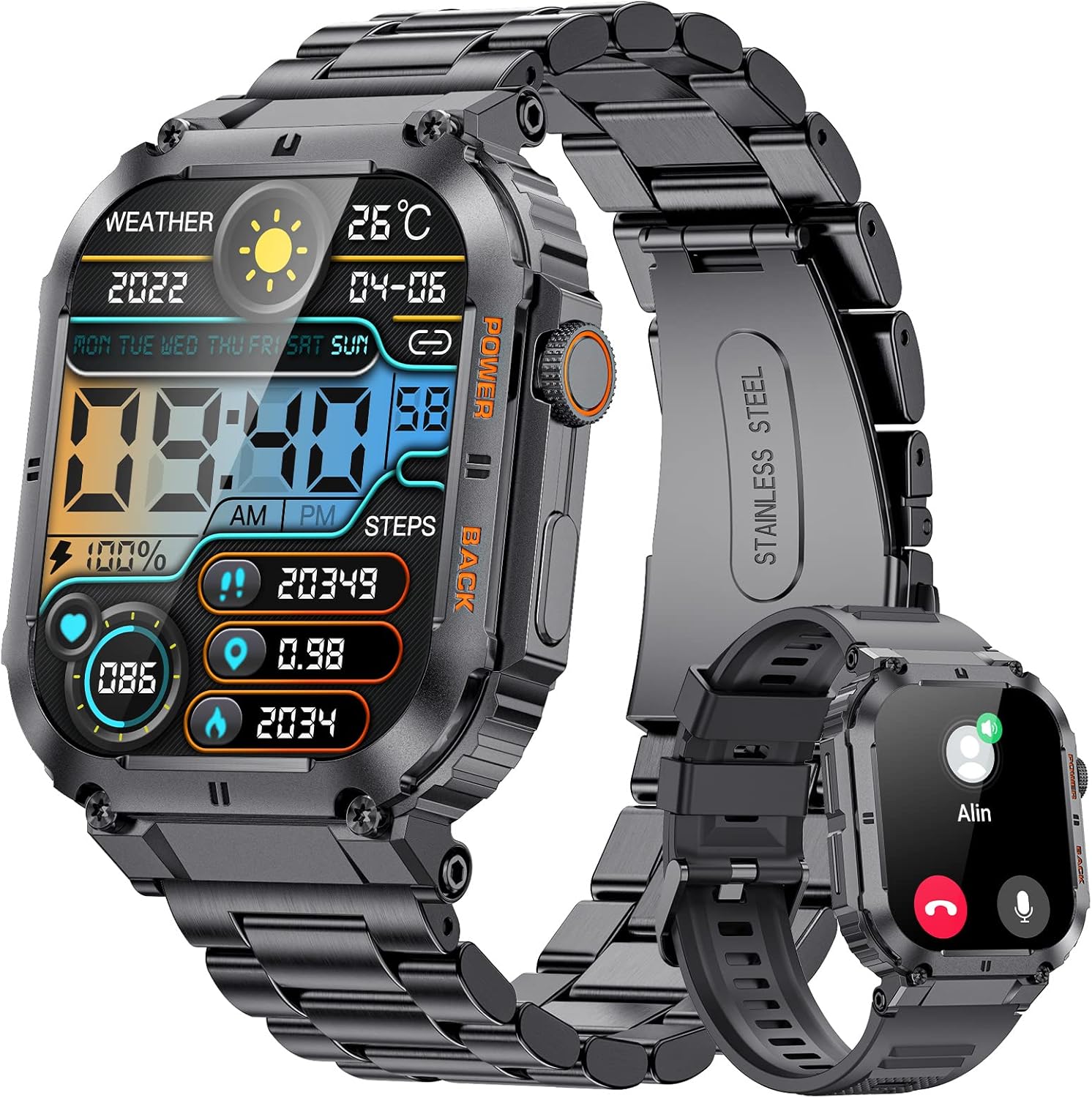
Immagine: Lo smartwatch LIGE, mostratoasing its design with both metal and silicone strap options. The watch face displays time, date, weather, battery, steps, and calories.
Cosa c'è nella scatola
- Smartwatch x 1
- Stainless Steel Bracelet x 1
- Cinturino in silicone x 1
- Cavo di ricarica x 1
- 2-Year Warranty Card x 1
Impostare
1. Ricarica dello smartwatch
Before first use, fully charge your smartwatch. Connect the magnetic charging cable to the charging points on the back of the watch and plug the USB end into a power adapter (not included) or a computer's USB port. A full charge takes approximately 2 ore.
2. Installazione e associazione dell'app
To unlock the full features of your smartwatch, download the companion app on your smartphone. The smartwatch is compatible with Android E iOS sistemi operativi.
- Scan the QR code in the watch manual or search for the app name (usually mentioned in the watch's initial setup screen or packaging) in your phone's app store (Google Play Store for Android, Apple App Store for iOS).
- Installa l'app e aprila.
- Abilita il Bluetooth sul tuo smartphone.
- In the app, follow the on-screen instructions to search for and pair with your LIGE Smartwatch. Ensure the watch is powered on and discoverable.
- Conferma la richiesta di associazione sia sul telefono che sullo smartwatch.
Note: For optimal performance, grant all necessary permissions to the app when prompted.
Istruzioni per l'uso
Navigazione di base
- Schermo tattile: Scorri verso sinistra/destra, su/giù per navigare tra i menu e le funzioni. Tocca per selezionare.
- Pulsanti laterali: The smartwatch features physical buttons for power on/off, returning to the home screen, or accessing specific functions. Refer to the watch's on-screen prompts for specific button actions.
Caratteristiche principali
- Chiamate Bluetooth: Make and receive calls directly from your smartwatch. Ensure your watch is connected to your phone via Bluetooth.
- Notifiche dei messaggi: Receive SMS, social media, and app notifications directly on your wrist.
- Assistente vocale AI: Utilizzare i comandi vocali per varie funzioni.
- Monitoraggio della salute:
- Pedometro: Tiene traccia dei tuoi passi giornalieri.
- Contatore di calorie: Stima le calorie bruciate in base all'attività.
- Cardiofrequenzimetro: Misura la frequenza cardiaca durante il giorno.
- Pressione sanguigna e ossigeno nel sangue: Provides readings for these metrics.
- Monitoraggio del sonno: Analizza i tuoi schemi di sonno.
- Stress Tracker: Monitora i livelli di stress.
- Salute delle donne: Funzionalità di tracciamento specifiche per le donne.
- Modalità Sportive: Over 100 sports modes to track various activities.
- Controllo remoto della telecamera: Control your smartphone camera remotely from the watch.
- Controllo della musica: Riproduci, metti in pausa, salta i brani sul lettore musicale del tuo telefono.
- Previsioni del tempo: Ricevi aggiornamenti meteo in tempo reale.
- Allarmi e timer: Imposta sveglie e usa le funzioni cronometro/timer.
- Promemoria sedentario e promemoria per bere acqua: Prompts to move or hydrate.

Image: The LIGE Smartwatch screen showing incoming message notifications from various social media and messaging applications.

Image: A visual representation of the LIGE Smartwatch's health tracking capabilities, including displays for blood pressure, blood oxygen, heart rate, and sleep monitoring, with a person cycling in the background.
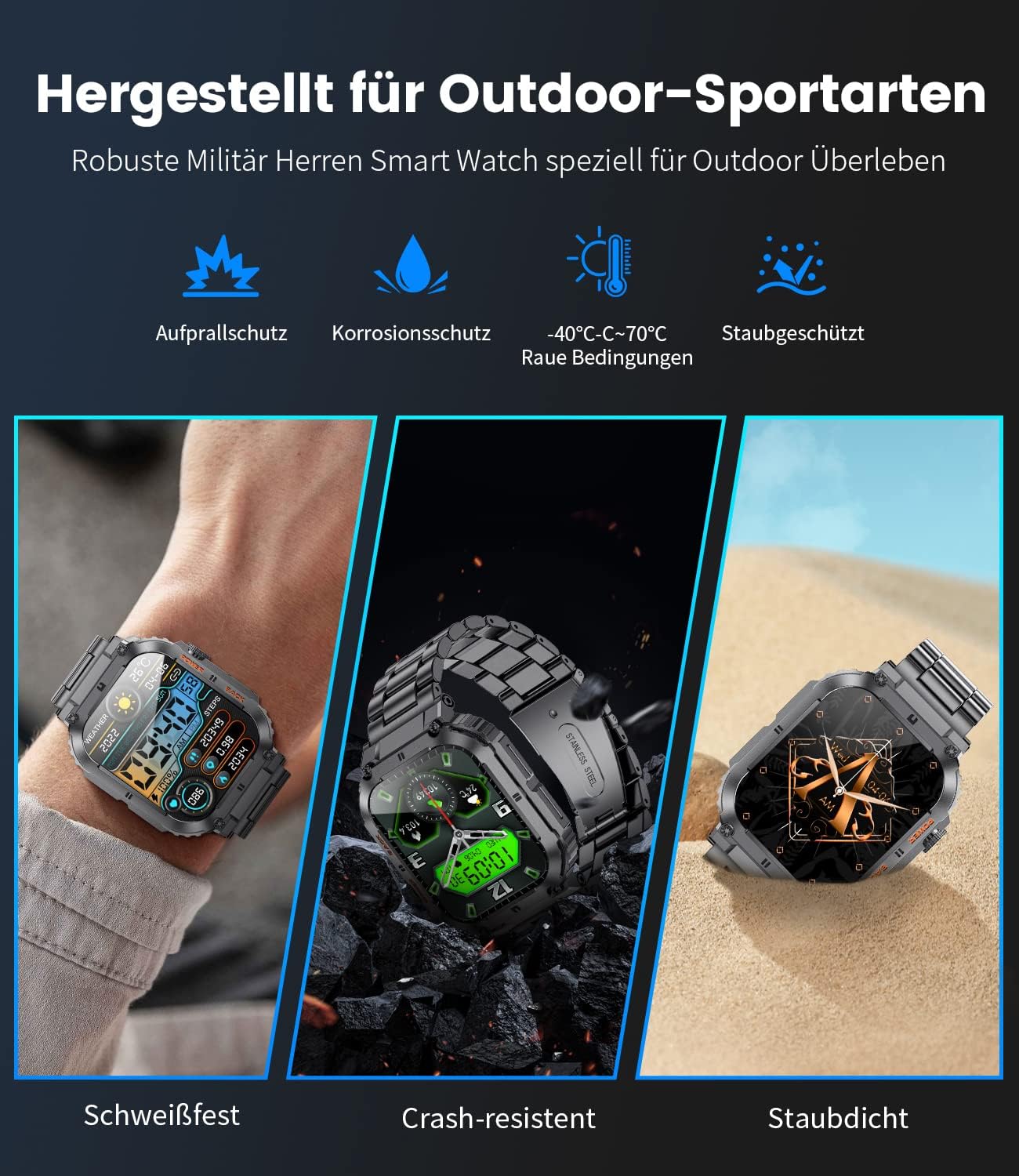
Image: The LIGE Smartwatch showing its AI voice assistant and Bluetooth call functionality, with a user interacting with the watch to make a call and ask about the weather.

Image: The LIGE Smartwatch screen showing a selection of over 100 sport modes, with a runner in the background, highlighting features like calorie burn, distance, and step tracking.
Manutenzione
- Pulizia: Pulire regolarmente l'orologio e i cinturini con un panno morbido e asciutto. Per lo sporco ostinato, utilizzare un panno leggermenteamp panno e poi asciugare accuratamente.
- Resistenza all'acqua: The smartwatch is designed for daily use and is sweat-resistant and splash-proof. Avoid prolonged immersion in water, hot water, or steam. Do not wear it while swimming or showering.
- Temperatura: Avoid exposing the watch to extreme temperatures (below -40°C or above 70°C) as this can affect battery life and performance.
- Impatto: While designed to be robust and crash-resistant, avoid dropping the watch or subjecting it to strong impacts.
- Ricarica: Utilizzare solo il cavo di ricarica fornito. Non utilizzare cavi o caricabatterie danneggiati.

Image: The LIGE Smartwatch highlighting its robust design for outdoor sports, emphasizing features such as impact protection, corrosion protection, and dust resistance, with visuals of the watch in various rugged environments.
Risoluzione dei problemi
| Problema | Possibile soluzione |
|---|---|
| L'orologio non si accende | Assicurati che l'orologio sia completamente carico. Tieni premuto il pulsante di accensione per alcuni secondi. |
| Impossibile associare il telefono |
|
| Dati sanitari imprecisi | Assicurati che l'orologio sia ben aderente al polso, a circa un dito di distanza dall'osso del polso. Pulisci il sensore sul retro dell'orologio. |
| Le notifiche non vengono visualizzate |
|
Specifiche
| Caratteristica | Dettaglio |
|---|---|
| Numero di modello | BW1847-A |
| Dimensioni dello schermo | 1.96 pollici |
| Capacità della batteria | 400 mAh (polimero di litio) |
| Tempo di ricarica | Circa 2 ore |
| Durata tipica della batteria | Fino a 10 giorni |
| Capacità di memoria | 128 MB |
| Connettività | Bluetooth |
| Sistema operativo compatibile | Androide / iOS |
| Peso | 100 grammi |
| Dimensioni | 20.4 x 9.7 x 2.5 cm (Confezione) |
| Interfaccia di ingresso | Touchscreen, pulsanti |
| Caratteristiche speciali | Bluetooth Call/Answer, Music Control, Message Notifications, Password Protection, Pedometer, Stress Tracker, Calorie Counter, Stopwatch, Breathing Exercises, Women's Health, Water/Sedentary Reminders, AI Voice Assistant, 100+ Sport Modes, Alarm, Remote Camera Control. |
Garanzia e supporto
Il tuo LIGE Smartwatch è dotato di un Scheda di garanzia di 2 anni included in the box. Please retain your proof of purchase for warranty claims.
For technical support, troubleshooting assistance beyond this manual, or warranty inquiries, please contact LIGE customer service through the contact information provided on the warranty card or the official LIGE websito.
Note: Software updates may be released periodically to improve performance and add new features. Ensure your app and smartwatch firmware are kept up to date.