
1. Introduzione
This manual provides essential information for the safe and efficient operation of your Optoma GT4000UHD Ultra-Short Throw 4K UHD Home Cinema Laser Projector. Please read it thoroughly before using the product and retain it for future reference.
The Optoma GT4000UHD is designed to deliver high-quality 4K UHD visuals for various entertainment purposes, including console gaming, PC gaming, and streaming video content. Its ultra-short throw capability allows for large images from a minimal distance.
2. Informazioni sulla sicurezza
Osservare le seguenti precauzioni di sicurezza per evitare danni al proiettore e garantire la sicurezza dell'utente:
- Non ostruire le aperture di ventilazione. Garantire un flusso d'aria adeguato attorno al proiettore.
- Non guardare direttamente nell'obiettivo del proiettore quando lamp è acceso. La luce intensa può causare danni agli occhi.
- Evitare di posizionare il proiettore alla luce diretta del sole, vicino a fonti di calore o in ambienti con elevata umidità o polvere.
- Utilizzare solo l'adattatore di alimentazione fornito con il proiettore.
- Scollegare il cavo di alimentazione durante i temporali o quando non si utilizza l'apparecchio per lunghi periodi.
- Non tentare di aprire o riparare il proiettore da soli. Per qualsiasi intervento di assistenza, rivolgersi a personale qualificato.
3. Contenuto della confezione
Verificare che tutti gli articoli siano presenti nel pacco:
- Optoma GT4000UHD Projector
- Cavo di alimentazione
- Telecomando
- Manuale dell'utente (questo documento)
4. Prodotto finitoview
4.1 Proiettore anteriore e superiore View
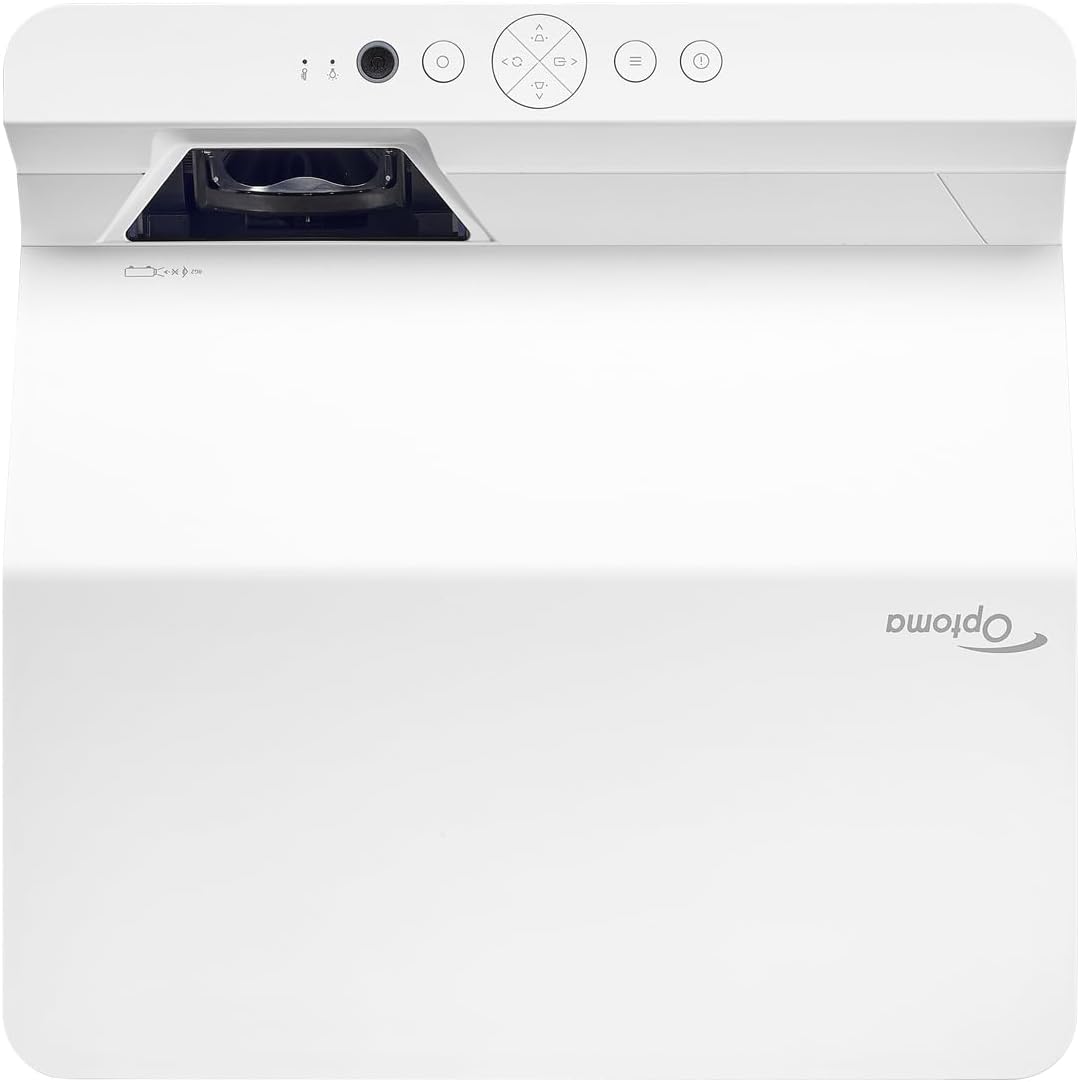
Descrizione: Questa immagine mostra la parte superiore e anteriore view of the Optoma GT4000UHD projector. The ultra-short throw lens is visible at the front, along with basic control buttons on the top panel. The Optoma logo is prominently displayed.
4.2 Pannello posteriore e connettività
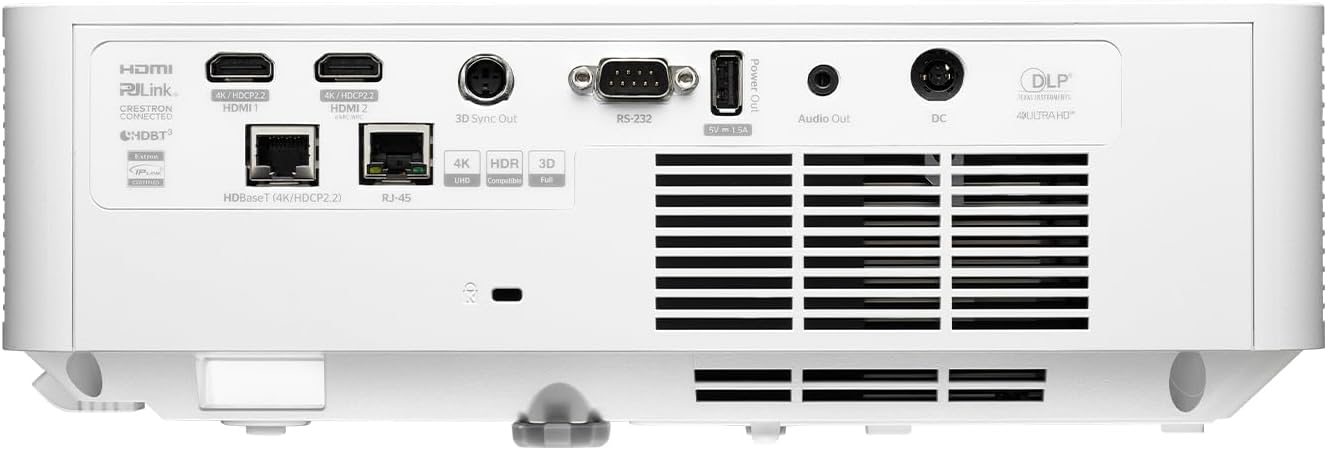
Descrizione: This image shows the rear panel of the Optoma GT4000UHD projector, highlighting its connectivity options. Ports include HDMI, HDBaseT, RJ-45, 3D Sync Out, RS232, Audio Out, and DC power input.
4.3 telecomando
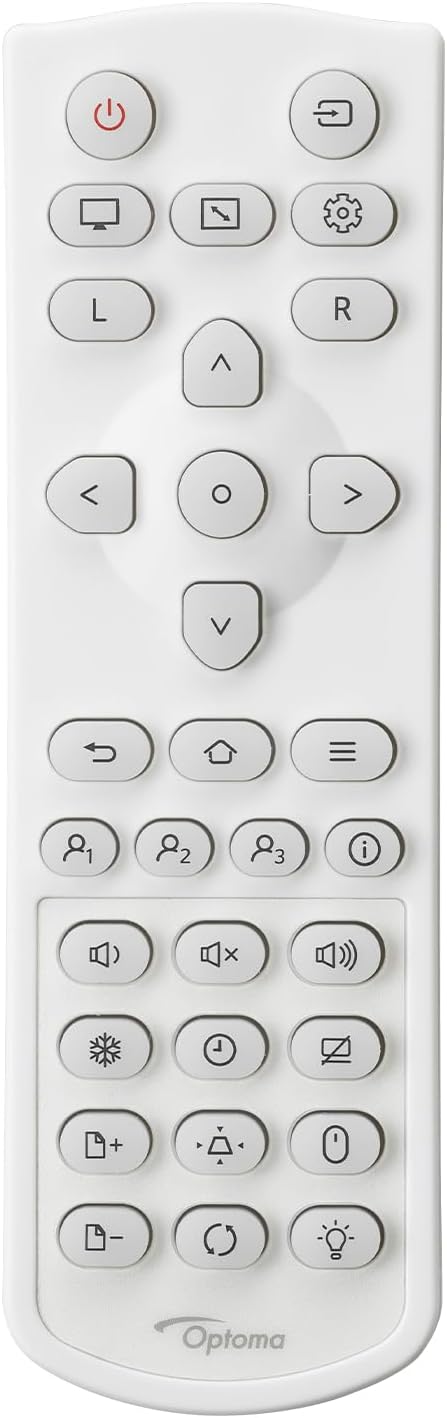
Descrizione: This image displays the remote control for the Optoma GT4000UHD projector. It features buttons for power, source selection, menu navigation, volume control, and other functions.
5. Impostazione
5.1 Posizionamento del proiettore
The GT4000UHD is an ultra-short throw projector, capable of producing large images from a very short distance. Place the projector on a stable, flat surface directly in front of your screen or wall.
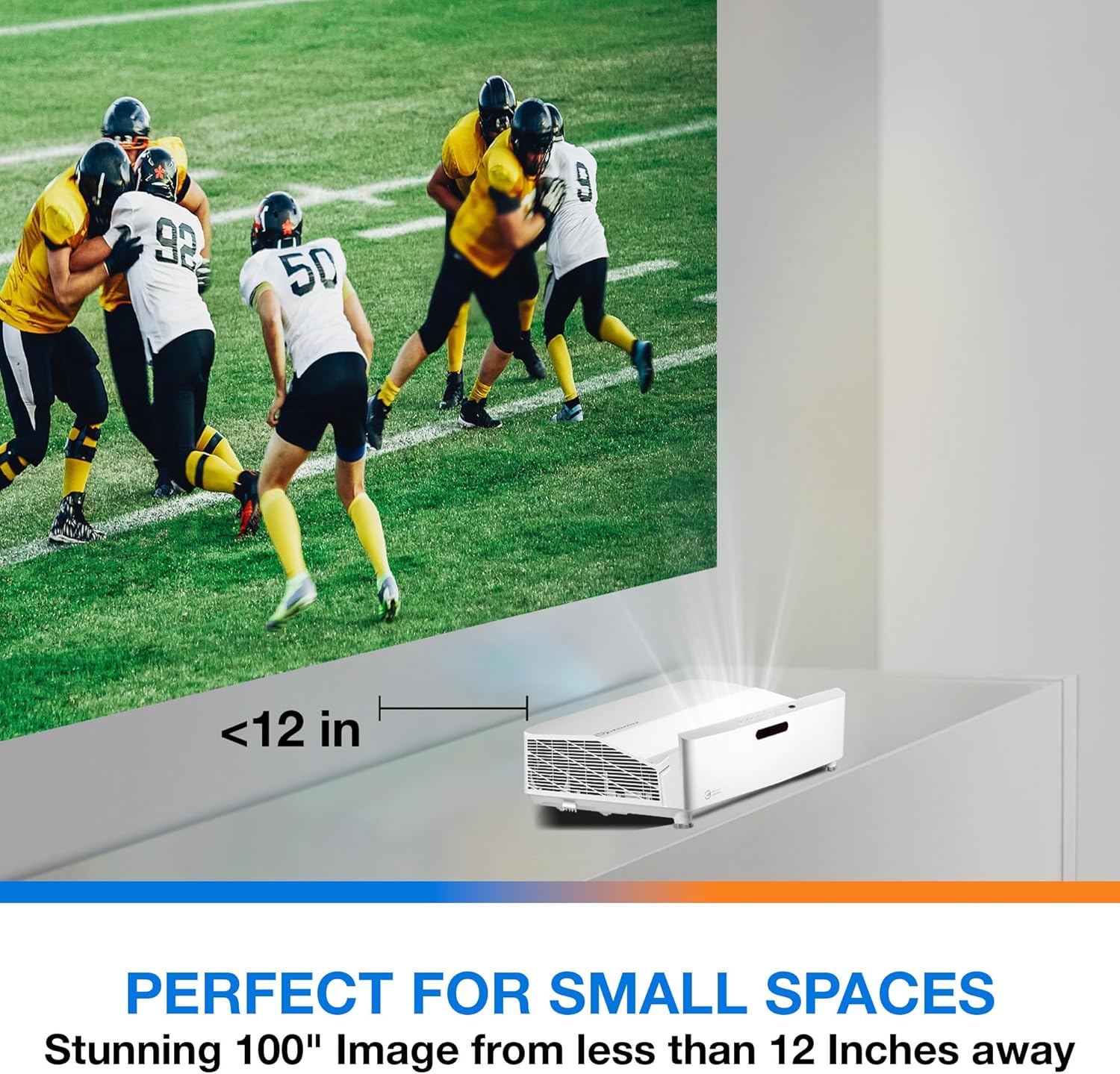
Descrizione: This image illustrates the ultra-short throw capability of the GT4000UHD, showing it projecting a 100-inch image from less than 12 inches away from the projection surface. This allows for flexible placement in small spaces.
- For a 100-inch image, position the projector approximately 10-12 inches (25-30 cm) from the projection surface.
- Ensure the projector is level to avoid image distortion. Use the adjustable feet if necessary.
5.2 Collegamento dei dispositivi
Connect your video sources (e.g., gaming console, Blu-ray player, streaming device) to the projector's HDMI ports. For network control or HDBaseT connectivity, use the respective ports on the rear panel.
- HDMI: Connect HDMI cables from your source devices to the HDMI 1 or HDMI 2 ports.
- Uscita audio: For external audio systems, connect an audio cable from the Audio Out port to your sound system.
- Energia: Connect the power cord to the DC input on the projector and then to a power outlet.
5.3 Accensione/spegnimento
- Accensione: Press the power button on the projector or the remote control. The power indicator light will turn on.
- Spegni: Press the power button again. A confirmation message may appear; confirm to shut down the projector.
6. Istruzioni per l'uso
6.1 Funzionamento di base
- Selezione della fonte: Use the 'Source' button on the remote control to cycle through available input sources (HDMI 1, HDMI 2, etc.).
- Navigazione nel menu: Use the 'Menu' button to access settings. Use the arrow keys and 'OK' button to navigate and select options.
- Controllo del volume: Regolare il volume utilizzando gli appositi pulsanti del volume sul telecomando.
6.2 Image Adjustment (4-Corner Geometric Correction)
The GT4000UHD features 4-Corner Adjustment for precise image alignment, especially useful when the projector is not perfectly perpendicular to the screen.
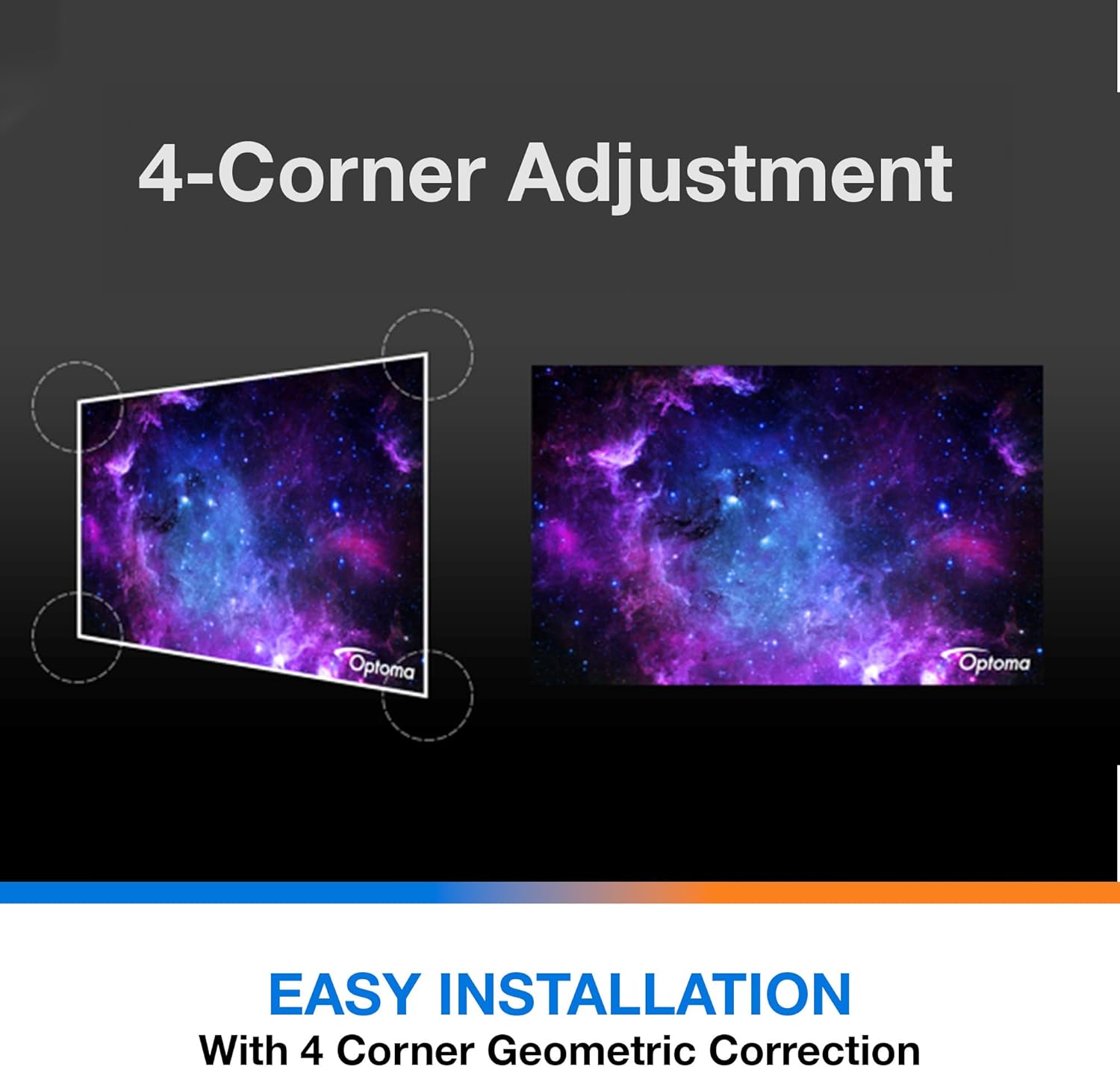
Descrizione: This diagram illustrates the function of 4-Corner Adjustment. It shows a trapezoidal, distorted image being geometrically corrected to form a perfect rectangular projection, ensuring easy installation and optimal viewing.
- Access the 'Image' or 'Geometric Correction' menu.
- Select '4-Corner Adjustment' and use the arrow keys to individually adjust each corner of the projected image until it forms a perfect rectangle.
6.3 Modalità di gioco avanzata
The projector includes an Enhanced Gaming Mode to minimize input lag, providing a more responsive gaming experience.
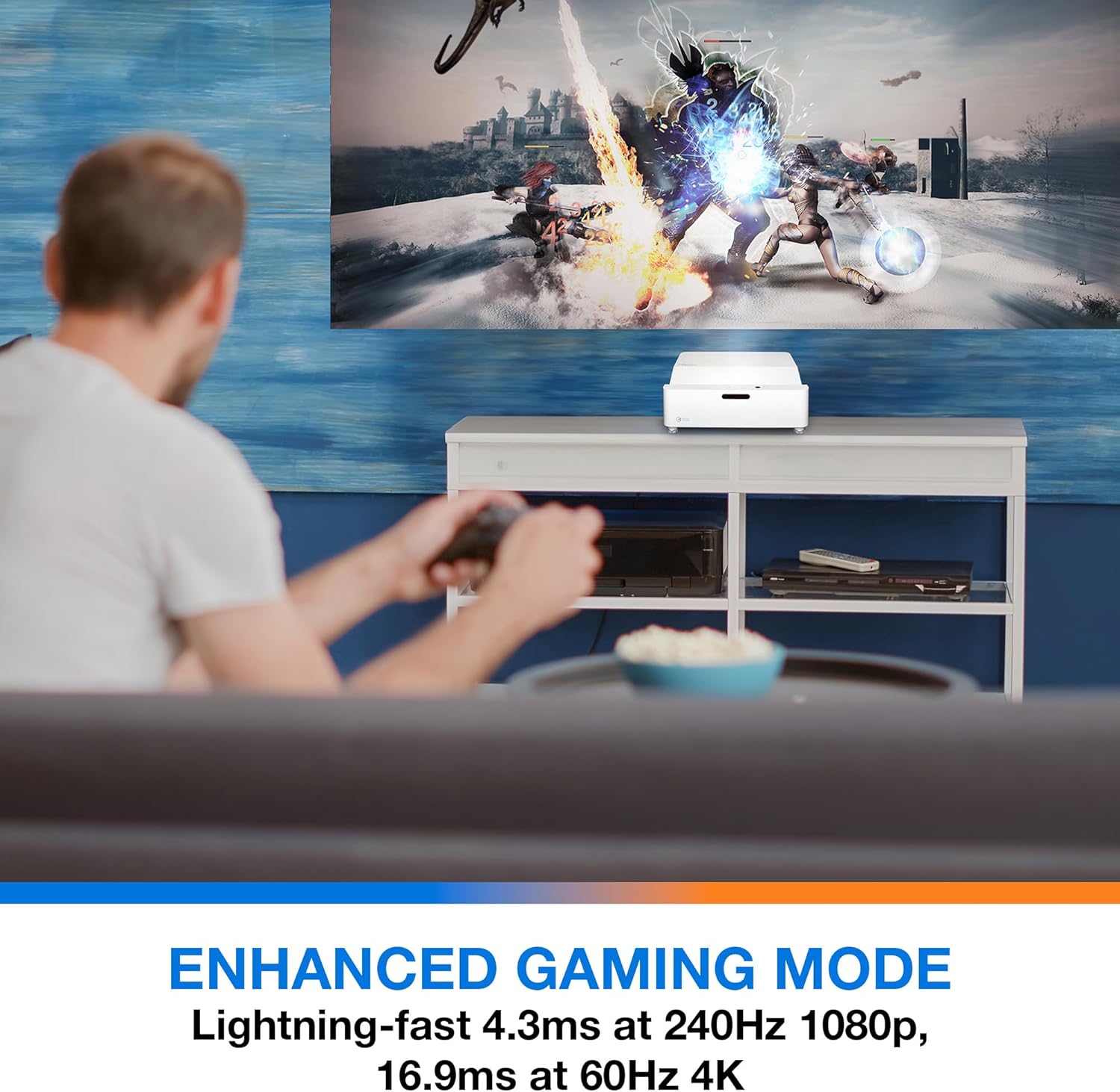
Descrizione: This image shows a user engaged in gaming with the Optoma GT4000UHD projector, highlighting the Enhanced Gaming Mode. This mode offers low input lag for a responsive gaming experience.
- To activate, navigate to the 'Display' or 'Picture Mode' settings in the menu and select 'Gaming Mode'.
- This mode optimizes the projector for fast-paced action, reducing input latency to as low as 4.3ms at 240Hz 1080p, or 16.9ms at 60Hz 4K.
6.4 Firmware Updates (FOTA Integration)
The projector supports Firmware Over-The-Air (FOTA) updates, allowing for convenient software enhancements.
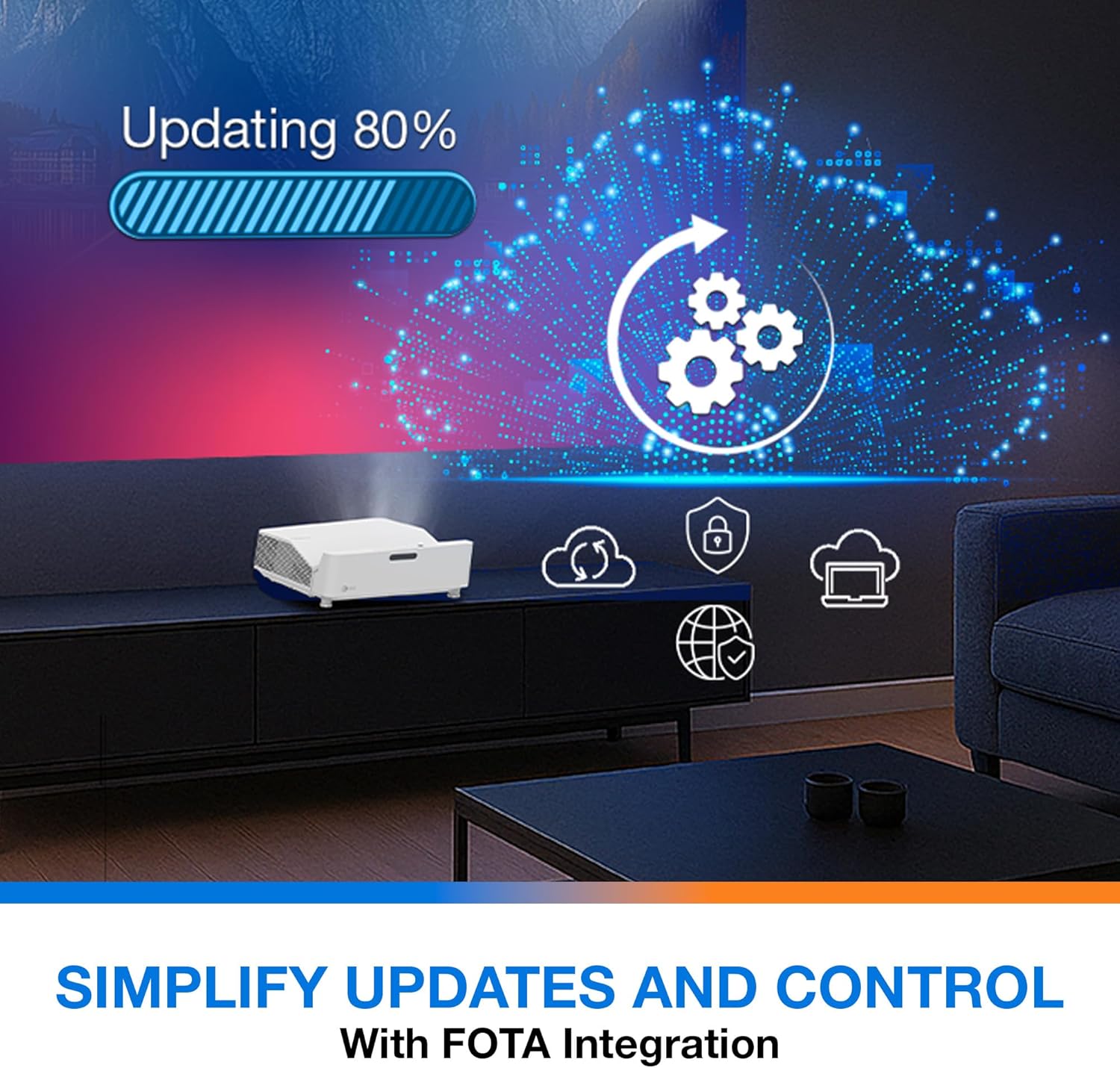
Descrizione: This image depicts the FOTA (Firmware Over-The-Air) integration feature, showing a progress bar for an update and cloud icons representing simplified updates and control for the projector.
- Ensure the projector is connected to the internet via its network port.
- Check for updates in the 'System' or 'About' menu. Follow on-screen prompts to download and install any available firmware updates.
7. Manutenzione
- Pulizia delle lenti: Pulire delicatamente la lente con un panno morbido e privo di lanugine, specificamente progettato per superfici ottiche. Non utilizzare detergenti abrasivi.
- Ventilazione: Regularly check and clean the air vents to prevent dust buildup, which can affect performance and lifespan.
- Magazzinaggio: Quando non si utilizza il proiettore per lunghi periodi, conservarlo in un luogo fresco e asciutto, al riparo dalla polvere.
8. Risoluzione Dei Problemi
In caso di problemi, fare riferimento alle seguenti soluzioni comuni:
| Problema | Possibile causa | Soluzione |
|---|---|---|
| Nessuna immagine visualizzata | Power cable loose, incorrect input source, source device off | Check power connections, select correct input source, ensure source device is on. |
| Image distorted/not rectangular | Projector not level, keystone/corner adjustment needed | Adjust projector position, use 4-Corner Adjustment feature. |
| Nessun audio | Volume too low, external audio system not connected/selected | Increase volume, check external audio connections and settings. |
| Il telecomando non funziona | Batterie scariche, ostruzione tra telecomando e proiettore | Replace batteries, remove obstructions, ensure line of sight. |
If the problem persists, contact Optoma customer support.
9. Specifiche
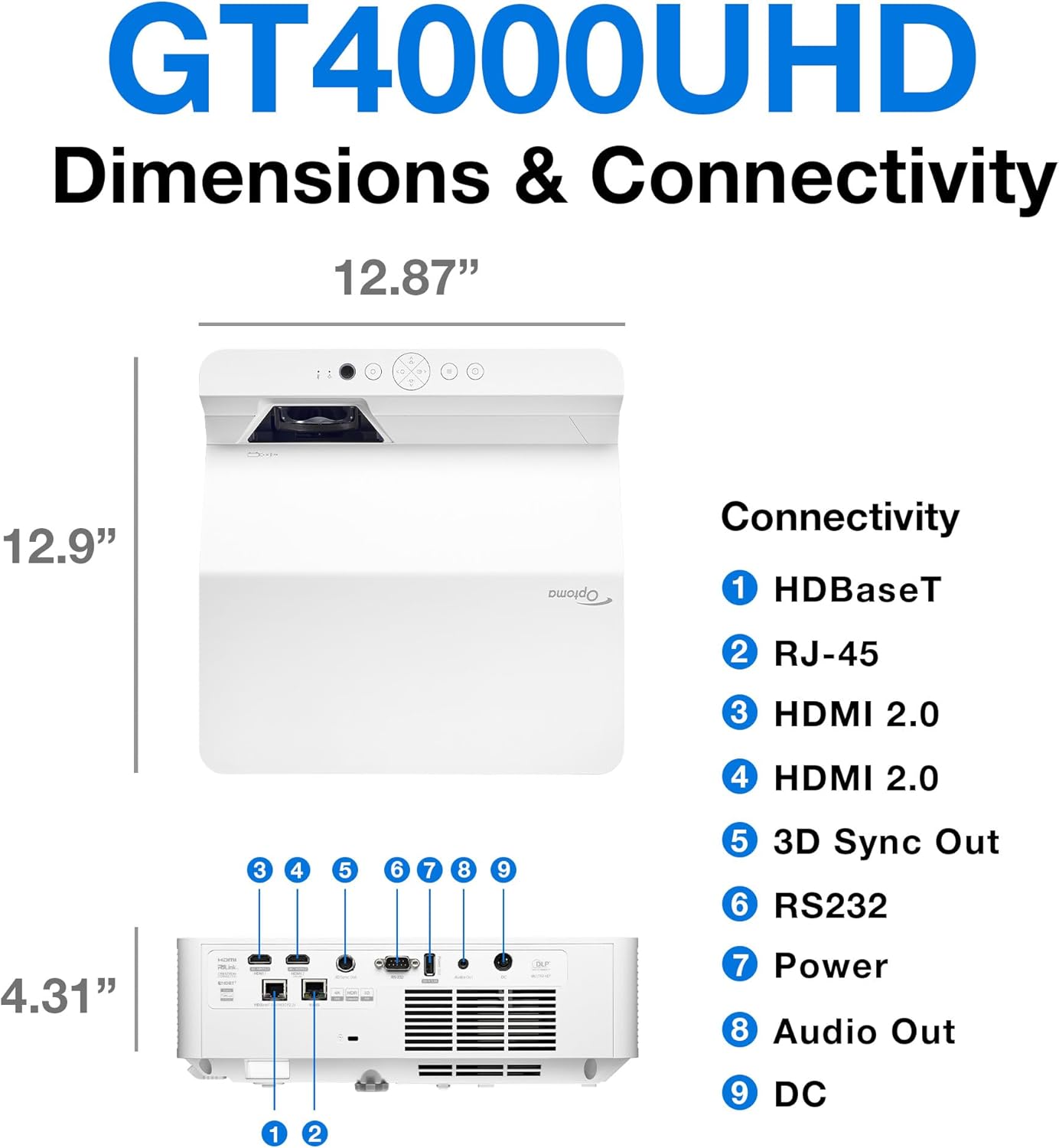
Descrizione: This image provides a detailed diagram of the Optoma GT4000UHD projector, including its dimensions (12.87" x 12.9" x 4.31") and a labeled overview of its connectivity ports such as HDBaseT, RJ-45, HDMI 2.0, 3D Sync Out, RS232, Power, Audio Out, and DC.
| Caratteristica | Specificazione |
|---|---|
| Nome del modello | GT4000UHD |
| Marca | Optoma |
| Risoluzione dello schermo | Risoluzione 3840 x 2160 (4K UHD) |
| Luminosità | 4,000 lumen |
| Tecnologia di connettività | HDMI, RCA |
| Caratteristica speciale | Lancio ultra corto |
| Usi consigliati | Giochi, Home Cinema |
| Dimensione massima dell'immagine | 100 pollici |
| Distanza minima di lancio | 0.28 metri |
| Distanza massima di lancio | 0.56 metri |
| Peso dell'articolo | 9.8 libbre |
| Tipo di montaggio | Supporto da tavolo |
10. Garanzia e supporto
10.1 Informazioni sulla garanzia
The Optoma GT4000UHD projector comes with a 1 Year Projector Parts and Labor Manufacturer’s WarrantySi prega di conservare la prova d'acquisto per eventuali reclami in garanzia.
10.2 Assistenza clienti
For technical assistance, troubleshooting beyond this manual, or warranty inquiries, please visit the official Optoma support website or contact their customer service department. Contact information can typically be found on the Optoma websito o nella confezione del prodotto.